
1. Introduction and Overview
The INVIROX 2024 Dog Training Collar is an electronic training system designed to assist in effective dog training. It features a remote control and a waterproof receiver collar, offering multiple training modes including beep, vibration, and static stimulation. This manual provides detailed instructions for safe and proper use, setup, operation, and maintenance of your training collar.
Key Features:
- Training Modes: Beep (1-8 levels), Vibration (1-16 levels), Static Stimulation (1-99 levels).
- Range: Up to 1100 yards (approximately 1000 meters).
- Waterproof: IP67 rated receiver for use in various weather conditions.
- Safety: Keypad lock feature on the remote to prevent accidental activation.
- Battery: Rechargeable remote and receiver with long-lasting battery performance.
- Adjustable: Suitable for dogs weighing 8 to 110 pounds.
2. Package Contents
Please inspect the package contents to ensure all items are present and in good condition:
- Remote Control
- Receiver Collar
- Adjustable Nylon Strap
- Protective Rubber Contact Point Covers
- Metal Contact Points (short and long sets)
- Test Bulb
- 2-in-1 Micro USB Charging Cable
- Wrist Strap for Remote

Figure 2.1: Included Components
This image displays the complete set of items you should find in your INVIROX Dog Training Collar package, including the remote, receiver, collar strap, various contact points, charging cable, and accessories.
3. Safety Information and Important Warnings
Read all instructions before using this product. Failure to follow these instructions could result in harm to your dog or damage to the product.
- Not for Aggressive Dogs: Do not use this product on aggressive dogs. If your dog is aggressive, consult a professional dog trainer or veterinarian.
- Skin Irritation: Prolonged wear or improper fit can cause skin irritation or pressure necrosis (commonly known as 'collar sores').
- Avoid leaving the collar on the dog for more than 12 hours per day.
- Reposition the collar on the dog's neck every 1 to 2 hours.
- Check the contact area daily for signs of rash or sores. If a rash or sore is found, discontinue use of the collar until the skin has healed.
- Always use the appropriate length of contact points for your dog's coat type to ensure proper contact without excessive pressure.
- Children: Keep the training collar and remote control out of reach of children.
- Proper Fit: The collar should fit snugly, but loose enough to allow one finger to fit between the strap and your dog's neck.
- Static Stimulation: Static stimulation should be used as a last resort and at the lowest effective level. Always start with beep or vibration modes.
- Training Tool: This device is a training tool, not a punishment device. Use it responsibly and in conjunction with positive reinforcement training methods.

Figure 3.1: Keypad Lock for Safety
This image illustrates the importance of the keypad lock feature on the remote control, designed to prevent accidental activation of training modes, ensuring safer operation, especially around children.
4. Setup
4.1 Charging the Devices
Before first use, fully charge both the remote control and the receiver collar.
- Connect the 2-in-1 Micro USB charging cable to a standard USB power adapter (not included) or a computer USB port.
- Plug the two micro USB ends into the charging ports on the remote control and the receiver collar.
- The indicator lights on both devices will show charging status (e.g., red for charging, green for fully charged).
- Charging typically takes 2-3 hours. Once fully charged, disconnect the cable.
Battery Life: The remote control can last up to 45 days on standby, and the receiver collar up to 15 days per charge, depending on usage.

Figure 4.1: Charging and Battery Life
This diagram shows the remote and receiver, highlighting their respective battery durations and the shared micro USB charging cable.
4.2 Fitting the Receiver Collar
Proper fit of the receiver collar is crucial for effective and safe operation.
- Ensure the dog is standing comfortably.
- Place the receiver collar around your dog's neck, positioning the receiver unit centrally under the chin or on the side of the neck.
- The contact points must make direct contact with your dog's skin. For dogs with thick coats, you may need to trim some fur or use the longer contact points provided.
- Adjust the strap so it is snug, but not too tight. You should be able to fit one finger between the collar strap and your dog's neck.
- The collar is designed for dogs weighing between 8 and 110 pounds.

Figure 4.2: Adjustable Collar for All Dog Sizes
This image demonstrates the versatility of the INVIROX training collar, showing it comfortably fitted on dogs of various sizes, from small to large, emphasizing its adjustability for weights between 8 and 110 pounds.
4.3 Pairing the Remote and Receiver
The remote and receiver are typically pre-paired from the factory. If re-pairing is needed or you are adding a second receiver:
- Ensure both devices are fully charged and turned off.
- Turn on the remote control.
- Press and hold the power button on the receiver collar until the indicator light flashes rapidly.
- Within 10 seconds, press any training mode button (Beep, Vibration, or Static Stimulation) on the remote control.
- The receiver's indicator light will stop flashing and remain solid, indicating successful pairing.
5. Operating Instructions
5.1 Turning On/Off
- Remote: Press and hold the power button until the screen illuminates. To turn off, press and hold the power button until the screen turns off.
- Receiver: Press and hold the power button until the indicator light flashes. To turn off, press and hold the power button until the indicator light turns off.
5.2 Training Modes and Levels
The remote offers three distinct training modes:
- Beep Mode: Provides an audible tone. Levels 1-8.
- Vibration Mode: Delivers a tactile vibration. Levels 1-16.
- Static Stimulation Mode: Provides a static pulse. Levels 1-99.
To select a mode, press the corresponding button on the remote. Use the '+' and '-' buttons to adjust the intensity level within each mode. Always start with the lowest effective level and increase gradually if necessary.

Figure 5.1: Training Modes and Levels
This image illustrates the three primary training modes available on the INVIROX remote control, along with their respective adjustable intensity levels, providing a visual guide for selecting the appropriate correction.
5.3 Keypad Lock
To prevent accidental activation of training modes, slide the keypad lock switch on the side of the remote control to the locked position. This will disable the training buttons until unlocked.
5.4 Double Functions: Light and Dog Switching
The remote control features buttons with dual functions:
- Light Button: Serves as a light button for visibility in low-light conditions and also allows for switching between training modes safely.
- Dog Switching Button (1/2): Functions as an On/Off button for the receiver and allows switching between two paired dog receivers if you are training two dogs simultaneously.

Figure 5.2: Remote Control Double Functions
This detailed view of the remote control highlights the multi-functional buttons, explaining their roles in activating the light, switching training modes, and managing multiple dog receivers.

Figure 5.3: 1100-Yard Operation Range
This image depicts the collar's effective operation range, showing a dog being trained off-leash at a distance, emphasizing the 1100-yard capability for outdoor use.
6. Maintenance
Regular maintenance ensures the longevity and proper functioning of your INVIROX Dog Training Collar.
- Cleaning: Clean the receiver collar and remote control regularly with a damp cloth. Avoid using harsh chemicals or abrasive cleaners.
- Contact Points: Periodically check the contact points for dirt or debris. Clean them to ensure good contact with your dog's skin.
- Strap: Inspect the nylon strap for wear and tear. Replace if damaged.
- Storage: When not in use for extended periods, store the devices in a cool, dry place. Ensure they are fully charged before storage to maintain battery health.
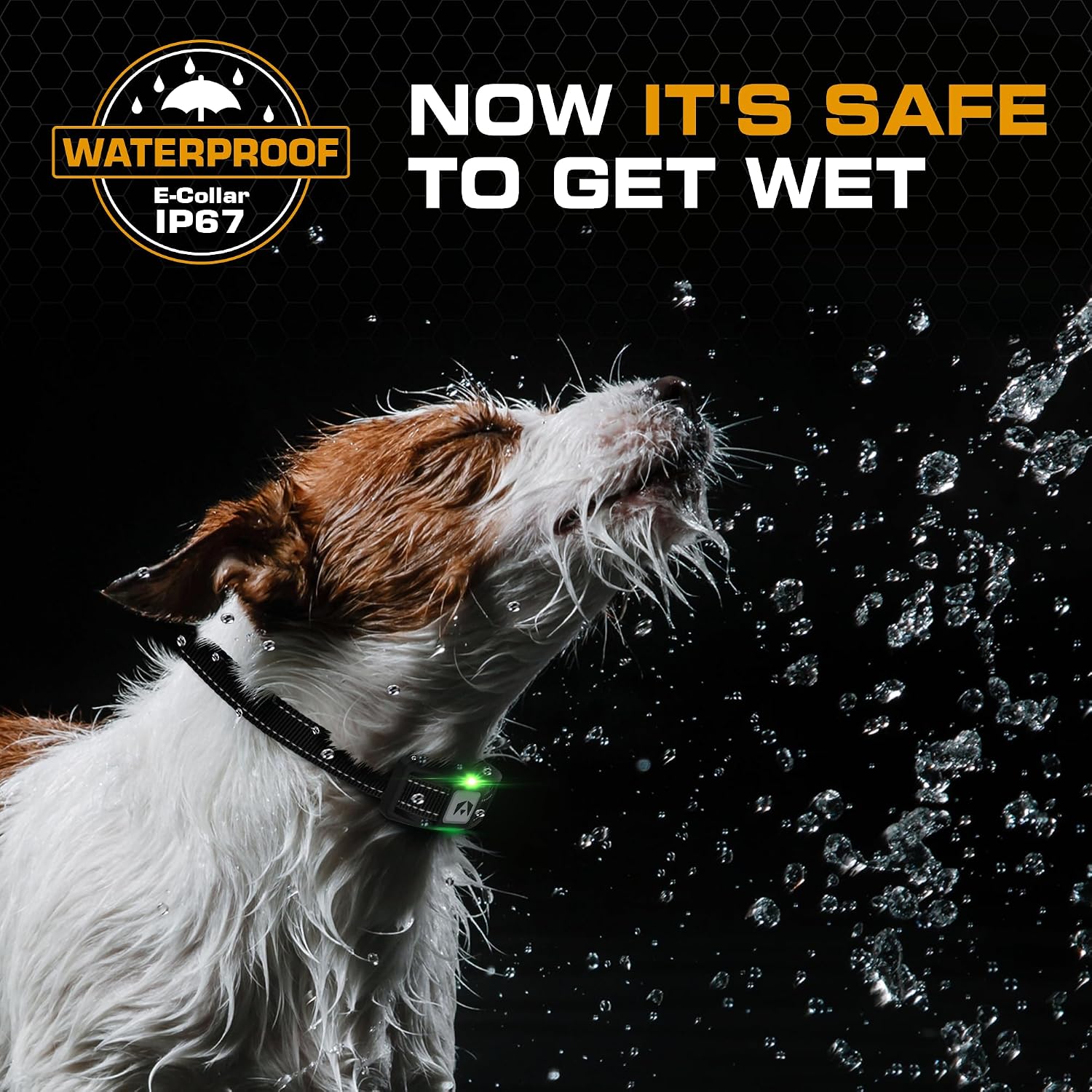
Figure 6.1: IP67 Waterproof Receiver
This image demonstrates the IP67 waterproof capability of the receiver collar, indicating its durability and suitability for use in wet conditions, making cleaning and outdoor activities worry-free.
7. Troubleshooting
If you encounter issues with your INVIROX Dog Training Collar, refer to the following common problems and solutions:
| Problem | Possible Cause | Solution |
|---|---|---|
| Receiver not responding to remote | Low battery on either device; Not paired; Out of range | Charge both devices; Re-pair the remote and receiver; Ensure devices are within range. |
| No static stimulation | Poor contact with skin; Level too low; Test bulb not working | Adjust collar fit and contact points; Increase stimulation level; Test with the provided test bulb. |
| Short range | Environmental interference; Low battery | Avoid areas with strong electromagnetic interference; Ensure devices are fully charged. |
| Collar causing skin irritation | Improper fit; Prolonged wear | Reposition collar frequently; Do not leave on for more than 12 hours; Check for sores daily. |
If these solutions do not resolve the issue, please contact INVIROX Customer Support for further assistance.
8. Specifications
| Feature | Specification |
|---|---|
| Model Name | 2024 Dog Training Collar |
| Brand | INVIROX |
| Range | 1100 yards (approx. 1000 meters) |
| Waterproof Rating | IP67 (Receiver) |
| Training Modes | Beep, Vibration, Static Stimulation |
| Beep Levels | 1-8 |
| Vibration Levels | 1-16 |
| Static Stimulation Levels | 1-99 |
| Dog Weight Capacity | 8 - 110 lbs |
| Receiver Weight | Approx. 49 grams |
| Remote Battery Life | Up to 45 days (standby) |
| Receiver Battery Life | Up to 15 days (per charge) |
| Material | Polycarbonate |
| ASIN | B08TP8Y266 |
9. Warranty and Support
9.1 Warranty Information
The INVIROX 2024 Dog Training Collar comes with a 1-year warranty from the date of purchase. This warranty covers manufacturing defects and malfunctions under normal use. It does not cover damage caused by misuse, accidents, unauthorized modifications, or normal wear and tear.
9.2 Customer Support
For any questions, concerns, or technical assistance regarding your INVIROX Dog Training Collar, please contact our customer support team. Our award-winning support is available to help you with setup, troubleshooting, and general inquiries.
Please refer to the product packaging or the official INVIROX website for the most current contact information for customer support.
