
HADEN 201294
Haden Dorchester Sage Microwave User Manual
Model: 201294
Brand: HADEN
Important Safety Instructions
Read all instructions carefully before using the appliance. Keep this manual for future reference.
- Do not operate the oven if the door or door seals are damaged.
- Do not heat liquids or other foods in sealed containers as they are liable to explode.
- Only allow children to use the oven without supervision when adequate instructions have been given.
- Do not use corrosive chemicals or vapors in this appliance.
- Ensure proper ventilation around the appliance.
- Always use microwave-safe cookware.
Product Overview
The Haden Dorchester Sage Microwave is designed for convenient and efficient heating, reheating, and defrosting of food. It features a stylish retro design with modern digital controls.

Front view of the Haden Dorchester Sage Microwave, showcasing its sage green finish, wooden-effect handle, and digital display.
Key Features:
- 20 Litre Capacity
- 800W Power Output
- Digital Controls with LED Display
- 5 Power Levels
- Defrost and Express Functions
- 60 Minute Digital Timer
- End of Cooking Signal
- Wooden Effect Handle and Buttons
Setup
Unpacking
Carefully remove the microwave oven and all packing materials from the carton. Ensure all components are present: microwave unit, glass turntable, and turntable ring assembly.
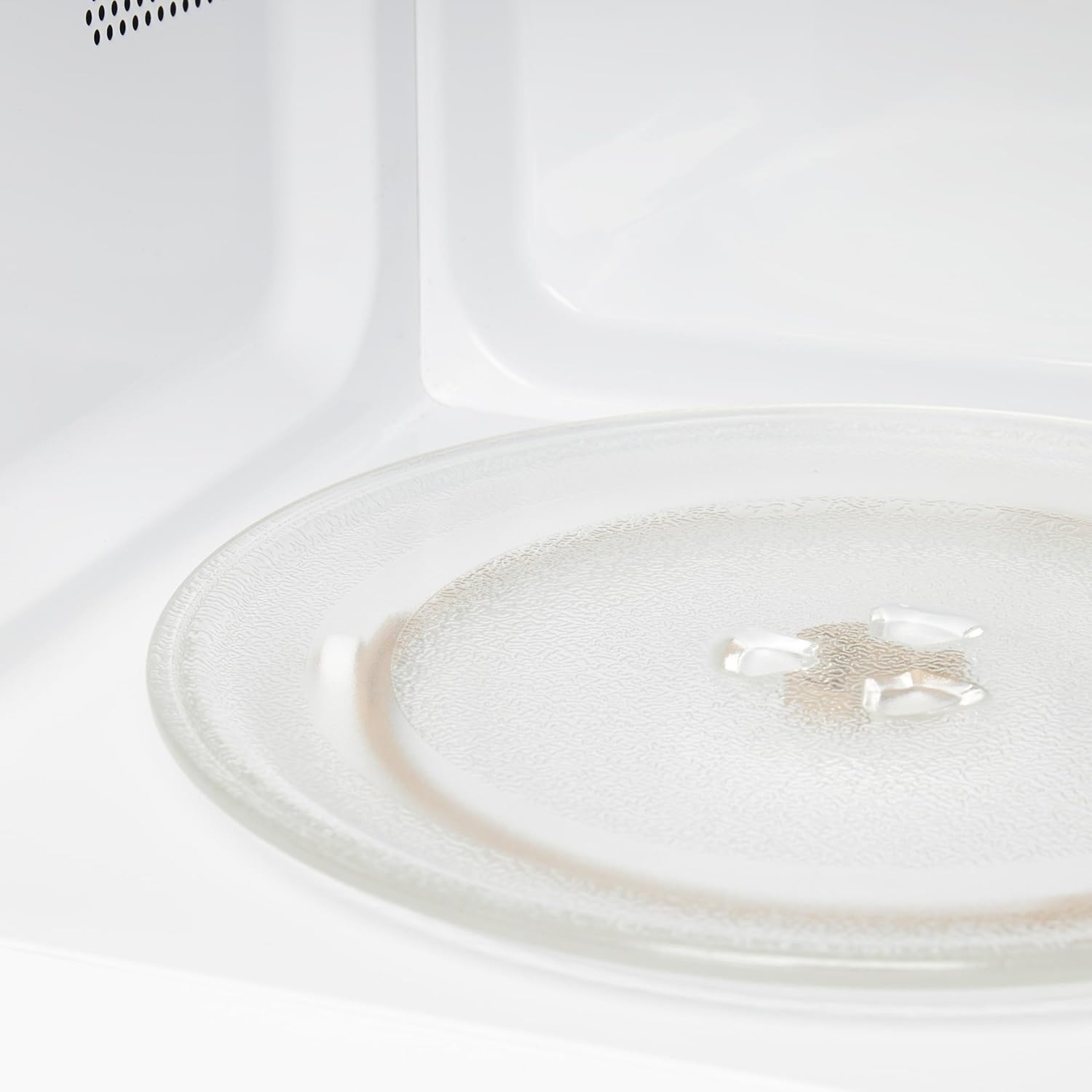
The interior of the microwave, showing the glass turntable and its support ring.
Placement
Place the microwave on a flat, stable surface. Ensure adequate ventilation by leaving at least 10cm (4 inches) of space at the back, 20cm (8 inches) at the top, and 5cm (2 inches) on the sides. Do not block any ventilation openings.

Diagram illustrating the dimensions of the Haden Dorchester Microwave, indicating its height, width, and depth.
Electrical Connection
Plug the microwave into a grounded electrical outlet. The appliance operates on 230-240V, 50/60Hz.
Operating Instructions
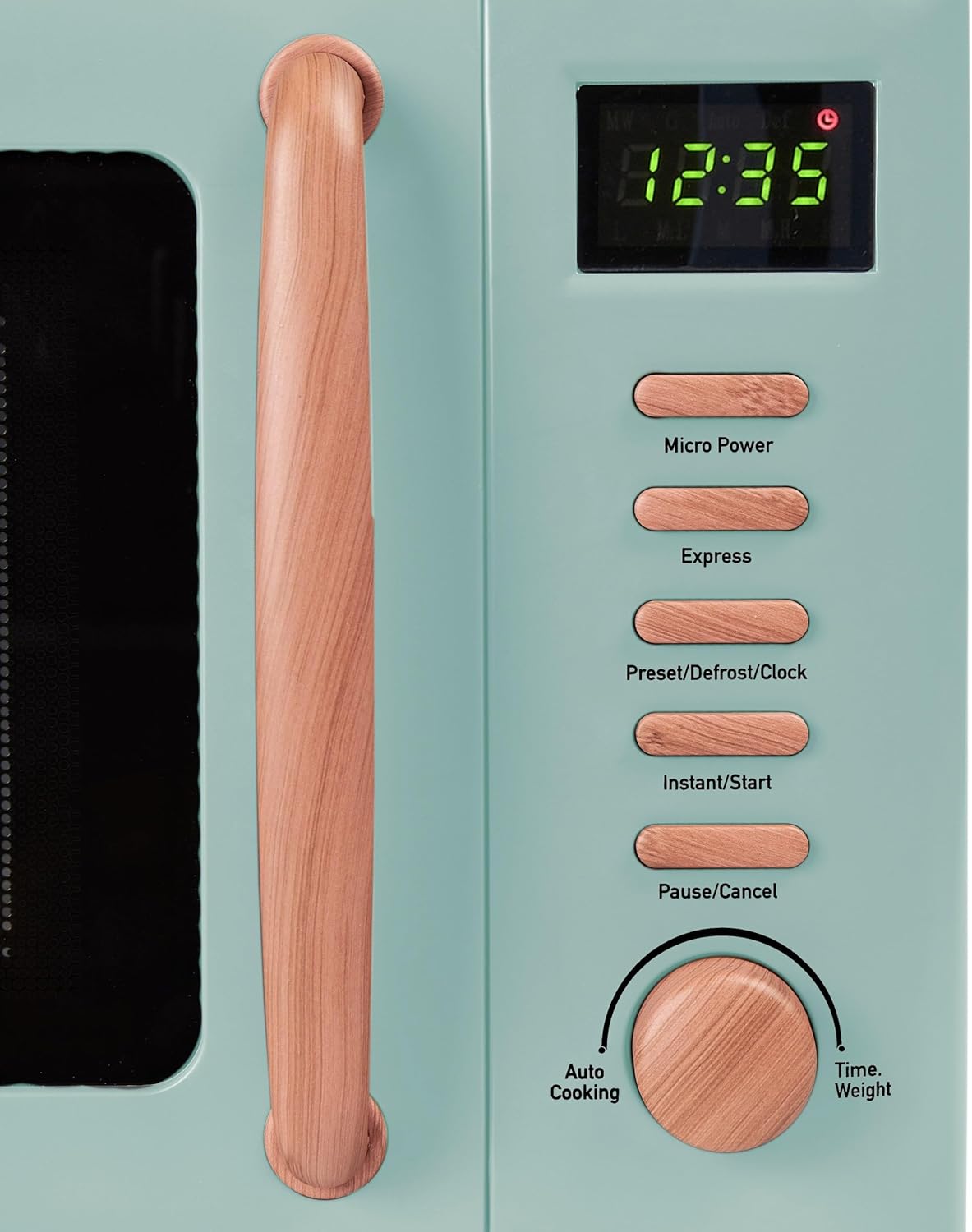
A detailed view of the microwave's control panel, showing the LED display, function buttons, and rotary dial.
Control Panel Overview
The control panel consists of an LED display, several function buttons, and a rotary dial.
- Micro Power: Selects microwave power levels.
- Express: For quick start cooking.
- Preset/Defrost/Clock: Sets clock, defrost by weight/time, or preset cooking.
- Instant/Start: Starts cooking or adds 30 seconds.
- Pause/Cancel: Stops cooking or clears settings.
- Time/Weight Dial: Adjusts cooking time, weight, or auto cooking settings.
Setting the Clock
- Press the Preset/Defrost/Clock button once.
- Turn the Time/Weight dial to set the hour.
- Press Preset/Defrost/Clock again.
- Turn the Time/Weight dial to set the minutes.
- Press Instant/Start to confirm.
Microwave Cooking
- Place food in a microwave-safe container on the turntable.
- Close the door securely.
- Press Micro Power repeatedly to select desired power level (P100, P80, P50, P30, P10).
- Turn the Time/Weight dial to set the cooking time.
- Press Instant/Start to begin cooking.
Defrosting
The microwave offers defrosting by weight or by time.
Defrost by Weight
- Press Preset/Defrost/Clock twice.
- Turn the Time/Weight dial to select the food weight.
- Press Instant/Start.
Defrost by Time
- Press Preset/Defrost/Clock three times.
- Turn the Time/Weight dial to set the defrosting time.
- Press Instant/Start.
Express Cooking
For quick cooking at full power:
- Press Express repeatedly to select cooking time (e.g., 30 seconds, 1 minute, 1 minute 30 seconds).
- The microwave will start automatically.
Maintenance and Cleaning
Regular cleaning and maintenance will ensure the longevity and optimal performance of your microwave oven.
Cleaning the Exterior
Wipe the exterior with a soft, damp cloth. Do not use abrasive cleaners or solvents.
Cleaning the Interior
After each use, wipe the interior cavity with a damp cloth to remove food splatters. For stubborn stains, place a bowl of water with lemon slices inside and heat for 2-3 minutes to loosen residue, then wipe clean.
Cleaning the Turntable
The glass turntable and turntable ring can be removed and washed in warm, soapy water or in the dishwasher. Ensure they are completely dry before placing them back in the oven.
Door Seal Care
Regularly inspect the door seals and sealing surfaces for any damage. Clean them with a mild detergent and soft cloth.
Troubleshooting
| Problem | Possible Cause | Solution |
|---|---|---|
| Oven not starting | Power cord not plugged in; Door not closed properly; Fuse blown or circuit breaker tripped. | Check power cord; Ensure door is fully closed; Check household fuse/circuit breaker. |
| Food not heating | Incorrect cooking time/power level; Microwave-safe cookware not used. | Adjust time/power; Use appropriate cookware. |
| Turntable not rotating | Turntable not correctly placed; Debris under turntable. | Re-position turntable and ring; Clean under turntable. |
Specifications
- Model: 201294
- Capacity: 20 Liters
- Power Output: 800 Watts
- Voltage: 230-240V ~ 50/60Hz
- Product Dimensions (L x W x H): 17.13 x 12.6 x 10.24 inches (43 x 32 x 26 cm)
- Item Weight: 22.4 pounds (10.2 Kilograms)
- Material: Stainless Steel
- Color: Sage
- Special Features: Timer, Defrost, Turntable
- Included Components: Turntable
Warranty and Support
This Haden Dorchester Sage Microwave comes with a 2-Year Warranty from the date of purchase.
For technical support, service, or warranty claims, please contact HADEN customer service. Refer to the official HADEN website or your purchase documentation for contact details.
Please retain your proof of purchase for warranty validation.
Related documents201294

Ask a question about this manual
Ask about setup, troubleshooting, compatibility, parts, safety, or missing instructions. Manuals+ will review the question and use this page’s manual context to help answer it.