Introduction
This manual provides essential information for the safe and efficient operation, maintenance, and troubleshooting of your Eureka Corded Stick Vacuum Cleaner, model NES100. Please read this manual thoroughly before using the appliance and retain it for future reference.
The Eureka NES100 is a lightweight, corded 3-in-1 vacuum cleaner designed for versatile cleaning across various surfaces including carpets, tiles, and hard floors. It features powerful suction and swivel steering for easy maneuverability.
Important Safety Information
Always follow basic safety precautions when using electrical appliances to reduce the risk of fire, electric shock, or injury.
- Do not leave the vacuum cleaner unattended when plugged in. Unplug from outlet when not in use and before servicing.
- Do not use outdoors or on wet surfaces.
- Do not allow to be used as a toy. Close attention is necessary when used by or near children.
- Use only as described in this manual. Use only manufacturer's recommended attachments.
- Do not use with damaged cord or plug. If appliance is not working as it should, has been dropped, damaged, left outdoors, or dropped into water, return it to a service center.
- Do not pull or carry by cord, use cord as a handle, close a door on cord, or pull cord around sharp edges or corners. Do not run appliance over cord. Keep cord away from heated surfaces.
- Do not unplug by pulling on cord. To unplug, grasp the plug, not the cord.
- Do not handle plug or vacuum cleaner with wet hands.
- Do not put any object into openings. Do not use with any opening blocked; keep free of dust, lint, hair, and anything that may reduce air flow.
- Keep hair, loose clothing, fingers, and all parts of body away from openings and moving parts.
- Do not pick up anything that is burning or smoking, such as cigarettes, matches, or hot ashes.
- Do not use without dust cup and/or filters in place.
- Turn off all controls before unplugging.
- Use extra care when cleaning on stairs.
- Do not use to pick up flammable or combustible liquids, such as gasoline, or use in areas where they may be present.
- Store your vacuum cleaner indoors in a cool, dry area.
- Warning: When using the vacuum cleaner, the floor brush may be clogged by hairs and dirt. We recommend cleaning the roller brush and the belt every 2 weeks. Long-term failure to clean may cause malfunction, or even risk of smoke and belt broken.
What's in the Box
Your Eureka NES100 package includes the following components:

Figure 1: Eureka NES100 Components
- Handheld Vacuum Unit (main body with dust cup and filter)
- Floor Nozzle (for floor cleaning)
- Extension Handle (for stick vacuum configuration)
- Crevice Tool (for tight spaces)

Figure 2: Detailed view of included accessories.
Setup and Assembly
The Eureka NES100 is designed for easy assembly. Follow these steps to set up your vacuum cleaner:
- Unpack Components: Carefully remove all parts from the packaging. Ensure all listed components are present.
- Assemble Stick Vacuum:
- Insert the extension handle into the top of the handheld vacuum unit until it clicks securely into place.
- Attach the floor nozzle to the bottom of the handheld vacuum unit (or the extension handle if using it as a stick vacuum) until it locks.
- Handheld Configuration: To use as a handheld vacuum, simply detach the extension handle and floor nozzle. You can attach the crevice tool directly to the handheld unit for targeted cleaning.

Figure 3: Fully assembled stick vacuum.
Operating Instructions
The Eureka NES100 offers versatile cleaning modes:
1. Stick Vacuum Mode (for floors)
This mode is ideal for cleaning large floor areas, including carpet, tile, and hard floors.
- Ensure the extension handle and floor nozzle are securely attached.
- Plug the power cord into a suitable electrical outlet.
- Press the power button located on the handle to turn on the vacuum.
- Guide the vacuum across the floor. The swivel steering allows for easy maneuverability around furniture and obstacles.
- When finished, turn off the vacuum and unplug the cord.

Figure 4: Powerful Suction and Swivel Steering in action.
2. Handheld Vacuum Mode (for stairs, furniture, and cars)
For quick clean-ups and hard-to-reach areas, convert the unit to handheld mode.
- Detach the extension handle and floor nozzle from the handheld vacuum unit.
- Plug the power cord into an electrical outlet.
- Press the power button.
- Use the handheld unit directly for cleaning stairs, upholstery, or inside vehicles.
- When finished, turn off the vacuum and unplug the cord.
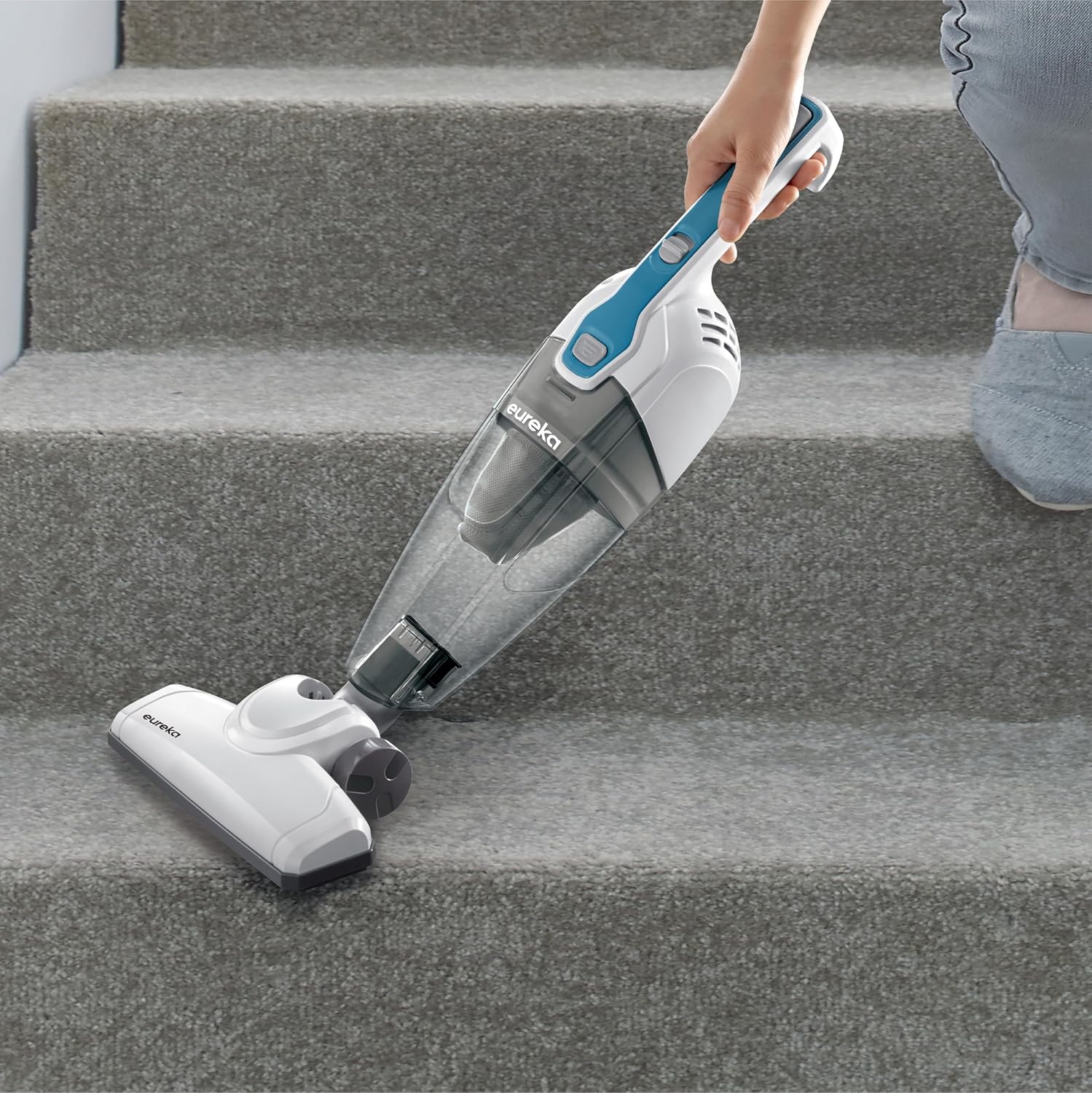
Figure 5: Handheld vacuum cleaning stairs.
3. Handheld with Crevice Tool (for tight spaces)
The crevice tool is perfect for narrow gaps, corners, and edges.
- Attach the crevice tool directly to the handheld vacuum unit.
- Plug in and turn on the vacuum.
- Use the crevice tool to clean tight spots, such as between couch cushions or along baseboards.
- When finished, turn off the vacuum and unplug the cord.

Figure 6: Using the crevice tool for detailed cleaning.
Cord Management and Storage
The vacuum features a convenient cord hook to prevent tripping hazards and for easy storage.
- The electric cord hook helps prevent tripping hazards during use.
- The vacuum stands upright on its own for easy storage. The cord wraps conveniently around hooks on the back to keep everything organized.

Figure 7: Free Your Hand - Cord Clip Feature.

Figure 8: Organized Cord Storage.

Figure 9: Freestanding design for easy storage.
Maintenance
Regular maintenance ensures optimal performance and extends the life of your vacuum cleaner.
Emptying the Dust Cup
The large-capacity detachable dust cup allows for extended cleaning sessions without interruption.
- Ensure the vacuum is turned off and unplugged.
- Press the release button to detach the dust cup from the handheld unit.
- Hold the dust cup over a trash bin and open the bottom flap to empty collected debris.
- Close the flap and reattach the dust cup to the vacuum unit until it clicks into place.
Cleaning the Filter
The washable filter helps maintain suction power. Clean regularly for best results.
- With the dust cup detached, remove the filter assembly.
- Tap off loose dirt into a trash bin.
- Rinse the filter under cool running water until the water runs clear.
- Allow the filter to air dry completely for at least 24 hours before reinserting it into the dust cup. Do not use the vacuum with a wet filter.
Cleaning the Roller Brush and Belt
It is crucial to regularly clean the roller brush and belt to prevent clogging and maintain performance.
- Recommendation: Clean the roller brush and the belt every 2 weeks.
- Warning: Long-term failure to clean may cause malfunction, or even risk of smoke and belt broken.
- To clean, ensure the vacuum is off and unplugged. Remove the floor nozzle. Carefully remove any tangled hair, strings, or debris from the roller brush. Inspect the belt for any damage or wear.
Troubleshooting
If you encounter issues with your vacuum cleaner, refer to the following common troubleshooting steps:
| Problem | Possible Cause | Solution |
|---|---|---|
| Vacuum cleaner does not turn on. | Not plugged in; Power outlet not working; Power button not pressed. | Check power cord connection; Test outlet with another appliance; Press power button firmly. |
| Loss of suction. | Dust cup full; Filter clogged; Nozzle/hose clogged; Roller brush tangled. | Empty dust cup; Clean/wash filter; Check for and remove blockages in nozzle/hose; Clean roller brush. |
| Unusual noise. | Blockage in air path; Damaged motor/fan (rare). | Check for and remove any blockages; If noise persists, contact customer service. |
| Floor brush clogged by hairs and dirt. | Accumulation of debris. | Clean the roller brush and the belt every 2 weeks as recommended in the maintenance section. |
If the problem persists after attempting these solutions, please contact Eureka customer service.
Specifications
| Feature | Detail |
|---|---|
| Brand | Eureka |
| Model Name | Corded Stick Vacuum Cleaner for Home Pet Hair |
| Model Number | NES100 |
| Color | Aqua Blue |
| Special Feature | Bagless, Lightweight |
| Filter Type | Foam |
| Included Components | Crevice Tool |
| Is Cordless? | No (Corded) |
| Capacity | 0.7 Liters |
| Wattage | 240 watts |
| Recommended Uses | Bare Floor, Hardwood, Tile Floor, Carpet, Stairs, Car Cleaning |
| Form Factor | Handheld, Stick |
| Product Dimensions | 44"L x 13.78"W x 13.28"H |
| Noise Level | 84 dB |
| Amperage | 2 Amps |
| Item Weight | 2.8 pounds |
| UPC | 810040941863 |
| Indoor/Outdoor Usage | Indoor |
Warranty and Support
For warranty information or technical support, please contact Eureka customer service.
- Customer Service: 1-800-282-2886
- Official User Manual (PDF): Download PDF