
PHILIPS CSA240/20
Philips Senseo Select Eco Coffee Pod Machine
Model: CSA240/20 User Manual
Introduction
The Philips Senseo Select Eco CSA240/20 coffee pod machine is designed to provide a delicious coffee experience with convenience and sustainability in mind. Featuring the intuitive Intensity Plus slider, you can easily choose between three balanced aroma profiles. The Memo function allows you to save your preferred coffee recipe for consistent results. This model is also constructed with 37% recycled plastic in parts not in contact with food, contributing to environmental responsibility.
Enjoy a perfect cup of Senseo coffee, whether long, intense, or espresso, with the patented Crema Plus system ensuring a fine, velvety crema on every brew. This manual will guide you through the setup, operation, and maintenance of your new coffee machine.
Product Overview

Image Description: The Philips Senseo Select Eco coffee machine in black, actively brewing two cups of coffee into clear glass mugs. Steam rises from the freshly brewed coffee, highlighting the machine's operation.
The Senseo Select Eco CSA240/20 is a compact and efficient coffee pod machine. It features a removable water reservoir, a height-adjustable coffee spout, and a drip tray for easy cleaning. The control panel includes buttons for single and double cup brewing, an Intensity Plus slider, and a Memo function button.
Setup
- Unpacking: Carefully remove all packaging materials from the coffee machine. Retain the packaging for future transport or storage.
- Initial Cleaning: Before first use, wash all removable parts (drip tray, pod holders, water reservoir lid) with hot water and a mild detergent. Rinse thoroughly.
- Positioning: Place the machine on a stable, flat surface. Ensure there is enough space around the machine for proper ventilation.
- Fill Water Reservoir: Fill the water reservoir with fresh, cold tap water up to the MAX indication. Do not exceed the MAX level.
- First Use Rinse Cycle: Before brewing coffee, perform a rinse cycle. Place a bowl under the spout. Press the 1-cup and 2-cup buttons simultaneously. The machine will heat up and dispense hot water. Repeat this process once or twice to ensure the internal system is clean.
Operating Instructions
Brewing Coffee
- Ensure the water reservoir is filled with fresh water.
- Open the lid and place one coffee pod into the 1-cup pod holder for a single serving, or two coffee pods into the 2-cup pod holder for a double serving. Ensure the pod is centered.
- Close the lid firmly until it clicks into place.
- Place one or two cups under the coffee spout.
- Select Intensity: Use the Intensity Plus slider on the side of the machine to choose your desired coffee strength (e.g., mild, regular, intense).

Image Description: A close-up view of a hand operating the orange Intensity Plus slider on the right side of the Philips Senseo coffee machine. The slider has icons indicating different coffee strengths.
- Press the 1-cup or 2-cup button depending on your selection. The button will illuminate, indicating the machine is heating up and brewing.
- Once brewing is complete, the button light will turn off. Remove your cup(s) and enjoy your coffee.
Memo Function
The Memo function allows you to customize and save your preferred coffee volume. To program:
- Place a coffee pod and cup as usual.
- Press and hold the 1-cup or 2-cup button. Release the button when the desired coffee volume is reached. The machine will remember this setting for future brews.
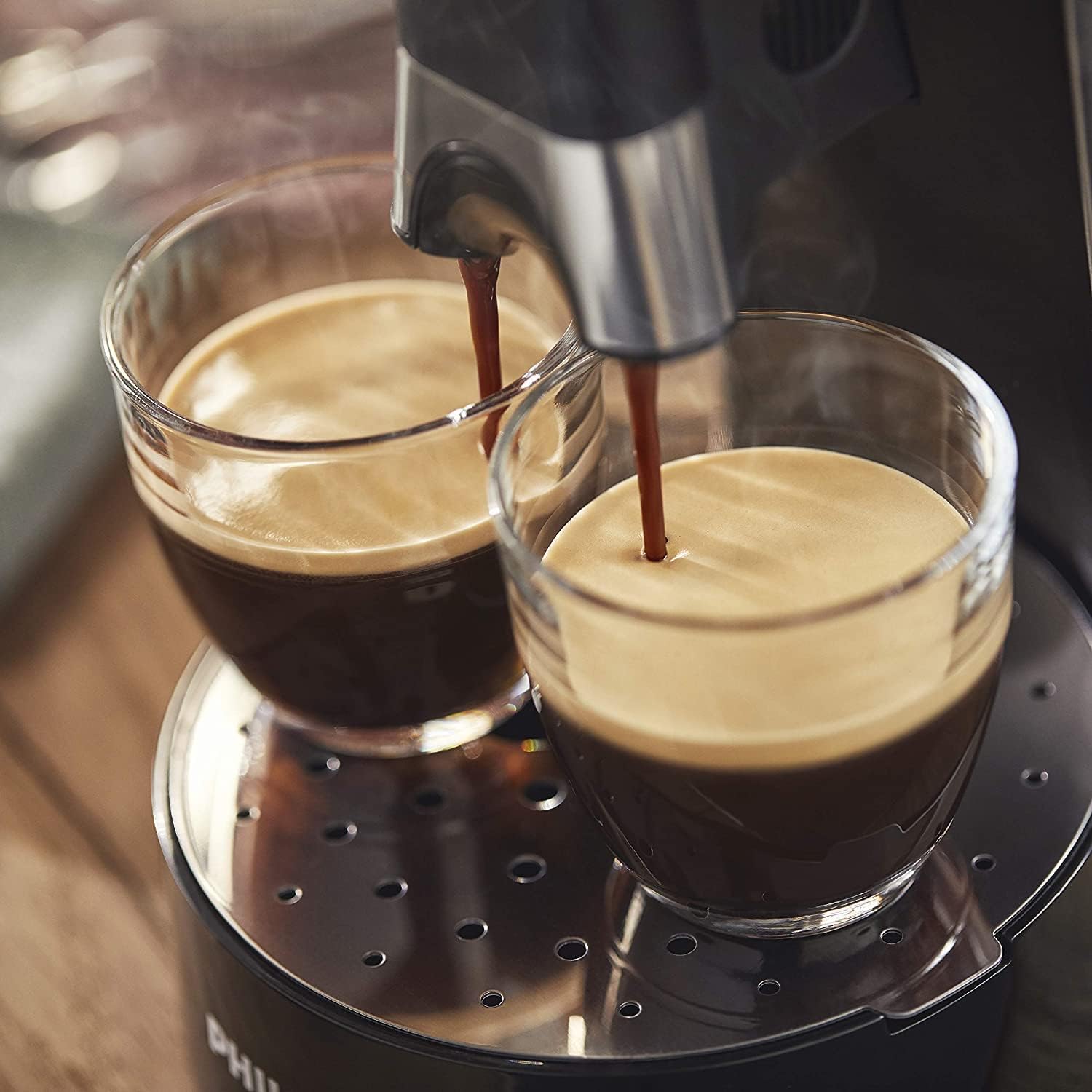
Image Description: A close-up shot of a single cup of coffee, showcasing the thick, golden-brown crema on top, indicating the quality of the brew from the Senseo machine.
Maintenance
Daily Cleaning
- After each use, remove and empty the drip tray and pod holder(s). Wash them with hot water and a mild detergent.
- Wipe the exterior of the machine with a damp cloth. Do not use abrasive cleaning agents or scourers.
- Rinse the water reservoir regularly.

Image Description: A person's hands are shown rinsing a black, perforated component of the coffee machine, possibly the drip tray or a pod holder, under a stream of water in a stainless steel sink, demonstrating easy cleaning.
Descaling
Regular descaling is crucial for maintaining optimal performance and extending the lifespan of your Senseo machine. The descaling indicator light (CALC) will illuminate when descaling is required. It is generally recommended to descale every 3 months or when coffee volume decreases or taste changes.
- Use only Senseo descaling solution or a citric acid-based descaler. Do not use vinegar.
- Follow the instructions provided with your descaling solution for the correct procedure. This typically involves mixing the solution with water, running it through the machine, and then performing several rinse cycles with fresh water.
Troubleshooting
| Problem | Possible Cause | Solution |
|---|---|---|
| Machine does not turn on. | Not plugged in; power outlet issue. | Ensure the power cord is securely plugged into a working electrical outlet. |
| Coffee is not brewing or flow is slow. | Water reservoir empty; machine needs descaling; pod not placed correctly. | Fill water reservoir; perform descaling procedure; ensure coffee pod is centered in the holder. |
| Coffee tastes weak or watery. | Incorrect intensity setting; machine needs descaling. | Adjust Intensity Plus slider to a stronger setting; descale the machine. |
| No crema or poor crema. | Machine needs descaling; incorrect coffee pods. | Descale the machine; ensure you are using Senseo coffee pods. |
| Water leaks from the machine. | Water reservoir not seated correctly; damaged part. | Ensure water reservoir is properly seated; check for any visible damage to components. If issues persist, contact customer support. |
Specifications
- Brand: PHILIPS
- Model Number: CSA240/20
- Color: Noir / Eco (Black / Eco)
- Dimensions (L x W x H): 15.5 x 31 x 31 cm (6.1 x 12.2 x 12.2 inches)
- Weight: 2.12 Kilograms (4.67 lbs)
- Power: 1450 Watts
- Voltage: 240 Volts
- Material: Plastic, Metal
- Special Feature: Reusable filter compatible
- Auto-off Function: Yes
- Country of Origin: Romania
Warranty and Support
For warranty information and support, please refer to the warranty card included with your product or visit the official Philips Domestic Appliances website. Keep your proof of purchase for any warranty claims.
If you encounter any issues not covered in this manual, or require further assistance, please contact Philips customer support.
Related Documents - CSA240/20
 |
Philips Senseo Coffee Machine User Manual and Safety Guide Comprehensive guide for operating and maintaining the Philips Senseo coffee machine, including safety instructions, brewing coffee, memo function, descaling, and troubleshooting. |
 |
Philips Senseo Coffee Maker User Manual - CSA240/CSA250/CSA230 Comprehensive user manual for the Philips Senseo coffee maker, covering setup, operation, cleaning, descaling, and troubleshooting for models CSA240, CSA250, and CSA230. Includes safety instructions and accessory information. |
 |
Philips Senseo Coffee Machine User Manual (CSA250, CSA240, CSA230) Comprehensive user manual for Philips Senseo coffee machines (models CSA250, CSA240, CSA230), covering safety information, operating instructions, troubleshooting, cleaning, and descaling procedures. |
 |
Philips SENSEO Select CSA240/90 Coffee Maker - Intensity Plus, Memo Function, Crema Plus Discover the Philips SENSEO Select CSA240/90 coffee machine. Features Intensity Plus for customizable coffee strength (long, intense, espresso), Memo Function for personalized recipes, Crema Plus for a fine, creamy foam, and eco-friendly design with recycled materials. Brews 1-2 cups, features adjustable spout, and instant start. |
 |
Philips SENSEO® Select Koffiepadmachine CSA240/20 - Productoverzicht Ontdek de Philips SENSEO® Select (CSA240/20) koffiepadmachine. Voorzien van Intensity Plus, geheugenfunctie en Crema Plus voor de perfecte kop koffie. |
 |
Philips SENSEO® Select Récupérateur (CP1244) - Pièce Détachée Informations sur le récupérateur Philips CP1244 pour la cafetière SENSEO® Select. Découvrez comment prolonger la durée de vie de votre appareil avec des pièces de rechange faciles à utiliser. |
Ask a question about this manual
Ask about setup, troubleshooting, compatibility, parts, safety, or missing instructions. Manuals+ will review the question and use this page’s manual context to help answer it.