
FLEXISPOT EF1B
FLEXISPOT 55-inch Computer Desk EF1B User Manual
Model: EF1B
1. Introduction
Thank you for choosing the FLEXISPOT 55-inch Computer Desk. This manual provides essential information for the safe assembly, operation, and maintenance of your new desk. Please read these instructions carefully before use and retain them for future reference.
This desk is designed to provide a spacious and stable workstation for home and office environments, featuring a robust construction and modern design.
2. Safety Information
- Ensure all parts are present and undamaged before assembly. Do not use if any parts are missing or broken.
- Follow assembly instructions precisely. Incorrect assembly can lead to instability and potential injury.
- Keep children and pets away from the assembly area. Small parts can be a choking hazard.
- Do not exceed the maximum weight capacity of 300 lbs (136 kg) for the desk.
- Place the desk on a level surface to ensure stability.
- Avoid placing hot items directly on the desktop. Use coasters or protective pads.
- Keep liquids away from electrical components if applicable (for electric adjustable models).
3. Package Contents
Your FLEXISPOT desk package includes all necessary tools and clearly marked parts for assembly. Please verify all components against the packing list provided in the box.
- Desktop surface (Grey)
- Metal frame components
- Storage bag
- Adjustable foot pads
- Assembly hardware (screws, bolts, etc.)
- Installation tools
- Instruction manual
4. Setup and Assembly
Assembly of the FLEXISPOT desk is designed to be straightforward. It is recommended to have a clear, open space for assembly and to follow the steps sequentially.
4.1 General Assembly Tips
- Unpack all components and lay them out on a soft, clean surface to prevent scratches.
- Identify each part using the provided labels and diagrams.
- Do not overtighten screws during initial assembly; tighten them fully once the entire structure is aligned.
- For optimal stability, ensure all connections are secure.
4.2 Key Assembly Steps
- Assemble the metal frame according to the diagrams in your included instruction booklet.
- Attach the desktop surface to the assembled frame.
- Install the storage bag: The storage bag can be installed on either the left or right side of the desk frame, as per your preference.
- Attach the adjustable foot pads to the bottom of the desk legs. These pads help keep the desktop stable and prevent tilting on uneven surfaces.
4.3 Visual Assembly Guide
For a detailed visual guide on assembling your FLEXISPOT desk, please refer to the official installation video below:
Official FLEXISPOT 2-Tier Standing Desk Installation Guide (EF1 Series). This video demonstrates the assembly process for the desk frame and desktop components.
4.4 Product Features Overview
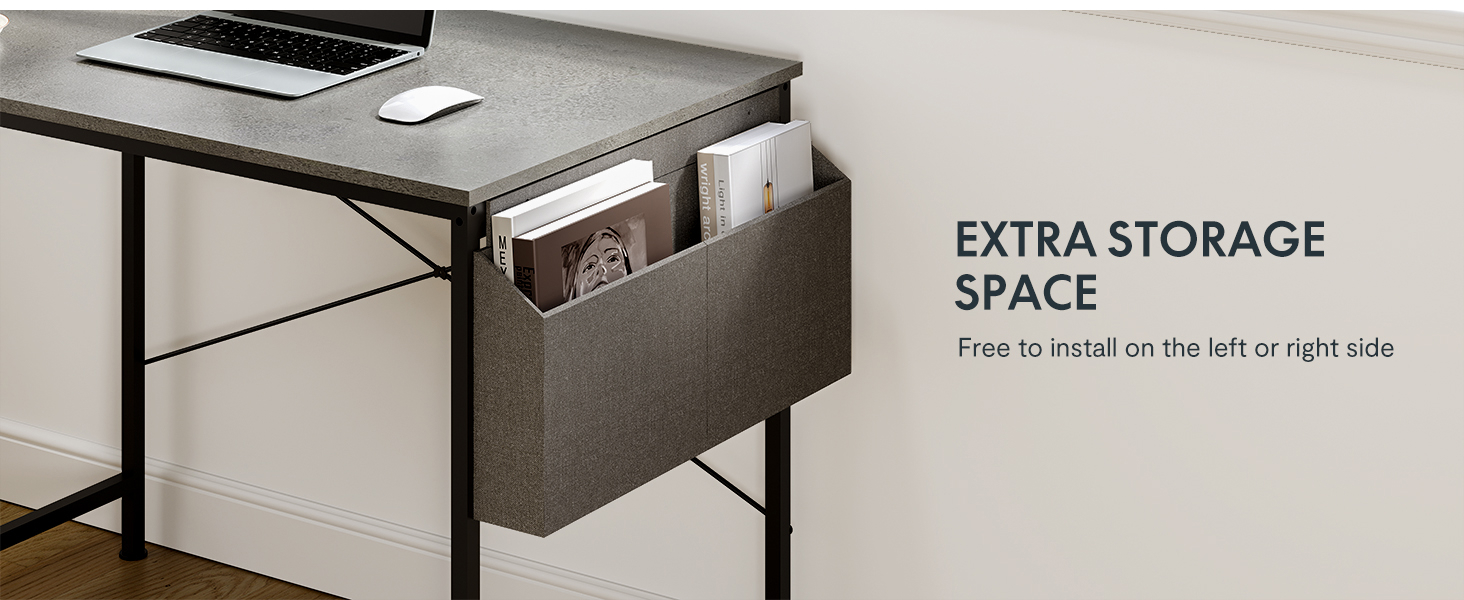
Image showing the FLEXISPOT computer desk with its integrated storage bag, highlighting the extra storage space available. The storage bag can be positioned on either side of the desk.
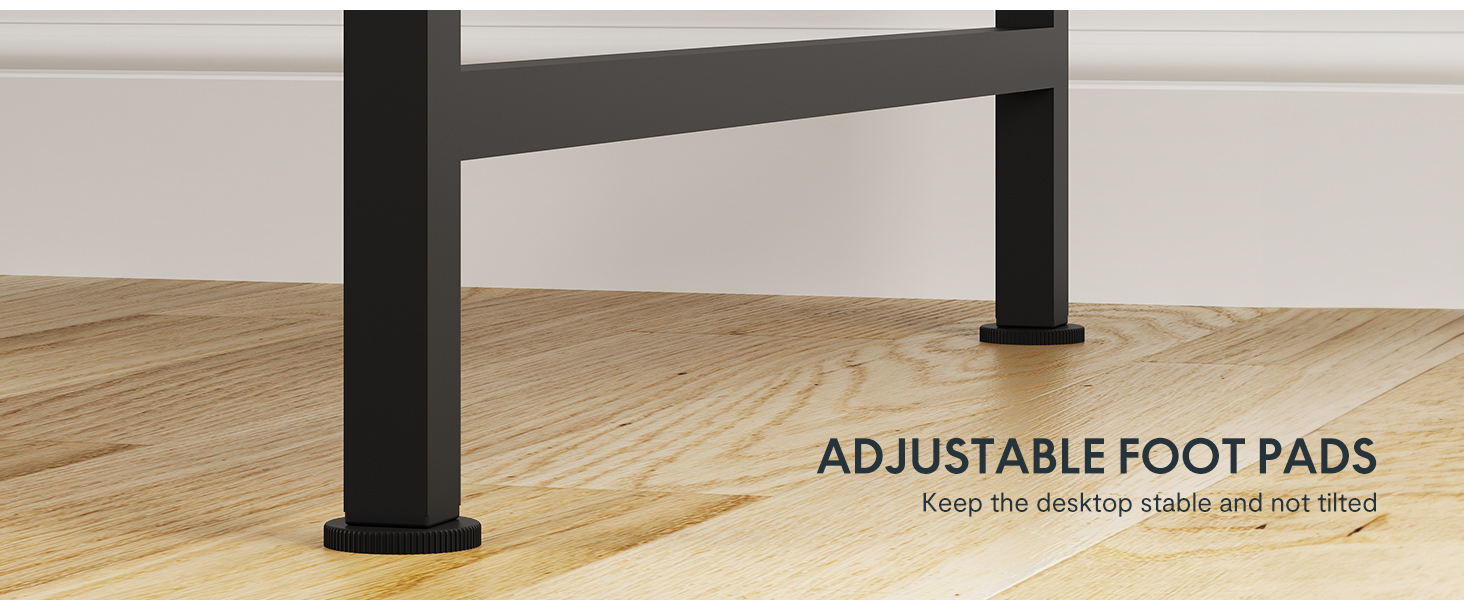
Close-up view of the adjustable foot pads located at the base of the desk legs. These pads allow for minor height adjustments to ensure stability on uneven floor surfaces.
5. Operating Instructions (If Applicable)
While this specific model (EF1B) is a fixed-height desk, FLEXISPOT offers electric adjustable desks. If you have an electric adjustable model, please refer to its specific manual for operating the height adjustment features, including:
- Height Adjustment: Use the control panel to raise or lower the desk to your desired height.
- Memory Presets: Many electric models include 4 programmable height presets for quick adjustments.
- Quiet Motor: FLEXISPOT electric desks are equipped with quiet motors for smooth operation.
- Anti-Collision Sensor: Some models feature an anti-collision system to prevent damage during height adjustments.
6. Maintenance
- Cleaning: Wipe the desktop surface with a soft, damp cloth. For spills, wipe immediately to prevent stains. Avoid harsh chemicals or abrasive cleaners.
- Hardware Check: Periodically check all screws and bolts to ensure they remain tight. Retighten if necessary to maintain desk stability.
- Adjustable Foot Pads: Ensure the foot pads are properly adjusted to keep the desk level and stable.
7. Troubleshooting
7.1 Assembly Difficulties
- Unclear Instructions: If the provided instructions are difficult to follow, refer to the official FLEXISPOT installation video (Section 4.3) or search for additional video guides online.
- Missing/Misaligned Holes: While rare, if you encounter missing or misaligned pre-drilled holes, ensure you are using the correct parts for the step. If issues persist, contact customer support.
- Loose Connections: Ensure all screws are fully tightened. If a screw hole appears too large, contact customer support for assistance.
7.2 Stability Issues
- Wobbling Desk: Check that all frame connections are securely tightened. Adjust the foot pads on the bottom of the legs to compensate for uneven flooring.
- Desktop Bowing: Ensure the desk is not overloaded beyond its 300 lbs capacity. For two-tier setups, ensure any reinforcing metal bars are correctly installed to support the upper tier.
7.3 Electric Desk Malfunctions (for electric models)
- Motor Not Working: Check all power connections. Ensure the desk is plugged into a functional outlet. If the motor works sporadically, contact customer support.
- Control Panel Unresponsive: Verify all cables connecting the control panel to the motor and power supply are secure.
8. Specifications
| Feature | Detail |
|---|---|
| Brand | FLEXISPOT |
| Model Number | EF1B |
| Product Dimensions | 24"D x 55"W x 29.5"H |
| Color | Grey Top (Silver/Gray Base) |
| Shape | Rectangular |
| Desk Design | Computer Desk |
| Top Material Type | Wood |
| Base Material | Alloy Steel |
| Maximum Weight Recommendation | 300 pounds |
| Special Feature | Storage Bag |
| GTIN (UPC) | 810054074472 |
9. Warranty and Support
9.1 Warranty Information
FLEXISPOT provides a limited warranty for its products:
- Frame & Motor: 5-year warranty.
- Electric Desk Controller, Switch, Electronics, and Other Mechanisms: 2-year warranty.
Please retain your proof of purchase for warranty claims. The warranty covers manufacturing defects and does not cover damage caused by misuse, accidents, or unauthorized modifications.
9.2 Customer Support
For any assembly issues, missing parts, or warranty inquiries, please contact FLEXISPOT customer service. Our team is available to assist you.
Visit the official FLEXISPOT store for more information and support: FLEXISPOT Store on Amazon
Related documentsEF1B


Ask a question about this manual
Ask about setup, troubleshooting, compatibility, parts, safety, or missing instructions. Manuals+ will review the question and use this page’s manual context to help answer it.