
1. Introduction
Thank you for choosing the KOSCHEAL 4-Head LED Grow Light with Stand. This manual provides detailed instructions for the safe and efficient use of your new grow light. Please read this manual thoroughly before installation and operation, and retain it for future reference.
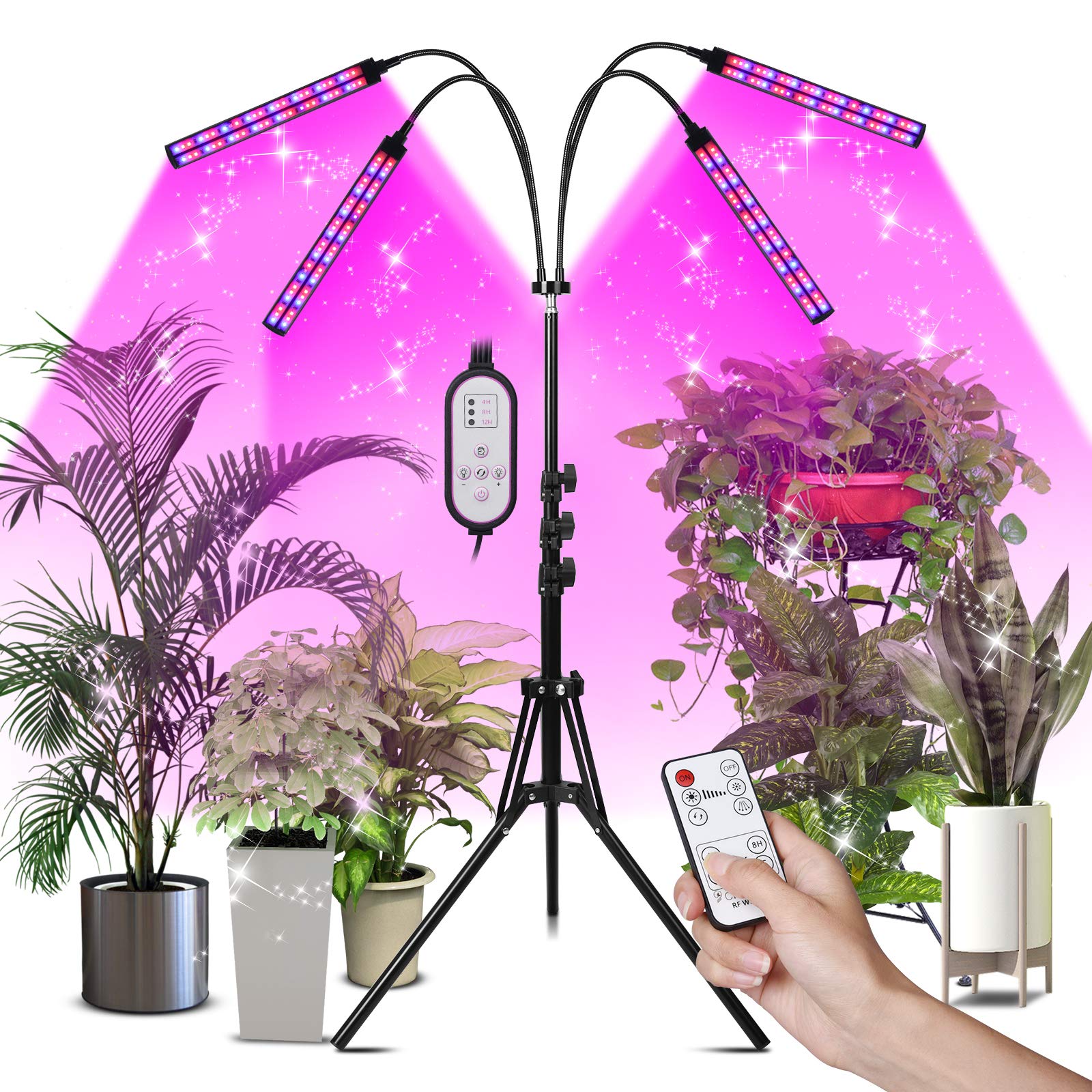
Image 1.1: KOSCHEAL 4-Head LED Grow Light with Stand. This image displays the assembled grow light with its four adjustable light heads and tripod stand, illuminating several indoor plants.
2. Safety Instructions
- Always unplug the grow light from the power outlet before cleaning or performing any maintenance.
- Do not operate the grow light with a damaged cord or plug. If the cord or plug is damaged, contact customer support.
- Keep the grow light away from water or other liquids. This product is rated as waterproof, but direct submersion or exposure to heavy splashing should be avoided.
- Ensure the grow light is placed on a stable, level surface to prevent tipping. The tripod legs should be fully extended and secured.
- Do not block ventilation openings. Ensure adequate airflow around the light heads to prevent overheating.
- This product is designed for indoor use only.
- Do not attempt to disassemble or modify the grow light. This will void the warranty.
3. Package Contents
Carefully unpack the box and ensure all items are present and in good condition. If any items are missing or damaged, please contact customer support.
- 1 x Tripod Stand
- 1 x LED Head (with 4 flexible goosenecks and light bars)
- 1 x RF Wireless Remote Controller
- 1 x Power Adapter
- 1 x User Manual

Image 3.1: Package Contents. This image shows all components included in the box: the tripod stand, the LED light head with four goosenecks, the RF wireless remote, the power adapter, and the user manual.
4. Setup Instructions
Follow these steps to assemble your KOSCHEAL LED Grow Light:
- Open the Tripod Stand: Place the tripod stand on a flat surface. Extend the legs outwards until they are fully spread and stable. Adjust the height of the tripod by loosening the locking knob, extending the pole, and then tightening the knob.
- Attach the LED Head: Carefully place the LED light head onto the top of the tripod stand. Ensure it is seated securely.
- Secure the Light Fixture: Turn the screw on the tripod stand to firmly hold the light fixture in place.
- Adjust Goosenecks: Position the four flexible goosenecks to direct light towards your plants as needed. The goosenecks can be rotated 360 degrees.
- Connect to Power: Plug the power adapter into the grow light's control unit, then plug the adapter into a standard electrical outlet.

Image 4.1: Installation Steps. This image illustrates the six steps for assembling the grow light: opening the tripod, placing the light fixture, securing with a screw, twisting the handle to adjust, adjusting height, and connecting to power.

Image 4.2: Adjustable Height Feature. This image demonstrates the adjustable height range of the grow light stand, from a minimum of 15 inches to a maximum of 65 inches, showing various height settings.
5. Operating Instructions
Your KOSCHEAL LED Grow Light features a full spectrum design, multiple lighting modes, dimmable levels, and an automatic timer function. Control is available via an in-line controller and an RF wireless remote.
5.1. Power On/Off
- Press the power button on either the in-line controller or the RF remote to turn the light on or off.
5.2. Lighting Modes
The grow light offers 4 switch modes, allowing you to select the number of active light bars:
- Mode 1: Left Side Lighting (e.g., 2 light bars)
- Mode 2: Right Side Lighting (e.g., 2 light bars)
- Mode 3: All Lighting (all 4 light bars)
- Mode 4: (Specific combination, refer to remote for exact button)
5.3. Dimming Levels
Adjust the light intensity with 10 dimmable levels to suit your plants' needs at different growth stages. Use the "+" and "-" buttons on the controller or remote to increase or decrease brightness.
5.4. Timer Function
The circular memory timing function allows the light to automatically turn on and off at the same time each day. Select from 3 timing settings:
- 4H: Light will stay on for 4 hours and then turn off, repeating daily.
- 8H: Light will stay on for 8 hours and then turn off, repeating daily.
- 12H: Light will stay on for 12 hours and then turn off, repeating daily.
To set the timer, press the desired timer button (4H, 8H, or 12H) on the controller or remote when the light is on. The light will then operate according to the set schedule.

Image 5.1: Lighting Modes, Dimming Levels, and Controllers. This image illustrates the three lighting modes (left, right, all), five examples of dimming levels (10% to 100%), and the two control methods: the in-line controller and the RF wireless remote with 4H, 8H, and 12H timer settings.
6. Maintenance
- Cleaning: Ensure the grow light is unplugged before cleaning. Use a soft, dry cloth to wipe down the light bars and stand. Do not use abrasive cleaners or solvents.
- Storage: If storing the grow light for an extended period, disassemble it and store it in its original packaging in a cool, dry place.
- Inspection: Periodically check the power cord and connections for any signs of wear or damage.
7. Troubleshooting
| Problem | Possible Cause | Solution |
|---|---|---|
| Light does not turn on | No power connection; Faulty outlet; Damaged cord/adapter | Ensure power adapter is securely plugged into the light and outlet. Test the outlet with another device. If cord/adapter is damaged, contact support. |
| Remote control not working | Remote battery depleted; Obstruction between remote and receiver | Replace the remote control battery. Ensure there is a clear line of sight or minimal obstruction between the remote and the light's control unit. |
| Timer function not activating | Timer not set correctly; Power interruption | Ensure you press the timer button (4H, 8H, or 12H) while the light is on. If power is interrupted, the timer may need to be reset. |
| Stand feels unstable | Legs not fully extended; Locking knob not tightened | Ensure the tripod legs are fully spread out and the height adjustment locking knob is securely tightened. Place on a firm, level surface. |
8. Specifications
| Feature | Specification |
|---|---|
| Brand | KOSCHEAL |
| Model | 4-Head Floor Grow Light |
| Wattage | 80 watts |
| Light Source Type | LED (192 beads) |
| Spectrum | Full Spectrum (380nm to 800nm) |
| Dimmable Levels | 10 |
| Switch Modes | 4 (for number of lighting lights) |
| Timer Function | 4H, 8H, 12H (Auto On/Off) |
| Adjustable Stand Height | 15 inches to 63 inches |
| Goosenecks | Flexible, 360° rotation |
| Material | Aluminum |
| Control Method | In-line Controller, RF Wireless Remote |
| Water Resistance Level | Waterproof |
| Certifications | FCC, CE, ROHS |
| Item Weight | 3.96 pounds |
| Package Dimensions | 16.89 x 7.68 x 4.88 inches |
9. Warranty and Support
KOSCHEAL offers a 30-day money-back guarantee and a 12-month warranty for this product. If you encounter any issues or have questions regarding your grow light, please do not hesitate to contact our customer support team. We are committed to providing assistance and ensuring your satisfaction.
For support, please refer to the contact information provided on the product packaging or the official KOSCHEAL website.