
1. Safety Information
- Do not expose the radio to water or excessive moisture.
- Avoid extreme temperatures.
- Do not disassemble the unit. Refer servicing to qualified personnel.
- Use only specified AAA batteries. Ensure correct polarity during installation.
- Prolonged listening at high volume levels can cause hearing damage. Adjust volume to a comfortable level.
2. Product Overview
The Retekess TR624 is a compact AM/FM radio designed for portability. Its transparent casing allows visibility of internal components. It operates on AAA batteries and includes a pair of crystal-clear headphones.

Figure 2.1: Retekess TR624 Portable AM/FM Radio with clear casing and included headphones. The radio features a transparent casing, allowing visibility of its internal components. It includes a detachable back clip and comes with crystal-clear headphones.
2.1. Components and Controls

Figure 2.2: Labeled controls of the Retekess TR624 radio. This diagram illustrates the key controls: the frequency selection dial, AM/FM band switch, volume knob, and power on/off switch. A removable back clip is also highlighted.
- Frequency Selection Dial: Used to tune into radio stations.
- Band Selection Switch (FM/AM): Toggles between FM and AM radio bands.
- Volume Knob: Adjusts the audio output level.
- Power On/Off Switch: Turns the radio on or off.
- Headphone Jack (3.5mm): For connecting the included headphones.
- Detachable Back Clip: For attaching the radio to clothing or a belt.
- Battery Compartment: Houses two AAA batteries.
3. Setup
3.1. Battery Installation
- Locate the battery compartment cover on the back of the radio.
- Slide the cover open.
- Insert two (2) AAA batteries, ensuring the positive (+) and negative (-) terminals match the indicators inside the compartment.
- Close the battery compartment cover securely.

Figure 3.1: Battery compartment with AAA batteries. The battery compartment is located at the bottom of the radio. Insert two AAA batteries, ensuring correct polarity.
3.2. Headphone Connection
The Retekess TR624 radio does not have an internal speaker and requires headphones for audio output. The included headphones also serve as the FM antenna.
- Insert the 3.5mm plug of the headphones into the headphone jack located on the side of the radio.
- For optimal FM reception, extend the headphone cable as much as possible.
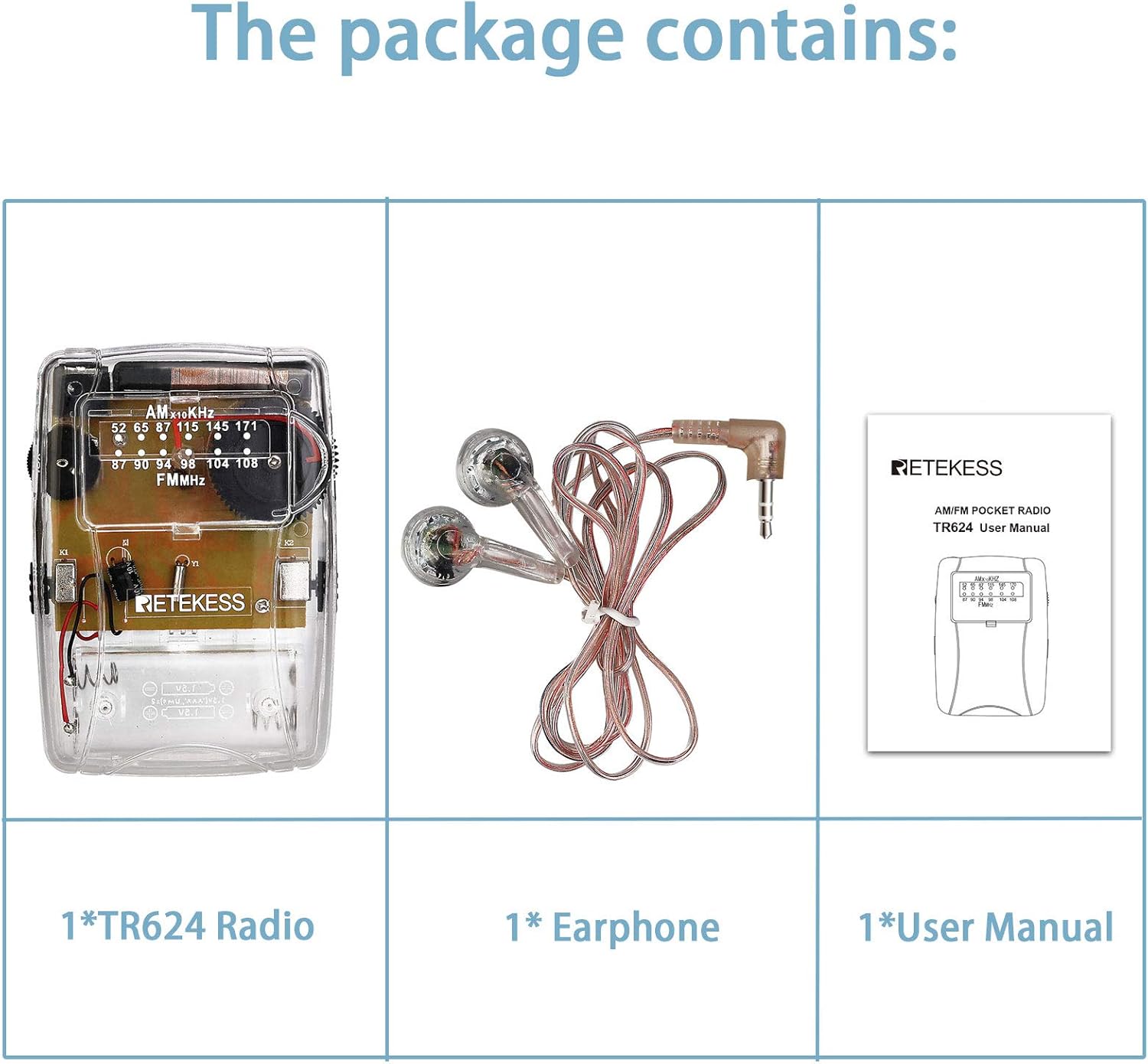
Figure 3.2: Headphone jack with connected headphones. Connect the included 3.5mm headphones to the headphone jack on the side of the radio. The headphone cable also functions as the FM antenna.
4. Operation
4.1. Power On/Off
Slide the Power On/Off switch to the 'ON' position to turn on the radio. Slide it to 'OFF' to power down the unit.
4.2. Band Selection (AM/FM)
Use the Band Selection Switch to choose between the AM (Amplitude Modulation) and FM (Frequency Modulation) radio bands.
4.3. Tuning
Rotate the Frequency Selection Dial to scan for available radio stations. The dial displays the frequency range for both AM and FM bands.

Figure 4.1: Tuning dial for AM and FM frequencies. The tuning dial displays both AM (520-1710 KHz) and FM (87-108 MHz) frequency ranges. Rotate the tuning wheel to find your desired station.
4.4. Volume Adjustment
Turn the Volume Knob up or down to adjust the listening volume through the headphones.
5. Maintenance
5.1. Cleaning
Wipe the radio's exterior with a soft, dry cloth. Do not use liquid cleaners or abrasive materials.
5.2. Storage
When not in use for extended periods, remove the batteries to prevent leakage. Store the radio in a cool, dry place away from direct sunlight.
5.3. Battery Replacement
Replace batteries when audio becomes distorted or the radio fails to power on. Follow the battery installation steps in Section 3.1.
6. Troubleshooting
| Problem | Possible Cause | Solution |
|---|---|---|
| No sound | Radio is off; low batteries; headphones not connected; volume too low. | Turn on radio; replace batteries; connect headphones; increase volume. |
| Poor reception | Weak signal; headphone cable not extended (FM); interference. | Relocate radio; fully extend headphone cable (FM); avoid electronic devices causing interference. |
| Tuning difficulty | Fine-tuning required. | Slowly adjust the tuning dial for precise station lock. |
7. Specifications
- Model: TR624
- Dimensions: 2.56"L x 0.98"W x 3.54"H (65mm x 25mm x 90mm)
- Weight: 3.38 ounces (approximately 96g)
- Power Source: 2 x AAA Batteries (not included)
- FM Frequency Range: 87-108 MHz
- AM Frequency Range: 520-1710 KHz
- Headphone Jack: 3.5mm
- Included Components: TR624 Radio, Headphone, English user manual
8. Official Product Video
For a visual guide on the Retekess TR624 radio, please watch the official product video below.
Video: How about Retekess TR624 clear radio? This video provides a visual demonstration of the Retekess TR624 radio's features and design.
9. Warranty and Support
Retekess products are designed for reliability and performance. This product comes with a standard warranty. For detailed warranty information or technical support, please refer to the contact information provided with your purchase or visit the official Retekess website.
For further assistance, please contact customer support.