
Introduction
Thank you for purchasing the TESmart HDMI to USB Video Capture Card. This device allows you to capture high-definition video and audio from an HDMI source and transfer it to your computer via a USB 2.0 or 3.0 port. It is ideal for game recording, live streaming, meeting sharing, and more. Please read this manual carefully to ensure proper installation and operation.

Figure 1: TESmart HDMI to USB Video Capture Card
Key Features
- HDMI to USB Converter: Converts HDMI video and audio signals to USB for capture.
- Full HD 1080p Capture: Supports recording high-resolution videos up to 1080p at 30 frames per second.
- Input Resolution Support: Compatible with input resolutions up to 4K at 30 Hz.
- Output Resolution: Supports output resolution up to 1080p at 30 Hz.
- Wide Compatibility: Works with most capture software (e.g., VLC, AMCap, OBS) and various HDMI devices like DSLRs, PCs, PS3/4, Nintendo Switch, Wii U, and camcorders.
- High Image Quality: Delivers vivid images and delicate colors for various applications.
- Portable Design: Compact and lightweight with a durable aluminum alloy shell and flexible TPE casing.
- HDCP Note: HDCP is not supported. If the input source has HDCP protection, the product cannot decode or display images.
Setup
Follow these steps to set up your TESmart HDMI to USB Video Capture Card:
- Connect HDMI Source: Plug one end of an HDMI cable (not included) into the HDMI output port of your source device (e.g., camera, game console, PC, DVD player).
- Connect to Capture Card: Connect the other end of the HDMI cable to the HDMI input port on the TESmart Video Capture Card.
- Connect to Computer: Plug the USB connector of the capture card into an available USB 2.0 or USB 3.0 port on your computer (laptop or desktop PC).
- Software Installation: The device is plug-and-play and typically does not require driver installation. However, you will need compatible capture software (e.g., OBS Studio, VLC Media Player, AMCap) installed on your computer to record or stream.
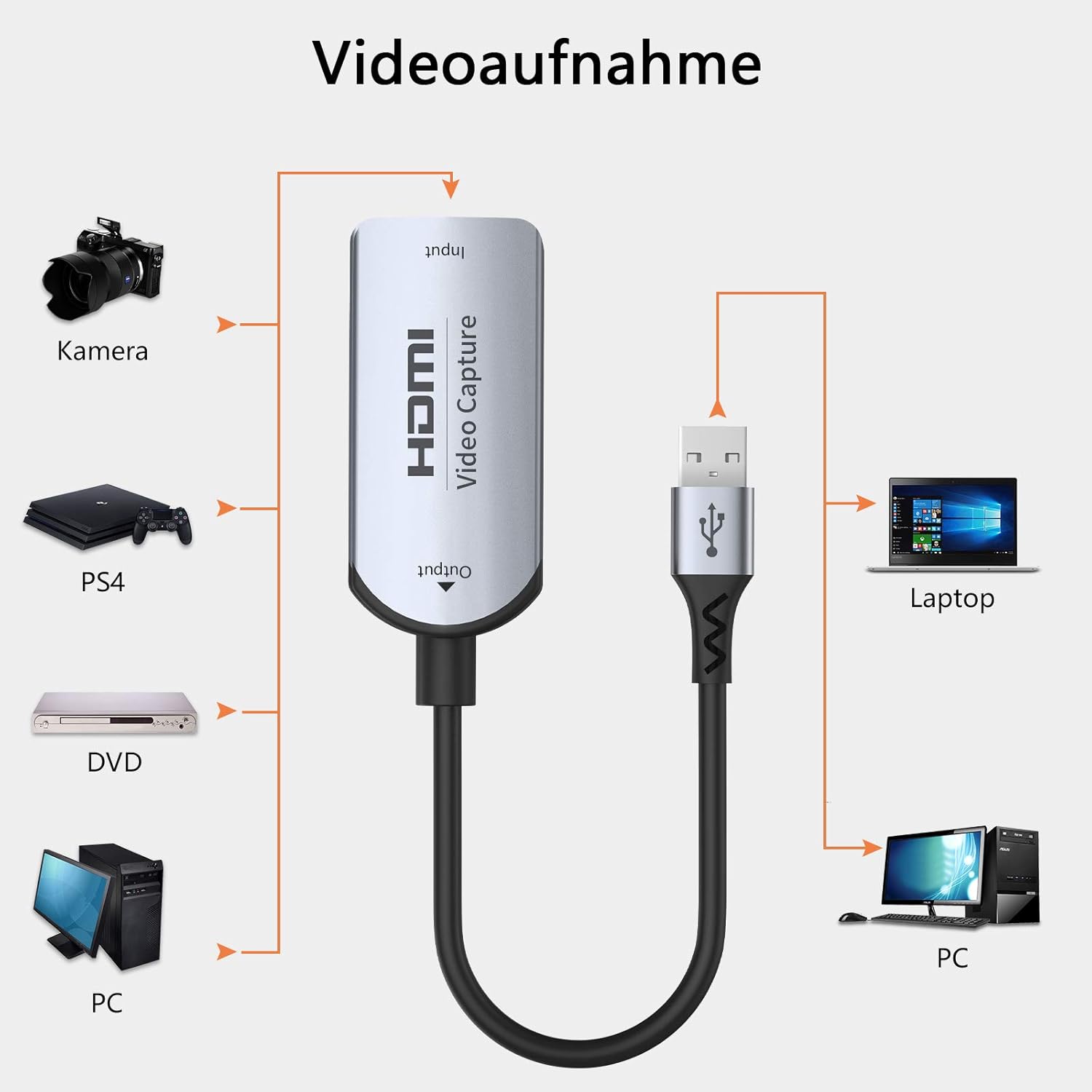
Figure 2: Connection Diagram for Video Recording
Operating Instructions
Once the hardware is connected, you can begin capturing or streaming using your preferred software:
- Launch Capture Software: Open your chosen video capture software (e.g., OBS Studio, VLC, AMCap) on your computer.
- Select Device: In the software settings, locate the video input device selection. The TESmart capture card should appear as a recognized USB video device. Select it as your video source.
- Configure Audio: Similarly, select the capture card as your audio input device if you wish to capture audio from the HDMI source. Ensure audio settings are correctly configured within the software.
- Adjust Settings: Configure resolution, frame rate, and other recording/streaming parameters within your software to match your needs and the capabilities of the capture card (up to 1080p@30Hz output).
- Start Recording/Streaming: Initiate recording or live streaming through your software's interface.

Figure 3: Example of Game Capture Setup
Compatibility
The TESmart HDMI to USB Video Capture Card offers broad compatibility:
Operating Systems:
- Windows 7/8/10/XP
- macOS
- Android 5.0 and above
Compatible Capture Software:
- OBS Studio
- VLC Media Player
- AMCap
- Most other standard capture software
Compatible HDMI Source Devices:
- DSLR Cameras
- PCs / Laptops
- PlayStation 3 / PlayStation 4
- Nintendo Switch
- Wii U
- Camcorders
- DVD Players
- Other devices with an HDMI output port (excluding HDCP protected content)
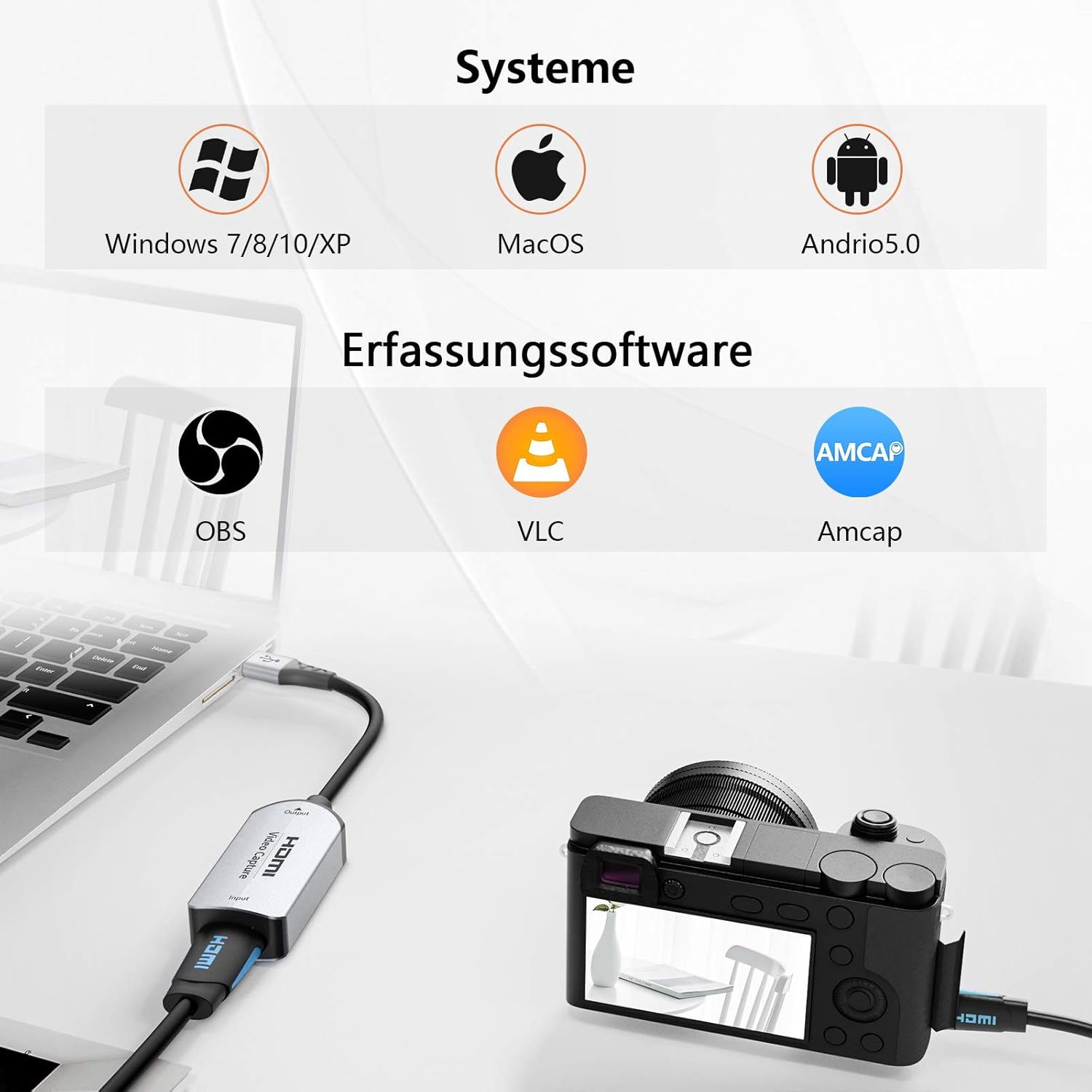
Figure 4: System and Software Compatibility
Specifications
| Feature | Specification |
|---|---|
| Brand | TESmart |
| Connections | HDMI Input, USB 2.0 Output |
| Special Features | Portable |
| Compatible Devices | Laptop, PC, Game Consoles, Cameras, etc. |
| Input Resolution | Up to 4K@30Hz |
| Output Resolution | Up to 1080p@30Hz |
| Video Standard | YUV |
| Cable Length | 0.15m (approx. 6 inches) |
| Housing Material | Aluminum Alloy |
| Manufacturer | LY ElecPro |
| Date First Available on Amazon.com.be | July 8, 2022 |

Figure 5: Product Details (USB, Casing, Joint)
Troubleshooting
If you encounter issues with your TESmart HDMI to USB Video Capture Card, consider the following:
No Picture or Sound:
- Check Connections: Ensure all HDMI and USB cables are securely connected to both the capture card and your devices.
- Software Configuration: Verify that the capture card is correctly selected as both the video and audio input device within your capture software (e.g., OBS Studio, VLC, AMCap).
- Restart Software/PC: Sometimes, restarting the capture software or your computer can resolve temporary detection issues.
- Try Different USB Port: Connect the capture card to a different USB port on your computer.
- HDCP Protection: Remember that the capture card does not support HDCP. If your source device is outputting HDCP-protected content (e.g., some streaming services, Blu-ray players), the capture card will not display or record video.
- Source Device Output: Ensure your HDMI source device is powered on and outputting a signal. Try connecting the HDMI source directly to a monitor to confirm it's working.
Intermittent Picture/Sound Dropouts:
- Cable Quality: Use high-quality HDMI and USB cables. Faulty or low-quality cables can cause signal instability.
- USB Port Power: Ensure your USB port provides sufficient power. Try a different USB port, especially a USB 3.0 port if available, as they often provide more stable power.
- System Resources: Close unnecessary applications on your computer that might be consuming significant CPU or RAM, as this can affect capture performance.
- Software Updates: While the device is plug-and-play, ensure your operating system and capture software are up to date.
Maintenance
To ensure the longevity and optimal performance of your TESmart HDMI to USB Video Capture Card, follow these maintenance guidelines:
- Keep Clean: Wipe the device with a soft, dry cloth. Avoid using liquid cleaners or abrasive materials.
- Avoid Extreme Conditions: Do not expose the device to extreme temperatures, humidity, or direct sunlight.
- Handle with Care: Avoid dropping or subjecting the device to strong impacts. Do not bend the cable excessively, especially near the connectors.
- Store Properly: When not in use, store the device in a cool, dry place, away from dust.
Warranty and Support
This product is subject to a return policy allowing for refund or replacement within 30 days of purchase. For further support or inquiries, please refer to the seller's information on the product page or contact TESmart customer service.
Spare parts availability and software updates are not explicitly guaranteed for this product. Please check the product listing for the most current information.