
1. Introduction
This manual provides detailed instructions for the proper use and care of your GUESS Men's Sport Multifunction 44mm Watch, model GW0260G1. This timepiece features a silver-tone stainless steel case and bracelet, a black sunray dial, and multifunction subdials indicating day, date, and 24-hour international time.

Figure 1: Front view of the GUESS GW0260G1 watch, showcasing the dial and bracelet.
2. Setup
2.1 Setting the Time and Date
- Pull out the crown: Gently pull the crown (located on the right side of the watch case) to position 2.
- Set the time: Rotate the crown clockwise or counter-clockwise to set the hour and minute hands. Ensure the 24-hour subdial also aligns with the correct AM/PM cycle.
- Set the date: Push the crown back to position 1. Rotate the crown to adjust the date subdial.
- Set the day: Use the upper pusher (button above the crown) to advance the day subdial until the correct day is displayed.
- Push in the crown: Once the time, date, and day are set, push the crown back into position 0 (normal operating position) to start the watch.
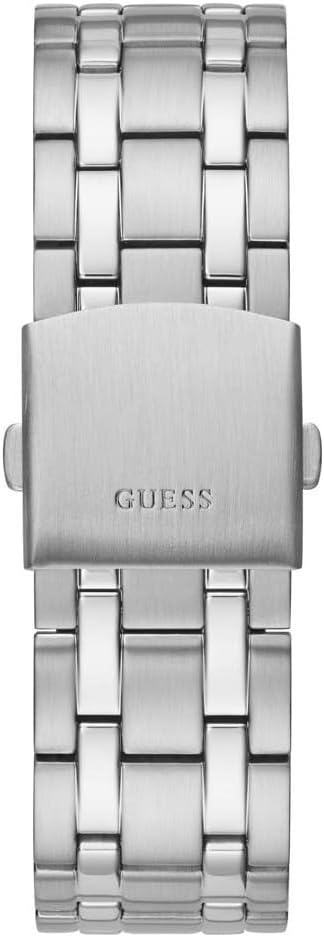
Figure 2: Side view illustrating the crown and pushers used for setting the watch functions.
2.2 Bracelet Adjustment
The watch features a link bracelet. For optimal comfort and fit, the bracelet may need to be adjusted by adding or removing links. It is recommended to have this procedure performed by a qualified jeweler or watch technician to prevent damage to the bracelet or watch.

Figure 3: The watch's clasp mechanism, part of the link bracelet.
3. Operating the Watch
3.1 Reading the Multifunction Dial
- Main Hands: Indicate hours, minutes, and seconds.
- Day Subdial: Displays the current day of the week.
- Date Subdial: Displays the current day of the month.
- 24-Hour Subdial: Indicates the time in a 24-hour format, useful for tracking international time or distinguishing AM/PM.
3.2 Water Resistance
This watch is water resistant to 50 meters (165 feet). This rating means the watch is suitable for short periods of recreational swimming. It is not suitable for diving, snorkeling, or prolonged water activities. Always ensure the crown is fully pushed in before any contact with water.
4. Maintenance
4.1 Cleaning
To maintain the appearance of your watch, wipe the case and bracelet regularly with a soft, dry cloth. For stubborn dirt, a slightly damp cloth can be used, followed by immediate drying. Avoid using chemical cleaners or abrasive materials.
4.2 Battery Replacement
The watch is powered by a Lithium Metal battery. When the watch stops running, it indicates the battery needs replacement. It is highly recommended to have the battery replaced by an authorized GUESS service center or a professional watchmaker to ensure proper sealing and maintain water resistance.
4.3 Storage
When not in use, store your watch in a cool, dry place, away from direct sunlight and extreme temperatures. Keep it away from strong magnetic fields, which can affect the watch's accuracy.
5. Troubleshooting
- Watch not running: Check if the crown is fully pushed in. If it is, the battery may need replacement.
- Incorrect time/date: Refer to Section 2.1 for instructions on how to reset the time and date.
- Condensation under crystal: This may indicate a loss of water resistance. Avoid further contact with water and have the watch inspected by a professional service center immediately.
6. Specifications
| Feature | Detail |
|---|---|
| Model Number | GW0260G1 |
| Case Diameter | 44mm |
| Case Material | Stainless Steel |
| Crystal Material | Mineral Glass |
| Bracelet Material | Stainless Steel |
| Water Resistance | 50 meters (165 feet) |
| Movement | Quartz |
| Battery Type | 1 Lithium Metal battery (included) |
| Product Dimensions | 4.72 x 4.72 x 4.72 inches |
| Item Weight | 6.24 ounces |
7. Warranty and Support
For information regarding warranty coverage, service, or repairs, please refer to the warranty card included with your purchase or visit the official GUESS Watches website. Contact details for customer support can typically be found on the manufacturer's website or within your product packaging.


