
1. Introduction
Thank you for choosing the Trevi RA 7F25-BK Rechargeable Portable Radio. This manual provides essential information for the safe and efficient operation, maintenance, and troubleshooting of your new device. Please read this manual thoroughly before use and retain it for future reference.
2. Safety Information
- Do not expose the device to rain, moisture, or extreme temperatures.
- Avoid dropping or subjecting the radio to strong impacts.
- Do not disassemble or attempt to repair the unit yourself. Refer all servicing to qualified personnel.
- Keep the device away from heat sources such as radiators, stoves, or other heat-producing appliances.
- Ensure proper ventilation around the unit during operation.
- Dispose of batteries and electronic components responsibly according to local regulations.
3. Package Contents
Upon opening the package, please verify that all items are present and in good condition:
- Trevi RA 7F25-BK Portable Radio
- Quick Start Guide
- (Charging cable may be included, but not explicitly listed in product details)
4. Product Overview
Familiarize yourself with the various components and controls of your Trevi RA 7F25-BK radio.

Figure 4.1: Front View. This image displays the front of the Trevi RA 7F25-BK radio, highlighting the large speaker grille on the left, the frequency scale for SW, FM, and AM bands in the center, and the Tuning and Volume knobs on the right. The extendable antenna is visible at the top, along with control buttons.

Figure 4.2: Side View with Ports. This image shows the right side of the radio, revealing the various input ports. These include a USB port for media playback, an SD card slot for additional audio sources, and a DC IN port for charging the device.
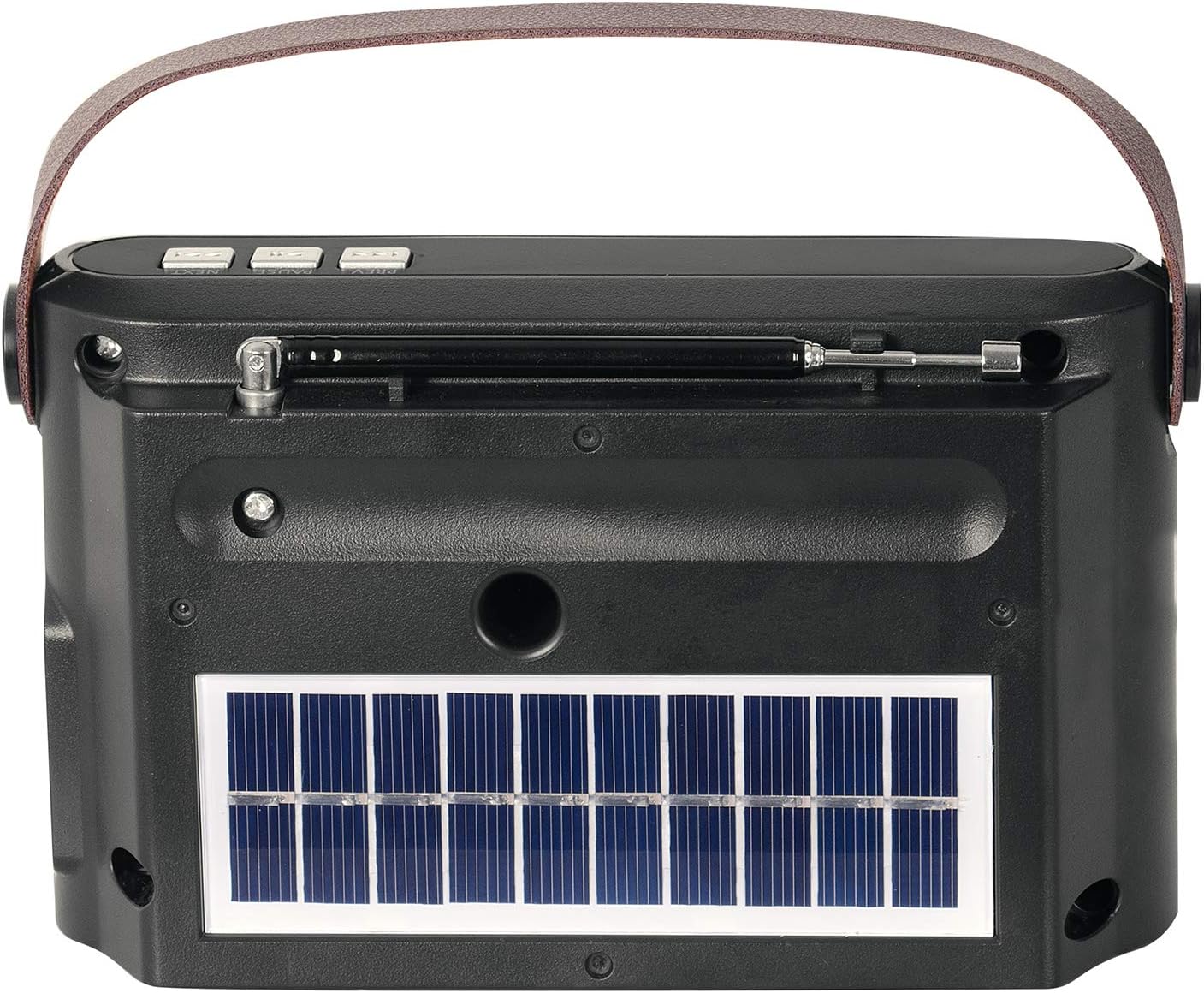
Figure 4.3: Back View with Solar Panel. The rear of the radio is shown, featuring a prominent solar panel. This panel allows for convenient recharging of the internal battery using sunlight, enhancing the radio's portability and energy efficiency.
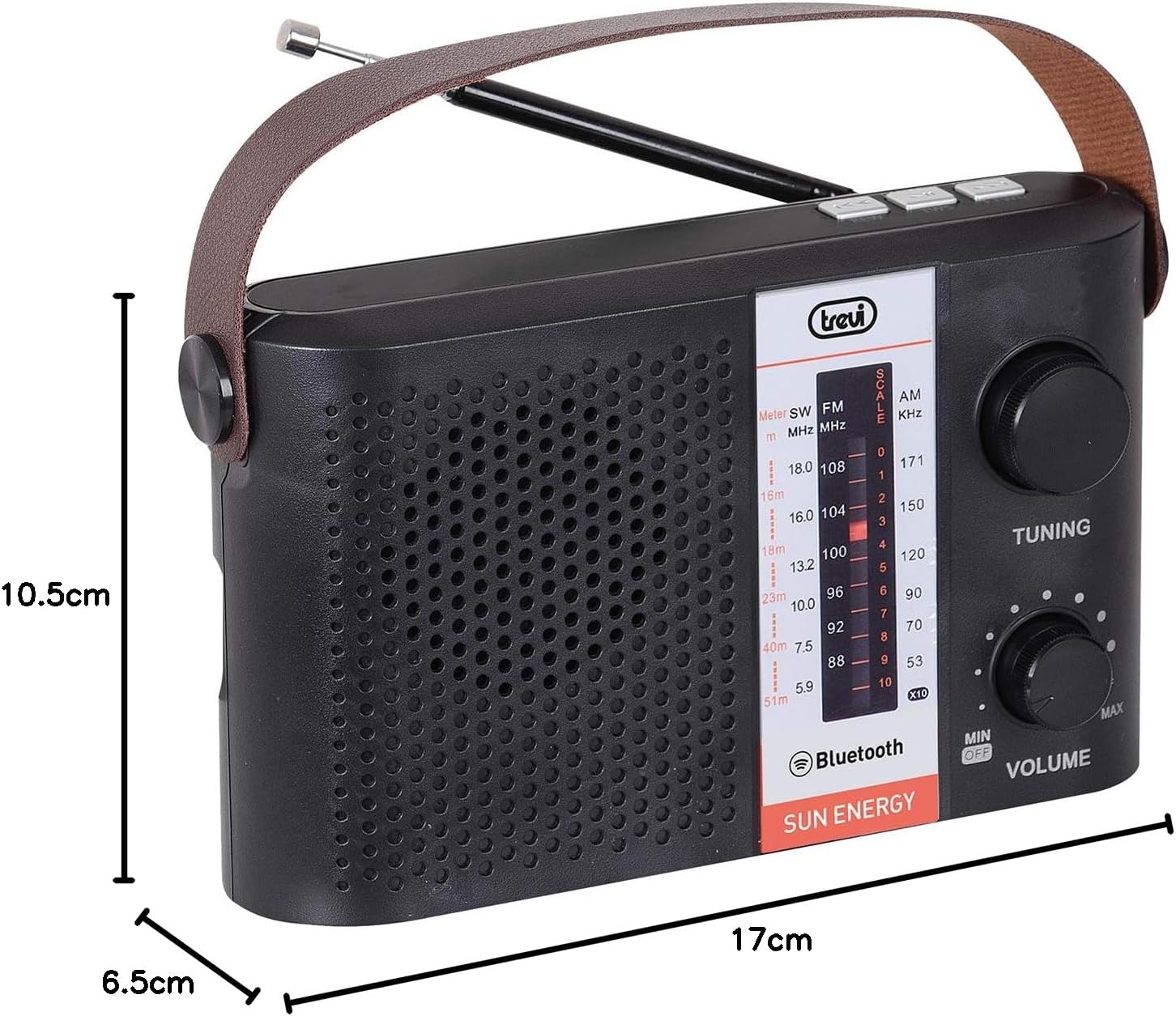
Figure 4.4: Product Dimensions. This image illustrates the compact dimensions of the Trevi RA 7F25-BK radio, with measurements indicating a length of 17 cm, a width of 6.5 cm, and a height of 10.5 cm. These dimensions highlight its portable design.
Key Components:
- Extendable Antenna: For improved radio signal reception.
- Tuning Knob: Adjusts the radio frequency to select stations.
- Volume Knob: Controls the audio output level.
- Frequency Scale: Displays the current radio band (SW, FM, AM) and frequency.
- Speaker: Audio output.
- Control Buttons: (e.g., Mode, Play/Pause, Next/Previous) for media playback and mode selection.
- USB Port: For playing audio files from USB flash drives.
- SD Card Slot: For playing audio files from SD memory cards.
- DC IN Port: For connecting the power adapter to charge the internal battery.
- Solar Panel: Located on the back, for charging the battery using solar energy.
5. Setup
5.1 Initial Charging
Before first use, it is recommended to fully charge the radio's internal battery. Connect the provided charging cable to the DC IN port on the side of the radio and plug the other end into a suitable power source (e.g., USB wall adapter, computer USB port). The charging indicator light will illuminate. Once fully charged, the light may change color or turn off.
5.2 Antenna Extension
For optimal radio reception, extend the telescopic antenna fully when listening to FM or SW bands. For AM reception, the internal antenna is typically sufficient, but adjusting the radio's orientation may improve signal quality.
6. Operating Instructions
6.1 Power On/Off and Volume Control
- To power on the radio, rotate the Volume knob clockwise from the "OFF" position.
- Continue rotating the Volume knob clockwise to increase the volume. Rotate counter-clockwise to decrease the volume.
- To power off the radio, rotate the Volume knob counter-clockwise until it clicks into the "OFF" position.
6.2 Radio Operation (FM/AM/SW)
- Select Band: Use the band selector switch (usually located on the side or top) to choose between FM, AM, or SW (Shortwave) bands.
- Tune Station: Slowly rotate the Tuning knob to scan through frequencies. Stop when you find a clear station.
- Adjust Antenna: For FM and SW, extend and adjust the angle of the telescopic antenna for best reception. For AM, try rotating the entire radio.
6.3 Bluetooth Connectivity
The Trevi RA 7F25-BK supports Bluetooth for wireless audio streaming.
- Enter Bluetooth Mode: Press the "Mode" button (if available) until the radio enters Bluetooth pairing mode. An audible prompt or indicator light may confirm this.
- Enable Bluetooth on Your Device: On your smartphone, tablet, or other Bluetooth-enabled device, go to its Bluetooth settings and ensure Bluetooth is turned on.
- Pairing: Search for available devices. You should see "Trevi RA 7F25-BK" or a similar name appear in the list. Select it to pair.
- Playback: Once paired, you can play audio from your device, and it will stream through the radio's speaker.
6.4 SD Card / USB Playback
The radio can play audio files directly from an SD card or USB flash drive.
- Insert Media: Insert a USB flash drive into the USB port or an SD card into the SD card slot.
- Select Mode: The radio may automatically switch to USB/SD mode, or you may need to press the "Mode" button to select the correct input.
- Control Playback: Use the Play/Pause, Next, and Previous buttons (if available) to control audio playback.
6.5 Solar Charging
The integrated solar panel allows for convenient charging in direct sunlight.
- Place the radio with the solar panel facing direct sunlight.
- Ensure the panel is clean and unobstructed for efficient charging.
- Solar charging is slower than adapter charging and is best used for maintaining charge or slow recharging.
7. Maintenance
- Cleaning: Use a soft, dry cloth to clean the exterior of the radio. Do not use abrasive cleaners, waxes, or solvents.
- Storage: When not in use for extended periods, store the radio in a cool, dry place, away from direct sunlight and extreme temperatures.
- Battery Care: To prolong battery life, avoid fully discharging the battery frequently. If storing for a long time, charge the battery to about 50% every few months.
8. Troubleshooting
| Problem | Possible Cause | Solution |
|---|---|---|
| Radio does not power on. | Battery is depleted. | Charge the radio using the DC IN port or solar panel. |
| Poor radio reception. | Antenna not extended; weak signal; interference. | Fully extend the antenna. Try repositioning the radio. Move away from electronic devices causing interference. |
| Bluetooth not connecting. | Radio not in pairing mode; device Bluetooth off; too far apart. | Ensure radio is in Bluetooth pairing mode. Turn Bluetooth on your device. Keep devices within 10 meters. |
| No sound from USB/SD. | Incorrect mode selected; unsupported file format; media not inserted correctly. | Press Mode button to select USB/SD. Ensure audio files are in a supported format (e.g., MP3). Reinsert the USB drive/SD card. |
9. Specifications
- Model: RA 7F25-BK
- Brand: Trevi
- Dimensions (L x W x H): 17L x 6.5W x 10.5H centimetres
- Weight: 520 g
- Connectivity Technology: Bluetooth
- Tuner Technology: FM
- Radio Bands Supported: FM, AM, SW
- Power Source: Battery Powered (Rechargeable), Solar
- Additional Features: SD Card Reader, USB Playback
- Color: Black/White
10. Warranty and Support
This product comes with a Quick Start Guide. For detailed warranty information and customer support, please refer to the documentation included with your purchase or visit the official Trevi website. Keep your proof of purchase for any warranty claims.


