
1. Product Overview
The Donerton Smart Watch P32 is a versatile wearable device designed to assist with daily activity tracking, health monitoring, and smart notifications. It features a 1.69-inch standing screen display, Bluetooth connectivity, and various fitness modes.

Image: The Donerton Smart Watch P32 showcasing its 1.69-inch HD touch screen and a selection of customizable watch faces. The watch is displayed on a wrist and next to a smartphone, highlighting its modern design and digital interface.
2. What's in the Box
- Donerton Smart Watch P32
- Charging Cable
- User Manual (this document)
3. Setup Guide
3.1. Charging the Device
Before first use, fully charge your Donerton Smart Watch P32. Connect the provided charging cable to the charging port on the back of the watch and plug the USB end into a standard USB power adapter (not included) or a computer's USB port. A full charge typically takes approximately 2 hours.
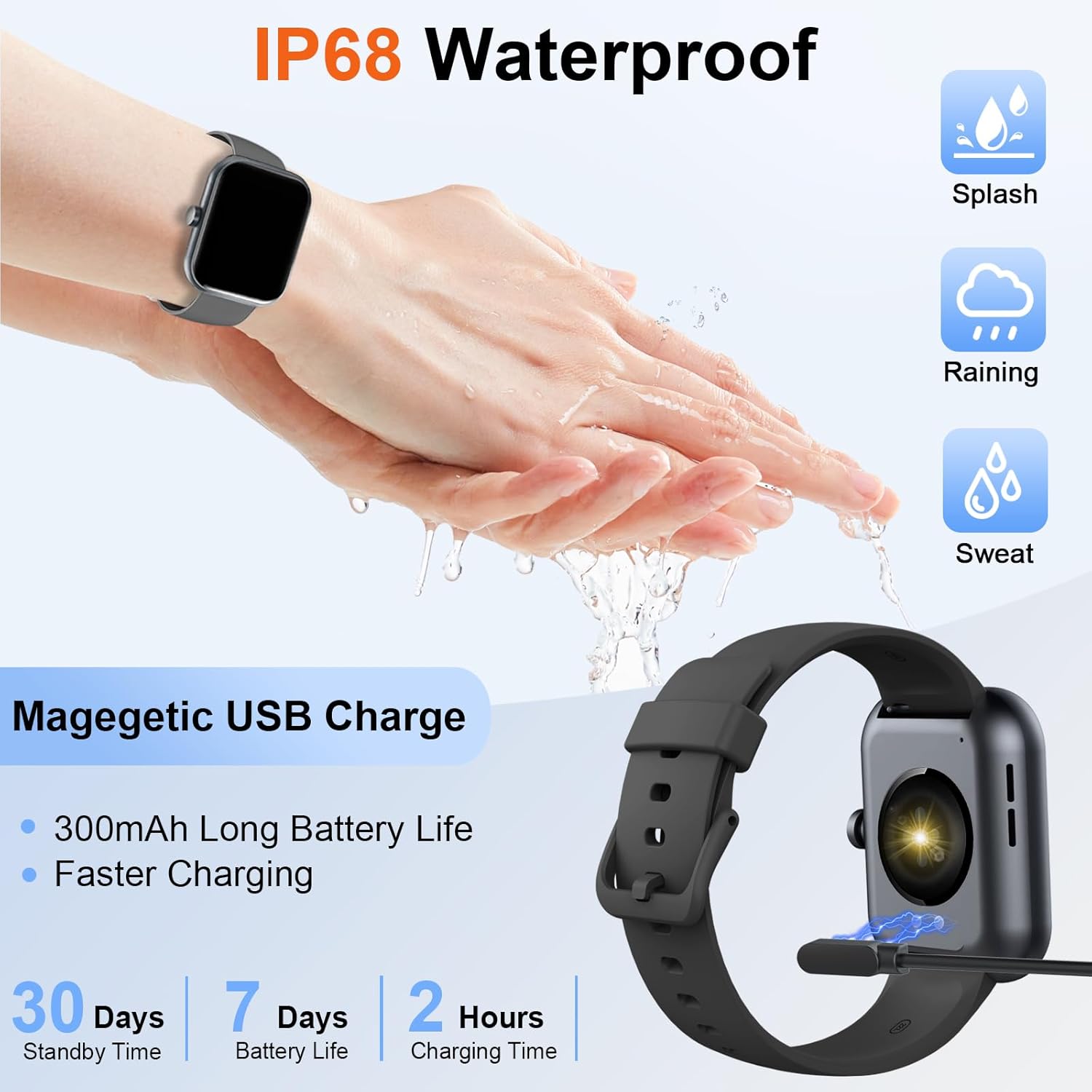
Image: The Donerton Smart Watch P32 connected to its magnetic USB charging cable, illustrating the charging process. The image also highlights the watch's IP68 waterproof rating and battery life specifications.
3.2. App Installation
To unlock the full functionality of your smart watch, download and install the companion application on your smartphone. Search for the official Donerton app in your device's app store (e.g., Google Play Store for Android or Apple App Store for iOS).
3.3. Device Pairing
- Ensure your smart watch is charged and powered on.
- Enable Bluetooth on your smartphone.
- Open the Donerton companion app.
- Follow the in-app instructions to search for and connect to your Donerton Smart Watch P32. The Bluetooth device name for the watch may appear as "P32" or similar.
- Confirm the pairing request on both your watch and smartphone.
4. Operating Instructions
4.1. Basic Navigation
- Power Button: Press the side button to wake up the screen or return to the main watch face.
- Touch Screen: Swipe left, right, up, or down to navigate through menus and functions. Tap to select an option.
4.2. Health Monitoring
The Donerton Smart Watch P32 can monitor various health metrics:
- Heart Rate: Real-time heart rate monitoring.
- Sleep Tracking: Monitors sleep patterns and quality.
- Blood Oxygen Saturation (SpO2): Measures blood oxygen levels.
- Blood Pressure: Provides blood pressure readings. Note: This feature is for reference only and should not be used for medical diagnosis.
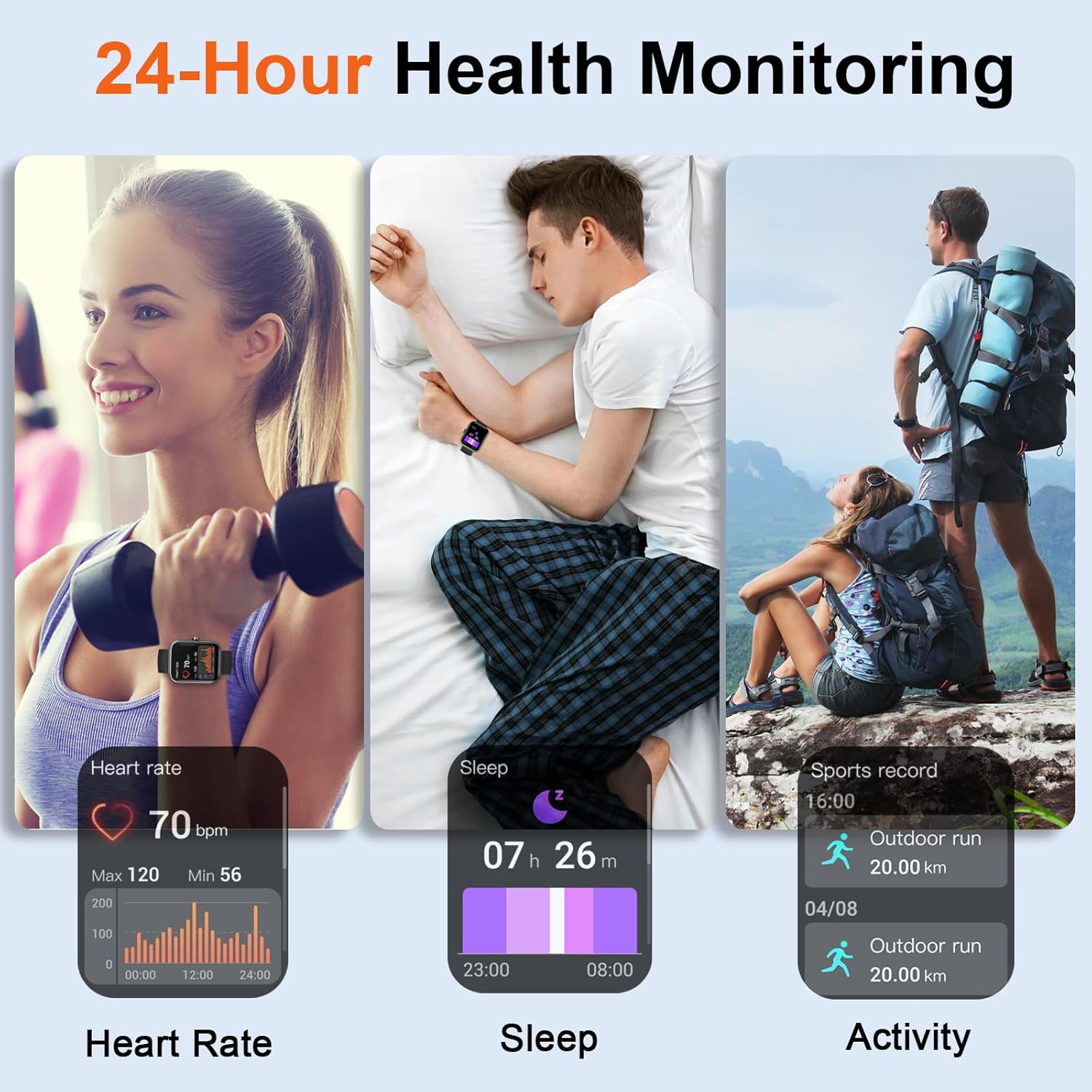
Image: Three panels illustrating the 24-hour health monitoring capabilities of the Donerton Smart Watch P32, including heart rate measurement, sleep duration and quality tracking, and outdoor activity recording.
4.3. Fitness Tracking
The watch supports over 100 sport modes and tracks daily activity:
- Activity Tracking: Records steps, distance, and calories burned.
- Sport Modes: Select a specific sport mode (e.g., running, cycling, elliptical) to track performance during workouts.

Image: A person running while wearing the Donerton Smart Watch P32, with graphics illustrating over 100 sport modes and activity tracking metrics such as steps, distance, and calories. The watch display shows exercise options like 'Elliptical trainer' and 'Tai Chi'.
4.4. Smart Notifications & Calls
Once paired with your smartphone, the watch can receive notifications and manage calls:
- Call Notifications: View incoming call alerts and answer or reject calls directly from the watch.
- Message & App Notifications: Receive alerts for SMS messages and notifications from social media applications.

Image: A person using the Donerton Smart Watch P32 to manage a Bluetooth call. The image displays the watch interface for dialing, incoming calls, call history, and contacts, illustrating its communication features.
4.5. Additional Features
The watch includes several convenient functions:
- Weather Forecast: Displays current weather conditions.
- Alarm Clock: Set alarms directly on your watch.
- Camera Control: Remotely control your smartphone's camera.
- Timer & Stopwatch: Built-in timing functions.
- Flashlight: Activates the screen as a light source.
- Find Phone: Helps locate your paired smartphone.

Image: A collage showcasing the multifunction capabilities of the Donerton Smart Watch P32, including weather forecast, alarm clock, camera control, timer, flashlight, and find phone features. A person is shown typing on a laptop, implying connectivity.
4.6. Water Resistance
The Donerton Smart Watch P32 is IP68 waterproof, meaning it is resistant to dust and can withstand immersion in water up to 1.5 meters for up to 30 minutes. It is suitable for daily use, such as hand washing, rain, and sweating during exercise. It is not recommended for hot showers, saunas, or diving.
5. Maintenance
- Cleaning: Wipe the watch and strap regularly with a soft, dry cloth. If necessary, use a slightly damp cloth and then dry thoroughly. Avoid harsh chemicals or abrasive materials.
- Battery Care: To prolong battery life, avoid fully discharging the watch frequently. Charge it when the battery level is low. Store the watch in a cool, dry place when not in use for extended periods.
- Water Resistance: While IP68 rated, avoid exposing the watch to hot water or steam, as this can compromise the seals. Ensure the charging port is dry before charging.
6. Troubleshooting
- Watch not turning on/responding: Ensure the watch is fully charged. If it remains unresponsive, try pressing and holding the side button for 10-15 seconds to force a restart.
- Bluetooth pairing issues:
- Ensure Bluetooth is enabled on your phone and the watch is discoverable.
- Restart both the watch and your phone.
- Forget the device in your phone's Bluetooth settings and try pairing again through the app.
- Inaccurate health readings (e.g., blood pressure): The health monitoring features are designed for general wellness and fitness purposes. They are not medical devices. For accurate medical measurements, consult professional medical equipment.
- Notifications not appearing:
- Ensure the watch is properly connected via Bluetooth to your phone.
- Check notification permissions in your phone's settings for the Donerton app.
- Verify that notification alerts are enabled within the Donerton app settings.
- Battery drains quickly: High usage of features like continuous heart rate monitoring or frequent screen activation can reduce battery life. Adjust settings in the app to optimize battery consumption.
7. Specifications
| Model Number | P32 |
| Product Dimensions | 1.67 x 1.43 x 0.38 inches |
| Item Weight | 439 Milligrams |
| Screen Size | 1.69 inches |
| Operating System | Android Wear 2.9 |
| Connectivity Technology | Bluetooth |
| Battery Type | 1 Lithium Polymer battery (included) |
| Water Resistance | IP68 |
| Special Feature | Activity Tracker, Built-in GPS |
8. Warranty Information
For detailed warranty information, please refer to the official Donerton website or contact Donerton customer service. Keep your purchase receipt as proof of purchase for any warranty claims.
9. Customer Support
If you encounter any issues or have questions regarding your Donerton Smart Watch P32, please visit the official Donerton support page or contact their customer service team for assistance. Contact information can typically be found on the manufacturer's website.
