1. Product Overview
The Citizen Eco-Drive Promaster Land MX Sport Racer Chronograph Watch, model BL5578-51E, is a sophisticated timepiece designed for durability and precision. It features a stainless steel case and bracelet, a black dial with distinct accents, and is powered by Citizen's innovative Eco-Drive technology, eliminating the need for battery replacement.
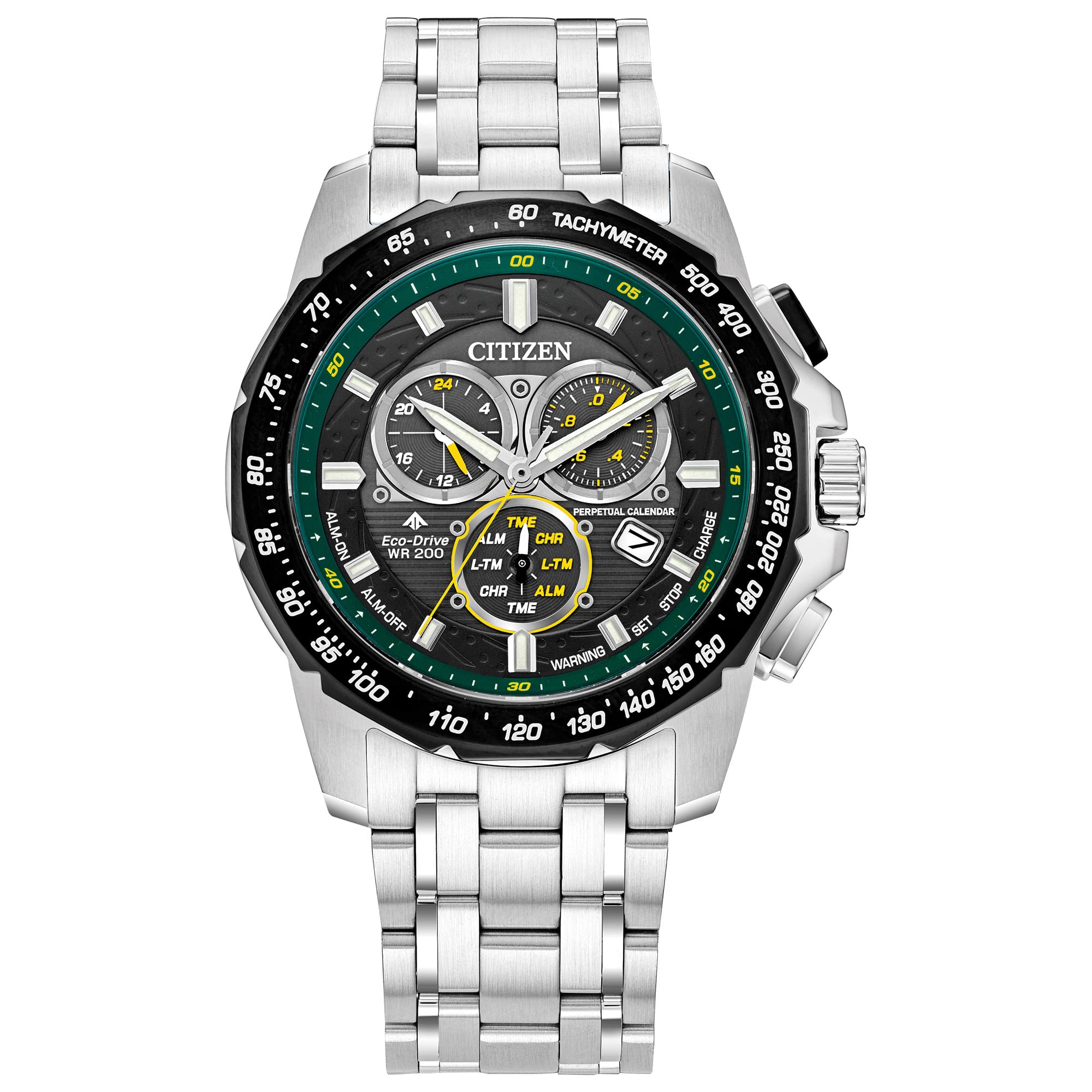
Figure 1: Front view of the Citizen Promaster Land MX Sport Racer Chronograph Watch.
Key Features:
- Eco-Drive Technology: Powered by any light source, never requiring a battery change.
- Chronograph: 1/20 second chronograph measures up to 60 minutes.
- Perpetual Calendar: Automatically adjusts for odd and even months and leap years.
- Dual Time (Second Time Zone): Allows tracking of a second time zone.
- Alarm: Integrated alarm function.
- 12/24 Hour Time Display: Flexible time format options.
- Date Display: Current date shown on the dial.
- Water Resistance: 200 meters (660 feet), suitable for professional marine activity and serious surface water sports, but not diving.
- Sapphire Crystal: Highly scratch-resistant watch face.
- Stainless Steel Construction: Durable case and bracelet.
2. Eco-Drive Technology
Citizen Eco-Drive watches are powered by light, converting both natural and artificial light into energy. This energy is stored in a power cell, which then drives the watch movement. This eliminates the need for traditional battery replacements, contributing to environmental sustainability.
Video 1: Explanation of how Citizen Eco-Drive technology works, detailing the conversion of light into energy and its storage in a power cell.
Charging the Watch:
To ensure optimal performance, expose your watch to light regularly. A full charge can last for several months, even in darkness. Avoid prolonged storage in dark places to prevent the watch from stopping.
- Direct Sunlight: Provides the fastest charge.
- Indoor Lighting: Also charges the watch, but at a slower rate.
- Charging Indicator: Some models feature a low charge indicator (e.g., second hand moving in two-second intervals) to alert you when charging is needed.
Video 2: General overview of Citizen Eco-Drive, highlighting its environmental benefits and light-powered operation.
3. Initial Setup and Time Setting
Upon receiving your watch, ensure it is adequately charged by exposing it to bright light for several hours. The initial setup involves setting the time, date, and home city. Refer to the detailed instructions below for each function.
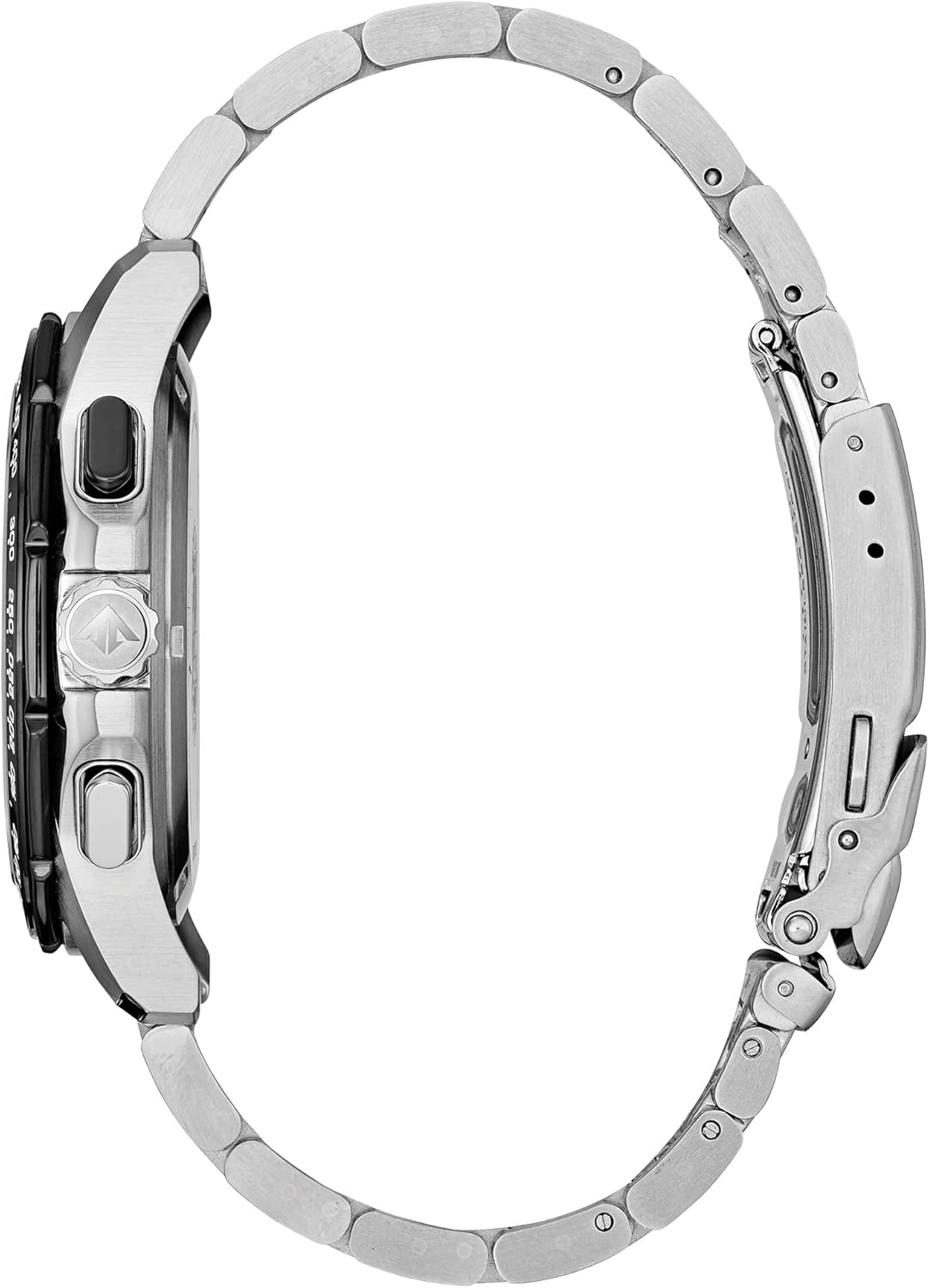
Figure 2: Side view of the watch, illustrating the crown and pushers used for setting functions.
Setting the Time and Date:
- Pull the Crown: Gently pull the crown out to the first or second click position, depending on the model's specific functions.
- Rotate the Crown: Turn the crown to adjust the hour and minute hands. For models with a date display, continue rotating until the correct date is shown.
- Push the Crown: Once the desired time and date are set, push the crown back into the normal position.
Setting the Home City/Time Zone:
This watch features dual time capabilities. To set your home city or primary time zone:
- Refer to Specific Model Manual: Due to the complexity of setting multiple time zones and perpetual calendars, it is highly recommended to consult the full instruction manual provided with your watch or the official Citizen website for model BL5578-51E.
- Utilize Pushers: Typically, the pushers (buttons) on the side of the watch are used in conjunction with the crown to select and adjust time zones.
4. Operating Functions
Using the Chronograph:
The chronograph function allows for precise timing of events.
- Start: Press the upper pusher (button A) to start the chronograph.
- Stop/Lap: Press button A again to stop the timing or press the lower pusher (button B) for a lap time reading.
- Reset: Press button B to reset the chronograph to zero.
Setting and Using the Alarm:
The watch includes an alarm function for daily reminders.
- Activate Alarm Mode: Rotate the crown or use a pusher to enter the alarm setting mode (refer to your specific model's manual).
- Set Alarm Time: Use the crown and/or pushers to set the desired alarm time.
- Activate/Deactivate: Confirm activation or deactivation of the alarm.
5. Maintenance and Care
Proper care ensures the longevity and performance of your Citizen watch.
Water Resistance:
Your watch is water resistant to 200 meters. This means it is suitable for showering, swimming, and snorkeling. However, it is not suitable for scuba diving. Always ensure the crown is pushed in completely before exposing the watch to water. Do not operate the crown or pushers while the watch is wet.
Cleaning:
Wipe the watch regularly with a soft, dry cloth to remove dirt and moisture. For the stainless steel bracelet, a soft brush with mild soapy water can be used, followed by thorough rinsing and drying.
Storage:
When not wearing the watch, store it in a location where it can receive light to maintain its charge. Avoid extreme temperatures and strong magnetic fields.

Figure 3: The Citizen Promaster watch stored in its durable protective case.
6. Troubleshooting
If you encounter issues with your watch, refer to the following common problems and solutions.
| Problem | Possible Cause | Solution |
|---|---|---|
| Watch has stopped or is running intermittently. | Insufficient charge. | Expose the watch to bright light for several hours to fully charge. |
| Time/Date is incorrect. | Incorrect setting or impact. | Refer to Section 3 for instructions on setting the time and date. |
| Chronograph hands do not reset to zero. | Chronograph hand position needs adjustment. | Consult the full instruction manual for chronograph zero position adjustment procedures. |
For more complex issues or repairs, please contact Citizen customer support or an authorized service center.
7. Specifications
- Model Number: BL5578-51E
- Movement: Eco-Drive Quartz
- Case Material: Stainless Steel
- Band Material: Stainless Steel
- Crystal: Sapphire
- Water Resistance: 200 meters (660 feet)
- Case Diameter: 43mm
- Functions: 1/20 Second Chronograph, Perpetual Calendar, Dual Time, 12/24 Hour Time, Alarm, Date
- Power Reserve: Up to 6 months on a full charge (when stored in darkness)
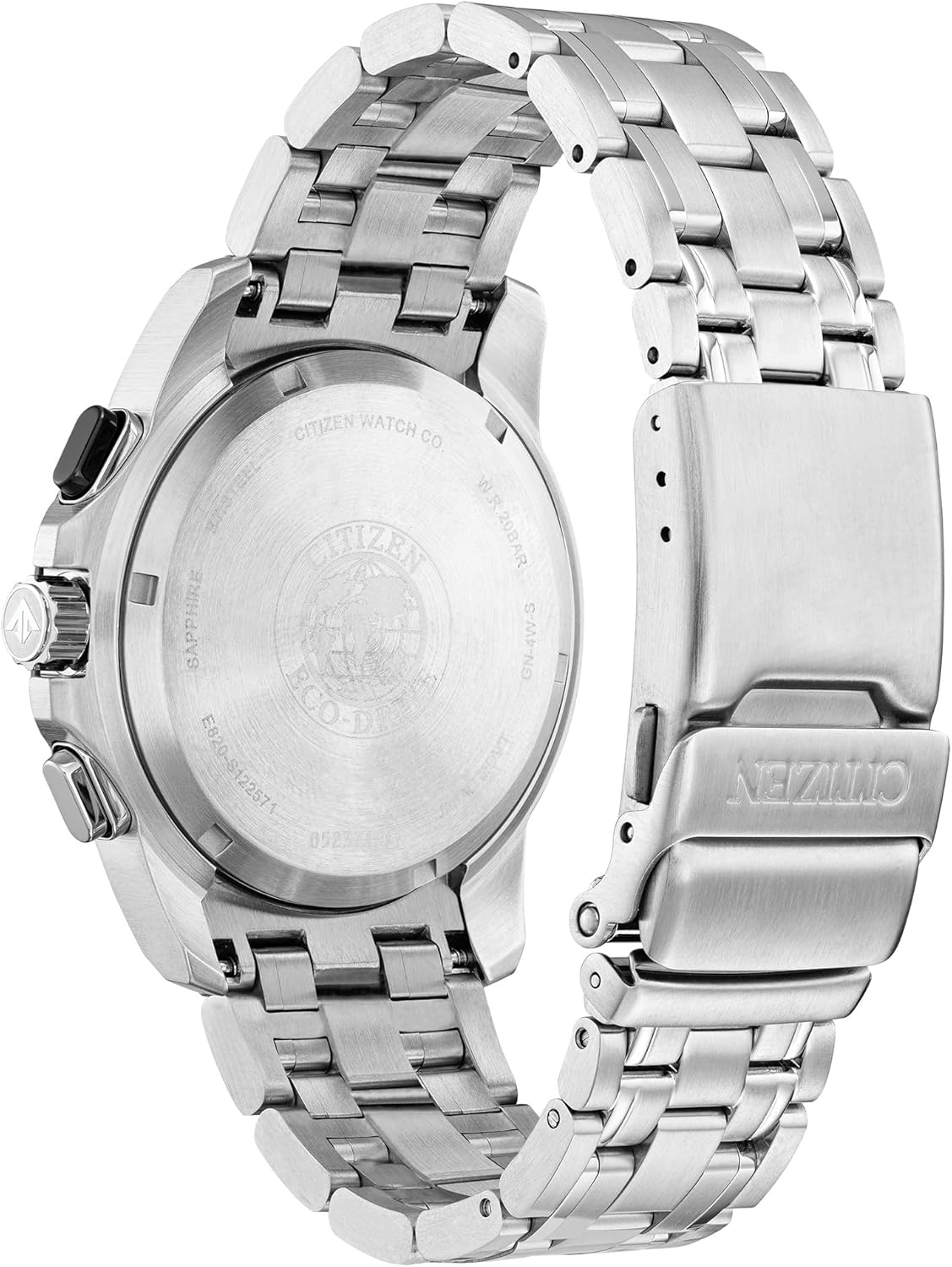
Figure 4: Rear view of the watch, displaying the engraved case back with model and water resistance details.
8. Warranty and Support
Your Citizen Eco-Drive Promaster Land MX Sport Racer Chronograph Watch BL5578-51E comes with a 5-Year Limited Warranty. This warranty covers manufacturing defects under normal use.
For warranty claims, service, or additional support, please visit the official Citizen Watch website or contact their customer service department. Keep your proof of purchase for warranty validation.
Online Resources: For the most detailed and up-to-date instructions, including specific setting procedures for advanced functions, please refer to the official Citizen Watch website and search for your model number (BL5578-51E).


