
Product Overview
The PRITOM 8-inch Tablet Leather Case offers robust protection and versatile functionality for your tablet. Crafted from premium composition leather, it safeguards against daily wear, dust, and scratches. The case features a magnetic closure for secure portability and a fixed-angle stand for comfortable viewing.

The image displays the PRITOM 8-inch Tablet Leather Case in its closed state, showcasing its sleek design and protective exterior.
Compatibility
This case is specifically designed for 8-inch tablets, including the Pritom Tronpad L8 Tablet and Fire 8. Please note that while it fits various 8-inch tablets, the camera cutout position may vary. Ensure your tablet's camera position is compatible if precise alignment is required.

This image illustrates the compatibility of the case, showing a Pritom L8 tablet with a checkmark, and two other tablets (Samsung Galaxy Tab A 8.0 and Samsung A10.1) with cross marks, indicating they are not suitable due to differing camera positions.
Key Features
- Premium Material: Constructed from high-quality composition leather for durability and protection against knocks, dust, and scratches.
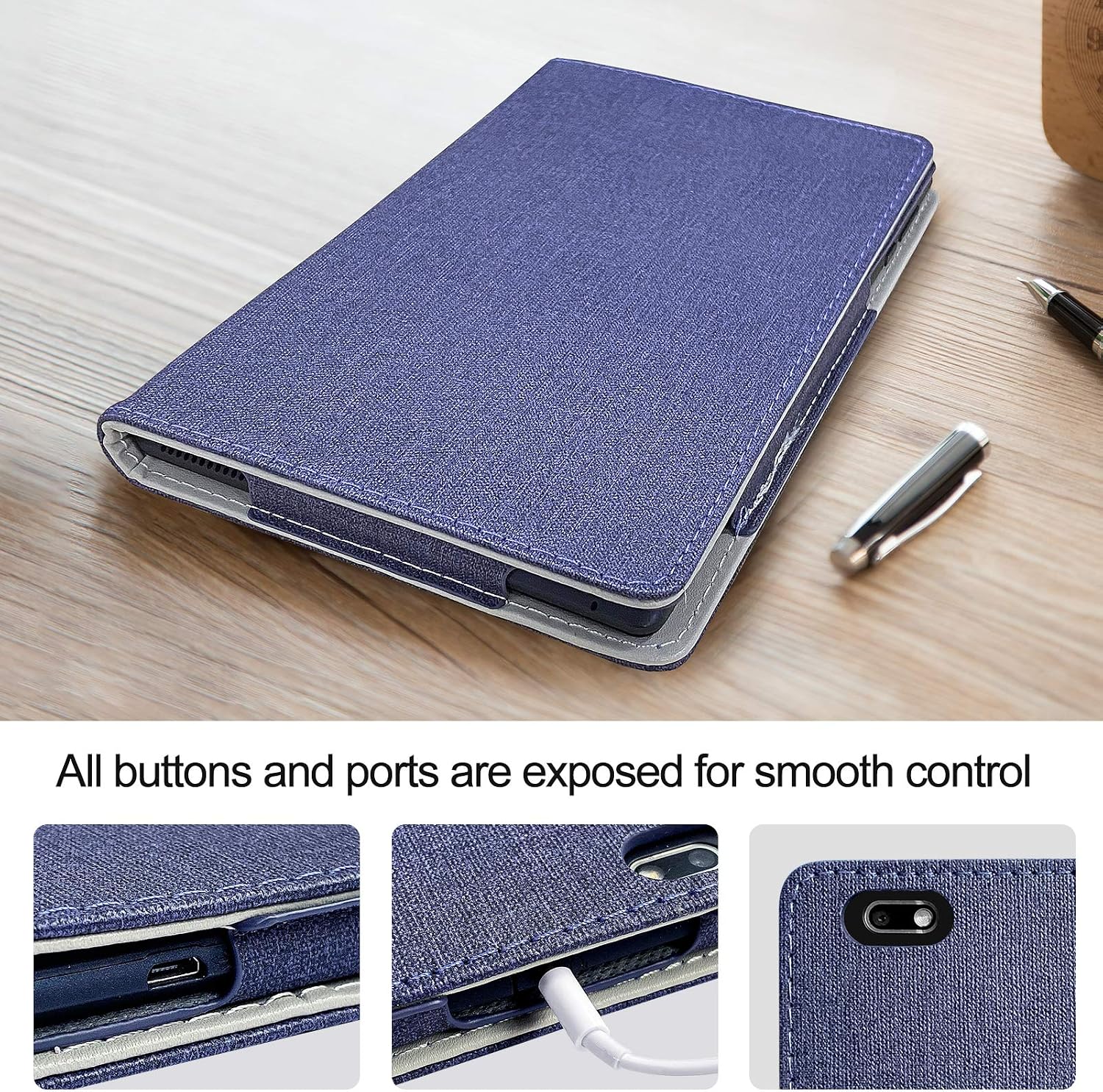
- Precise Cutouts: Designed with accurate cutouts for cameras, earphone jacks, charger ports, volume, and power buttons, ensuring full access to all tablet functions.
- Magnetic Closure: Features a simple magnetic closure for secure portability and easy opening/closing.
- Fixed-Angle Standing: Integrated stand slots allow for comfortable landscape viewing, ideal for typing, watching videos, or video calls.
The image displays the open tablet case, highlighting its soft interior lining and the magnetic closure mechanism designed for easy and secure fastening.

A close-up view of the tablet case, demonstrating the precise cutouts for the charging port, headphone jack, and other buttons, ensuring unhindered access.
Setup Instructions
- Open the Case: Gently open the PRITOM tablet case.
- Align Tablet: Carefully align your 8-inch tablet with the case's interior frame, ensuring the camera and ports match the case's cutouts as closely as possible.
- Insert Tablet: Press the tablet firmly but gently into the case until it is securely seated within the frame.
- Secure Closure: Close the front cover. The magnetic closure will automatically secure the case.

An image showing a person holding the PRITOM 8-inch Tablet Leather Case with a tablet securely fitted inside, demonstrating its portability and sleek design.
Operating Instructions
The PRITOM tablet case is designed for simple operation.
Using the Stand Function
- Open the Case: Open the front cover of the tablet case.
- Fold the Cover: Fold the front cover backward, aligning it with the designated stand slots on the back of the case.
- Position for Viewing: Place the tablet in one of the stand slots to achieve your desired viewing angle. This allows for hands-free use in landscape orientation.

The image shows the tablet case in its stand configuration, with a tablet displaying content, being used by children for educational purposes, highlighting the hands-free viewing feature.
Maintenance and Care
- Cleaning: Wipe the exterior of the case with a soft, damp cloth. Avoid using harsh chemicals or abrasive cleaners, as these can damage the leather material.
- Storage: Store the case in a cool, dry place away from direct sunlight and extreme temperatures to prevent material degradation.
- Avoid Overfilling: Do not attempt to force tablets larger than 8 inches into the case, as this can cause damage to both the case and the tablet.
Troubleshooting
- Tablet Does Not Fit: Ensure your tablet is an 8-inch model. Verify the dimensions of your tablet against the case specifications.
- Camera/Port Misalignment: While the case is compatible with many 8-inch tablets, camera and port positions can vary. If misalignment occurs, it may be due to specific tablet model variations.
- Magnetic Closure Not Holding: Check for any debris or obstructions preventing the magnetic strips from making full contact. Ensure the case is not overstuffed.
Product Specifications
| Feature | Detail |
|---|---|
| Brand | PRITOM |
| Compatible Devices | 8-inch Tablets (e.g., Pritom Tronpad L8, Fire 8) |
| Material | Composition Leather |
| Form Factor | Folio Case |
| Shell Type | Soft |
| Special Features | Kickstand, Magnetic Closure |
| Color | Blue |
Warranty and Support
PRITOM is committed to providing high-quality products and attentive customer service. For any questions or issues regarding your PRITOM 8-inch Tablet Leather Case, please contact PRITOM customer support via email. The PRITOM team aims to provide a prompt solution to any concerns.
For further assistance, please refer to the official PRITOM website or contact their customer service directly.