1. Introduction
Thank you for purchasing the AGPTEK A19 MP3 Player. This compact and versatile digital audio player is designed to provide a high-quality music experience with advanced features like Bluetooth 5.2, a vibrant 2.4-inch display, and extensive storage options. Please read this manual carefully to understand how to operate your device and enjoy all its functionalities.
2. Product Overview


Package Contents:
- AGPTEK A19 MP3 Player x 1
- Wired Earphones x 1
- USB Charging Cable x 1
- Strap x 1
- User Manual x 1
3. Key Features
- Bluetooth 5.2 Connectivity: Enjoy stable and fast wireless connection with Bluetooth headphones or speakers. Supports resume playback, fast forward, and rewind functions in Bluetooth mode. Features automatic reconnection after initial pairing.
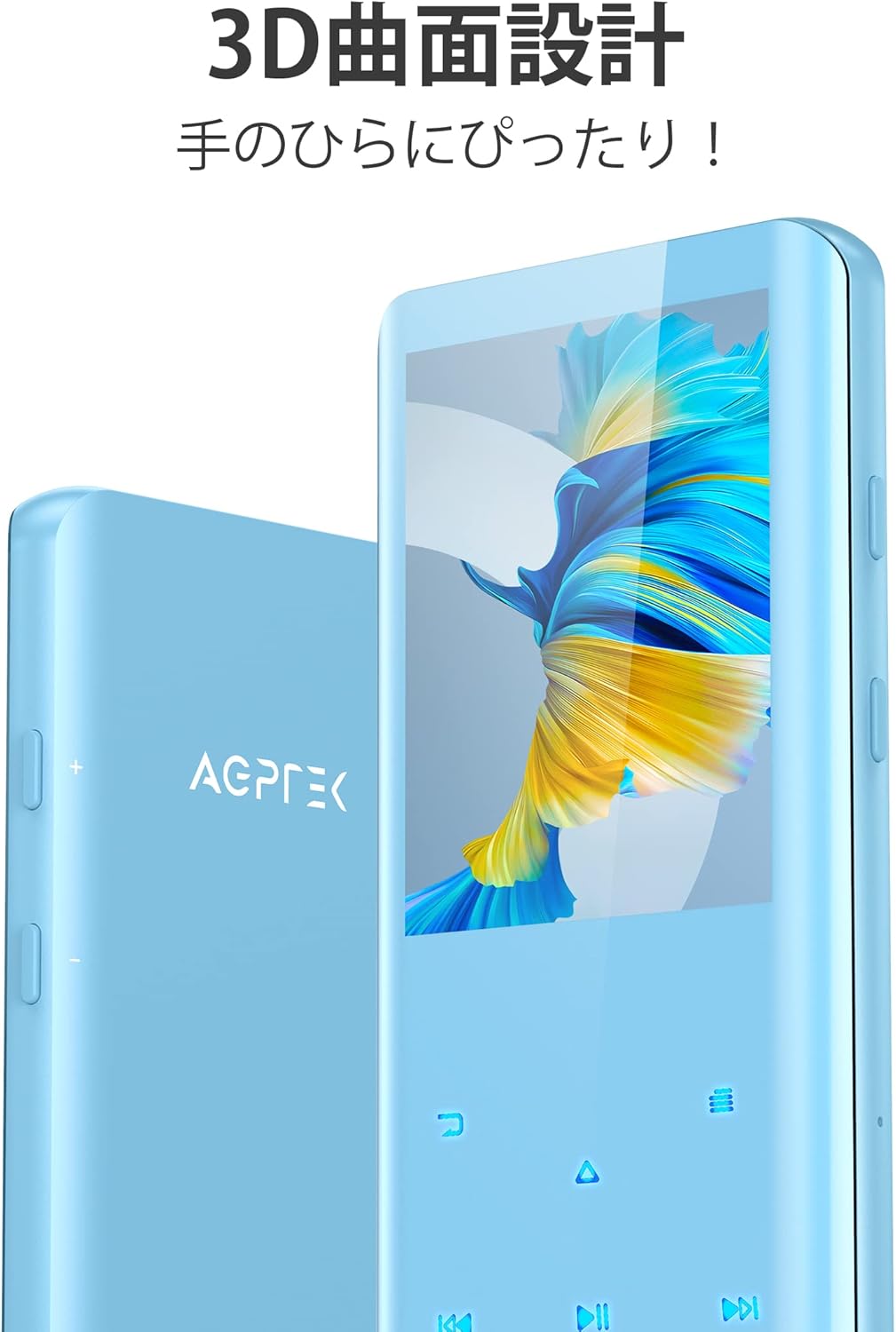
- 3D Curved Design & 2.4-inch TFT Display: The player boasts a sleek 3D curved surface for a comfortable grip and a 2.4-inch TFT color screen for clear navigation.
- HIFI Sound Quality with Noise Reduction: Equipped with a high-quality intelligent audio chip and digital noise cancellation technology for an immersive and clear audio experience.
- Ample Storage & Long Battery Life: Comes with 32GB of built-in memory, expandable up to 128GB via a microSD card (not included). The built-in rechargeable battery provides up to 48 hours of continuous music playback with wired earphones on a single charge.
- Multi-functional Device: Beyond music playback, it includes FM radio, built-in speaker playback, sleep timer, direct recording (without PC), e-book reader, pedometer, video playback, screen saver, variable speed playback, random playback, resume playback, and A-B repeat for language learning.
4. Setup
4.1 Charging the Device
Before first use, fully charge the MP3 player. Connect the device to a computer's USB port or a USB wall adapter (5V/1A recommended) using the provided USB cable. The battery indicator on the screen will show charging status. A full charge typically takes a few hours.
Important: To prolong battery life, avoid letting the battery completely drain before recharging.
4.2 Transferring Music and Files
Connect the MP3 player to your computer using the provided USB cable. The device will appear as a removable disk. You can drag and drop music files (MP3, WMA, APE, FLAC, WAV, DRM, ACELP), videos, e-books, and other supported files directly into the player's internal storage or a inserted microSD card.
4.3 Inserting a MicroSD Card
If you wish to expand the storage, insert a microSD card (up to 128GB, not included) into the designated slot on the side of the player until it clicks into place. Ensure the card is inserted correctly to avoid damage.
5. Operating Instructions
5.1 Power On/Off
- Power On: Press and hold the Power button (usually on the side) for a few seconds until the screen lights up.
- Power Off: Press and hold the Power button for a few seconds until the power-off prompt appears, then confirm.
5.2 Basic Navigation
The player features a 2.4-inch screen with touch-sensitive buttons below it for navigation. The main menu displays various functions as icons.
- Use the directional touch buttons (up, down, left, right) to navigate through menus.
- The center button typically acts as 'Enter' or 'Confirm'.
- The 'Back' button (often an arrow or 'return' symbol) takes you to the previous screen.
5.3 Music Playback
- From the main menu, select 'Music'.
- Browse your music by Artist, Album, Songs, Playlists, or Folders.
- Select a song to begin playback.
- During playback, use the touch buttons for Play/Pause, Next/Previous Track, Fast Forward/Rewind.
- Supported audio formats: MP3, WMA, APE, FLAC, WAV, DRM, ACELP.
5.4 Bluetooth Pairing
- Ensure your Bluetooth headphones or speaker are in pairing mode.
- On the MP3 player, go to 'Bluetooth' from the main menu.
- Turn Bluetooth 'On' and select 'Search Device'.
- Select your device from the list to pair. Once paired, the player will automatically reconnect to this device when Bluetooth is enabled.
5.5 FM Radio
Connect wired earphones to the player as they act as the antenna for FM radio reception.
- From the main menu, select 'FM Radio'.
- Perform an automatic search for stations or manually tune.
5.6 Voice Recorder
- Select 'Record' from the main menu.
- Choose 'Start Voice Recording' to begin.
- Press the 'Stop' button to end and save the recording.
5.7 Other Functions
- E-book: Read TXT format e-books.
- Pedometer: Track your steps.
- Video: Play supported video formats.
- Sleep Timer: Set a timer for the player to automatically turn off.
- A-B Repeat: Repeat a specific section of an audio track, useful for language learning.
- Equalizer: Adjust sound profiles. You can select from various presets or customize your own.

6. Maintenance
- Cleaning: Use a soft, dry cloth to clean the device. Avoid using abrasive cleaners or solvents.
- Battery Care: To maximize battery lifespan, avoid completely discharging the battery frequently. Charge the device regularly, even if not in use for extended periods.
- Storage: Store the player in a cool, dry place away from direct sunlight and extreme temperatures.
- Handling: Handle the device with care to prevent drops or impacts that could damage the screen or internal components.
7. Troubleshooting
- Device won't turn on: Ensure the battery is charged. Connect to a power source and try again.
- Cannot transfer files: Use the original USB cable provided. Some third-party cables may only support charging, not data transfer. Ensure the device is properly connected and recognized by your computer.
- Poor sound quality / distorted audio: Check the earphones or speaker connection. Try different earphones. Adjust the equalizer settings. Ensure the audio files are not corrupted.
- Bluetooth connection issues: Ensure both the player and the Bluetooth device are in pairing mode and within range (up to 10 meters without obstacles). Try unpairing and re-pairing the devices.
- Screen visibility outdoors: The screen may be difficult to see in bright sunlight due to its design. Try to use it in shaded areas or adjust screen brightness if available.
- Buttons unresponsive / slow: Ensure your fingers are clean and dry when using touch buttons. If the device is frozen, try a soft reset by pressing and holding the power button until it restarts.
8. Specifications
| Feature | Specification |
|---|---|
| Model Name | A19 |
| Screen Size | 2.4 inches |
| Internal Memory | 32GB |
| Expandable Memory | Up to 128GB (microSD card) |
| Bluetooth Version | 5.2 |
| Continuous Playback Time | Up to 48 hours (wired earphones) |
| Supported Audio Formats | MP3, WMA, APE, FLAC, WAV, DRM, ACELP |
| Dimensions | 10.59 x 4.8 x 0.89 cm |
| Weight | 0.1 kg (100g) |
| Other Functions | FM Radio, Voice Recorder, E-book, Pedometer, Video Playback, Sleep Timer |
9. Official Product Videos
10. Warranty and Support
AGPTEK products come with a standard manufacturer's warranty. For specific warranty details, please refer to the warranty card included in your package or visit the official AGPTEK website. If you encounter any issues or have questions regarding your AGPTEK A19 MP3 Player, please contact AGPTEK customer support through their official channels or the retailer where you purchased the product.
For further assistance, you may also refer to the AGPTEK Brand Store on Amazon.