Introduction
This manual provides detailed instructions for the setup, operation, maintenance, and troubleshooting of your BAOSHISHAN 23.6-inch Photography Turntable. This motorized display stand is designed for showcasing products, creating 360-degree images, and producing video content with smooth, controlled rotation. Please read this manual thoroughly before use to ensure proper functionality and longevity of the device.
Setup
- Unpacking: Carefully remove all components from the packaging. Ensure you have the turntable, power cord, remote control, and five color plates.
- Power Connection: Connect the provided 110-240V power cord to the power socket on the turntable and then to a suitable power outlet.
- Remote Control Batteries: Install 2 AAA batteries (not included) into the remote control. Ensure correct polarity.
- Placement: Place the turntable on a stable, flat surface.
- Color Plates: Select one of the five included two-sided color plates (matte on one side, glossy on the other) and place it on the turntable surface if desired.


Operating Instructions
Basic Operation
- Power On/Off: Press the red power switch on the turntable to turn the unit on or off.
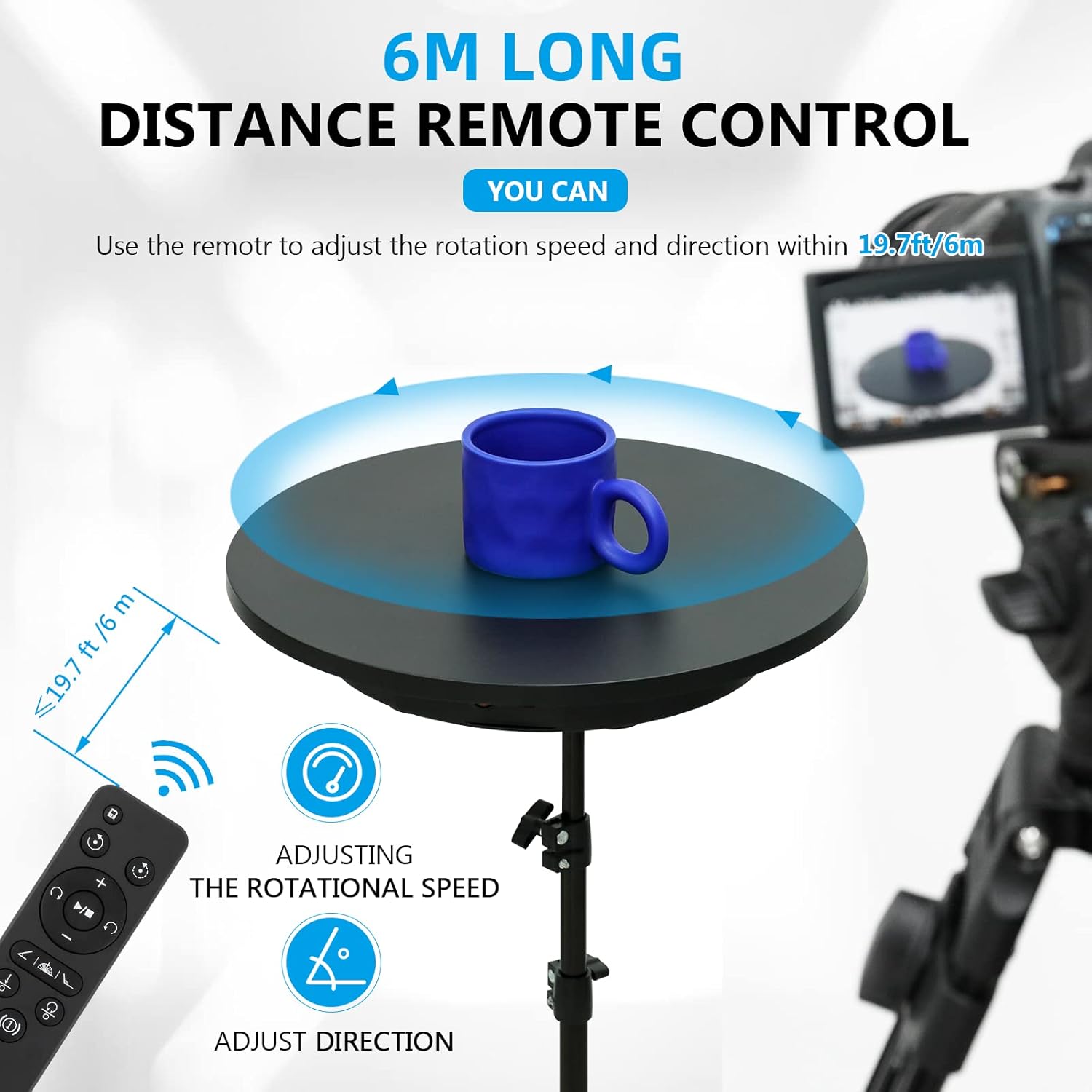
- Remote Control: The remote control allows for wireless operation within a distance of 6 meters (19.7 feet).
Rotation Control
- Direction: Use the remote control to select either clockwise or counterclockwise rotation.
- Speed Adjustment: Adjust the rotation speed using the remote control. The turntable offers speeds ranging from 40 to 120 seconds per revolution.
- Rotation Modes: The turntable supports both continuous and intermittent rotation.
- Angle Adjustment: For precise shots, the turntable can be set to rotate specific angles such as 45°, 90°, or 180°. It also supports fine adjustments as small as 1 degree.

Maintenance
- Cleaning: Wipe the turntable surface with a soft, dry cloth. Avoid using abrasive cleaners or solvents.
- Storage: When not in use, store the turntable in a dry, dust-free environment.
- Load Capacity: Do not exceed the maximum load capacity of 330 LB (150 kg) to prevent damage to the motor and mechanism.
Troubleshooting
- Turntable Not Rotating:
- Ensure the power cord is securely connected and the turntable's power switch is in the 'on' position.
- Check if the remote control batteries are correctly installed and have sufficient charge.
- Excessive Noise:
- The turntable is designed with a brushless motor for quiet operation (below 50 dB). If unusual noise occurs, ensure the load is evenly distributed and within the weight limit.
- Ensure the turntable is placed on a flat, stable surface.

Figure 5: Quiet operation. This image illustrates the low noise level of the brushless motor, operating at less than 50 dB, ensuring minimal disturbance during use. - Uneven Rotation or Stalling:
- Verify that the item placed on the turntable does not exceed the maximum load capacity of 330 LB (150 kg).
- For optimal performance, ensure the load is centered and the effective bearing diameter of the turntable (50cm/19.7in) is utilized, especially for heavier items.

Figure 6: Bearing capacity and effective diameter. This image highlights that the maximum bearing value is close to the center of the base and specifies an effective bearing diameter of 50cm (19.7 inches) for smooth objects. 
Figure 7: Load capacity. This image demonstrates the turntable's ability to support loads up to 330 LB (150 kg), suitable for various items including mannequins and heavy objects.
Specifications
| Model Number | QM0104755 |
| Product Dimensions | 23.62 x 23.62 x 2.36 inches (60 x 60 x 6 cm) |
| Item Weight | 10.98 pounds (4.98 kg) |
| Maximum Recommended Load | 330 LB (150 kg) |
| Voltage | 110-240V |
| Rotation Speed | 40-120 seconds per revolution |
| Material | ABS Plastic |
| Remote Control Range | 6 meters (19.7 feet) |
| Batteries Required (Remote) | 2 AAA batteries |
Warranty and Support
BAOSHISHAN provides a one-year warranty for this display stand. If you encounter any issues or require assistance, please contact our professional and friendly after-sales support team. They are available to help resolve any problems, even if the return window has expired.


