
Introduction
This manual provides instructions for the LYONGTECH LCD USB Battery Charger, designed for specific DJI Mini drone batteries. Please read this manual thoroughly before use to ensure proper operation and safety.
Compatibility: This charger is specifically designed for DJI Mini 4K, DJI Mini 2, DJI Mini 2 SE, and DJI Mini SE 8.8V batteries. It is not compatible with Mavic Mini (1st generation) 8.4V batteries.

Image: The charger displaying compatibility information and charging times.
Setup
- Unpack: Carefully remove the charger and included USB-C charging cable from its packaging.
- Power Source: Connect the provided USB-C cable to the charger's input port. Connect the other end of the USB-C cable to a compatible USB power source such as a USB wall charger, power bank, car charger, or laptop. Ensure the power source meets the input specifications (5V/3A max).
- Initial Check: The LCD screen may briefly illuminate upon connection to power.

Image: The charger illustrating various compatible power sources for charging.
Operating Instructions
Charging Drone Batteries
- Insert Battery: Carefully insert a compatible DJI Mini drone battery into the charger's battery slot. Ensure the battery is securely seated.
- Monitor Charging: The LCD display will show the current battery level and charging status.
- Charging Time:
- With QC3.0/5V 3A input: Approximately 80 minutes.
- With 5V 2A input: Approximately 110 minutes.
- Completion: The LCD display will indicate when the battery is fully charged. Remove the battery once charging is complete.

Image: The charger's LCD screen displaying the battery charge level.
Using as a Power Bank (External Device Charging)
The charger can utilize a DJI Mini 2 battery to charge other USB devices, such as a remote controller or smartphone.
- Insert Battery: Ensure a charged DJI Mini 2 battery is inserted into the charger.
- Connect External Device: Connect your external USB device (e.g., remote controller) to the USB-A output port of the charger using a compatible USB-A charging cable (not included).
- Monitor: The charger will begin supplying power to the connected device.
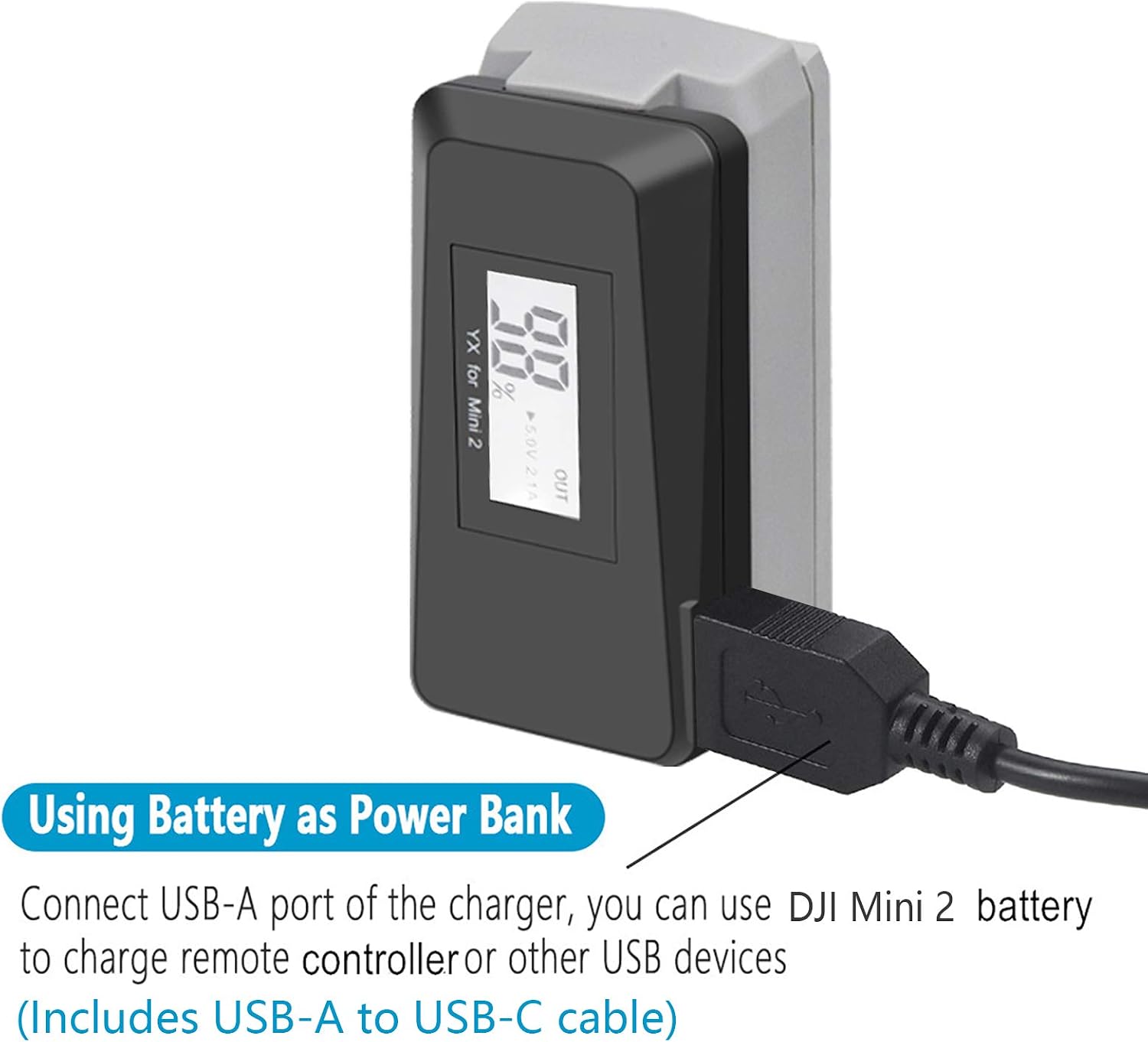
Image: The charger connected via its USB-A port to charge an external device.
Features
- LCD Display: Provides real-time battery level indication. The display shows the battery level for 20 seconds after the battery is inserted. It can also be used as a tool to check the battery level without charging.
- QC3.0 Fast Charging: Supports Quick Charge 3.0 for faster battery charging when connected to a compatible power adapter.
- Power Bank Functionality: Allows a DJI Mini 2 battery to be used as a power source for other USB devices via the USB-A output port.
- Durable Design: Features electrical pins with 0.4mm thickness and rounded corners, matching the thickness of original pins for secure and reliable connection.
- Multiple Charging Options: Can be powered by various USB sources including wall chargers, power banks, car chargers, and laptops.

Image: A detailed view of the charger's electrical pins and printed specifications.
Specifications
| Model Number | MINI2-CHARGER-USB2 |
| Input | 5V/3A (Max) |
| Output (Battery Charging) | 8.8V 1.6A |
| Output (USB-A) | 5V/2.1A (Max) |
| Compatible Devices | DJI Mini 4K, DJI Mini 2, DJI Mini 2 SE, DJI Mini SE |
| Charging Time (QC3.0/5V 3A) | Approx. 80 minutes |
| Charging Time (5V 2A) | Approx. 110 minutes |
| Weight | 38 Grams |
| Color | Black |
| Certifications | CE |
| Number of Ports | 3 (1x USB-C Input, 1x Battery Slot, 1x USB-A Output) |

Image: The charger with its dimensions and the USB-C charging cable.
Maintenance
- Cleaning: Use a soft, dry cloth to clean the charger. Do not use liquid cleaners or solvents.
- Storage: Store the charger in a cool, dry place away from direct sunlight and extreme temperatures when not in use.
- Handling: Avoid dropping the charger or subjecting it to strong impacts.
Troubleshooting
- Charger Not Powering On: Ensure the USB-C cable is securely connected to both the charger and a functional power source. Try a different USB power adapter or cable.
- Battery Not Charging: Verify that the drone battery is correctly inserted into the charger. Ensure the battery is compatible with this charger model. Check if the power source provides sufficient current (at least 5V/2A recommended).
- LCD Display Not Working: If the display does not light up, ensure the charger is connected to power and a battery is inserted. If the issue persists, contact customer support.
- Slow Charging: Ensure your power adapter supports QC3.0 for faster charging. If using a standard 5V/2A adapter, charging times will be longer (approx. 110 minutes).
Warranty and Support
This LYONGTECH product comes with a 12-month warranty from the date of purchase.
For technical support, warranty claims, or any questions regarding your product, please contact LYONGTECH customer service. Refer to your purchase documentation for specific contact details.