1. Introduction
This manual provides essential information for the proper handling, playback, and care of your Skyfire DVD. Please read these instructions carefully to ensure optimal viewing experience and longevity of your disc.
Skyfire is an action-adventure film directed by Simon West. It features a story set on a volcanic island, where a theme park faces an imminent eruption. The film has a run time of 1 hour and 33 minutes.
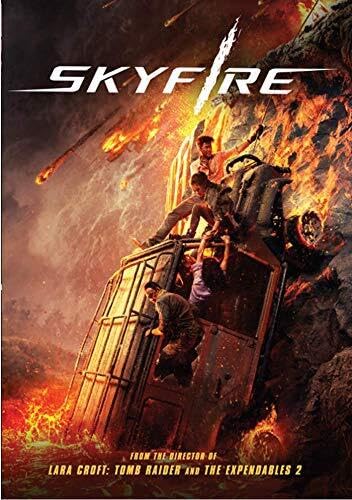
Image 1.1: Front cover of the Skyfire DVD. The artwork depicts a chaotic scene with characters attempting to escape a volcanic eruption, highlighting the film's disaster theme.
2. Disc Handling and Care
Proper handling and care will extend the life of your DVD and ensure consistent playback quality.
- Always hold the disc by its edges or by placing a finger through the center hole. Avoid touching the shiny playback surface.
- Store the disc in its original case when not in use to protect it from dust, scratches, and direct sunlight.
- Keep the disc away from extreme temperatures and high humidity.
- To clean the disc, gently wipe the playback surface with a soft, lint-free cloth from the center outwards. Do not use abrasive materials or harsh cleaning solvents.
- Do not bend the disc or apply excessive pressure.
3. Playback Instructions
Follow these steps to play your Skyfire DVD on a compatible DVD player or computer drive.
- Ensure your DVD player or computer's DVD drive is clean and functioning correctly.
- Gently insert the Skyfire DVD into the disc tray or slot with the label side facing up.
- Close the disc tray. Your player should automatically detect the disc and display the main menu.
- From the main menu, select "Play Movie" to begin watching. You may also have options for scene selection, language settings, or special features.
- Adjust your television or monitor's display settings and audio volume for your preferred viewing experience.
Note: This DVD is formatted for NTSC regions. Compatibility with players from other regions may vary.
4. Troubleshooting Playback Issues
If you encounter problems during playback, refer to the following common solutions:
| Problem | Solution |
|---|---|
| Disc does not play or is not recognized. |
|
| Video freezes, skips, or pixelates. |
|
| No audio or distorted audio. |
|
5. Specifications
Key technical details for the Skyfire DVD (Model: B08SV28LTN).
- Media Format: NTSC
- Run Time: 1 hour and 33 minutes
- Release Date: April 6, 2021
- Number of Discs: 1
- Product Dimensions: 0.7 x 7.5 x 5.4 inches
- Item Weight: 2.72 ounces
- ASIN: B08SV28LTN
- Studio: Screen Media
- Director: Simon West
- Actors: Hannah Quinlivan, Jack Harris, Shawn Dou
6. Warranty and Support
For issues related to a defective disc, please refer to the retailer's return policy where the DVD was purchased. Most retailers offer exchanges or refunds for manufacturing defects within a specified period.
For general inquiries about the film content, please visit the official website of the distributor, Screen Media Films, or contact their customer service department.
This product does not typically come with a manufacturer's warranty for content, but rather for the physical integrity of the disc itself.


