
Introduction
This manual provides instructions for the NKF RC-201 replacement remote control, designed for use with various Polaroid TV and DVD models. This remote control requires no programming or pairing; simply install batteries to begin operation.
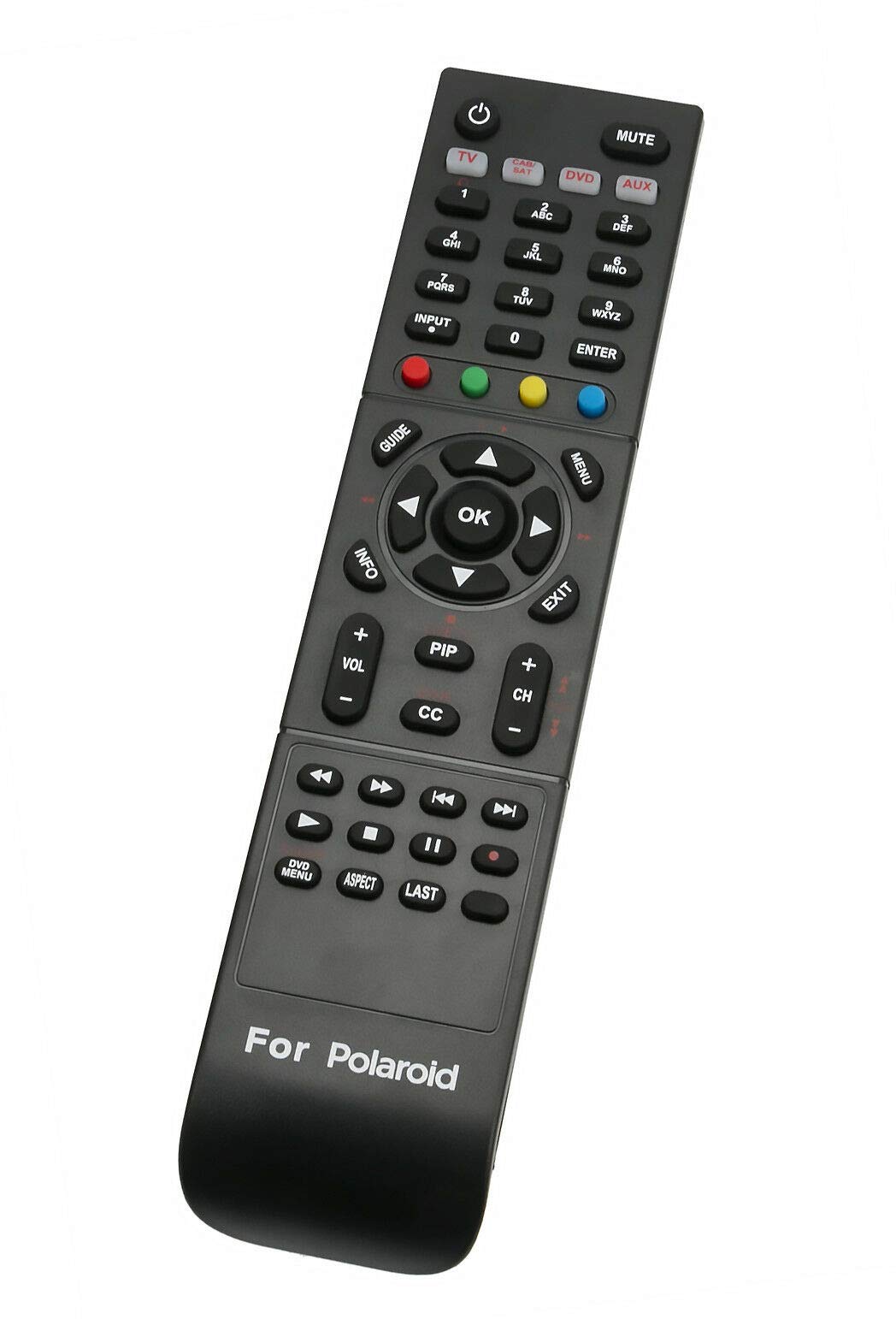
Image: Front view of the NKF RC-201 remote control, showing all buttons and the "For Polaroid" branding at the bottom.
Setup: Battery Installation
Follow these steps to install batteries into your RC-201 remote control:
- Locate the battery compartment on the back of the remote control.
- Slide the battery compartment cover downwards or press the latch to open it.
- Insert two (2) new AAA alkaline batteries, ensuring the positive (+) and negative (-) terminals match the diagrams inside the compartment.
- Replace the battery compartment cover, ensuring it clicks securely into place.
Once batteries are installed, the remote control is ready for use without any additional programming or pairing.

Image: Back view of the NKF RC-201 remote control, showing the open battery compartment with two AAA batteries inserted.
Operating Instructions
The RC-201 remote control provides full functionality for compatible Polaroid TV and DVD models. Point the remote directly at the device's infrared receiver for optimal performance.
Key Functions:
- Power Button (⏻): Turns the TV or DVD player on/off.
- Mute Button: Mutes or unmutes the audio.
- TV/DVD/AUX Buttons: Selects the operating mode for TV, DVD, or Auxiliary devices.
- Number Buttons (0-9): Direct channel selection or inputting numbers.
- Input Button: Cycles through available input sources (HDMI, AV, etc.).
- Volume Up/Down (VOL +/-): Adjusts the audio volume.
- Channel Up/Down (CH +/-): Changes TV channels.
- Navigation Pad (Up, Down, Left, Right, OK): Navigates menus and confirms selections.
- Menu Button: Opens the main menu.
- Exit Button: Exits the current menu or function.
- Info Button: Displays information about the current program or media.
- PIP Button: Picture-in-Picture function (if supported by the device).
- CC Button: Activates or deactivates Closed Captions.
- Media Control Buttons (Play, Pause, Stop, Rewind, Fast Forward, Skip): Controls DVD playback.
- DVD Menu Button: Accesses the DVD disc menu.
- Aspect Button: Adjusts the screen aspect ratio.

Image: Angled front view of the NKF RC-201 remote control, highlighting the ergonomic design and button layout.
Compatibility
The NKF RC-201 remote control is compatible with the following Polaroid TV and DVD models:
- FLM-4034B
- FLM-4234BH
- TDA-03211C
- TDX-01930B
- 2611TLXB
- 3211TLXB
- 1513TDXB
- 1913TDXB
- FLM-4034BH
- FLM-4232HM
- FLX-374
- TDX-02611C
- TDX-03211C
- 845C45GF1XAPH
- TDA-02610C
- TDX-02610B
- TLA-04011C
- TLA-04641C
- 4011-TLXB
- 4241-TLXB
- 4641-TLXB
- And other models originally supplied with an RC-201 remote.
Specifications
| Model Name | RC-201 |
| Brand | NKF |
| Connectivity Technology | Infrared (IR) |
| Compatible Devices | Television, DVD Players |
| Power Source | 2 x AAA Batteries (not included) |
| Color | Black |
| Item Weight | 2.6 ounces (approx. 73.7 grams) |
| Item Dimensions (L x W x H) | 7" x 2" x 0.8" (approx. 17.8cm x 5.1cm x 2cm) |
| Maximum Range | 10 meters (approx. 33 feet) |
| Button Quantity | 49 |
Troubleshooting
- Remote not responding:
- Ensure new AAA batteries are correctly installed with proper polarity.
- Check if the remote's infrared emitter is blocked or dirty.
- Ensure there are no obstructions between the remote and the device's IR receiver.
- Verify that the remote is pointed directly at the device.
- Specific functions not working:
- Confirm that the correct mode (TV, DVD, AUX) is selected on the remote.
- Some advanced functions may depend on the specific model of your Polaroid TV or DVD player.
If you encounter any issues not resolved by the above steps, please contact the manufacturer for further assistance.
Support
For any questions or support regarding your NKF RC-201 remote control, please contact the seller or manufacturer directly. When contacting support, please provide your product model number (RC-201) and a detailed description of the issue.
Note: Batteries and detailed instructions beyond this manual are not included with the product package.