
Important Safety Instructions
Please read all instructions carefully before using your Secura Conical Burr Coffee Grinder. Failure to follow these instructions may result in electric shock, fire, or serious injury.
- Always unplug the appliance from the power outlet before cleaning or when not in use.
- Do not immerse the motor housing, cord, or plug in water or other liquids.
- Keep hands and utensils out of the bean hopper and ground coffee container during operation to prevent injury.
- Ensure all parts are correctly assembled before operating the grinder.
- Do not operate the appliance with a damaged cord or plug, or after the appliance malfunctions or has been damaged in any manner.
- This appliance is intended for household use only. Do not use outdoors.
- Supervise children closely when the appliance is in use.
- Avoid contact with moving parts.
- Do not use attachments not recommended or sold by the manufacturer.
- The appliance should not run continuously for more than 3 minutes. After running continuously or intermittently for 3 minutes, let it rest for 30 minutes.
Product Overview
Familiarize yourself with the various components of your Secura Conical Burr Coffee Grinder for optimal use and maintenance.

Figure 1: Exploded view of the Secura Conical Burr Coffee Grinder, showing the bean hopper lid, bean hopper, ON/OFF button, cup selection dial, grinding chamber lid, grinding chamber, motor housing, and built-in cleaning brush.
Components:
- Bean Hopper Lid: Covers the bean hopper to keep beans fresh.
- Bean Hopper: Holds whole coffee beans before grinding.
- ON/OFF Button: Initiates and stops the grinding process.
- Cup Selection Dial: Allows selection of desired coffee quantity (2-12 cups).
- Grinding Chamber Lid: Covers the ground coffee container.
- Grinding Chamber: Collects the freshly ground coffee.
- Motor Housing: Contains the grinder's motor and controls.
- Built-in Cleaning Brush: Stored within the unit for easy access and cleaning.
Product Video Overview:
Video 1: An official Secura product video demonstrating the features and operation of the Conical Burr Coffee Grinder, including assembly, grind settings, and grinding process.
Setup
1. Unboxing and Initial Inspection
Carefully remove all components from the packaging. Inspect the grinder for any signs of damage. Ensure all listed parts are present before proceeding.
2. Assembling the Grinder
- Place the bean hopper onto the base. Align the triangle mark on the hopper with the unlock icon on the base.
- Rotate the bean hopper clockwise until the triangle mark aligns with the lock icon to secure it in place.
- Ensure the grinding chamber and its lid are clean and properly positioned under the coffee outlet.

Figure 2: Demonstrates the correct alignment and rotation for securing the bean hopper to the grinder base.
Operating Instructions
1. Adjusting Grind Settings
The Secura Conical Burr Coffee Grinder offers 35 precision grind settings, allowing you to customize your coffee for various brewing methods. Rotate the bean hopper to select your desired grind size.
- Espresso (1-14): Fine to extra-fine grind for espresso machines.
- Drip/Pour Over (15-25): Medium grind for drip coffee makers and pour-over methods.
- French Press (26-35): Coarse grind for French press and cold brew.

Figure 3: Close-up of the grind setting dial, indicating options for Espresso, Drip/Pour Over, and French Press.

Figure 4: Visual representation of different coffee grind consistencies: fine, medium, and coarse.
2. Quantity Selection
Use the cup selection dial to choose the amount of coffee you wish to grind, from 2 to 12 cups. The grinder will automatically shut off once the selected quantity is processed.

Figure 5: The cup selection dial, allowing users to choose between 2 and 12 cups of coffee to grind.
3. Grinding Process
- Plug the appliance into a power outlet.
- Add fresh, whole coffee beans to the bean hopper.
- Select the desired grind size by rotating the bean hopper.
- Select the desired number of cups using the cup selection dial.
- Press the ON/OFF button to begin grinding. The grinder will stop automatically when finished.
4. Anti-Static Technology
The Secura Conical Burr Coffee Grinder is equipped with anti-static technology to minimize mess in the grinding chamber. For an additional tip to further reduce static, lightly wet the handle of a spoon and stir the coffee beans in the hopper before grinding. A tiny amount of water is sufficient to eliminate static.
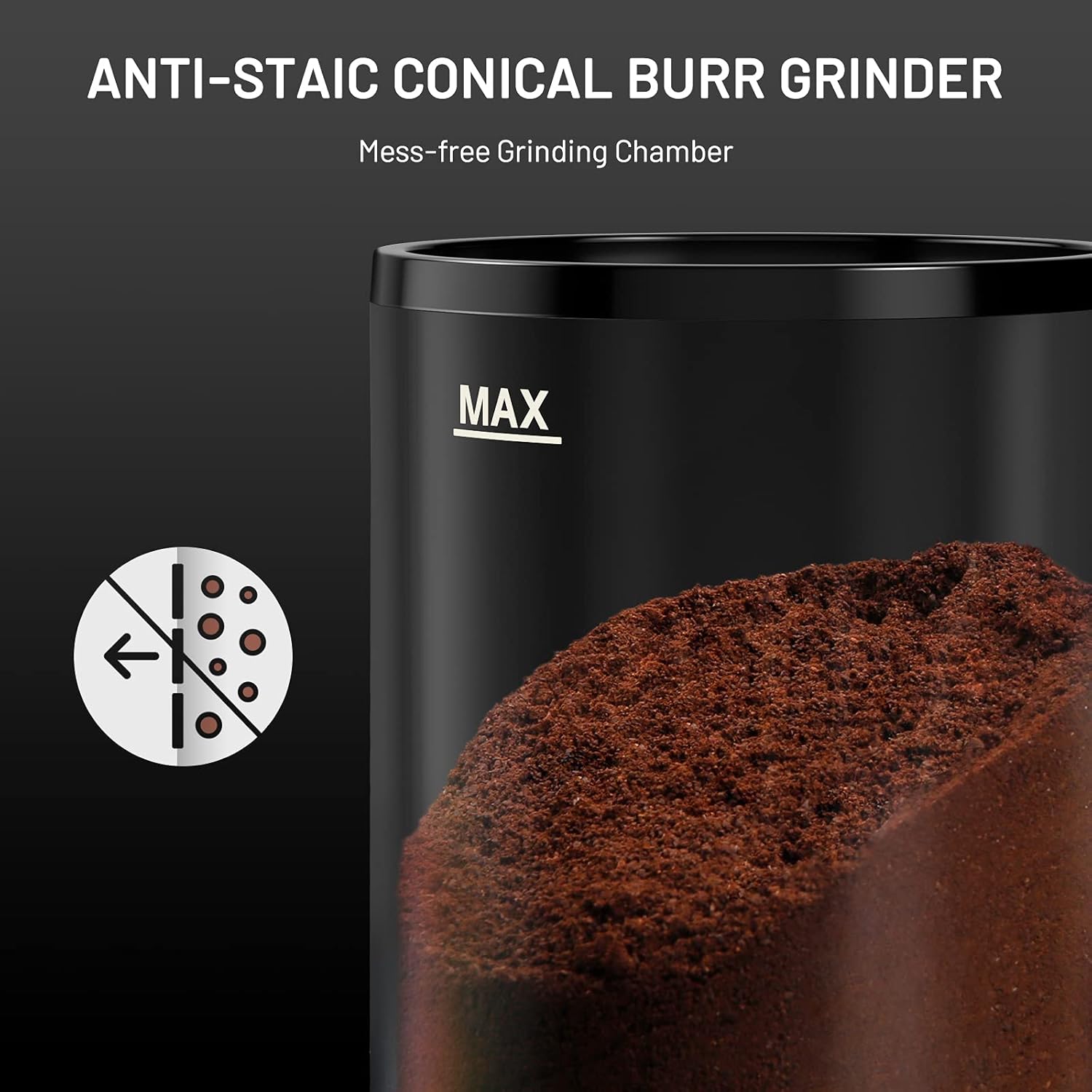
Figure 6: Illustrates the anti-static design of the grinding chamber, reducing coffee ground cling.
Maintenance and Cleaning
Regular cleaning ensures optimal performance and extends the lifespan of your coffee grinder.
- Unplug the coffee grinder before cleaning.
- Remove the bean hopper by aligning the triangle mark with the unlock icon and rotating counter-clockwise.
- Remove the upper burr by twisting it counter-clockwise and lifting it out.
- Use the built-in cleaning brush to clean both the upper and lower burrs, removing any coffee residue. A vacuum cleaner can also be used for thorough cleaning.
- Clean the bean hopper, ground coffee container, and their lids with warm, soapy water. Rinse thoroughly with clean water and dry completely before reassembling.
- Wipe the base of the coffee grinder with a soft, damp cloth. Dry thoroughly with a soft dry cloth.

Figure 7: Shows the removable upper burr and the use of the cleaning brush for easy maintenance.

Figure 8: A close-up image of the built-in cleaning brush, designed for effective removal of coffee grounds.
Troubleshooting
If you encounter any issues with your Secura Conical Burr Coffee Grinder, refer to the following common problems and solutions:
- Grinder does not start:
- Ensure the power cord is securely plugged into a working outlet.
- Check that the bean hopper is correctly locked into place. The grinder has a safety mechanism that prevents operation if the hopper is not properly secured.
- Verify that the ground coffee container is correctly positioned.
- Confirm that the cup selection dial is set to a desired quantity (not 'OFF').
- Inconsistent grind:
- Ensure the burrs are clean and free of old coffee residue. Refer to the 'Maintenance and Cleaning' section.
- Check that the upper burr is properly seated.
- Adjust the grind setting to a different level to see if consistency improves.
- Excessive static cling of coffee grounds:
- Utilize the anti-static tip: lightly wet the handle of a spoon and stir the coffee beans in the hopper before grinding.
- Ensure the grinding chamber is clean.
- Grinder stops during operation:
- The grinder has an automatic shut-off feature once the selected quantity is ground.
- If it stops prematurely, check for blockages in the burrs or coffee chute.
- Allow the grinder to cool down if it has been running continuously for an extended period (over 3 minutes).
Specifications
| Feature | Detail |
|---|---|
| Brand | Secura |
| Model Number | SRCG2079 |
| Manufacturer Part Number | CG9702-UL |
| Color | Black |
| Material | Stainless Steel |
| Style | Coffee Bean Grinder |
| Item Weight | 8.8 Ounces |
| Item Dimensions (L x W x H) | 8"L x 5.4"W x 11.7"H |
| Capacity | 8.8 ounces (bean box) / 4.6 ounces (ground coffee container) |
| Wattage | 200 watts |
| Grind Settings | 35 (Coarse, Medium, Fine, Extra-Fine) |
| Cup Selection | 2-12 cups |
| Included Components | Cleaning Brush, Coffee Spoon, Conical Burr Coffee Grinder, User Manual |
Warranty and Support
For warranty information or customer support regarding your Secura Conical Burr Coffee Grinder, please contact Secura customer service directly. Refer to the contact details provided in your product packaging or visit the official Secura website for assistance.
Secura is committed to providing quality products and support to its customers.


