1. Introduction
The Green Cell PowerBoost CJSGC01 is a versatile device designed to provide emergency jump-starting for vehicles, act as a portable power bank for electronic devices, and function as a charger for 12V batteries. This manual provides essential information for the safe and efficient operation, maintenance, and troubleshooting of your PowerBoost device.
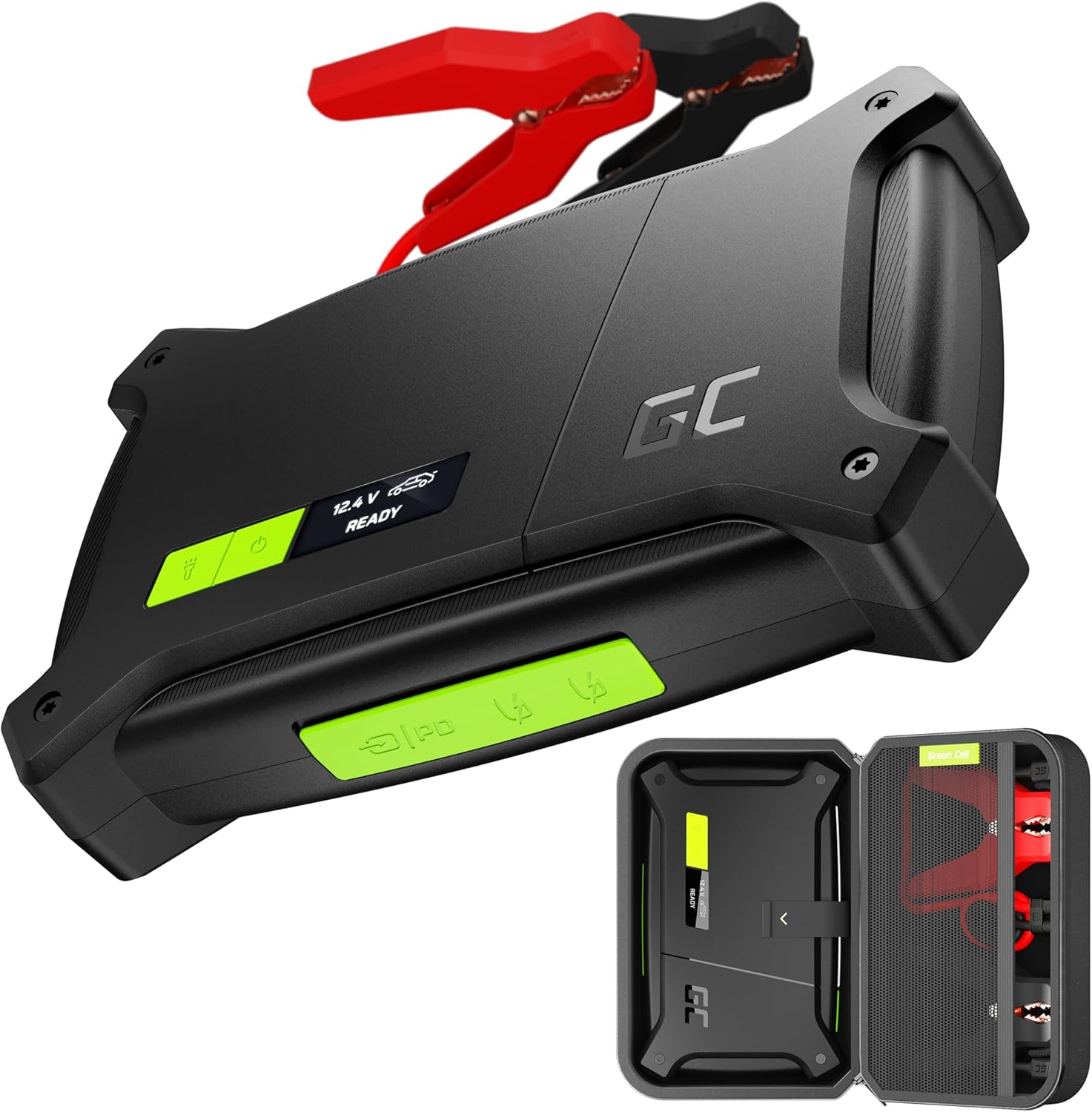
Image Description: The Green Cell PowerBoost CJSGC01 device, a black rectangular unit with green accents, is shown with its red and black jumper cables. Below it, the device is displayed inside its protective carrying case, which also holds the cables.
2. Important Safety Information
Read all safety warnings and instructions before using this product. Failure to follow these instructions may result in electric shock, fire, or serious injury.
- Keep the device away from children.
- Do not expose the device to rain or wet conditions.
- Do not operate the device if it has been damaged or modified.
- Ensure proper polarity when connecting to a vehicle battery (red clamp to positive, black clamp to negative). Reverse connection can cause damage.
- Avoid short-circuiting the jumper clamps.
- Do not attempt to jump-start a frozen battery.
- Use the device in a well-ventilated area.
- If the device becomes excessively hot during use, disconnect it immediately and allow it to cool down.
- The device is designed to be dust-proof and water-resistant (IP64 standard) when ports are covered. However, avoid submerging it in water.

Image Description: A close-up shows hands connecting the red jumper cable to a car battery terminal. The Green Cell PowerBoost device is in the foreground, displaying icons for spark-proof, protection against reverse connection, and temperature control, emphasizing its safety features.
3. Package Contents
Verify that all items are present in the package:
- Green Cell PowerBoost 16000 mAh Jump Starter
- Jumper clamps with EC5 connector
- USB-C to USB-C cable (120 cm long)
- User Manual
- Protective carrying case
4. Product Overview
The Green Cell PowerBoost features a robust design with multiple functionalities.
Key Features:
- High Peak Current: 2000A for quick starting of large engines (up to 8L petrol, 6L diesel).
- Battery Capacity: 16000 mAh, capable of up to 30 jump starts on a single charge.
- Charging Ports:
- 1x USB-C (60W Power Delivery) for fast charging the PowerBoost and other devices.
- 2x USB-A (18W) for charging smartphones, tablets, and other USB-powered devices.
- OLED Display: Provides clear instructions and status messages.
- Integrated Flashlight: Features 4 lighting modes (SOS, 10%, 50%, 100%).
- Durability: Dust-proof and splash-proof (IP64 standard) when ports are covered.

Image Description: A close-up view of the Green Cell PowerBoost CJSGC01 device, highlighting its top panel with the OLED display showing "12.4 V READY" and the power button.
5. Charging the PowerBoost
Before first use, fully charge the PowerBoost. It is recommended to keep the device charged above 50% for optimal performance and battery longevity.
- Locate the USB-C input port on the PowerBoost.
- Connect the provided USB-C to USB-C cable to the PowerBoost's USB-C input port.
- Connect the other end of the USB-C cable to a compatible USB-C Power Delivery (PD) charger (e.g., a 60W USB-C charger, not included).
- The OLED display will indicate the charging status and battery level.
- A full charge from 0% to 100% typically takes approximately 80 minutes with a 60W PD charger.
Note: The PowerBoost can also be used to charge a 12V vehicle battery overnight using its charging mode, provided you have a suitable 60W power supply.
6. Jump Starting a Vehicle
Follow these steps carefully to safely jump-start your vehicle. Ensure the PowerBoost is sufficiently charged.
- Prepare the Vehicle: Turn off the vehicle's ignition and all accessories (lights, radio, air conditioning). Engage the parking brake.
- Connect Jumper Cables:
- Connect the red positive (+) clamp to the positive (+) terminal of the vehicle's battery.
- Connect the black negative (-) clamp to the negative (-) terminal of the vehicle's battery.
- Ensure a secure connection.
- Connect to PowerBoost: Insert the EC5 connector of the jumper cables into the jump-start port on the PowerBoost. The device will automatically detect the battery and display "READY" if the voltage is sufficient (above 5V).
- Start the Vehicle: Once "READY" is displayed, start your vehicle's engine. If the engine does not start immediately, wait at least 30 seconds before attempting again. Do not crank for more than 3 seconds per attempt.
- Disconnect: Once the vehicle starts, immediately disconnect the jumper cables from the PowerBoost, then disconnect the black negative (-) clamp from the vehicle battery, followed by the red positive (+) clamp.
Manual Override (Boost Function for Deeply Discharged Batteries):
If the vehicle battery is deeply discharged (below 5V), the PowerBoost may display a warning and not enter "READY" mode automatically. In such cases, a manual override function can be used at your own risk.
- Connect the jumper cables to the vehicle battery as described above.
- Connect the EC5 connector to the PowerBoost.
- Press and hold the Power button and the Flashlight button simultaneously for 3 seconds. The display will show "MANUAL MODE" or "AWARE MODE".
- Immediately attempt to start the vehicle within 30 seconds. The PowerBoost will discharge rapidly and heat up in this mode.
- If an overheating warning (visual and audible) occurs, immediately disconnect the clamps. Allow the device to cool for at least 15 minutes before any further attempts.
- Disconnect the cables as soon as the vehicle starts.

Image Description: The Green Cell PowerBoost CJSGC01 is shown connected to a car engine, ready for jump-starting. Accompanying text highlights its capabilities: starting up to 6L Diesel/8L Petrol engines, providing 30 jump starts per charge, offering a 12V battery charging mode, and featuring an OLED display for control.
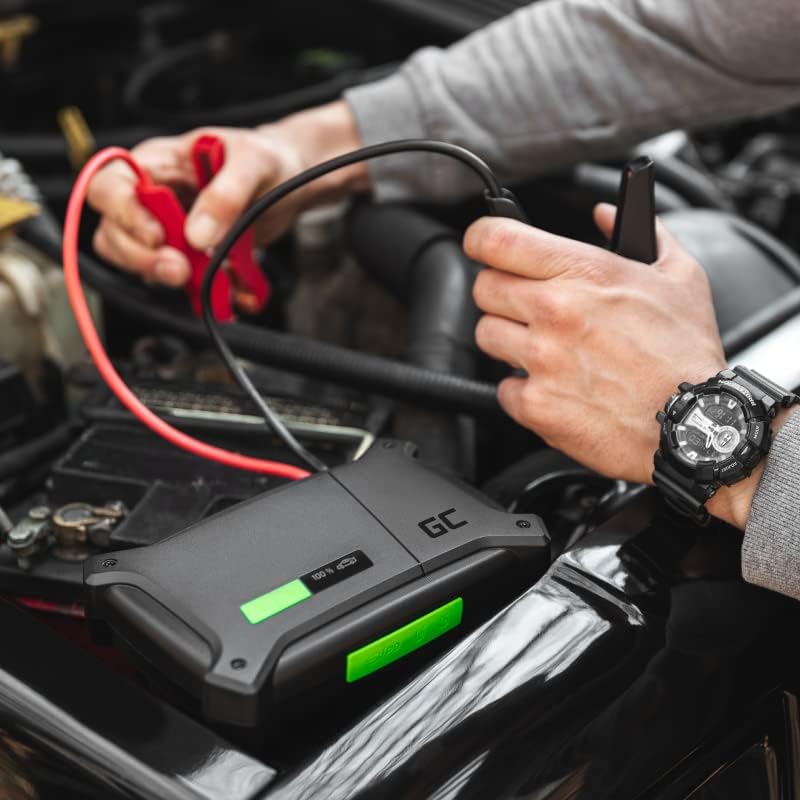
Image Description: A person is shown carefully connecting the red and black jumper cables from the Green Cell PowerBoost CJSGC01 device to the terminals of a car battery located in the engine bay.
7. Using as a Power Bank
The PowerBoost can charge various electronic devices using its USB-C and USB-A ports.
- Connect your device's charging cable to one of the PowerBoost's output ports (USB-C or USB-A).
- The PowerBoost will automatically begin charging your device.
- The OLED display will show the remaining battery level of the PowerBoost.
Example Capacity: The 16000 mAh capacity can charge a MacBook Air once or an iPhone 13 four times.

Image Description: A person is seated outdoors, using the Green Cell PowerBoost CJSGC01 to charge both a tablet and a laptop, demonstrating its portable power bank functionality.
8. Using the Flashlight
The integrated LED flashlight provides illumination in various modes.
- Press the Flashlight button once to turn on the light at 100% brightness.
- Press the Flashlight button repeatedly to cycle through the modes: 100% -> 50% -> 10% -> SOS -> Off.
- Hold the Flashlight button for 2 seconds to turn it off directly from any mode.

Image Description: An illustration demonstrating the ultra-bright LED flashlight feature of the Green Cell PowerBoost CJSGC01, showing its four distinct lighting modes: SOS, 10% brightness, 50% brightness, and 100% brightness.
9. Maintenance and Storage
- Cleaning: Wipe the device with a dry, soft cloth. Do not use harsh chemicals or abrasive materials.
- Storage: Store the PowerBoost in a cool, dry place, away from direct sunlight and extreme temperatures.
- Battery Care: For optimal battery life, recharge the device every 3-6 months, even if not in use, to maintain a charge level above 50%.
- Water Resistance: The device is IP64 rated for dust and splash resistance when all ports are securely covered. Do not immerse in water.

Image Description: The Green Cell PowerBoost CJSGC01 device is shown lying on wet, muddy ground, with water droplets visible on its surface, illustrating its dust-proof and water-resistant capabilities according to the IP64 standard.
10. Troubleshooting
| Problem | Possible Cause | Solution |
|---|---|---|
| Device does not turn on. | Battery is fully discharged. | Charge the PowerBoost using a USB-C PD charger. |
| Vehicle does not jump-start. |
|
|
| PowerBoost overheats during jump-start. | Prolonged cranking or deeply discharged battery in manual mode. | Immediately disconnect clamps. Allow device to cool for at least 15 minutes. Do not attempt to use until cooled. |
| Electronic devices not charging. |
|
|
11. Specifications
| Feature | Value |
|---|---|
| Model Number | CJSGC01 |
| Brand | Green Cell |
| Battery Capacity | 16000 mAh |
| Peak Current | 2000 A |
| Voltage | 12 Volts |
| Battery Composition | Lithium-polymer |
| USB-C Output/Input | 60W Power Delivery |
| USB-A Output | 2x 18W |
| Weight | 750 Grams |
| Special Features | Jump Start Assist, 12V Booster, IP64 Rating, Integrated Flashlight |
12. Warranty and Support
The Green Cell PowerBoost CJSGC01 comes with a manufacturer's warranty. For specific warranty terms and conditions, please refer to the documentation provided with your purchase or contact Green Cell customer support.
For technical support or service inquiries, please visit the official Green Cell website or contact their customer service department.


