
1. Introduction
This manual provides comprehensive instructions for the assembly, operation, and maintenance of your METIYA Dual Monitor Stand. Please read this manual thoroughly before installation and retain it for future reference. This stand is designed to support two computer monitors in a vertical stacked configuration, offering adjustability for an ergonomic viewing experience.

Image 1.1: METIYA Dual Monitor Stand supporting two monitors in a vertical arrangement.
2. Safety Information
Please observe the following safety precautions to prevent injury or damage to your equipment:
- Do not exceed the maximum weight capacity of 17.6 lbs (8 kg) per monitor.
- Ensure the stand is placed on a stable, level surface to prevent tipping.
- Verify that the VESA mounting holes on your monitors are compatible (75x75mm or 100x100mm).
- Tighten all screws securely during assembly, but do not overtighten.
- Keep children and pets away during installation.
- If any parts are missing or damaged, contact customer support immediately.
3. Package Contents
Before beginning installation, please check that all components are present:
- Freestanding Base
- Main Pole
- Upper VESA Monitor Arm
- Lower VESA Monitor Arm
- Cable Management Clips
- Hardware Kit (screws, washers, Allen wrenches)
4. Setup and Installation
Follow these steps to assemble and install your dual monitor stand:
4.1. Assemble the Freestanding Base
- Attach the main pole to the freestanding base using the provided screws and Allen wrench. Ensure it is securely fastened.

Image 4.1: Illustration of the freestanding base and detachable VESA plate for quick installation.
4.2. Attach VESA Plates to Monitors
- Carefully place your monitor face down on a soft, clean surface.
- Align the detachable VESA plate with the mounting holes on the back of your monitor (75x75mm or 100x100mm).
- Secure the VESA plate to the monitor using the appropriate screws from the hardware kit. Do not overtighten.
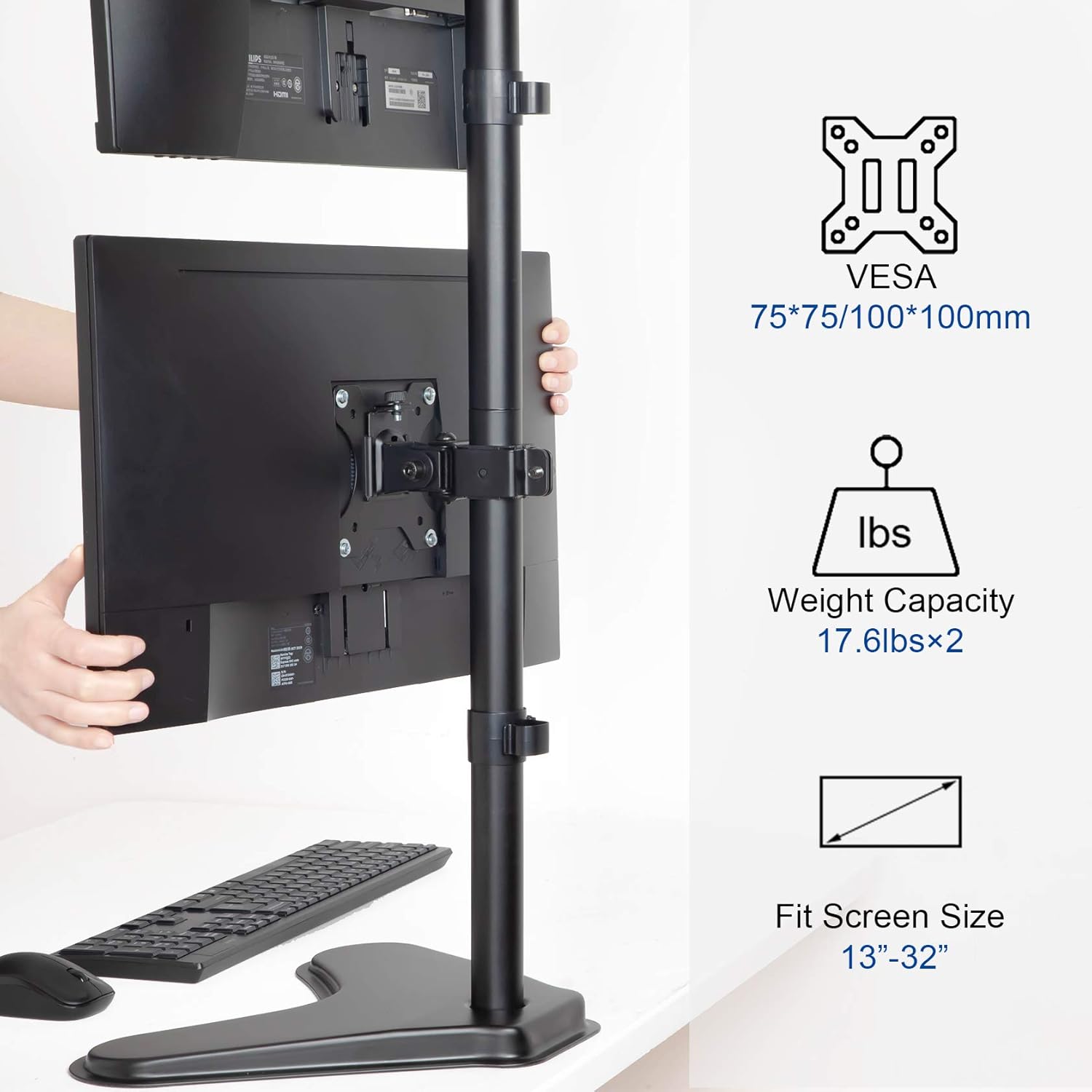
Image 4.2: VESA mounting standards (75x75mm, 100x100mm), weight capacity (17.6 lbs x 2), and compatible screen sizes (13"-32").
4.3. Mount Monitors to the Stand
- Slide the VESA monitor arms onto the main pole. Adjust their approximate height and secure them with the pole clamps.
- Carefully lift each monitor (with VESA plate attached) and slide it onto the corresponding monitor arm. Ensure the monitor is securely seated.
- Tighten the security screws on the monitor arms to prevent accidental dislodging.
4.4. Cable Management
- Route your monitor cables through the integrated cable management clips on the main pole.
- Secure the clips to keep cables tidy and prevent tangling.
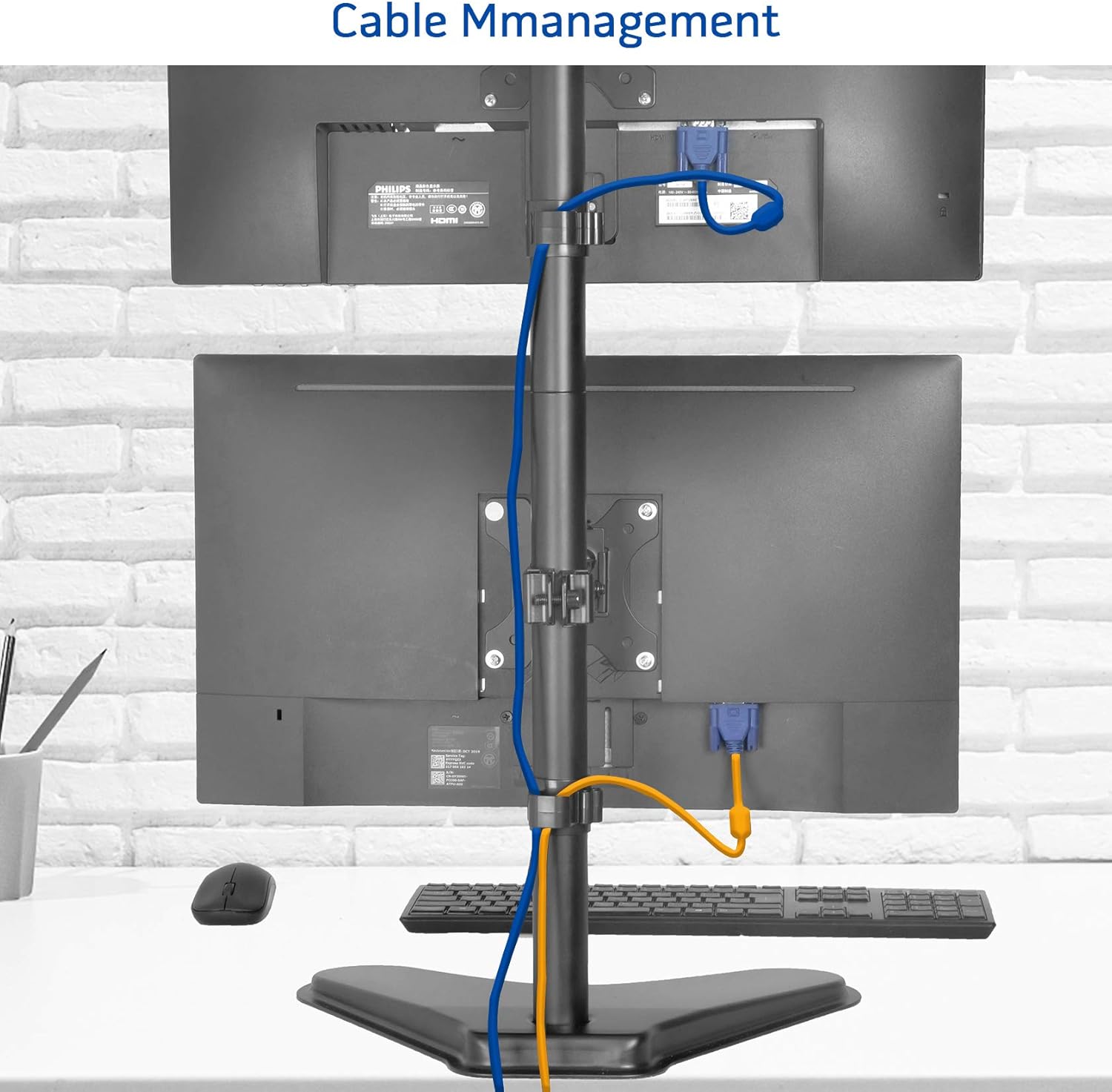
Image 4.3: Example of cable management using the integrated clips on the stand's pole.
5. Operating Instructions
The METIYA Dual Monitor Stand offers various adjustment options for optimal viewing comfort:
5.1. Height Adjustment
- Loosen the pole clamp on the monitor arm.
- Slide the monitor arm up or down the main pole to the desired height.
- Tighten the pole clamp securely to fix the height.
5.2. Tilt Adjustment
- Gently tilt the monitor screen up or down to achieve the desired viewing angle. The stand supports a tilt range of ±45 degrees.
5.3. Swivel Adjustment
- Rotate the monitor screen left or right to adjust the horizontal viewing angle. The stand supports a swivel range of ±45 degrees.
5.4. Rotation Adjustment
- Rotate the monitor 360 degrees to switch between landscape and portrait orientations.

Image 5.1: Visual representation of the stand's height adjustment, 360° rotation, ±45° tilt, and ±45° swivel capabilities.
6. Maintenance
To ensure the longevity and proper function of your monitor stand:
- Regularly check all screws and connections to ensure they remain tight.
- Clean the stand with a soft, damp cloth. Avoid abrasive cleaners or solvents.
- Do not hang objects on the stand or apply excessive force to the monitors.
7. Troubleshooting
If you encounter issues with your monitor stand, refer to the following common solutions:
- Monitors are not stable or sag: Ensure all VESA plate screws and pole clamps are securely tightened. Verify that your monitors do not exceed the stand's weight capacity.
- Difficulty adjusting height: Loosen the pole clamp sufficiently before attempting to adjust the height.
- Stand wobbles: Ensure the freestanding base is on a flat, stable surface. Check that the main pole is firmly attached to the base.
8. Product Specifications
| Feature | Specification |
|---|---|
| Model | B08SHWM31C |
| VESA Compatibility | 75x75mm, 100x100mm |
| Monitor Size Compatibility | 13 to 32 inches |
| Weight Capacity (per monitor) | 17.6 lbs (8 kg) |
| Tilt Range | ±45 degrees |
| Swivel Range | ±45 degrees |
| Rotation | 360 degrees |
| Max Height Adjustment | Up to 35.6 inches |
| Base Dimensions (Approx.) | 15.4" (W) x 11" (D) |
| Product Weight | 8.23 pounds |

Image 8.1: Key dimensions and VESA compatibility of the METIYA Dual Monitor Stand.
9. Warranty Information
This METIYA product is covered by a limited warranty against manufacturing defects. Please refer to the warranty card included with your purchase or contact customer support for specific terms and conditions.
10. Customer Support
For assistance with assembly, troubleshooting, or warranty claims, please contact METIYA customer support through the retailer's platform or visit the official METIYA website for contact information.