
Introduction
This manual provides detailed instructions for the safe and effective use of your ORACURA® Water Dental Flosser. Please read this manual thoroughly before first use and retain it for future reference.
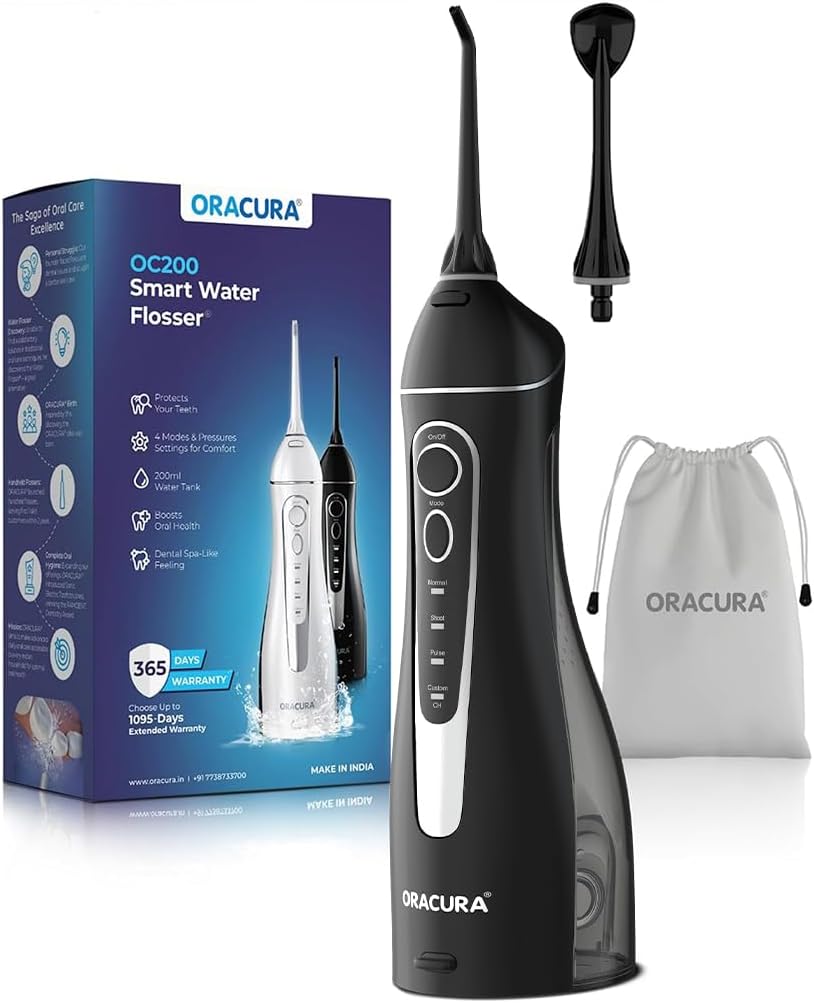
Image: The ORACURA Water Dental Flosser in black, shown alongside its retail packaging, two jet tips, and a white storage pouch.
Package Contents
Verify that all items are present in your package:
- Water Flosser Main Unit (with 200ml water tank)
- Standard Jet Tip (1)
- Tongue Scraper Tip (1)
- USB Charging Cable (1)
- Operation Manual (this document)
- Convenient Carry Pouch (1)

Image: A visual representation of the ORACURA Water Dental Flosser package contents, including the main unit, manual, tongue scraper, standard tip, protective pouch, and USB charger cable.
Setup
Charging the Device
Before first use, fully charge the water flosser. A full charge typically takes 3-4 hours and provides 10-15 days of use.
- Connect the USB charging cable to the charging port on the device.
- Connect the other end of the USB cable to a compatible USB power adapter (not included) or a computer USB port.
- The charging indicator light will illuminate during charging and turn off when fully charged.

Image: A close-up view of the ORACURA Water Flosser's charging port, illustrating the connection of the USB cable for charging.
Attaching a Nozzle Tip
- Select either the Standard Tip or the Tongue Scraper Tip.
- Insert the desired tip into the hole at the top of the flosser handle until it clicks into place.
- To remove, press the tip release button (usually on the side or back of the unit) and pull the tip out.

Image: Illustration showing the two types of nozzle tips included: a Standard Tip for everyday use and a Tongue Scraper for fresher breath.
Filling the Water Tank
The device features a 200ml water tank for convenient refilling.
- Open the water tank cover.
- Fill the tank with lukewarm water. Distilled water is recommended to prevent mineral buildup.
- Close the water tank cover securely.

Image: Diagram illustrating two methods for filling the 200ml water tank: top filling and side filling, designed for user convenience.
Operating Instructions
Understanding the Modes and Pressure Settings
Your ORACURA Water Dental Flosser offers 4 modes and 8 customizable water pressure settings:
- Normal Mode: For everyday freshness and general cleaning.
- Soft Mode: Gentle care, ideal for sensitive gums or first-time users.
- Pulse Mode: For deep cleaning and gum massage, helping to remove plaque.
- Custom Mode: Allows for tailored water pressure settings to match individual dental needs.

Image: A detailed view of the ORACURA Water Flosser's control panel, highlighting the On/Off button, Mode button, and indicators for Normal, Shoot (Soft), Pulse, and Custom modes.
How to Use
- Ensure the water tank is filled and a nozzle tip is attached.
- Press the "On/Off" button to turn on the device.
- Press the "Mode" button to cycle through the available modes (Normal, Soft, Pulse, Custom).
- For Custom Mode, use the pressure adjustment buttons (if available, typically integrated with mode selection or separate) to select your desired water pressure.
- Lean over a sink and place the tip in your mouth. Close your lips enough to prevent splashing but allow water to flow into the sink.
- Direct the water jet at a 90-degree angle to your gumline. Move the tip along the gumline, pausing briefly between teeth.
- Floss both the front and back surfaces of your teeth.
- Continue until the water tank is empty or you have cleaned all desired areas.
- Press the "On/Off" button again to turn off the device.
Note: For optimal results, use after brushing your teeth. The 0.6mm ultra-fine water jet spray is effective for cleaning around braces and other dental work.
Maintenance
Cleaning the Device
- After each use, empty any remaining water from the tank.
- Rinse the water tank thoroughly with clean water.
- Wipe the exterior of the device with a soft, damp cloth.
- Remove the nozzle tip and rinse it under running water.
- Allow all parts to air dry before storing.
Desealing (Mineral Buildup Removal)
If you notice reduced water pressure or mineral deposits, perform a descaling procedure:
- Mix 1 part white vinegar with 2 parts water in the water tank.
- Run the solution through the device until the tank is empty.
- Rinse the tank and run a full tank of clean water through the device to flush out any remaining vinegar solution.
Frequency: Perform descaling every 1-3 months, depending on water hardness.
Troubleshooting
| Problem | Possible Cause | Solution |
|---|---|---|
| Device does not turn on. | Low battery. | Charge the device fully. |
| Weak water pressure. | Low water level in tank; Mineral buildup; Clogged nozzle tip. | Refill water tank; Perform descaling; Clean or replace nozzle tip. |
| Water leaks from device. | Water tank not properly sealed; Nozzle tip not fully inserted. | Ensure water tank cover is securely closed; Re-insert nozzle tip until it clicks. |
| Nozzle tip moves around during use. | Nozzle not locked into place. | Ensure the nozzle tip is fully inserted and clicks into place. If the issue persists, contact customer support. |
Specifications
- Model Number: OC200LITE-B
- Product Dimensions: 3.35 x 2.56 x 10.71 inches (8.5 x 6.5 x 27.2 cm)
- Weight: 15.87 ounces (450 grams)
- Water Tank Capacity: 200ml
- Power Source: Rechargeable Lithium Ion Battery (included)
- Charging Time: 3-4 hours
- Operating Time: 10-15 days per charge
- Water Pressure Settings: 8 levels
- Operation Modes: Normal, Soft, Pulse, Custom
- Special Features: Multiple Operation Modes, Multiple Tips, Portable, Rechargeable, Rotatable Tip, IPX7 Waterproof
- Product Benefits: Gum Health, Prevents Cavities
- Manufacturer: ORACURA

Image: A diagram illustrating the dimensions of the ORACURA Water Flosser, showing its height, width, and depth.
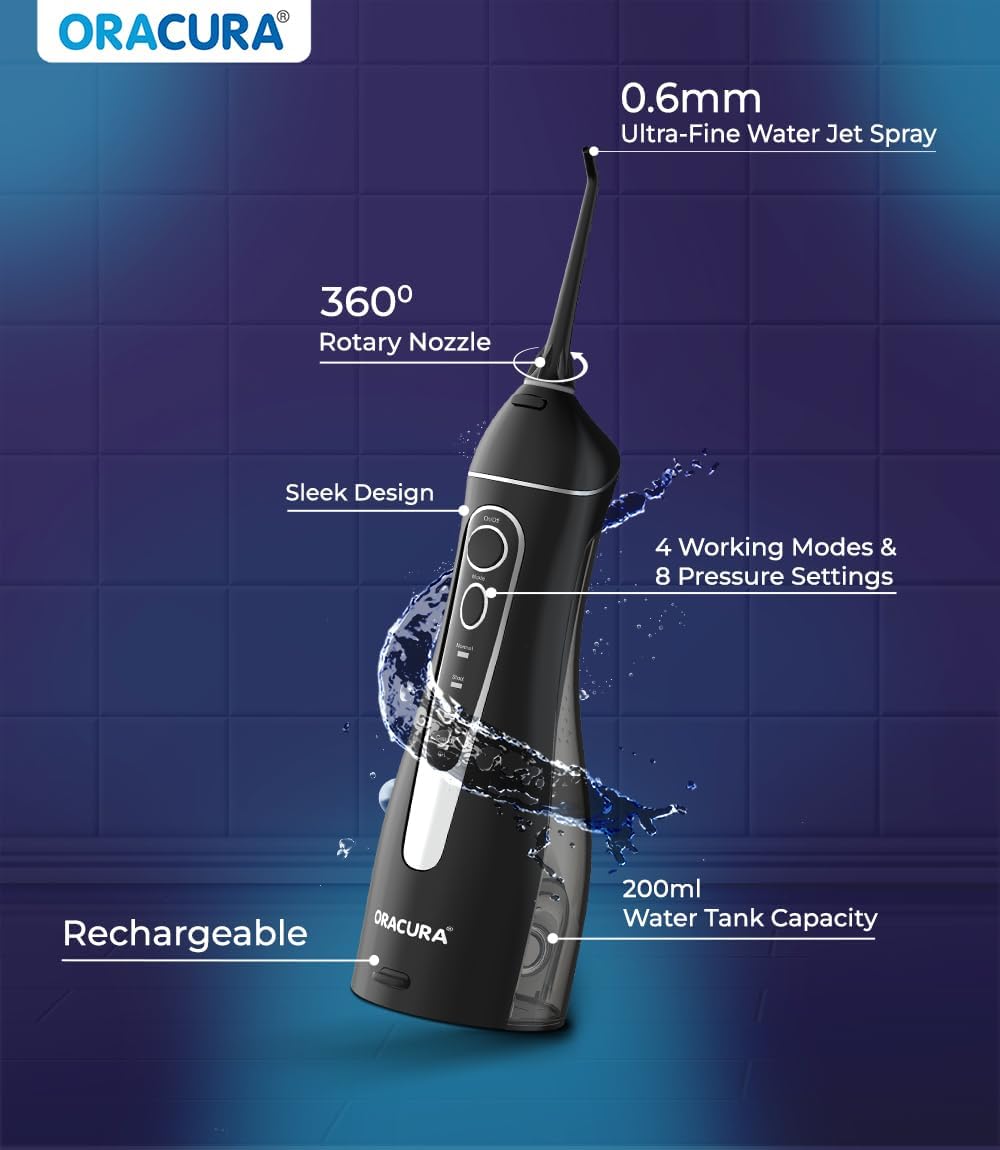
Image: An overview of the ORACURA Water Flosser's key features, including its 0.6mm ultra-fine water jet spray, 360° rotary nozzle, sleek design, 4 working modes, 8 pressure settings, 200ml water tank capacity, and rechargeable battery.
Warranty and Support
Your ORACURA Water Dental Flosser comes with a comprehensive 18 + 6 months warranty, ensuring long-term durability and peace of mind. This warranty covers manufacturing defects and issues arising from normal use.
For warranty claims, technical support, or any inquiries, please contact ORACURA customer service through their official website or the contact information provided in your product packaging.
Please retain your purchase receipt as proof of purchase for warranty purposes.
Important Safety Information
Please observe the following safety precautions:
- Do not immerse the main unit in water beyond its IPX7 waterproof rating.
- Keep out of reach of children.
- Do not use if the device or charging cable is damaged.
- Consult your dentist before use if you have severe gum disease or have recently undergone oral surgery.
- Statements regarding dietary supplements have not been evaluated by the FDA and are not intended to diagnose, treat, cure, or prevent any disease or health condition.


