
OttLite CS49602W
OttLite LED Clamp Lamp Instruction Manual
Model: CS49602W
Introduction
Thank you for choosing the OttLite LED Clamp Lamp. This lamp is designed to provide superior illumination for various tasks, featuring OttLite's exclusive ClearSun LED Technology. This technology aims to reduce eyestrain by matching the spectral output of natural daylight, offering exceptional color accuracy and clarity. Its versatile clamp design allows for easy attachment to desks, tables, and workbenches, making it ideal for home, office, dorms, and crafting areas.
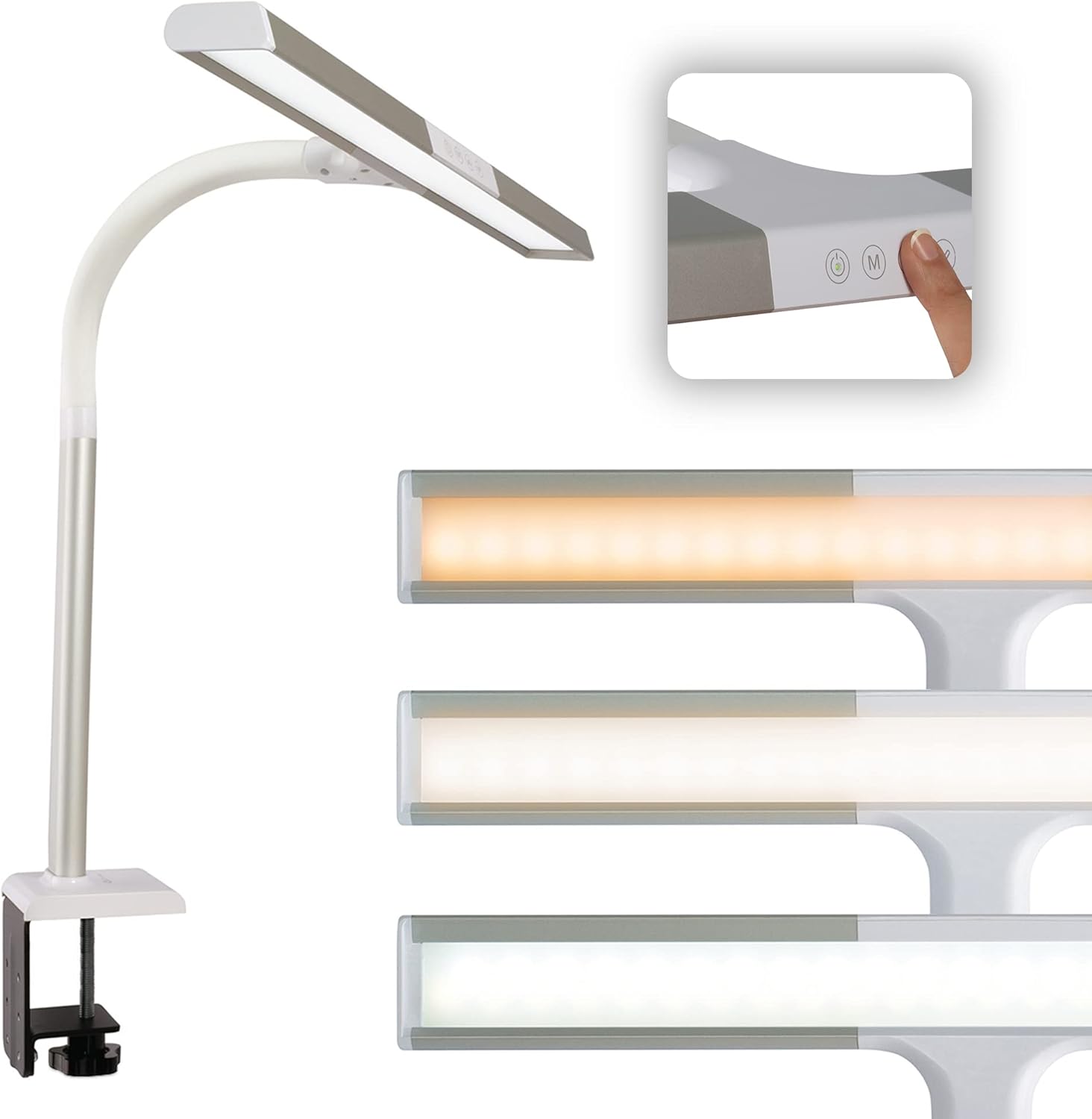
The OttLite LED Clamp Lamp, showcasing its sleek design and integrated touch controls for easy operation.
Safety Information
- Read all instructions before using the lamp.
- Do not operate the lamp with a damaged cord or plug.
- Keep the lamp away from water or damp environments.
- This lamp is for indoor use only.
- Do not attempt to modify or repair the lamp yourself. Refer to qualified service personnel.
- Unplug the lamp from the power outlet before cleaning or performing any maintenance.
Package Contents
Please check the box for the following items:
- OttLite LED Clamp Lamp (Model: CS49602W)
- Power Cable
Setup Instructions
- Unpack the Lamp: Carefully remove all components from the packaging.
- Attach the Clamp: Securely attach the sturdy clamp to the edge of your desk, table, or workbench. Ensure the surface thickness is compatible with the clamp's opening.
- Adjust Lamp Position: The lamp features a flexible neck that allows you to adjust its height from 16 to 24.75 inches and position the 19.5-inch shade for optimal illumination over your workspace.
- Connect Power: Insert the power cable into the lamp's power port and then plug the other end into a standard 120V AC electrical outlet.

Key features and components of the OttLite LED Clamp Lamp, including its adjustable shade, brightness settings, and sturdy clamp.
Operating Instructions
The OttLite LED Clamp Lamp is equipped with touch-sensitive controls for easy operation.
- Power On/Off: Touch the power button on the lamp head to turn the lamp on or off.
- Adjust Brightness: The lamp offers 5 brightness settings. Repeatedly touch the brightness control button to cycle through the different levels.
- Change Color Temperature: Select from 3 color temperatures: ClearSun natural daylight, warm white, and bright white. Touch the color temperature button to switch between these modes to suit your environment and mood.
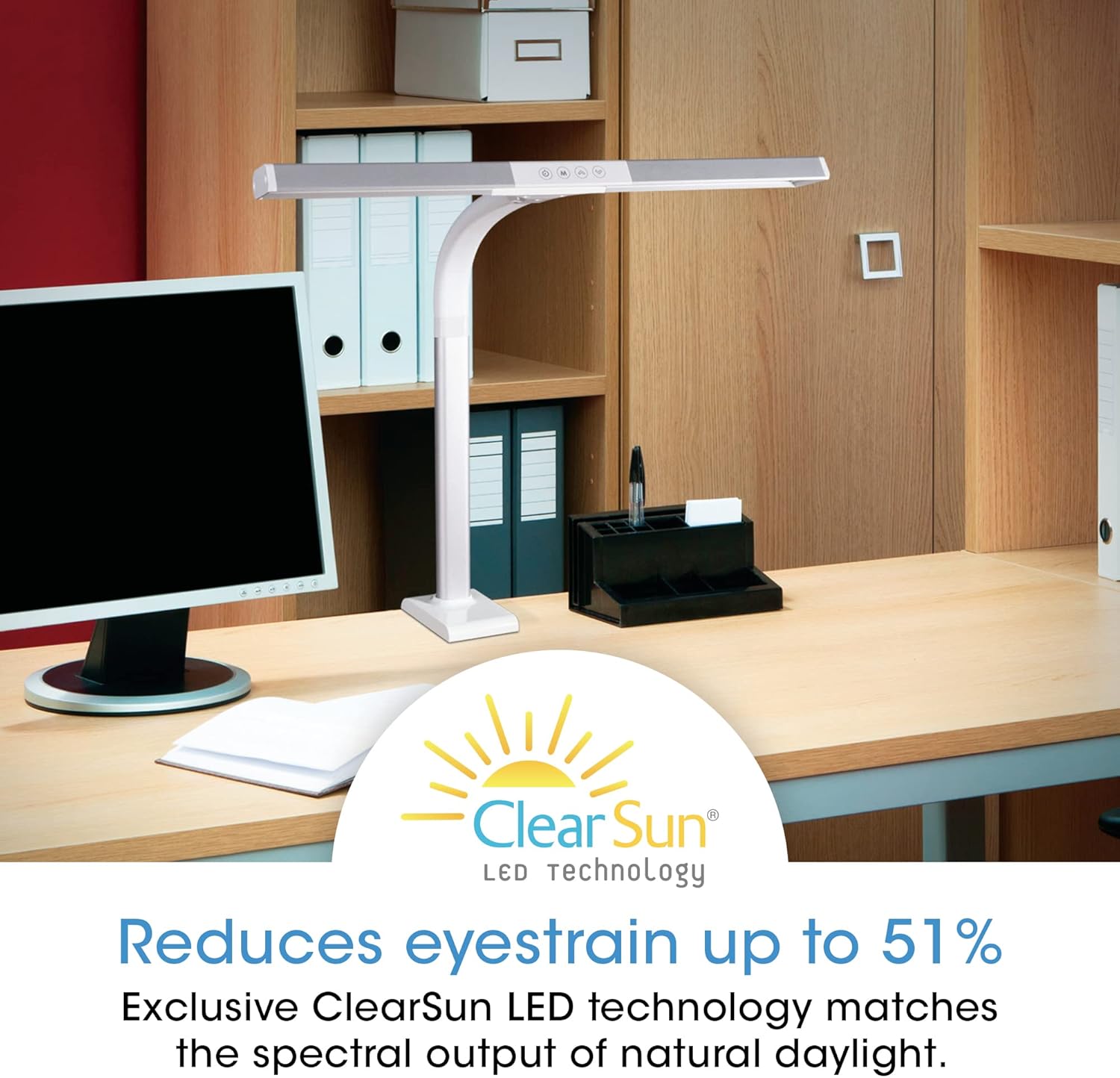
The OttLite LED Clamp Lamp utilizes ClearSun LED Technology to significantly reduce eyestrain, providing a comfortable lighting experience.
Understanding ClearSun LED Technology
OttLite's ClearSun LED technology is engineered to closely match the spectral output of the sun, providing balanced and smooth lighting. This revolutionary approach minimizes the harsh peaks and deep valleys found in typical LED light waves, which can cause eye fatigue. With a Color Rendering Index (CRI) of 95+, ClearSun LEDs ensure colors are seen with unmatched accuracy, making them appear exceptionally vivid and true-to-life.

Comparison of sunlight versus typical LED light spectrums, illustrating the unbalanced light waves produced by standard LEDs.

An illustration of the Color Rendering Index (CRI) scale, highlighting OttLite's 95+ CRI for superior color accuracy.
Official OttLite video explaining the benefits of ClearSun LED Technology and its impact on eye health and color accuracy.
Maintenance
- Cleaning: To clean the lamp, ensure it is unplugged. Use a soft, dry cloth to wipe down the surfaces. Do not use abrasive cleaners or solvents.
- Bulb Replacement: This lamp uses integrated LEDs that are designed to last for the lifetime of the product and are not user-replaceable.
- Storage: If storing the lamp for an extended period, unplug it and store it in a cool, dry place away from direct sunlight.
Troubleshooting
| Problem | Possible Cause | Solution |
|---|---|---|
| Lamp does not turn on. | Power cable not securely plugged in. | Ensure the power cable is firmly connected to both the lamp and the electrical outlet. |
| Lamp does not turn on. | No power from the outlet. | Test the outlet with another device or check your circuit breaker. |
| Light flickers or is dim. | Loose power connection. | Check all power connections. |
| Light flickers or is dim. | Incorrect power source. | Ensure the lamp is connected to a 120V AC outlet. |
| Cannot change brightness or color temperature. | Touch controls unresponsive. | Ensure your finger is clean and dry. Try unplugging the lamp for a few seconds and plugging it back in to reset. |
Specifications
| Feature | Detail |
|---|---|
| Model Number | CS49602W |
| Lamp Type | Desk Lamp (Clamp Mount) |
| Light Source | Integrated LED (ClearSun Technology) |
| Wattage | 8.8 watts |
| Brightness | 550 Lumens |
| Color Temperatures | 3 (ClearSun natural daylight, warm white, bright white) |
| Brightness Settings | 5 |
| Control Method | Touch |
| Adjustable Height | 16 to 24.75 inches |
| Shade Width | 19.5 inches |
| Power Source | Corded Electric |
| Voltage | 120 Volts (AC) |
| Material | Plastic |
| Item Weight | 3.3 Pounds |
| Product Dimensions | 2"D x 20"W x 16"H |
| Indoor/Outdoor Usage | Indoor |
Warranty and Support
The OttLite LED Clamp Lamp comes with a standard manufacturer's warranty. For specific details regarding your warranty coverage, please refer to the documentation included with your purchase or visit the official OttLite website.
For technical support, troubleshooting assistance, or to inquire about replacement parts, please contact OttLite Customer Service. Contact information can typically be found on the OttLite website or within your product packaging.
Online Resources:
- Visit the OttLite Store on Amazon for product information and updates.
Related documentsCS49602W


Ask a question about this manual
Ask about setup, troubleshooting, compatibility, parts, safety, or missing instructions. Manuals+ will review the question and use this page’s manual context to help answer it.