Introduction
Thank you for choosing the LOBKIN S19 Bluetooth Headphones. This manual provides detailed instructions for setting up, operating, and maintaining your headphones to ensure optimal performance and longevity. Please read this manual thoroughly before use.

Image: LOBKIN S19 Bluetooth Headphones, showcasing the sleek design and over-ear form factor.
Package Contents
Please check the package for the following items:
- LOBKIN S19 Bluetooth Headphones
- USB Charging Cable
- 3.5mm Audio Cable
- User Manual (this document)

Image: LOBKIN S19 Headphones shown alongside its retail packaging, indicating included items.
Product Overview
Familiarize yourself with the headphone's buttons and ports:
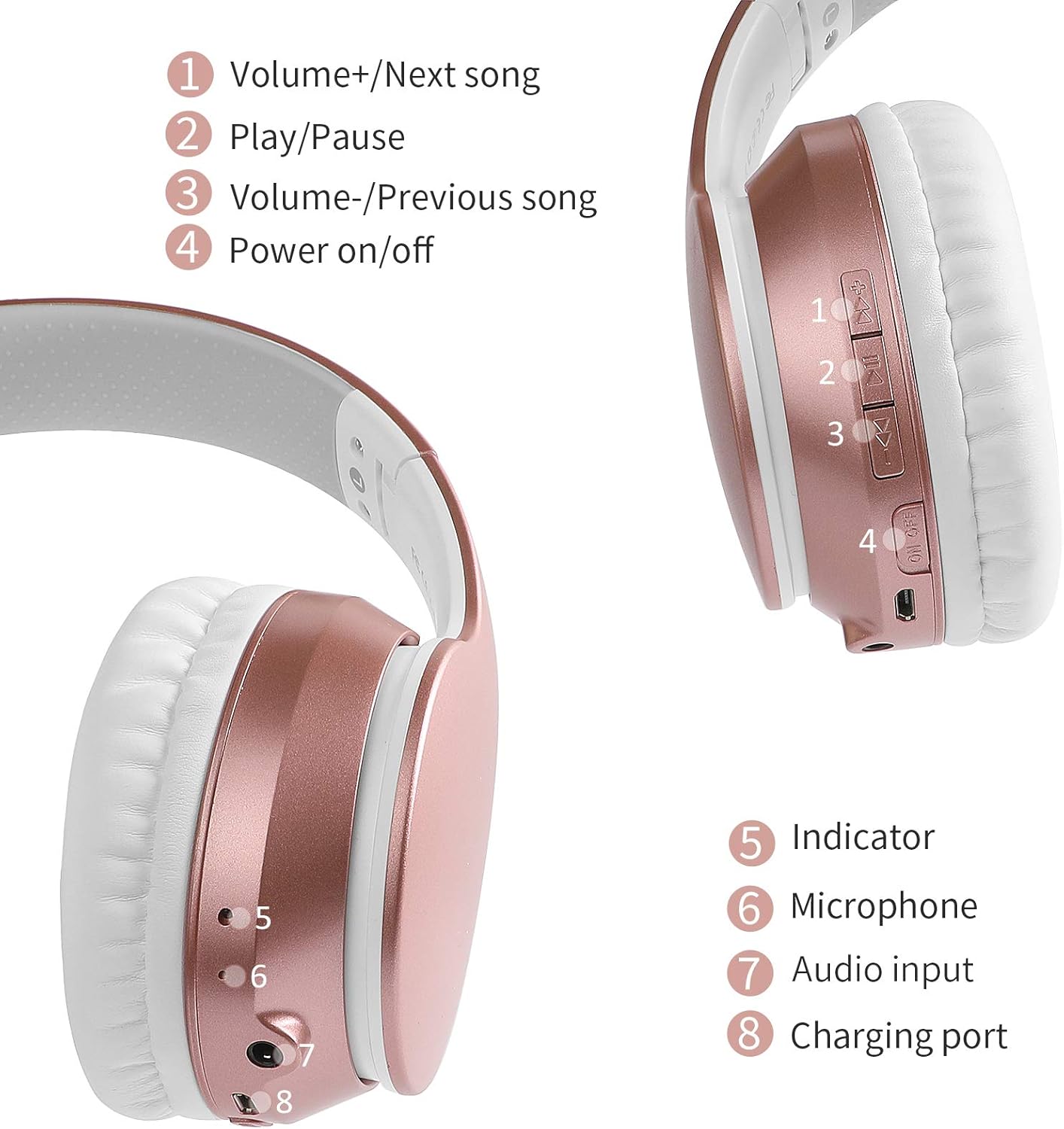
Image: Detailed diagram illustrating the location and function of controls and ports on the LOBKIN S19 headphones.
- Volume+/Next song: Short press for Volume Up, Long press for Next Song.
- Play/Pause: Short press to Play/Pause music, Answer/End calls. Long press to reject calls. Double press for redial.
- Volume-/Previous song: Short press for Volume Down, Long press for Previous Song.
- Power on/off: Long press to power on/off. Short press to switch modes (Bluetooth/TF Card/FM Radio).
- Indicator Light: Shows power, charging, and pairing status.
- Microphone: For hands-free calls.
- Audio Input (3.5mm Jack): For wired connection.
- Charging Port (Micro USB): For charging the headphones.
Setup
1. Charging the Headphones
Before first use, fully charge the headphones. Connect the USB charging cable to the charging port (8) on the headphones and the other end to a USB power source (e.g., computer, wall adapter). The indicator light (5) will show charging status and turn off when fully charged. Charging time is approximately 2.5 hours.
2. Bluetooth Pairing
- Ensure the headphones are powered off.
- Press and hold the Power on/off button (4) until the indicator light (5) flashes blue and red alternately, indicating pairing mode.
- Enable Bluetooth on your device (smartphone, tablet, computer).
- Search for "S19" in the list of available Bluetooth devices and select it to connect.
- Once connected, the indicator light (5) will flash blue slowly.
3. Wired Connection
To use the headphones in wired mode, connect one end of the included 3.5mm audio cable to the audio input port (7) on the headphones and the other end to your audio device's 3.5mm jack. The headphones will automatically switch to wired mode, and Bluetooth will be disabled.
4. TF Card (MP3) Mode
Insert a TF (MicroSD) card loaded with MP3 audio files into the TF card slot (not explicitly numbered but typically near other ports). Power on the headphones and short press the Power on/off button (4) to cycle through modes until MP3 mode is activated. The headphones will automatically play music from the TF card.
5. FM Radio Mode
Power on the headphones and short press the Power on/off button (4) to cycle through modes until FM Radio mode is activated. Use the Volume+/Next song (1) and Volume-/Previous song (3) buttons to scan for and switch between FM stations. A long press on the Play/Pause button (2) may initiate an auto-scan for stations.
Operating Instructions
Power On/Off
- Power On: Press and hold the Power on/off button (4) for approximately 3 seconds.
- Power Off: Press and hold the Power on/off button (4) for approximately 3 seconds.
Music Playback
- Play/Pause: Short press the Play/Pause button (2).
- Volume Up: Short press the Volume+/Next song button (1).
- Volume Down: Short press the Volume-/Previous song button (3).
- Next Song: Long press the Volume+/Next song button (1).
- Previous Song: Long press the Volume-/Previous song button (3).
Call Functions
- Answer/End Call: Short press the Play/Pause button (2).
- Reject Call: Long press the Play/Pause button (2).
- Redial Last Number: Double press the Play/Pause button (2).

Image: A user wearing the LOBKIN S19 headphones while working on a laptop, highlighting hands-free and wireless capabilities.
Maintenance
- Clean the headphones regularly with a soft, dry cloth.
- Avoid exposing the headphones to extreme temperatures, humidity, or direct sunlight.
- Do not use abrasive cleaners or solvents.
- Store the headphones in a cool, dry place when not in use. The foldable design (see image below) allows for compact storage.
- Avoid dropping or subjecting the headphones to strong impacts.

Image: The LOBKIN S19 headphones demonstrating their foldable design, soft memory-protein earmuffs, adjustable headband, and snug pad for comfort and portability.
Troubleshooting
- Headphones won't turn on: Ensure the headphones are fully charged. Connect to a power source and try again.
- Cannot pair with device:
- Ensure the headphones are in pairing mode (indicator light flashing blue and red).
- Make sure Bluetooth is enabled on your device.
- Move the headphones closer to your device.
- Turn off and on both the headphones and your device's Bluetooth.
- No sound:
- Check the volume level on both the headphones and your connected device.
- Ensure the headphones are properly paired or the 3.5mm cable is securely connected.
- If using TF card, ensure the card is inserted correctly and contains playable MP3 files.
- Poor sound quality:
- Move closer to your Bluetooth device to reduce interference.
- Ensure there are no obstructions between the headphones and your device.
- Check the audio source quality.
Specifications
| Model Name | LOBKIN-S19 |
| Connectivity Technology | Wired, Wireless (Bluetooth) |
| Bluetooth Version | 5.3 |
| Wireless Communication Range | Up to 10 meters (33 feet) |
| Battery Life | Up to 30 Hours |
| Charging Time | Approximately 2.5 Hours |
| Headphones Jack | 3.5 mm Jack |
| Frequency Response | 20 Hz - 20 kHz (Standard) |
| Special Features | Noise Isolation, Foldable Design, TF Card MP3 Mode, FM Radio |
| Control Type | Noise Control, Volume Control, Call Control |
| Compatible Devices | MP3, MP4, Mobile, PC, Laptop, iPhone, iPad, iMac, Mac, iPod, other Bluetooth devices |
| Item Weight | 1 Pound |
| Water Resistance Level | Waterproof (Note: Avoid prolonged exposure to water) |
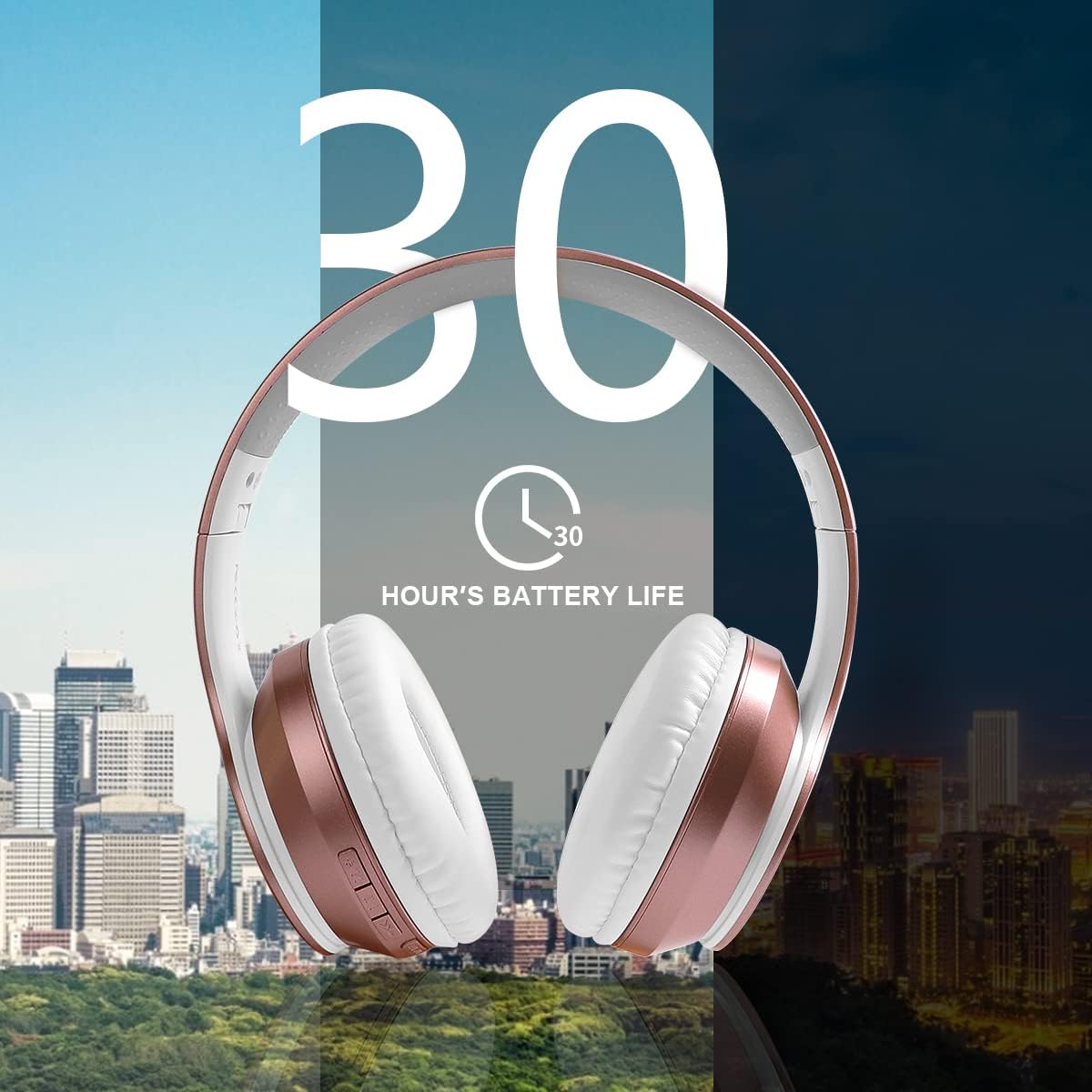
Image: Visual representation emphasizing the 30-hour battery life of the LOBKIN S19 headphones.
Safety Information
- Do not use the headphones at high volume for extended periods to prevent hearing damage.
- Do not use the headphones while driving, cycling, or in situations where you need to hear ambient sounds.
- Keep the headphones away from children and pets.
- Do not attempt to disassemble or modify the headphones. This will void the warranty.
- Dispose of batteries and electronic components responsibly according to local regulations.
Warranty and Support
LOBKIN products are designed for reliability and performance. For warranty information, technical support, or customer service inquiries, please refer to the contact information provided on the product packaging or visit the official LOBKIN website. Please retain your proof of purchase for warranty claims.


