
1. Introduction
This manual provides detailed instructions for the installation, operation, and maintenance of your VENZ R9045 Wireless Outdoor Security Camera. Please read this manual thoroughly before using the product to ensure proper function and safety.
2. Product Overview
The VENZ R9045 is a 1080P Full HD wireless outdoor security camera designed for surveillance. It features battery power, Wi-Fi connectivity, night vision, motion detection, and two-way audio communication.

Image: The VENZ R9045 Wireless Outdoor Security Camera, showcasing its compact design and integrated mounting bracket.
2.1 Key Features
- 100% Wireless & Rechargeable Battery: Equipped with 2 lithium-ion batteries, providing 3-6 months of operation on a full charge.
- 1080P Full HD & IR Night Vision: Delivers clear video with a 130° wide-angle view and up to 23ft night vision range.
- IP66 Weatherproof: Designed to withstand various weather conditions (-20°C to 60°C).
- Motion Detection: Provides real-time notifications upon detecting movement.
- Two-Way Audio: Built-in speaker and microphone for communication.
- Voice Assistant Compatibility: Works with Alexa.
- Device Sharing: Supports sharing access with up to 8 users.
- Storage Options: Supports Cloud Storage and up to 128GB SD card storage.
2.2 Package Contents
- Camera Body
- Battery Pack (2 Lithium Ion batteries included)
- Magnetic Bracket Screw
- Double-sided Adhesive Tape
- User Manual
2.3 Camera Components
The following image illustrates the main components of the VENZ R9045 camera.
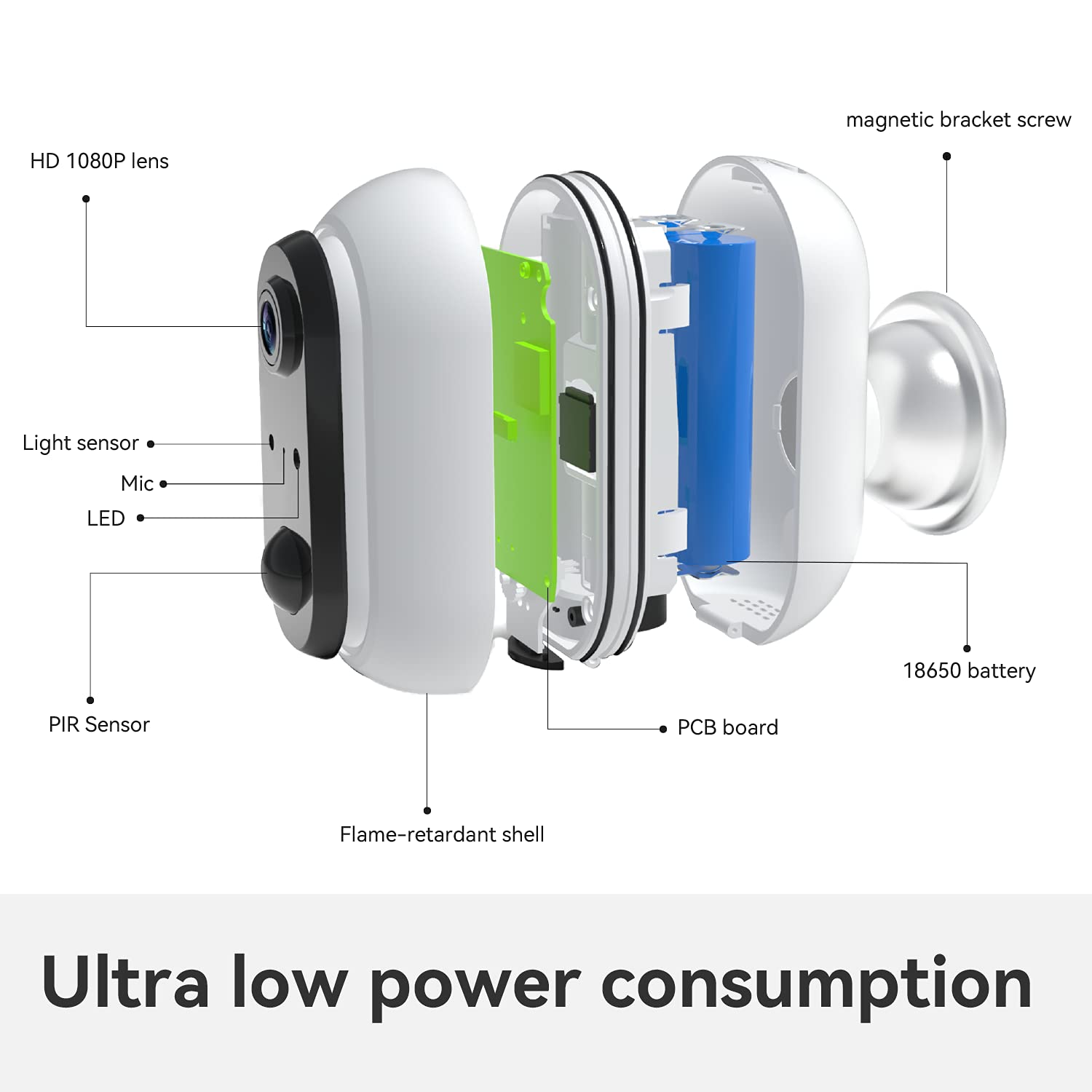
Image: Exploded view showing internal components such as the HD 1080P lens, light sensor, microphone, LED indicator, PIR sensor, flame-retardant shell, PCB board, 18650 battery, and magnetic bracket screw.
The camera features an HD 1080P lens, a light sensor, a microphone, an LED indicator, and a PIR (Passive Infrared) sensor for motion detection. Internally, it houses a PCB board and 18650 batteries, all protected by a flame-retardant shell. A magnetic bracket screw is included for mounting.

Image: Icons indicating support for cloud storage and a maximum of 128GB SD card storage.
The camera offers flexible storage solutions, supporting both cloud storage services and local storage via an SD card up to 128GB.
3. Setup Guide
3.1 Initial Battery Charge
Before first use, fully charge the included batteries. This ensures optimal performance and battery life.
3.2 App Download and Account Setup
- Download the Woox Security App from your smartphone's app store (iOS or Android).
- Follow the in-app instructions to create a new account or log in if you already have one.
3.3 Wi-Fi Connection
- Power on the camera.
- Open the Woox Security App and follow the on-screen prompts to add a new device.
- Select your 2.4GHz Wi-Fi network and enter the password. The camera does not support 5GHz Wi-Fi.
- Once connected, you can enjoy the live view from your camera.

Image: A visual guide showing three steps: 1) Download Woox security app and connect to Wi-Fi, 2) Align the camera to the bracket, 3) Enjoy live view.
3.4 Camera Installation
The camera is designed for easy, wire-free installation using the included magnetic bracket screw or double-sided adhesive tape. Choose a location that provides the desired viewing angle and strong Wi-Fi signal. After connecting to Wi-Fi, align the camera to its bracket.


Images: Examples of the VENZ R9045 camera mounted on an exterior garage wall and near a front door, demonstrating typical installation locations.
4. Operating Instructions
4.1 Motion Detection
The camera features a PIR sensor for motion detection. When motion is detected, the camera will record and send real-time notifications to your connected smartphone via the Woox Security App.

Image: A smartphone screen showing a "Motion Tracking Detection" alert from the Woox Security app, indicating an outdoor security camera detection.
You can adjust the sensitivity of motion detection within the app settings to minimize false alerts.
4.2 Night Vision
The camera automatically switches to IR night vision mode in low-light conditions. This provides clear black and white video up to 23 feet, ensuring continuous surveillance even in complete darkness.

Image: A VENZ R9045 camera mounted outdoors, with a smartphone displaying its 1080P HD night vision feed of a house at night, emphasizing clear detail.
4.3 Two-Way Audio
Utilize the built-in noise-cancellation speaker and microphone for two-way communication. This allows you to speak with visitors or deter intruders directly through the camera via the app.
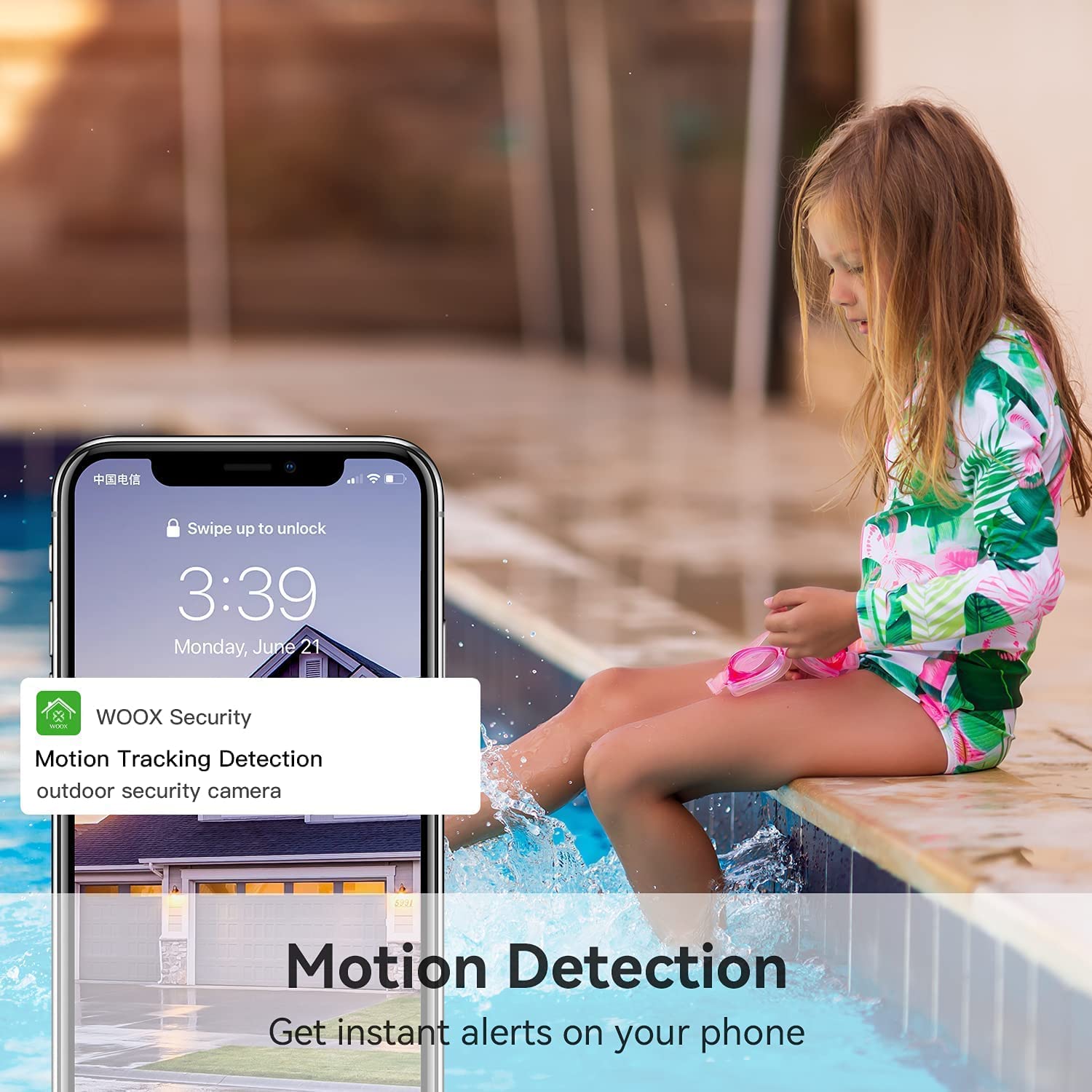
Image: A person using a smartphone to engage in two-way audio communication with a delivery person at their door, demonstrating the real-time response feature.
4.4 Voice Assistant Integration
The VENZ R9045 camera is compatible with Alexa. You can use voice commands to view the camera feed on compatible smart displays.

Image: A woman holding a baby, giving a voice command to an Alexa-enabled smart display, which then shows the camera's live feed of a yard.
4.5 Device Sharing
The camera supports sharing access with up to 8 users. This allows multiple family members to view the surveillance feed simultaneously from their own devices.

Image: A diagram illustrating "Group Sharing," where a central smartphone displaying a camera feed is connected to multiple other users' smartphones, symbolizing shared access.
5. Battery Management
The VENZ R9045 camera is powered by two rechargeable lithium-ion batteries. A full charge can provide 3 to 6 months of operation, depending on usage frequency and environmental factors. It is recommended to fully charge the batteries before the first use.

Image: A VENZ wireless home security camera highlighting its 5200mAh rechargeable battery and features like IP65 waterproof, 1080P Full HD, motion detection, night vision, and two-way audio.
Monitor the battery level through the Woox Security App and recharge as needed using a standard USB charger (not always included, check package contents).
6. Maintenance
The VENZ R9045 camera is designed for outdoor use with an IP66 weatherproof rating, ensuring protection against dust and powerful water jets. It operates effectively in temperatures ranging from -20°C to 60°C.

Image: A VENZ R9045 camera shown outdoors under various weather conditions (rain, snow, sun) with icons and text confirming its IP66 weatherproof rating and temperature range of -20°C to 60°C.
- Regularly clean the camera lens with a soft, dry cloth to ensure clear image quality.
- Ensure the charging port cover is securely closed when not charging to maintain weather resistance.
- Avoid using harsh chemicals or abrasive materials for cleaning.
7. Troubleshooting
If you encounter issues with your VENZ R9045 camera, refer to the following common troubleshooting steps:
- Camera Not Connecting to Wi-Fi:
- Ensure your Wi-Fi network is 2.4GHz. The camera does not support 5GHz.
- Check Wi-Fi signal strength at the camera's location.
- Verify the Wi-Fi password entered in the app is correct.
- Restart your Wi-Fi router and the camera.
- Poor Image Quality:
- Clean the camera lens.
- Ensure there are no obstructions in front of the lens.
- Check for sufficient lighting during the day.
- Motion Detection Not Working or Too Sensitive:
- Adjust motion detection sensitivity settings in the Woox Security App.
- Ensure the camera's field of view covers the desired area.
- Check battery level, as low battery can affect performance.
- Battery Drains Quickly:
- Frequent motion detection events and live view streaming consume more power.
- Ensure the camera is installed in an area with moderate activity.
- Check ambient temperature; extreme cold can reduce battery efficiency.
8. Specifications
| Feature | Detail |
|---|---|
| Model Number | R9045 |
| Product Dimensions | 2.91 x 2.91 x 4.21 inches |
| Weight | 12.2 ounces |
| Batteries | 2 Lithium Ion batteries (included) |
| Connectivity Technology | Wireless (2.4GHz Wi-Fi only) |
| Resolution | 1080P Full HD |
| Field of View | 130° wide-angle |
| Night Vision Range | Up to 23 feet |
| Weatherproof Rating | IP66 |
| Operating Temperature | -20°C to 60°C (-4°F to 140°F) |
| Recommended Uses | Home Security, Motion Detection, Night Vision |
9. Warranty and Support
The VENZ R9045 Wireless Outdoor Security Camera typically comes with a 3-year warranty. For specific warranty details, claims, or technical support, please refer to the warranty card included with your product or contact VENZ customer service directly through their official website or the Woox Security App.
Manufacturer: VENZ
Date First Available: January 5, 2021