
Product Overview
The hOmeLabs 14,500 BTU Window Air Conditioner is designed to provide efficient and convenient cooling for rooms up to 700 sq. ft. This Wi-Fi enabled unit features an LED control panel, remote control, and smart app compatibility with Alexa and Google Assistant for effortless operation. It includes multiple modes such as Cool, Dry, Fan, Eco, and Sleep, along with a 24-hour timer and Follow Me function for personalized comfort. Its low noise operation ensures a peaceful environment.
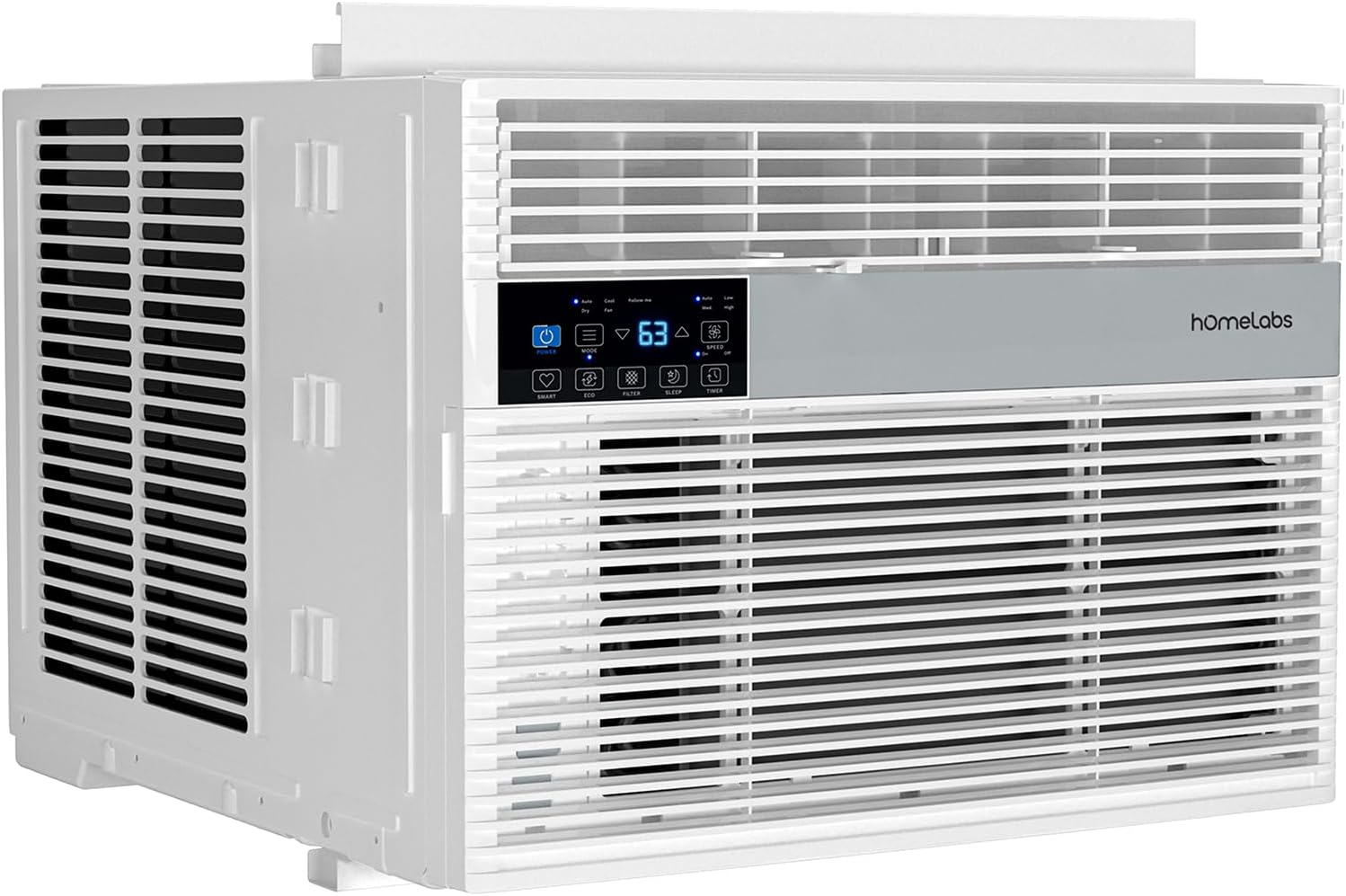
Front view of the hOmeLabs 14,500 BTU Window Air Conditioner, showcasing its sleek design and LED control panel.
Setup and Installation
Installation of the hOmeLabs Window Air Conditioner is designed to be straightforward and can typically be completed in as little as 15 minutes. While it can be installed by one person, having a second person assist is recommended for safer and easier handling. The unit comes with a complete installation kit suitable for windows with widths between 23 and 36 inches.

Visual guide illustrating the simple installation process for the window air conditioner.

The air conditioner unit perfectly fitted into a window, highlighting its compact design and the included installation kit for various window sizes.
Pre-Installation Checklist:
- Ensure the window opening is within the compatible width of 23-36 inches.
- Verify that a grounded electrical outlet (115V~, 60Hz) is available near the installation area.
- Gather necessary tools as specified in the full manual (e.g., screwdriver, measuring tape).
Operating Instructions
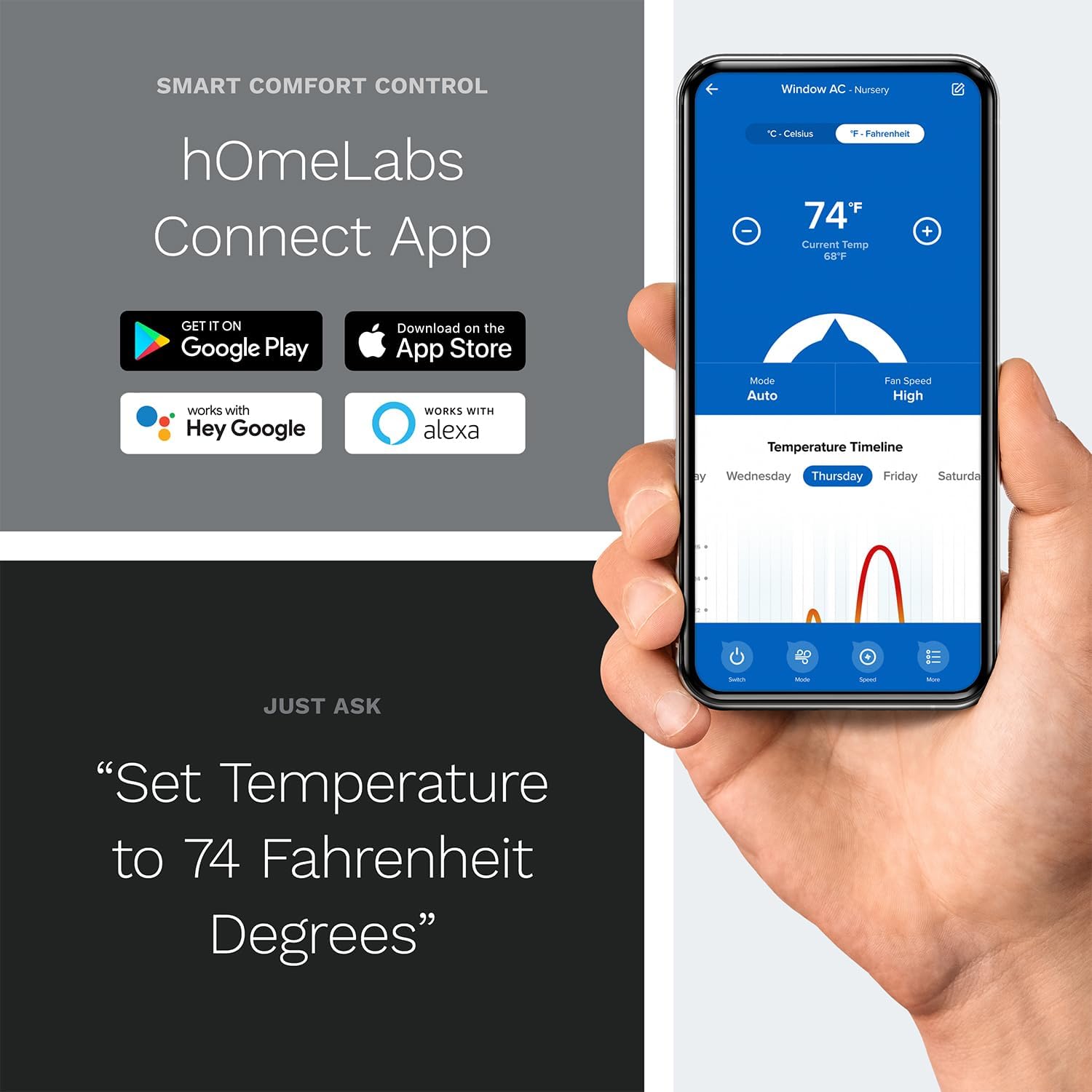
The hOmeLabs Window Air Conditioner offers versatile control options for optimal comfort. You can operate the unit using the intuitive LED control panel, the included remote control, or via the hOmeLabs Connect app on your smartphone. The unit is compatible with Alexa and Google Assistant for voice control.
Control Panel and Remote Features:
- COOL Mode: Provides powerful cooling for your space.
- DRY Mode: Reduces humidity in the room for enhanced comfort.
- FAN Mode: Circulates air without cooling, ideal for ventilation.
- ECO Mode: Optimizes energy consumption by cycling the compressor on and off to maintain the set temperature.
- SLEEP Mode: Gradually adjusts the temperature and fan speed for quiet, comfortable overnight operation.
- 24-Hour Timer: Allows you to program the unit to turn on or off automatically.
- Follow Me Function: The remote control acts as a thermostat, sensing the temperature at its location and adjusting the unit's operation accordingly.

The hOmeLabs Connect App provides smart comfort control, allowing users to manage settings from their smartphone.
Detailed view of the unit's control panel and the remote control, highlighting various premium features.
Maintenance
Regular maintenance ensures optimal performance and longevity of your air conditioner. The unit features a reusable filter that is easy to access and clean.
Filter Cleaning:
- Turn off and unplug the air conditioner before cleaning.
- Locate the air filter, typically behind the front grille.
- Gently slide out the filter.
- Wash the filter with warm, soapy water. For heavily soiled filters, a vacuum cleaner can be used to remove loose dirt before washing.
- Rinse thoroughly and allow the filter to air dry completely before reinserting.
- Clean the filter every two weeks or more frequently depending on usage and air quality.
General Cleaning:
- Wipe the exterior casing with a soft, damp cloth. Do not use harsh chemicals or abrasives.
- Ensure the drainage area is clear of debris to prevent water buildup.
Troubleshooting
Before contacting customer support, please refer to the following common issues and solutions:
| Problem | Possible Cause | Solution |
|---|---|---|
| Unit does not turn on. | No power, tripped circuit breaker, power cord safety device activated. | Check power connection, reset circuit breaker, press reset button on power cord plug. |
| Air conditioner not cooling effectively. | Dirty air filter, blocked air intake/exhaust, room too large, doors/windows open. | Clean air filter, clear obstructions, ensure room size is within specifications, close all doors and windows. |
| Unit makes unusual noise. | Loose parts, unit not level, normal operating sounds (e.g., fan, compressor). | Check for loose components, ensure unit is level, consult manual for normal sounds. |
| Water dripping inside. | Unit not tilted slightly outwards, clogged drain. | Ensure proper outward tilt during installation, clear any drain obstructions. |
Specifications
| Feature | Detail |
|---|---|
| Brand | hOmeLabs |
| Model Number | 14,500 BTU Wi-Fi Window Air Conditioner |
| Cooling Capacity | 14,500 BTU |
| Coverage Area | Up to 700 sq. ft. |
| Power Source | Corded Electric |
| Wattage | 1270 watts |
| Sound Level | 56 dB (minimum) to 61 dB (maximum) |
| Product Dimensions | 20.86 x 19.88 x 16.14 inches (D x W x H) |
| Item Weight | 77.4 pounds |
| Installation Method | Window |
| Special Features | 5 Modes (Cool, Dry, Fan, Eco & Follow Me), 24 Hour Timer, Low Noise Operation, Smartphone App Control, Energy efficient |
| Refrigerant | R 410A |
Warranty and Support
For detailed warranty information, please refer to the warranty card included with your product packaging or the full user manual. hOmeLabs is committed to providing excellent customer support.
If you require further assistance or have questions not covered in this manual, please visit the official hOmeLabs website or contact their customer support directly. You can also refer to the comprehensive User Manual (PDF) for more detailed instructions and information.