
1. Introduction
The Godox AD100Pro is a compact and portable pocket flash designed for professional photographers. It integrates into the Godox 2.4G wireless system, offering compatibility with various camera brands including Nikon, Canon, Sony, Fujifilm, Olympus, Panasonic, and Pentax. Its design emphasizes portability and versatility, making it suitable for both indoor and outdoor photography.
Key features include:
- Compact Design: Weighing approximately 524 grams with the battery, its can-shaped design ensures high portability.
- Powerful Battery: A 2600mAh lithium-ion battery provides up to 360 full-power flashes on a single charge.
- Wireless System: Built-in Godox 2.4G wireless X system for seamless integration with X1T, X2T, or XPRO triggers.
- Round Flash Head: The magnetic round flash head delivers a natural, circular light spread and is compatible with various light shaping accessories.
- Versatile Mounting: Features two slots for adjusting flash position when used with umbrellas or other modifiers.

2. What's in the Box
Please verify that all items listed below are included in your package:
- Godox AD100Pro Flash Unit
- Lithium Battery (WB100)
- Battery Charger
- USB Cable
- AD-E2 Bracket
- Portable Bag
- Instruction Manual (this document)
3. Product Overview
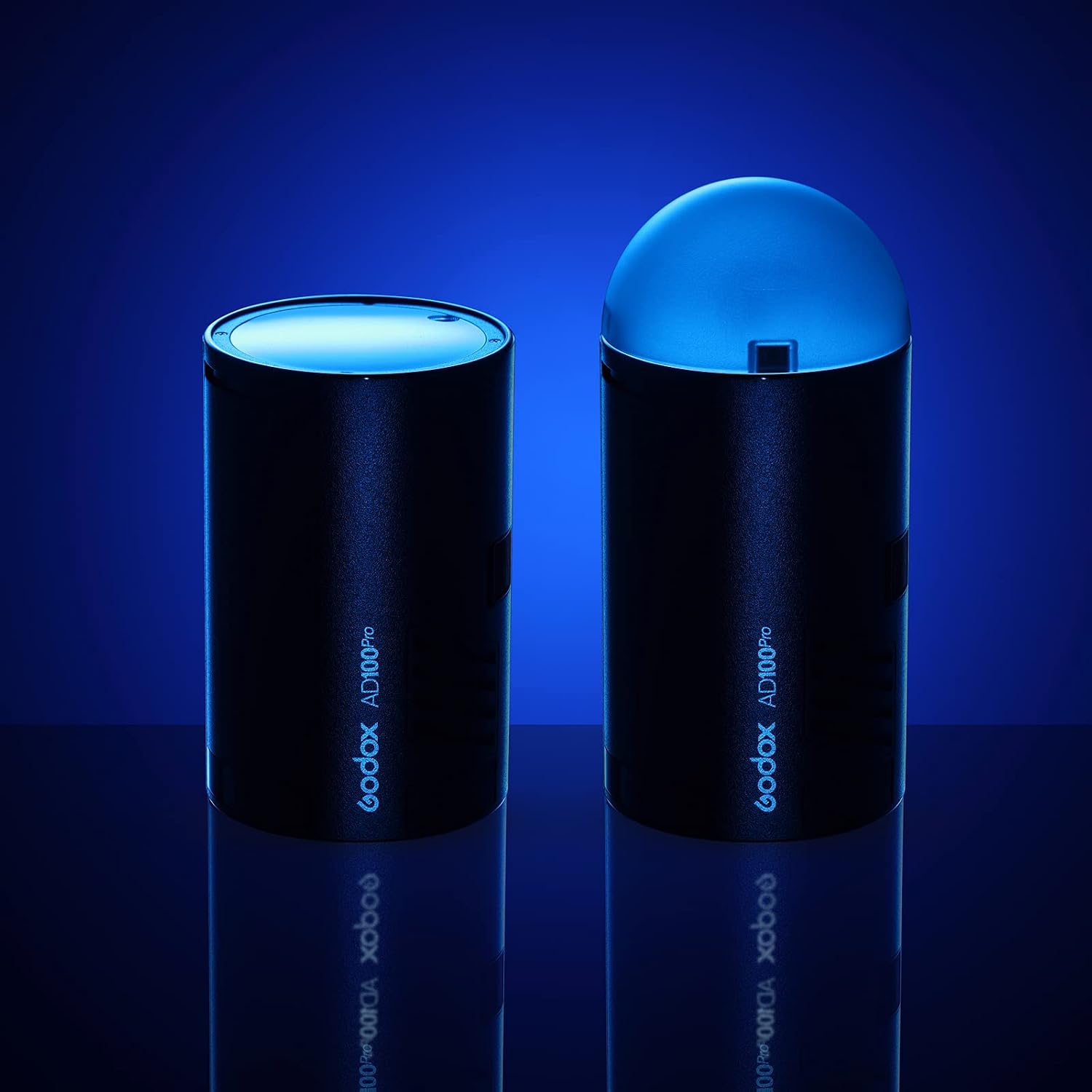
The AD100Pro features a cylindrical body with a round flash head. The control panel is located on the side, providing access to various settings and modes. The battery compartment is designed for easy insertion and removal of the WB100 lithium battery.
3.1 Controls and Display
- MODE Button: Selects flash modes (e.g., TTL, Manual, Multi).
- MENU Button: Accesses system settings and functions.
- TEST Button: Fires a test flash.
- ZOOM Button: Adjusts the flash zoom coverage.
- Power Button: Turns the unit on or off.
- LCD Screen: Displays current settings, battery status, and other information.

4. Setup
4.1 Battery Installation
- Locate the battery compartment on the side of the AD100Pro unit.
- Insert the WB100 lithium battery into the compartment, ensuring correct orientation.
- Close the battery compartment cover securely.
4.2 Mounting the Flash
The AD100Pro can be mounted using its integrated slots or the included AD-E2 bracket.
- Direct Mounting: The unit features two 1/4-inch threaded slots on its side. These allow for direct attachment to light stands or tripods, providing flexibility in positioning.
- Using the AD-E2 Bracket: Attach the AD-E2 bracket to one of the 1/4-inch slots. This bracket provides a cold shoe mount for attaching the flash to a camera or other accessories, and also includes an umbrella mounting hole for light modifiers.

5. Operation
5.1 Powering On/Off
Press and hold the Power button to turn the AD100Pro on or off. The LCD screen will illuminate upon power-on.
5.2 Wireless System Integration
The AD100Pro features a built-in Godox 2.4G wireless X system. To use it wirelessly, pair the flash with a compatible Godox X-series trigger (e.g., X1T, X2T, XPRO) mounted on your camera. Refer to your trigger's manual for specific pairing instructions.
5.3 Flash Modes
The AD100Pro supports various flash modes, including:
- TTL (Through-The-Lens): Automatic flash exposure control.
- Manual (M): Allows manual adjustment of flash power output.
- Multi (Stroboscopic): Fires a series of rapid flashes.
- HSS (High-Speed Sync): Enables flash synchronization at shutter speeds faster than the camera's native sync speed (up to 1/8000s).
Use the MODE button to cycle through available flash modes.
5.4 Using Accessories
The magnetic round flash head allows for quick attachment of various light shaping accessories from the Godox AK-R1 kit (sold separately). Additionally, when used with the AD-E2 bracket and an S2 bracket (sold separately), the AD100Pro becomes compatible with a wide range of Bowen-mount modifiers, such as softboxes, beauty dishes, and umbrellas, expanding its lighting capabilities.


6. Battery Management
6.1 Charging the Battery
Use the included charger and USB cable to recharge the WB100 lithium battery. Connect the charger to a power source and the battery. The charging indicator on the charger will show the charging status.
6.2 Battery Performance
The 2600mAh battery is designed to provide approximately 360 full-power flashes on a single charge. Actual performance may vary based on usage patterns and environmental conditions.

7. Maintenance
7.1 Cleaning
To clean the flash unit, use a soft, dry cloth. For stubborn dirt, a slightly damp cloth can be used, followed by immediate drying. Avoid using harsh chemicals or abrasive materials, as these can damage the finish or internal components.
7.2 Storage
When not in use, store the AD100Pro in its portable bag in a cool, dry place, away from direct sunlight and extreme temperatures. For long-term storage, it is recommended to remove the battery.
8. Troubleshooting
If you encounter issues with your Godox AD100Pro, consider the following common solutions:
- Flash not firing: Ensure the battery is fully charged and correctly inserted. Check the wireless connection with your trigger. Verify camera and flash settings are compatible.
- Inconsistent exposure: Check flash power settings and camera exposure modes. Ensure the flash head is properly aimed and not obstructed.
- Wireless connection issues: Confirm both flash and trigger are on the same channel and group. Check for interference from other 2.4G devices.
- Overheating: If the flash fires rapidly at high power, it may enter overheat protection. Allow it to cool down before resuming use.
For persistent issues, consult the Godox official support resources or contact customer service.
9. Specifications
| Feature | Specification |
|---|---|
| Brand | Godox |
| Model | AD100Pro |
| Power Output | 100Ws |
| Guide Number | [APPROX] 60-70 |
| Wireless Connectivity | 2.4G Wireless X System |
| Compatible Cameras | Nikon, Canon, Sony, Fuji, Olympus, Panasonic, Pentax |
| Battery Type | Lithium-ion (WB100) |
| Battery Capacity | 2600mAh |
| Full Power Flashes | Approx. 360 |
| Recycle Time | Not specified (typical for 100Ws is 0.01-1.5s) |
| Flash Modes | TTL, Manual, Multi |
| High-Speed Sync (HSS) | Up to 1/8000s |
| Dimensions (L x D) | Approx. 120mm x 76mm |
| Weight (with battery) | Approx. 524g |
| Display | 2-inch LCD |
| Water Resistance | Not waterproof |
10. Warranty and Support
For warranty information, please refer to the warranty card included with your product or visit the official Godox website. Technical support and customer service can be accessed through the Godox support channels.
Please retain your proof of purchase for any warranty claims.