
1. Introduction
This manual provides instructions for the safe and efficient use of your MAYTHANK High Power Rechargeable LED Flashlight. This versatile device combines a super bright LED spotlight, a side flood light, and a power bank function, making it suitable for various applications including home use, camping, automotive tasks, marine activities, and emergency situations.
2. Safety Instructions
- Do not look directly into the LED light source to avoid eye injury.
- Keep the flashlight away from children.
- Do not disassemble the flashlight; refer to qualified personnel for repairs.
- Use only the specified charging cable and power adapters.
- The flashlight is IPX4 water-resistant, meaning it is protected against splashing water from any direction. Do not immerse the flashlight in water.
- Ensure proper ventilation during charging.
- Avoid exposing the flashlight to extreme temperatures or direct sunlight for prolonged periods.
3. Product Components
The MAYTHANK High Power Rechargeable LED Flashlight includes the following main components:
- Main LED Spotlight
- Side Flood Light (White, Red/Blue Strobe)
- Integrated Rechargeable Battery (10,000 mAh)
- USB Output Port (for charging external devices)
- USB-C Charging Port (Input DC 5.0V)
- Charging Indicator Light
- Ergonomic Handle
- Shoulder Strap Attachment Points
- Tripod Screw Hole (standard 1/4 inch)
- USB-C Charging Cable
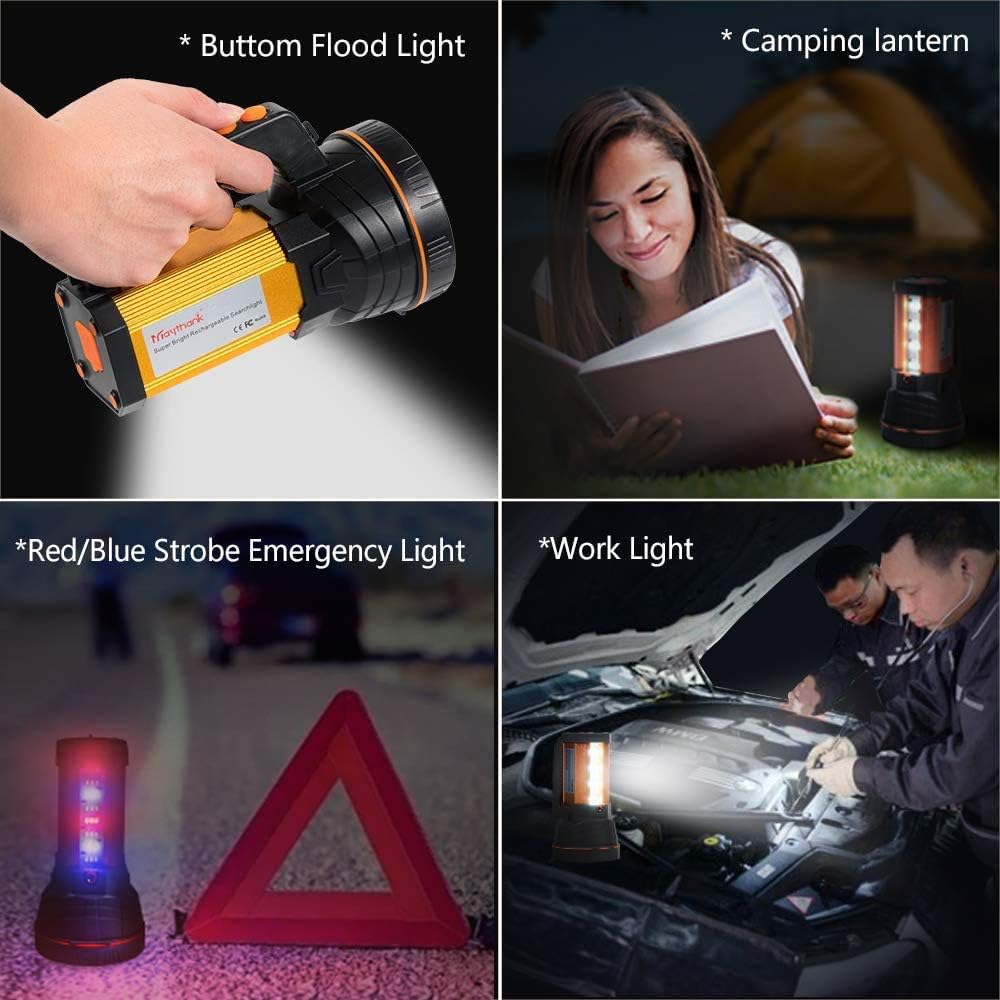
Image 3.1: Overview of the MAYTHANK High Power Rechargeable LED Flashlight.
4. Setup
4.1 Initial Charging
Before first use, fully charge the flashlight. Connect the provided USB-C charging cable to the flashlight's charging port and the other end to a compatible USB power source (e.g., USB adapter, car charger, power bank, or computer USB port). The charging indicator light will show red during charging and turn green when fully charged. The intelligent multiple protection system prevents overcharge and over-discharge.

Image 4.1: Connecting the USB-C charging cable to the flashlight. The red indicator signifies charging, green indicates a full charge.
4.2 Attaching the Shoulder Strap
Attach the included shoulder strap to the designated attachment points on the flashlight for convenient hands-free carrying. This allows for easy transport during outdoor activities or when you need both hands free.

Image 4.2: The flashlight can be carried with the shoulder strap or mounted on a tripod (tripod not included).
5. Operating Instructions
5.1 Main Spotlight Operation
Press the main power button to cycle through the spotlight modes:
- High Mode: Provides maximum brightness (up to 6000 lumens) with a beam distance of approximately 800 meters. Ideal for long-range illumination. Battery life is approximately 8 hours in this mode.
- Low Mode: Provides reduced brightness with a beam distance of approximately 400 meters. Suitable for general use and extended battery life, up to 24 hours.
- Off: Turns off the spotlight.
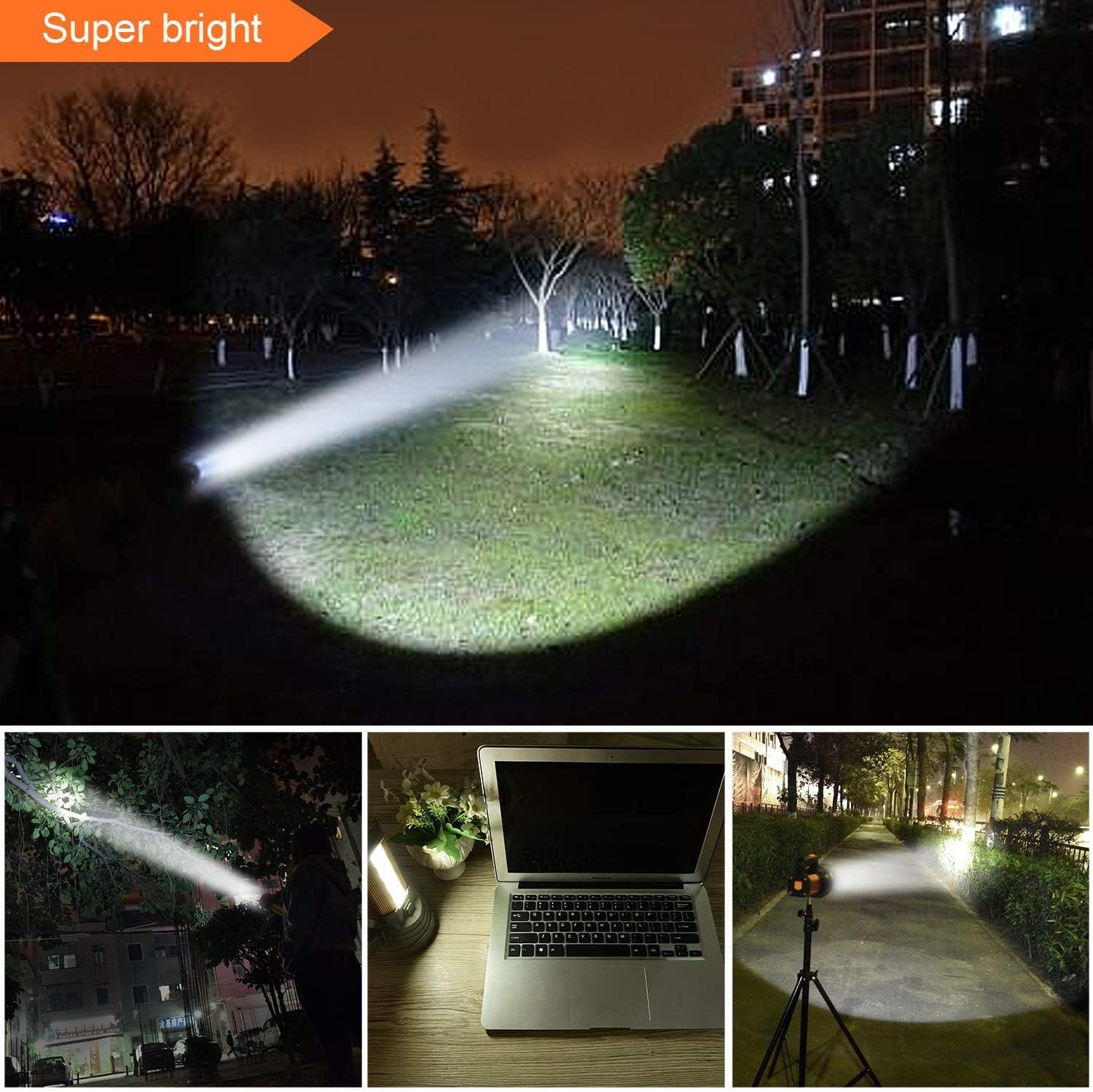
Image 5.1: The powerful main spotlight provides long-distance illumination.

Image 5.2: Spotlight modes and approximate battery life.
5.2 Side Flood Light Operation
Activate the side flood light using its dedicated button. This light is designed for short-range area illumination and offers multiple modes:
- White Flood Light: Provides broad, even illumination for tasks like camping, working on a car engine, or general area lighting.
- Red/Blue Strobe Warning Light: Activates a flashing red and blue light pattern for emergency signaling or roadside warnings.

Image 5.3: Demonstrating the versatility of the side flood light for various applications.
5.3 Power Bank Function
The integrated 10,000 mAh battery can be used to charge external devices such as smartphones. Connect your device's charging cable to the USB output port on the flashlight. The flashlight will act as a power bank, providing emergency power to your devices.

Image 5.4: Using the flashlight as a power bank to charge a mobile phone.
6. Maintenance
- Cleaning: Wipe the flashlight with a soft, damp cloth. Do not use abrasive cleaners or solvents.
- Storage: Store the flashlight in a cool, dry place when not in use. For long-term storage, ensure the battery is partially charged (around 50%) to prolong its lifespan. Recharge every 3-6 months.
- Battery Care: The integrated lithium battery is designed for long life. Avoid fully discharging the battery frequently.
7. Troubleshooting
| Problem | Possible Cause | Solution |
|---|---|---|
| Flashlight does not turn on. | Battery is depleted. | Charge the flashlight fully. |
| Light is dim. | Low battery level. | Recharge the battery. |
| Cannot charge external device. | Flashlight battery is too low or cable is faulty. | Ensure flashlight is sufficiently charged. Try a different USB cable. |
| Charging indicator not working. | Charging cable or adapter issue. | Check connections. Try a different USB-C cable or power adapter. |
8. Specifications
| Brand | MAYTHANK |
| Model | B08RYDXLCG |
| Light Source Type | LED |
| Number of Bulbs | 3 (Main spotlight + side flood light) |
| Lumen Output | Up to 6000 lumens (spotlight) |
| Beam Distance | Up to 800 meters (High Mode) |
| Battery Type | Integrated Lithium (10,000 mAh) |
| Charging Input | DC 5.0V (USB-C) |
| Power Bank Output | USB-A |
| Battery Life | Approx. 8 hours (High Mode), up to 24 hours (Low Mode) |
| Water Resistance | IPX4 (Splash-proof) |
| Material | Aluminum |
| Weight | Approx. 0.6 kg |
| Dimensions (Package) | 21.8 x 14 x 13.3 cm |
9. Warranty and Support
Specific warranty information is not provided in the product details. For warranty claims or technical support, please contact your retailer or the manufacturer directly. Keep your purchase receipt as proof of purchase.