
1. Introduction and Overview
The Aperion Audio PST MKII Planar-Ribbon Super Tweeter is designed to complement existing home audio systems by extending high-frequency response. It integrates seamlessly with various speaker brands, providing a subtle enhancement to the upper frequency range.
This super tweeter is intended to be placed on top of your main speakers. It boosts frequencies from 8,000 Hz up to 40,000 Hz and features a high-pass filter with five selectable crossover points. Unlike traditional horn tweeters, the Planar Magnetic Super Tweeter handles high frequencies with precision, adding a new dynamic to your sound field. Optimal performance is achieved with speakers having an efficiency between 85 dB and 93 dB.
It is important to note that this tweeter provides a subtle boost to the upper register frequencies rather than producing extremely loud output. Please verify the efficiency of your current speakers to ensure compatibility with the Super Tweeters.
2. What's in the Box
- Planar Ribbon Super Tweeter Speakers x Two (2) Pcs
- User Manual x One (1) Pcs
3. Product Features
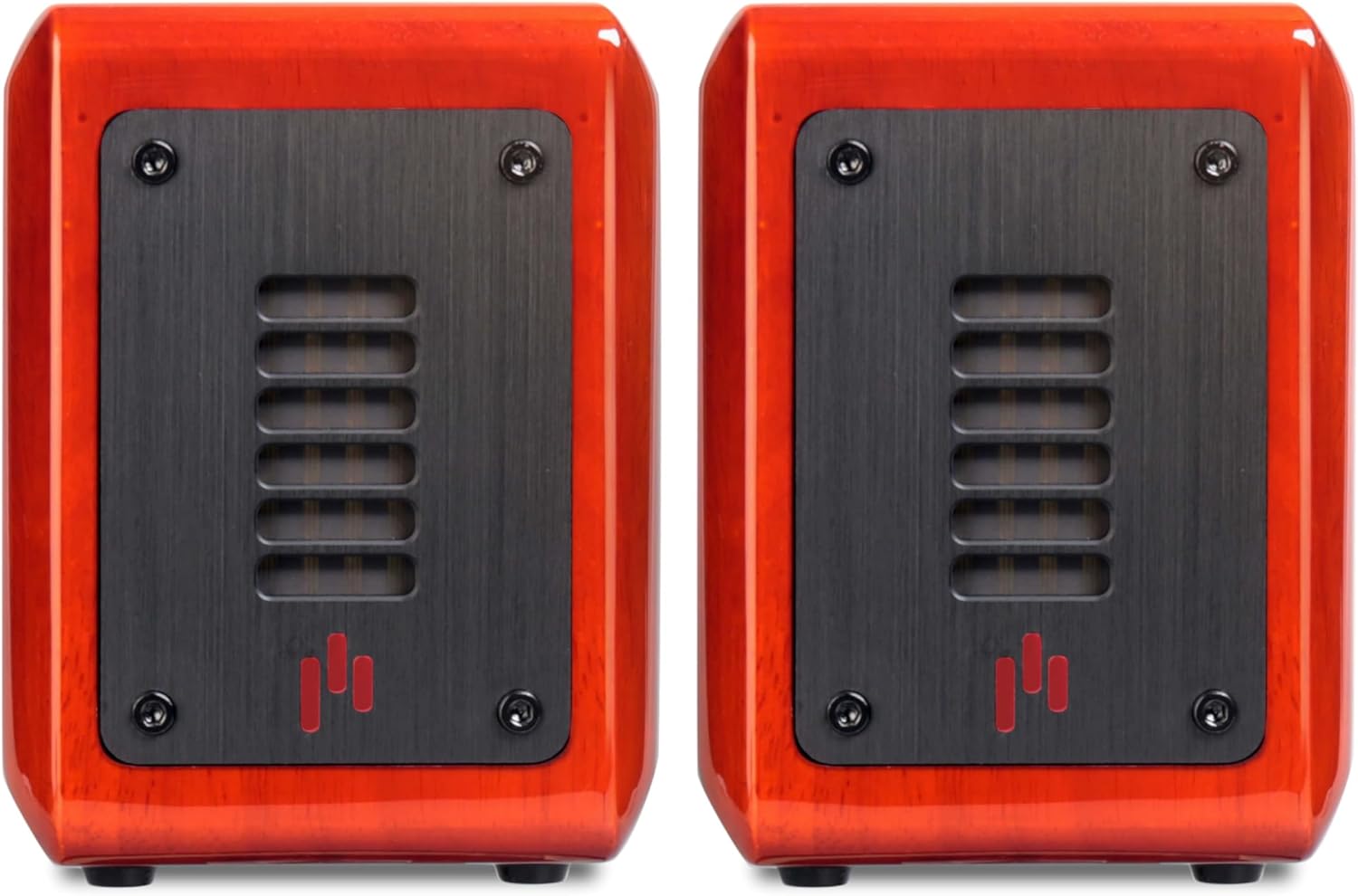
Figure 3.1: Front view of two Aperion Audio PST MKII Planar-Ribbon Super Tweeters in Gloss Cherry finish. These tweeters are designed to enhance high-frequency audio reproduction.

Figure 3.2: Rear panel of the Aperion Audio PST MKII Super Tweeter, showing the adjustable crossover and attenuation controls, along with the speaker input terminals.

Figure 3.3: Side view of the Aperion Audio PST MKII Super Tweeter, illustrating its compact dimensions for easy placement on top of existing speakers.
Video Overview
Video 3.1: Official product video demonstrating the features and controls of the Aperion Audio PST MKII Planar-Ribbon Super Tweeter.
4. Setup and Installation
The PST MKII Super Tweeters are designed for easy integration into your existing audio system. Follow these steps for proper setup:
- Placement: Position each Super Tweeter on top of your main left and right speakers. For optimal sound dispersion, align the Super Tweeter with the main speaker's tweeter or mid-range driver.
- Wiring: Connect the Super Tweeters in parallel with your main speakers. Use high-quality speaker wire to connect the positive (+) terminal of the Super Tweeter to the positive (+) terminal of your main speaker, and the negative (-) terminal of the Super Tweeter to the negative (-) terminal of your main speaker. Ensure all connections are secure.
- Amplifier Connection: The main speakers, with the Super Tweeters connected in parallel, should then be connected to your amplifier's speaker outputs as usual.

Figure 4.1: Wiring diagram for connecting the Super Tweeter in parallel with your main speaker to the amplifier.
5. Operating Instructions
The PST MKII Super Tweeters feature adjustable controls on the rear panel to fine-tune their performance to your specific audio system and listening preferences.
5.1 Crossover Frequency Adjustment
The top knob on the rear panel controls the crossover frequency. This determines the point at which the Super Tweeter begins to reproduce sound. Select a crossover point that best integrates with your main speakers' high-frequency rolloff.
- Available Settings: 8 kHz, 10 kHz, 12 kHz, 14 kHz, 16 kHz, and OFF.
- Recommendation: Start with a setting that is slightly above the upper frequency limit of your main speakers' tweeters. Experiment with different settings to find the most natural and cohesive sound.

Figure 5.1: Close-up view of the crossover frequency selection knob.
5.2 Attenuation (Output Level) Adjustment
The bottom knob on the rear panel adjusts the output level (attenuation) of the Super Tweeter. This allows you to match the sensitivity of the Super Tweeter to your main speakers.
- Available Settings: 0 dB, -1 dB, -2 dB, -3 dB, -4 dB, -5 dB.
- Recommendation: Begin with the 0 dB setting and adjust downwards if the high frequencies sound too prominent or harsh. The goal is a balanced sound where the Super Tweeter blends seamlessly without drawing attention to itself.

Figure 5.2: Close-up view of the attenuation level adjustment knob.
5.3 Frequency Response Chart
Refer to the frequency response chart to understand the impact of different crossover and attenuation settings on the overall sound profile.

Figure 5.3: Frequency response chart illustrating the effect of various crossover and attenuation settings on the Super Tweeter's output.
6. Specifications
| Feature | Specification |
|---|---|
| Model Name | PST Gloss Cherry |
| Speaker Type | Tweeter |
| Audio Driver Type | Planar Magnetic Driver |
| Frequency Response | Up to 40 KHz |
| Speaker Maximum Output Power | 100 Watts |
| Impedance | 6 Ohms |
| Signal-to-Noise Ratio | 94 dB |
| Product Dimensions (D x W x H) | 5" x 4.02" x 5.28" |
| Item Weight | 4.33 pounds |
| Material | Wood |
| Color | Gloss Cherry |
| Mounting Type | Tabletop Mount |
| Connectivity Technology | RCA |
| Control Method | Touch (referring to knobs) |
| Included Components | Manual x One (1) Pcs, Planar Ribbon Super Tweeter Speakers x Two (2) Pcs |
| UPC | 817968003314 |
| Item Model Number | PST-2PK-GCV-Y1 |
7. Maintenance
To ensure the longevity and optimal performance of your Aperion Audio PST MKII Super Tweeters, follow these simple maintenance guidelines:
- Cleaning: Gently wipe the cabinet with a soft, dry, lint-free cloth. Avoid using abrasive cleaners, solvents, or chemical sprays, as these can damage the finish.
- Placement: Keep the Super Tweeters away from direct sunlight, heat sources, and excessive moisture. Ensure adequate ventilation around the units.
- Connections: Periodically check all speaker wire connections to ensure they are secure and free from corrosion. Loose connections can degrade sound quality.
- Handling: Handle the Super Tweeters with care. Avoid dropping them or subjecting them to strong impacts, which can damage internal components or the cabinet finish.
8. Troubleshooting
If you experience issues with your Aperion Audio PST MKII Super Tweeters, consult the following troubleshooting tips:
- No Sound from Super Tweeters:
- Check all speaker wire connections to ensure they are correctly and securely attached to both the main speakers and the Super Tweeters.
- Verify that the crossover knob on the Super Tweeter is not set to 'OFF'.
- Ensure your amplifier is powered on and functioning correctly with your main speakers.
- Sound is Too Bright or Harsh:
- Adjust the attenuation knob to a lower dB setting (e.g., -1 dB, -2 dB) to reduce the Super Tweeter's output level.
- Try a higher crossover frequency setting (e.g., 12 kHz or 14 kHz) to reduce the range of frequencies the Super Tweeter is handling.
- Lack of High-Frequency Detail:
- Ensure the attenuation knob is set to 0 dB or a less negative value.
- Experiment with lower crossover frequency settings (e.g., 8 kHz or 10 kHz) to allow the Super Tweeter to cover a broader high-frequency range.
- Confirm that your main speakers have an efficiency level within the recommended 85-93 dB range for optimal integration.
- Unusual Noises or Distortion:
- Check for loose speaker wire strands that might be shorting connections.
- Ensure the Super Tweeters are placed on a stable surface to prevent vibrations.
- Reduce the volume level of your amplifier to see if the distortion persists.
If these steps do not resolve the issue, please contact Aperion Audio customer support for further assistance.
9. Warranty and Support
The Aperion Audio PST MKII Planar-Ribbon Super Tweeters come with a Limited Warranty. For specific details regarding warranty coverage, duration, and terms, please refer to the warranty card included with your product or visit the official Aperion Audio website.
For technical support, troubleshooting assistance beyond what is provided in this manual, or any other inquiries, please contact the Aperion Audio customer service team. Contact information can typically be found on the Aperion Audio website or on the product packaging.