
1. Introduction
The SanDisk Extreme Portable SSD is a high-performance external solid state drive designed for fast and reliable data storage. It offers NVMe solid state performance with impressive read and write speeds, making it suitable for demanding tasks such as large file transfers and media editing. This device is built for durability, featuring robust water and dust resistance, along with enhanced drop protection. Its compact design and integrated carabiner loop provide convenience and portability for users on the go.
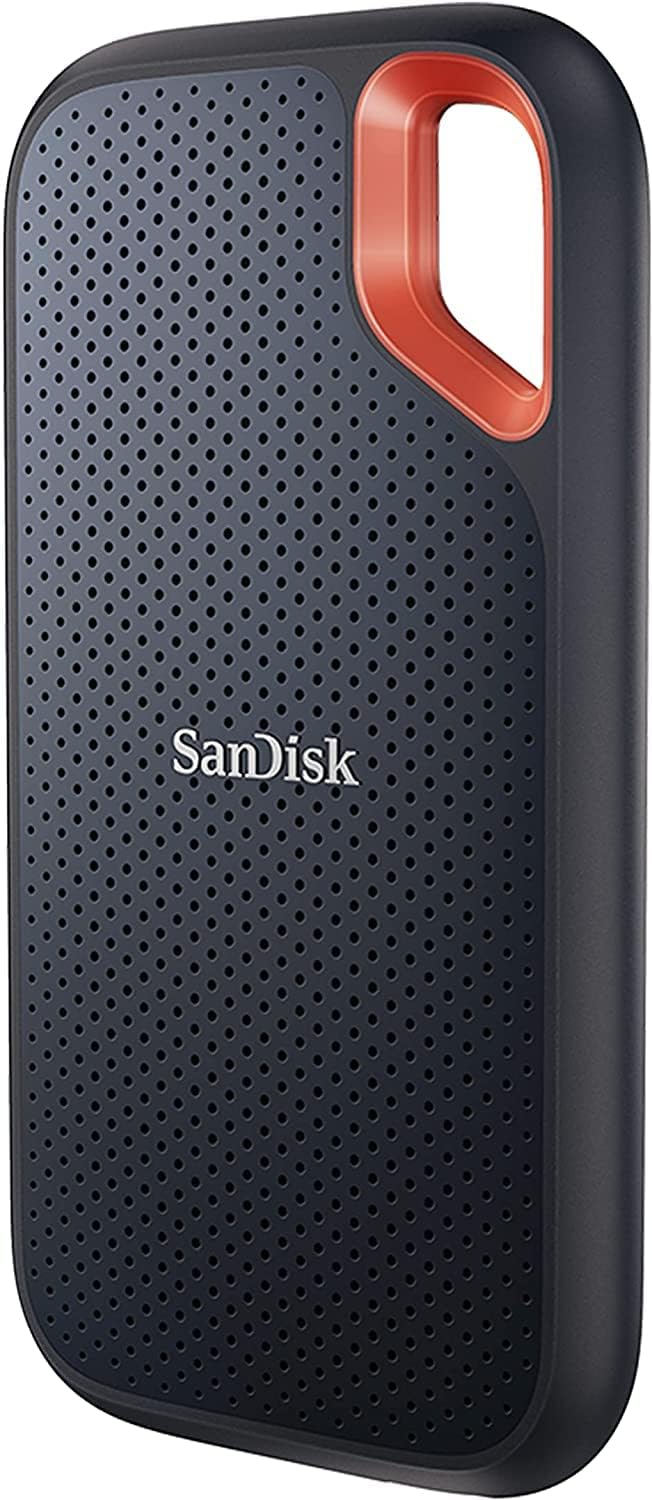
Front view of the SanDisk Extreme Portable SSD, showcasing its compact design and integrated carabiner loop.
2. Package Contents
Verify that all items are present in the package:
- SanDisk Extreme Portable SSD
- USB-C to USB-C Cable
- USB-C to USB-A Adapter
- Safety and Warranty Guide

Included accessories: USB-C to USB-C cable and a USB-C to USB-A adapter, ensuring broad compatibility with various devices.
3. Setup
Follow these steps to set up your SanDisk Extreme Portable SSD:
- Connect the SSD: Use the provided USB-C to USB-C cable to connect the SSD directly to a USB-C port on your computer (Mac or PC). If your computer only has USB-A ports, use the included USB-C to USB-A adapter with the USB-C to USB-C cable.
- Initial Recognition: Your operating system should automatically detect the SSD. It may appear as a new drive in 'My Computer' (Windows) or 'Finder' (macOS).
- Software Installation (Optional but Recommended): For enhanced security features like password protection, download and install the SanDisk SecureAccess software from the official SanDisk website. This software is supported by Windows 8, Windows 10, and macOS v10.9+.
4. Operating the SSD
4.1 Data Transfer
To transfer files, simply drag and drop them to and from the SSD's drive icon, or use the copy-paste functions within your operating system. The SSD leverages NVMe technology for high-speed data transfers.

The SSD connected, emphasizing its NVMe solid state performance with read speeds up to 1050MB/s and write speeds up to 1000MB/s.
4.2 Security Features
The SanDisk Extreme Portable SSD includes 256-bit AES hardware encryption for password protection of your private content. This feature requires the SanDisk SecureAccess software. For managing files and automatically freeing up space, the SanDisk Memory Zone app is available.

The SSD next to a padlock, representing its 256-bit AES hardware encryption feature for data security.

The SanDisk Memory Zone app provides tools for easy file management and automatic space freeing on compatible devices.
4.3 Portability and Durability
The SSD features a handy carabiner loop, allowing you to secure it to a belt loop or backpack for extra peace of mind during transport. Its rugged design provides up to 3-meter drop protection and IP65 water and dust resistance, making it suitable for various environments.

The integrated carabiner loop allows for secure attachment to a belt loop or backpack, enhancing portability and preventing loss.

The SSD shown under water splashes, illustrating its IP65 rating for water and dust resistance and up to 3-meter drop protection.
5. Maintenance
To ensure the longevity and optimal performance of your SanDisk Extreme Portable SSD, observe the following maintenance guidelines:
- Keep Dry and Clean: While the SSD is water and dust resistant (IP65), it must be clean and dry before use or connection to devices. Avoid prolonged exposure to moisture or excessive dust.
- Handle with Care: Despite its rugged design, avoid unnecessary drops or impacts.
- Temperature: Store and operate the SSD within recommended temperature ranges to prevent damage.
- Firmware Updates: Periodically check the official SanDisk website for any available firmware updates to ensure the best performance and compatibility.
6. Troubleshooting
If you encounter issues with your SanDisk Extreme Portable SSD, consider the following common solutions:
- SSD Not Recognized:
- Ensure the USB cable is securely connected to both the SSD and your computer.
- Try connecting the SSD to a different USB port on your computer.
- Test with a different compatible USB cable or adapter if available.
- Restart your computer.
- Slow Transfer Speeds:
- Ensure you are connected to a USB 3.2 Gen 2 (or higher) compatible port on your computer for optimal speeds. Older USB ports will result in slower performance.
- Close other applications that might be using significant system resources.
- Verify your operating system and drivers are up to date.
- Password Protection Issues:
- Ensure the SanDisk SecureAccess software is correctly installed and updated.
- Double-check your password for typos.
- Refer to the SanDisk SecureAccess software's help section for password recovery options.
For further assistance, please visit the official SanDisk support website.
7. Specifications

The SanDisk Extreme Portable SSD displayed with its compact dimensions, highlighting its portability.
| Feature | Detail |
|---|---|
| Model Number | SDSSDE61-4T00-G25 |
| Digital Storage Capacity | 4 TB |
| Hard Disk Interface | USB 3.2 Gen 2 |
| Connectivity Technology | USB-C |
| Read Speed | Up to 1050MB/s |
| Write Speed | Up to 1000MB/s |
| Special Features | Hardware Encryption, Portable, IP65 Water and Dust Resistance, 3-meter Drop Protection |
| Hardware Platform | Mac, PC |
| Item Weight | 1.76 ounces (approx. 50g) |
| Product Dimensions (LxWxH) | 3.97 x 2.07 x 0.38 inches (approx. 10.08 x 5.26 x 0.97 cm) |
| Manufacturer | Western Digital Technologies, Inc. |
8. Warranty and Support
For detailed warranty information, please refer to the 'Safety and Warranty Guide' included in your product package. SanDisk offers various support resources, including:
- Online Support: Visit the official SanDisk website (www.sandisk.com) for FAQs, troubleshooting guides, software downloads, and contact information for technical support.
- Data Recovery Plans: Optional data recovery plans are available for purchase to protect your valuable data. Information on these plans can be found on the SanDisk website or through authorized retailers.
Note: No official product videos with 'Seller' creator type or 'preview' in filename were available in the provided data to embed. Please refer to the manufacturer's official channels for video resources.