
Product Overview
The Auxbeam BB80 8-Gang Switch Panel provides a streamlined solution for managing multiple 12V/24V accessories in your vehicle. This system consolidates wiring harnesses and offers a single touch-sensitive control panel for up to eight circuits. It is designed for a wide range of applications including trucks, pickups, UTVs, RVs, cars, and boats.
- 8-Circuit Control: Manages up to eight independent 12V/24V accessories.
- High Power Capacity: Supports a maximum power rating of 1200W and a maximum current rating of 60A.
- Automatic Dimmable System: The panel's backlight brightness adjusts automatically based on ambient light conditions, reducing glare in dark environments and improving visibility in bright areas.
- Robust Design: Operates within a temperature range of -40°F to 221°F (-40°C to 105°C) and features an IP65 waterproof rating.
- Simplified Installation: Includes a plug-and-play wiring harness, integrated fuse and relay system, and temperature protection. Offers flexible mounting options with included brackets or double-sided tape.

Image: Auxbeam BB80 Product Information. This image details the dimensions of the switch panel (4.6 x 2.6 inches) and the control box (4.5 x 3.5 inches), input voltage (DC 12-24V), maximum power (600W at 12V, 1200W at 24V), maximum current (60A), and operating temperature range (-40°F to 221°F).
Package Contents
Before beginning installation, please verify that all components are present in your package:
- 1 x Switch Control Box
- 1 x Switch Panel
- 2 x Mounting Brackets
- 1 x Switch Panel Cover
- 1 x Wiring Harness
- 60 x DIY Stickers
- 1 x Installation Manual

Image: What's Included. This image displays all components provided in the Auxbeam BB80 switch panel kit, such as the switch panel, circuit control box, wiring harness, DIY stickers, mounting brackets, and the installation manual.
Setup and Installation
The Auxbeam BB80 switch panel is designed for straightforward installation. It features a compact control box to keep wiring organized and protected, and includes a plug-and-play wiring harness for ease of use. Ensure the vehicle's power is disconnected before starting installation.
Mounting Options
Two types of mounting brackets are provided, allowing for flexible placement of the switch panel and control box. You can also use double-sided tape for mounting the switch panel without drilling large holes.

Image: Mounting Brackets and DIY Stickers. This image illustrates the two types of mounting brackets included for installation and the sheet of 60 customizable DIY stickers for labeling the switches.
Wiring Diagram
The system includes a fuse, relay, and temperature protection switch for safety. Connect the main power cables to your vehicle's battery and then connect your accessories to the designated output terminals on the control box. Each circuit has a specific amperage rating:
- Circuit 1 & 5: 30A
- Circuit 2 & 6: 20A
- Circuit 3 & 7: 10A
- Circuit 4 & 8: 5A

Image: Wiring Diagram. This diagram shows how to connect the Auxbeam switch panel to the vehicle's battery and various accessories such as roof lights, side lights, whip lights, rock lights, light bars, light cubes, fog lights, and rack lights.

Image: 8 Gang Auxiliary Switch Panel. This image highlights the individual fuse ratings for each of the eight circuits on the control box, with total power up to 600W at 12V or 1200W at 24V, and a maximum current of 60A.
Installation Video
Video: Auxbeam 8 Gang Switch Panel Overview. This video provides a general overview of the Auxbeam 8 Gang Switch Panel, demonstrating its components and basic functionality, which can assist with understanding the installation process.
Operating Instructions
The Auxbeam BB80 switch panel features a touch-sensitive interface for controlling your connected accessories. Each button corresponds to a specific circuit.
Automatic Dimmable Function
The panel's backlight automatically adjusts its brightness based on the surrounding ambient light. This feature ensures optimal visibility of the switch panel while minimizing distraction during night driving.
- Bright Environments: The switch panel will brighten for better visibility.
- Dark Environments: The switch panel will dim to reduce glare and driver eye strain.
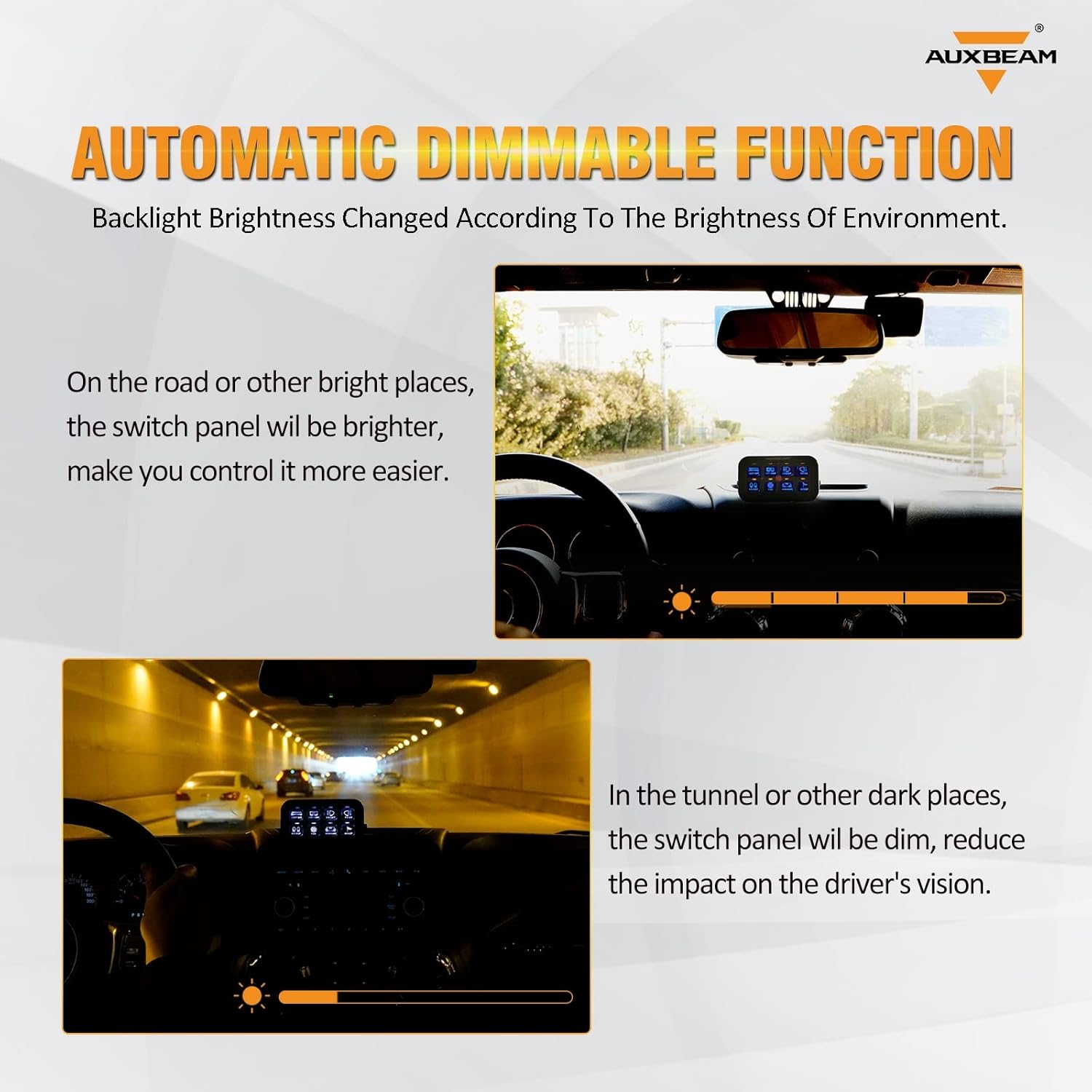
Image: Automatic Dimmable Function. This image illustrates how the switch panel's backlight adjusts its brightness automatically, becoming brighter in well-lit conditions and dimming in darker environments to enhance visibility and reduce glare.
Switch Operation and Memory
Each switch on the panel is an ON/OFF button with a memory function. When an accessory is turned on, a red indicator light will illuminate. The panel remembers the last state of each switch, so when the vehicle is restarted, the accessories will return to their previous ON/OFF status.
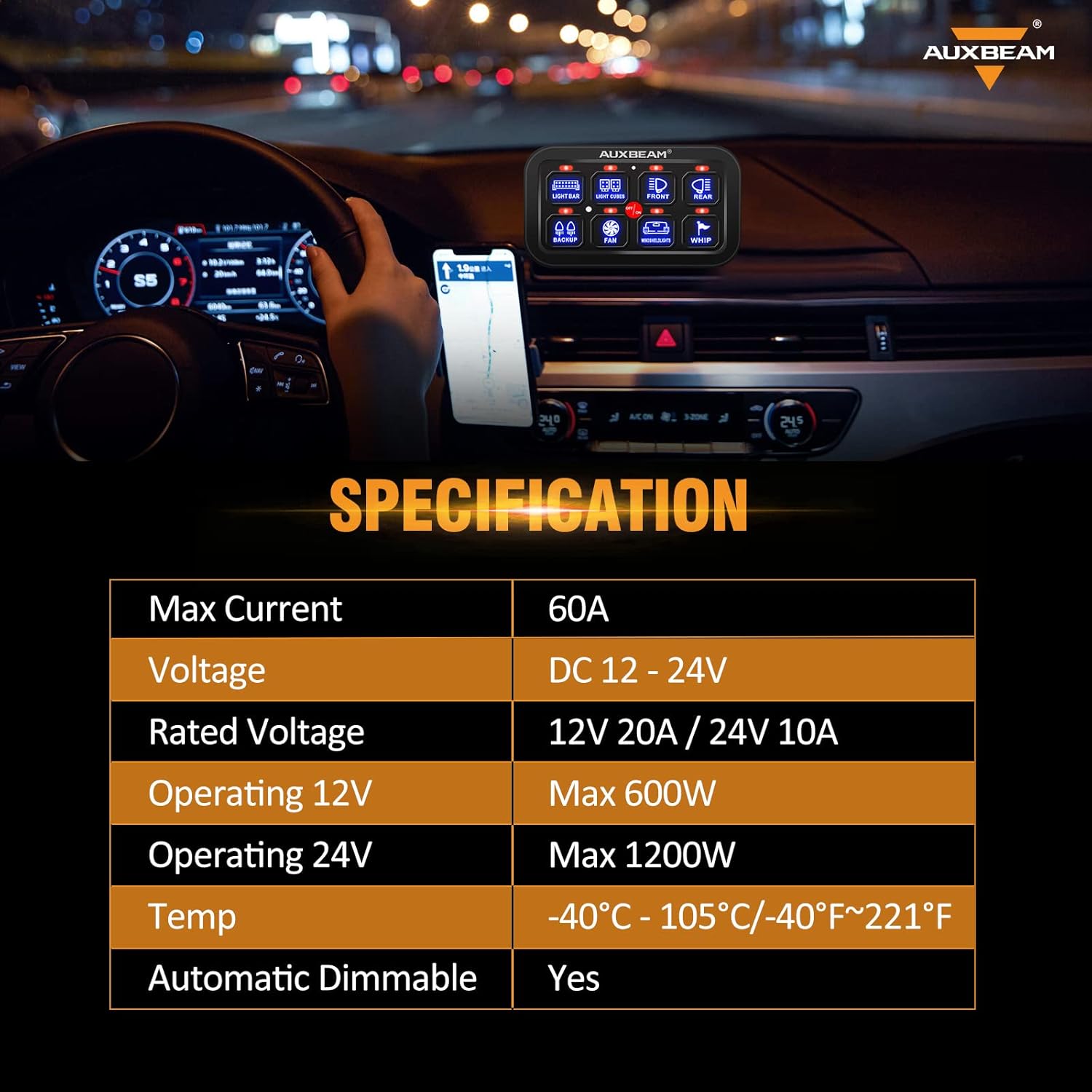
Image: Switch Panel in Use. This image shows the Auxbeam switch panel installed in a vehicle's interior, highlighting its touch-sensitive interface and providing a summary of its specifications.
Maintenance
To ensure the longevity and optimal performance of your Auxbeam BB80 switch panel, follow these general maintenance guidelines:
- Cleaning: Wipe the switch panel and control box with a soft, damp cloth. Avoid using harsh chemicals or abrasive cleaners that could damage the surface or electronic components.
- Fuse Inspection: Periodically check the fuses in the control box. If an accessory stops working, inspect the corresponding fuse and replace it with one of the same amperage rating if blown.
- Connection Checks: Ensure all wiring connections remain secure and free from corrosion.
- Water Resistance: The system has an IP65 rating, meaning it is protected against dust ingress and low-pressure water jets. While durable, avoid submerging the unit or exposing it to high-pressure washing.
Troubleshooting
If you encounter issues with your Auxbeam BB80 switch panel, consider the following common troubleshooting steps:
- No Power to Panel: Verify that the main power connection to the vehicle's battery is secure and that the inline fuse (if present) is not blown. Check the vehicle's battery voltage.
- Accessory Not Working: Ensure the specific switch on the panel is activated. Check the fuse for that circuit in the control box and replace if necessary. Inspect the wiring connection between the control box and the accessory.
- Panel Backlight Issues: If the automatic dimming feature seems incorrect, ensure the ambient light sensor is not obstructed.
- Intermittent Operation: Check all wiring connections for looseness or corrosion. Ensure the system is not exceeding its maximum current or wattage ratings.
If these steps do not resolve the issue, please contact Auxbeam customer support for further assistance.
Specifications
| Feature | Detail |
|---|---|
| Model | BB80-8 gang switch panel |
| Operation Mode | ON-OFF-ON |
| Current Rating | 60 Amps (Max) |
| Operating Voltage | 12V - 24V (DC) |
| Rated Voltage | 12V 20A / 24V 10A |
| Operating Power (12V) | Max 600W |
| Operating Power (24V) | Max 1200W |
| Operating Temperature | -40°C to 105°C (-40°F to 221°F) |
| Automatic Dimmable | Yes |
| Contact Type | Normally Open |
| Connector Type | Plug In |
| Switch Type | Push Button |
| Terminal | Screw |
| Material | Aluminum |
| Item Dimensions (L x W x H) | 4.6 x 2.6 x 0.6 inches (Switch Panel) |
| Circuit Type | 8-way |
| Mounting Type | Panel Mount |
| Actuator Type | Touch |
| Number of Positions | 8 |
| Control Method | Touch |
| Compatible Vehicle Type | Truck, Pickup, UTV, RV, Car, Boat |
| Compatible Devices | 12V/24V devices |
| International Protection Rating | IP65 |
Warranty Information
The Auxbeam BB80 8-Gang Switch Panel comes with a 3-year manufacturer's warranty from Auxbeam. This warranty covers defects in materials and workmanship under normal use. Please retain your proof of purchase for warranty claims.
Customer Support
For any questions, technical assistance, or issues regarding your Auxbeam BB80 8-Gang Switch Panel, please contact Auxbeam customer support. Our team is dedicated to providing excellent after-sales support to ensure your satisfaction.
Please refer to the contact information provided in your product packaging or visit the official Auxbeam website for support details.


