
1. Introduction
Thank you for purchasing the Polygreen KD 1481 Smart Digital Stick Thermometer. This device is designed for fast and accurate body temperature measurement. It features NFC technology for seamless data transfer to your smartphone, a soft tip for comfort, and a fever alert function. Please read this manual carefully before use to ensure safe and proper operation.
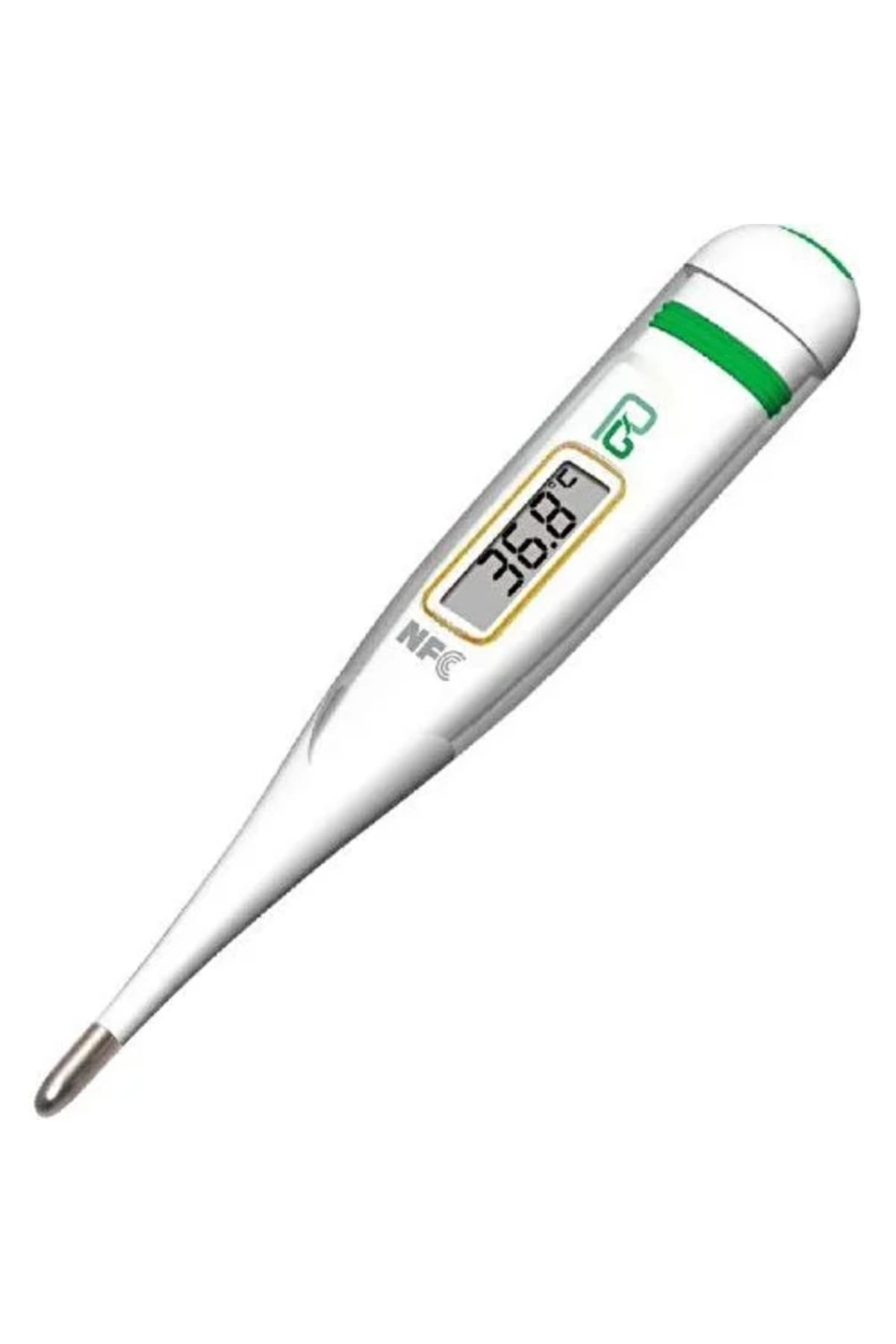
Image 1.1: Polygreen KD 1481 Smart Digital Stick Thermometer.
2. Safety Information
This product is designed for personal use and should not replace professional medical advice. Always consult a healthcare professional for any health concerns. There are no specific safety warnings provided beyond general medical device precautions.
- Keep the device out of reach of children.
- Do not bite the thermometer tip.
- Do not attempt to disassemble or repair the device.
- Avoid exposing the thermometer to direct sunlight, extreme temperatures, or high humidity.
- Clean the thermometer before and after each use as described in the Maintenance section.
3. Product Features
- Fast digital temperature measurement.
- NFC Technology for data transfer to smartphones.
- Compatible with Android and iOS systems.
- Water-resistant design.
- Soft and flexible measurement tip for comfort.
- Fever alert function.
- Memory function for recalling the last measurement.
- Automatic shut-off to conserve battery life.
- Includes LR 41 battery.
- ISO 13485 and CE certified.
- Registered with the Turkish Ministry of Health Medical Device Agency ÜTS tracking system.
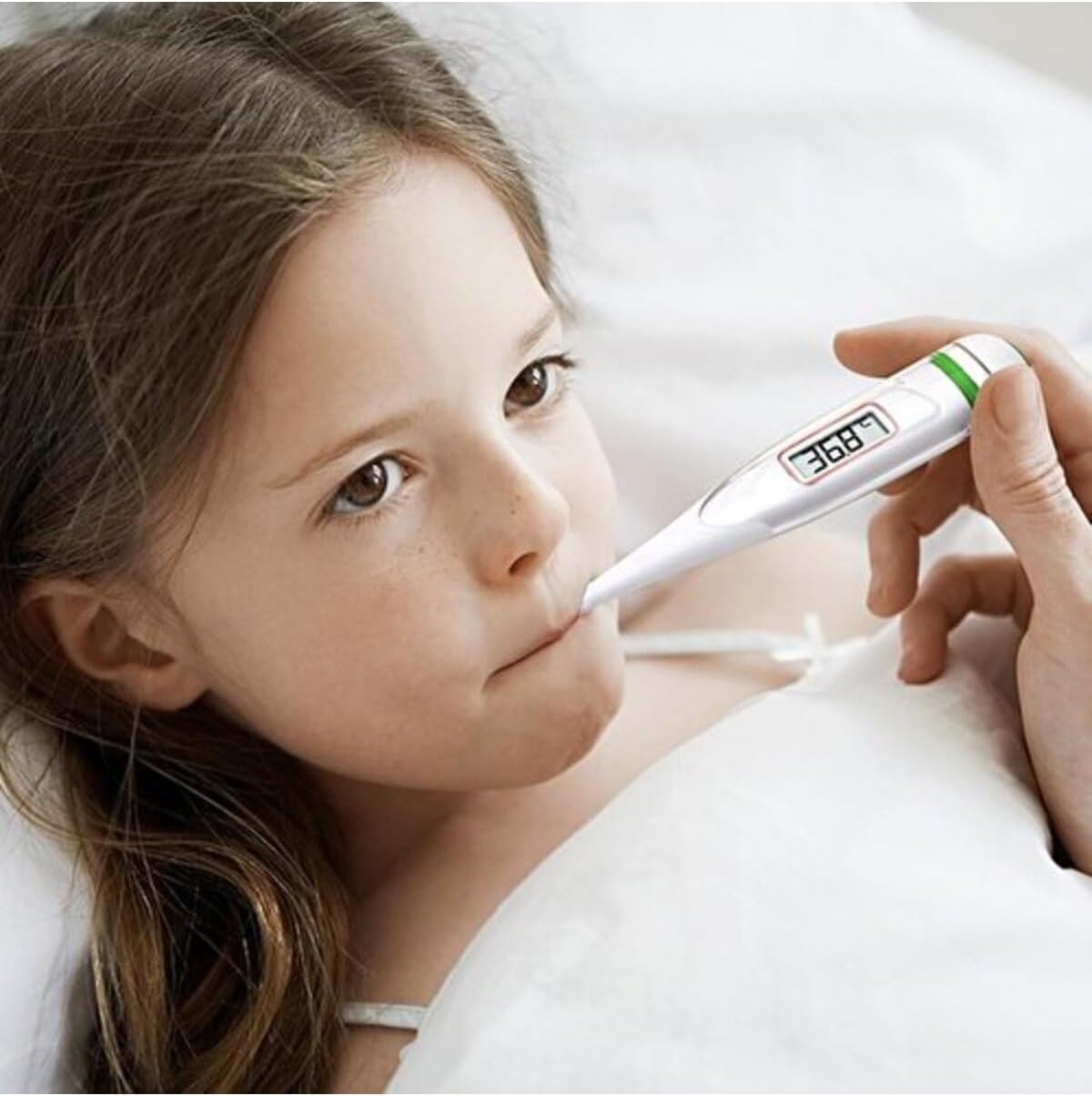
Image 3.1: The Polygreen KD 1481 thermometer features NFC technology for smartphone integration with the OUCare application.
4. Setup
4.1. Battery Installation
The Polygreen KD 1481 thermometer comes with an LR 41 battery pre-installed. If the battery needs replacement, carefully open the battery compartment cover, replace the old battery with a new LR 41 battery, ensuring correct polarity, and securely close the cover.
4.2. Initial Use
- Before first use, clean the thermometer tip with alcohol or soap and water.
- Press the power button to turn on the device. A short beep will sound, and the display will show "188.8°C M" followed by the last measured temperature.
- After a few seconds, "L°C" or "L°F" will appear, indicating the thermometer is ready for measurement.
5. Operating Instructions
5.1. Taking a Measurement
- Ensure the thermometer is clean and disinfected.
- Press the power button to turn on the thermometer.
- Place the thermometer tip in the desired measurement location:
- Oral Use: Place the tip under the tongue, close to the heat pocket. Keep the mouth closed.
- Axillary (Underarm) Use: Place the tip in the armpit, ensuring good skin contact. Hold the arm firmly against the body.
- Hold the thermometer in place until a series of beeps indicates the measurement is complete (approximately 5-10 seconds for fast measurement).
- Read the temperature displayed on the screen.
- Press the power button to turn off the thermometer, or it will automatically shut off after approximately 10 minutes of inactivity.

Image 5.1: Oral temperature measurement using the thermometer.

Image 5.2: Axillary temperature measurement on an infant.
5.2. Fever Alert
If the measured temperature exceeds 37.8°C (100°F), the thermometer will emit a rapid series of beeps to indicate a fever.
5.3. Recalling Last Measurement
When you turn on the thermometer, the last measured temperature will be displayed for a few seconds before it shows "L°C" or "L°F".
5.4. NFC Data Transfer (OUCare Application)
The Polygreen KD 1481 supports NFC technology for transferring temperature data to your smartphone. This feature requires the OUCare application, compatible with both Android and iOS devices.
- Download and install the OUCare application from the Google Play Store (for Android) or Apple App Store (for iOS).
- Ensure NFC is enabled on your smartphone.
- After taking a measurement with the thermometer, open the OUCare app.
- Hold the thermometer close to the NFC detection area of your smartphone (usually on the back of the phone).
- The temperature data will be automatically transferred and recorded in the OUCare application.
6. Maintenance and Care
6.1. Cleaning and Disinfection
- Before and after each use, clean the thermometer tip with a soft cloth moistened with 70% isopropyl alcohol or wash with cold soapy water.
- Do not immerse the entire thermometer in water or other cleaning solutions, as it is only water-resistant, not fully waterproof.
- Allow the thermometer to air dry completely before storing.
6.2. Storage
- Store the thermometer in its protective case when not in use.
- Keep it in a cool, dry place, away from direct sunlight and extreme temperatures.
6.3. Battery Replacement
When the battery indicator appears on the display, it's time to replace the LR 41 battery. Refer to section 4.1 for instructions.
7. Troubleshooting
| Problem | Possible Cause | Solution |
|---|---|---|
| Thermometer does not turn on. | Dead battery or incorrect battery installation. | Replace the LR 41 battery, ensuring correct polarity. |
| "Err" message displayed. | Measurement error or device malfunction. | Ensure proper placement and contact. If error persists, contact customer support. |
| Inaccurate readings. | Improper measurement technique, dirty tip, or environmental factors. | Review operating instructions, clean the tip, and ensure stable room temperature. |
| NFC data transfer fails. | NFC not enabled on phone, app not open, or incorrect placement. | Enable NFC on your smartphone, open the OUCare app, and hold the thermometer close to the phone's NFC area. |
8. Specifications
- Model: KD 1481
- Brand: Polygreen
- Measurement Range: 32.0°C - 42.9°C (89.6°F - 109.2°F)
- Accuracy: ±0.1°C (±0.2°F)
- Measurement Time: Approximately 5-10 seconds (fast measurement)
- Battery: 1 x LR 41 (1.5V)
- Battery Life: Approximately 200 hours of continuous operation or 1000 measurements
- Automatic Shut-off: Approximately 10 minutes
- Memory: Last measurement recall
- Operating Conditions: 10°C - 40°C (50°F - 104°F), 15% - 95% RH
- Storage Conditions: -20°C - 60°C (-4°F - 140°F), 15% - 95% RH
- Package Dimensions: 10 x 10 x 5 cm
- Package Weight: 100 grams
- Certifications: ISO 13485, CE
- Manufacturer Reference: POL-1481
- ASIN: B08RS1LNKD
Note: Measurement range, accuracy, battery life, and operating/storage conditions are typical values for similar devices and should be verified with the product packaging if available.
9. Warranty and Support
9.1. Warranty Information
The Polygreen KD 1481 Smart Digital Stick Thermometer comes with a 2-year warranty from the date of purchase. This warranty covers manufacturing defects under normal use. It does not cover damage resulting from misuse, accidents, unauthorized repairs, or normal wear and tear.
9.2. Customer Support
For technical assistance, warranty claims, or any questions regarding your Polygreen KD 1481 thermometer, please contact your local distributor or the Polygreen customer service department. Please have your product model number (KD 1481) and proof of purchase ready when contacting support.
You can also visit the official Polygreen website for more information and support resources.