
1. Introduction
Thank you for choosing Diode Dynamics License Plate LEDs. This product is designed to replace the factory incandescent license plate bulbs in your Ford F-150 (2018-2024 models) with high-performance LED lighting. These HP3 Cool White (6000K) bulbs provide increased output and a modern, crisp white appearance, enhancing both visibility and the aesthetic of your vehicle's rear.
The installation process is designed to be plug-and-play, requiring no complex modifications to your vehicle's wiring or housing.
2. Product Features
- Direct compatibility with Ford F-150 (2018-2024) license plate light bulbs.
- Increased light output compared to factory incandescent bulbs.
- Modern LED appearance with Cool White (6000K) color temperature.
- Plug-and-play installation, requiring no modification.
- Built with constant-current circuitry for stable performance.
- Waterproof design for durability in various weather conditions.
3. Specifications
| Attribute | Detail |
|---|---|
| Manufacturer | Diode Dynamics |
| Model Number | DD0331P |
| Bulb Type | 194 HP3 |
| Lumen Output (HP3) | 56 lumens |
| Color Temperature | Cool White (6000K) |
| Item Weight | 0.96 ounces (per pair) |
| Product Dimensions | 6 x 10 x 1 inches (packaging) |
| Special Features | Waterproof |
4. Setup and Installation
The installation of Diode Dynamics License Plate LEDs is a straightforward process. No special tools are typically required, though a small flathead screwdriver may be helpful for prying if the housing is tight.
Safety Precautions:
- Ensure your vehicle is turned off and the parking brake is engaged before beginning installation.
- Allow any existing incandescent bulbs to cool down before handling, as they can be hot.
Installation Steps:
- Locate License Plate Light Housings: Identify the license plate light housings, typically located above the license plate on the rear bumper or tailgate of your Ford F-150.
- Access the Bulb: Depending on your specific F-150 model year, you may need to twist and pull the bulb housing from the assembly, or gently pry open a cover to access the bulb. Refer to your vehicle's owner's manual if unsure.
- Remove Old Bulb: Carefully pull the existing 194 incandescent bulb straight out from its socket.
- Insert New LED Bulb: Take one Diode Dynamics HP3 LED bulb. Insert the metal contacts of the LED bulb into the socket. The HP3 bulbs are non-polar, meaning they will light up regardless of orientation.
- Test Functionality: Before fully reassembling, turn on your vehicle's parking lights or headlights to ensure the new LED bulb illuminates. If it does not, double-check the connection.
- Reinstall Housing: Once confirmed working, carefully push or twist the bulb housing back into place until it is securely seated.
- Repeat for Other Side: Follow the same steps for the other license plate light.

Image: Diode Dynamics HP3 LED bulbs, ready for installation.
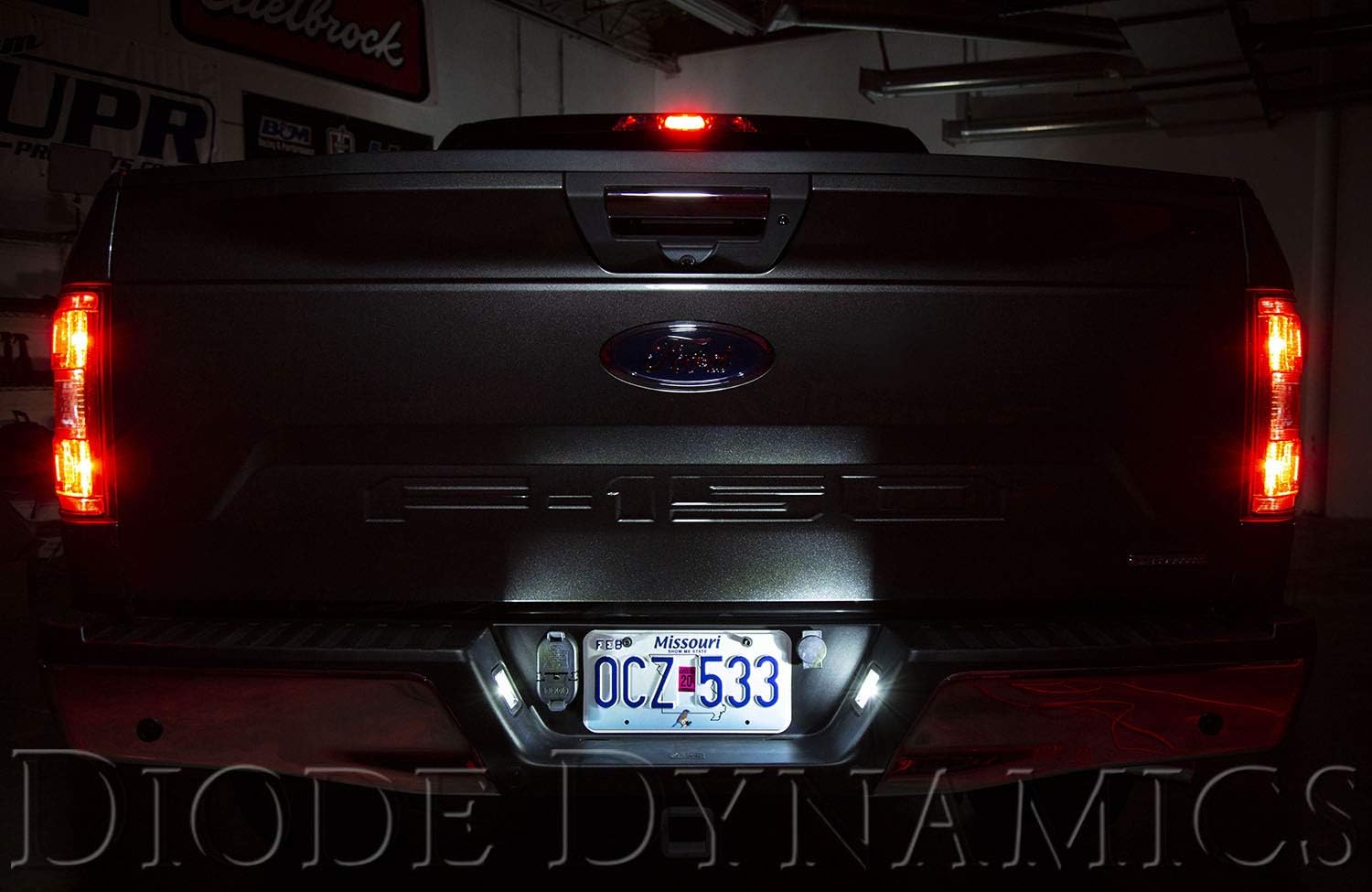
Image: Ford F-150 with Diode Dynamics License Plate LEDs installed and illuminated.

Image: Visual comparison of stock incandescent bulbs versus Diode Dynamics HP3 and HP5 Cool White LEDs on a Ford F-150.
5. Operating Instructions
Once installed, your Diode Dynamics License Plate LEDs will operate automatically with your vehicle's lighting system. They will illuminate whenever your vehicle's parking lights or headlights are active, just like the original bulbs. No additional controls or settings are required.
6. Maintenance
Diode Dynamics License Plate LEDs are designed for long-term, maintenance-free operation. Due to their solid-state design, they do not have filaments that can break like traditional incandescent bulbs.
- Cleaning: If the light output appears diminished, ensure the outer lens of the license plate light housing is clean and free of dirt or debris.
- Inspection: Periodically check the lights to ensure both are functioning correctly.
7. Troubleshooting
| Problem | Possible Cause | Solution |
|---|---|---|
| LED does not light up | Loose connection in socket | Ensure the LED bulb is fully and securely inserted into the socket. |
| LED flickers or is dim | Poor contact or voltage fluctuation | Remove and reinsert the bulb. Check for any corrosion in the socket. Ensure vehicle's electrical system is stable. |
| Only one LED lights up | Issue with the unlit bulb or its connection | Check the connection of the non-working bulb. If still not working, swap it with the working bulb to isolate if the issue is with the bulb or the vehicle's wiring. |
8. Warranty and Support
Diode Dynamics products are manufactured to high standards and undergo rigorous quality control. For specific warranty information regarding your License Plate LEDs, please refer to the official Diode Dynamics website or contact their customer support directly.
For technical assistance or further inquiries, please visit the Diode Dynamics official website or contact their customer service department. Contact information can typically be found on their website or product packaging.
Diode Dynamics Official Website: www.diodedynamics.com