
1. Introduction
The ZOOZEE Z70 is an advanced robotic vacuum and mop designed to provide efficient and thorough cleaning for your home. Featuring precise Lidar navigation, powerful suction, and smart app control, the Z70 simplifies your cleaning routine. This manual provides essential information for setting up, operating, and maintaining your device.

Image: The ZOOZEE Z70 robot vacuum alongside a smartphone displaying its control application.
2. Safety Information
Please read all safety instructions before using your ZOOZEE Z70. Keep this manual for future reference.
- Do not allow children to operate the robot vacuum.
- Ensure the charging base is placed against a wall on a level surface.
- Remove loose cables, small objects, and fragile items from the cleaning area to prevent entanglement or damage.
- Do not use the robot in wet environments or near open flames.
- Only use the original power adapter and charging base provided.
- Do not attempt to repair the device yourself. Contact customer support for assistance.
3. What's in the Box
Verify that all components are present upon unboxing:
- ZOOZEE Z70 Smart Robot Vacuum Cleaner (x1)
- Power Adapter (x1)
- Two-in-one Water Tank (x1)
- Dust Bin (x1)
- Main Brush (x1)
- Cleaning Brush (x1)
- Side Brush (x2)
- Washable HEPA Filter (x2)
- Mop Plate (x1)
- Mop (x1)
4. Setup
4.1 Initial Charging
Before first use, fully charge the ZOOZEE Z70. Place the charging base in an open area against a wall, ensuring there are no obstacles within 1 meter to the sides and 1.5 meters in front. Connect the power adapter to the charging base and a power outlet. Place the robot onto the charging base, aligning its charging contacts. The robot will automatically return to the charging base when its battery is low during operation.

Image: The ZOOZEE Z70 robot vacuum automatically docks for recharging.
4.2 App Installation and Wi-Fi Connection
The ZOOZEE Z70 is compatible with both 2.4 GHz and 5 GHz Wi-Fi networks, offering flexible connectivity options. Download the ZOOZEE app from your smartphone's app store. Follow the in-app instructions to connect your robot vacuum to your home Wi-Fi network. This will enable advanced features such as cleaning mode selection, virtual wall setup, and scheduling.
5. Operating Your ZOOZEE Z70
5.1 Cleaning Modes
The ZOOZEE Z70 offers various cleaning modes to suit different needs. These can be selected via the ZOOZEE app:
- Z-Clean: Standard systematic cleaning.
- #-Clean: Intensive cleaning pattern.
- Spot Clean: Concentrated cleaning for a specific dirty area.
- Draw Clean: Allows you to draw a specific area on the map for the robot to clean.

Image: The ZOOZEE Z70 in action, illustrating various cleaning modes available through the app.
5.2 Lidar Navigation and Mapping
Equipped with precise Lidar navigation and 28 sensors, the Z70 scans its environment 4000 times per second with an 8-meter scanning radius. This technology allows it to create accurate maps of your home, optimize cleaning paths, and avoid obstacles efficiently. The robot can store up to 6 maps for multi-floor homes.

Image: Visual representation of the ZOOZEE Z70's 8-meter LIDAR scanning capability.
5.3 Suction Power
The Z70 delivers up to 3500 Pa of suction power, effectively removing dust, stains, and pet hair from various surfaces. It automatically adjusts suction based on floor type, providing 2000 Pa for hard floors and 3500 Pa for carpets.

Image: The ZOOZEE Z70 demonstrating its variable suction power for different floor types.
5.4 Vacuuming and Mopping
The Z70 offers a 2-in-1 function, allowing it to vacuum and mop simultaneously. Attach the mop plate and fill the water tank for mopping. Ensure the mop pad is clean for optimal results.
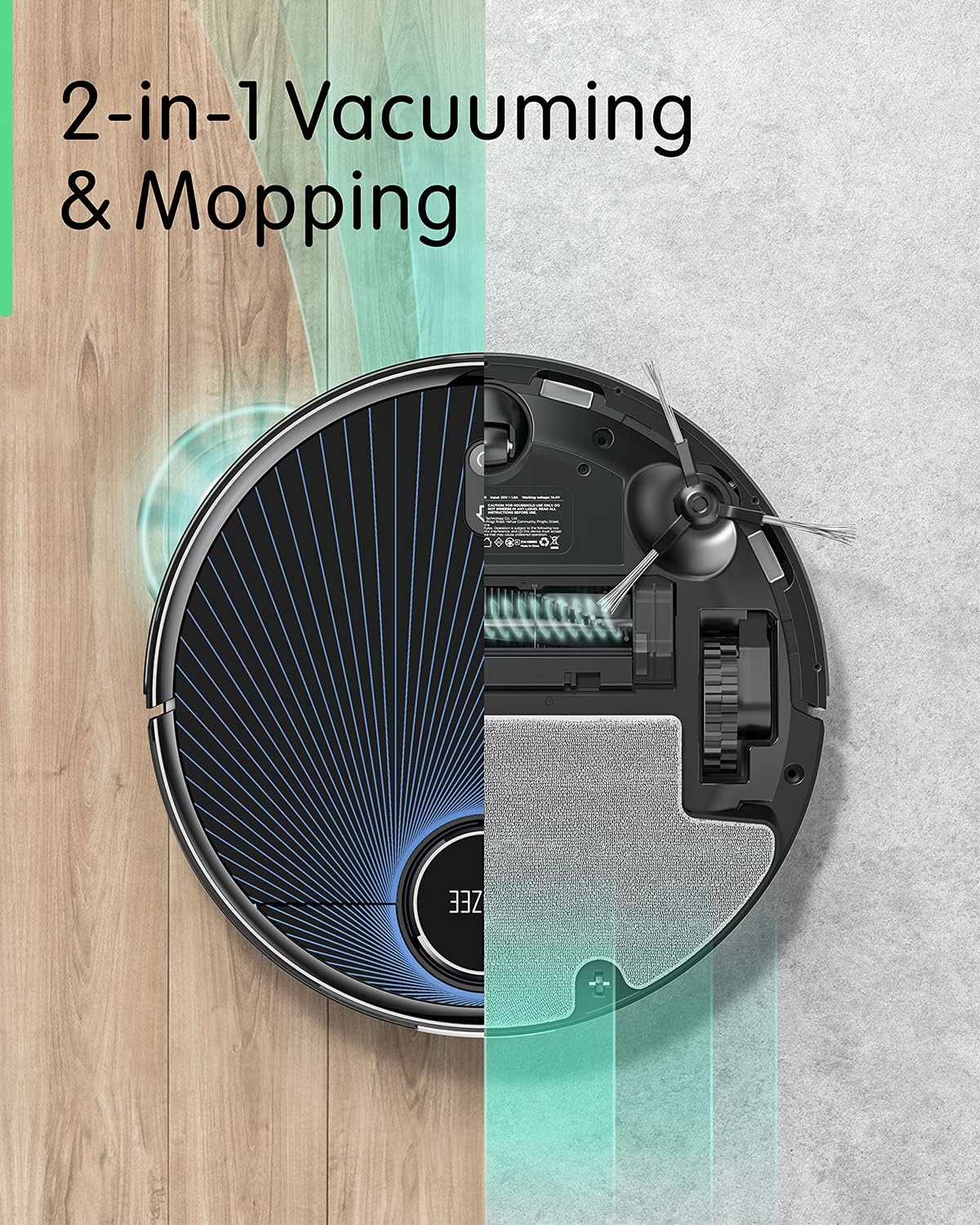
Image: An illustration highlighting the ZOOZEE Z70's dual vacuuming and mopping capabilities.
5.5 App and Voice Control
Control your Z70 using the ZOOZEE app to select cleaning modes, set virtual walls, define no-go zones, and schedule cleaning times. The robot is also compatible with Amazon Alexa for convenient voice commands.

Image: The ZOOZEE Z70 operating in a room, with the app showing consumable status.
6. Maintenance
Regular maintenance ensures optimal performance and extends the lifespan of your ZOOZEE Z70.
6.1 Dust Bin and Filter Cleaning
Empty the dust bin after each cleaning cycle. The washable HEPA filter should be cleaned regularly by tapping out debris and rinsing with water. Allow it to air dry completely before reinserting.
6.2 Main Brush and Side Brush Cleaning
Remove the main brush and side brushes periodically to clear tangled hair and debris. Use the provided cleaning brush for easier maintenance.
6.3 Mop Pad Cleaning
After each mopping session, remove and wash the mop pad. Allow it to air dry completely before storing or reusing.
6.4 Sensor Cleaning
Wipe the robot's sensors (Lidar, cliff sensors, bumper sensors) with a clean, dry cloth to ensure accurate navigation.
7. Troubleshooting
If you encounter issues with your ZOOZEE Z70, refer to the following common solutions:
- Robot not charging: Ensure the charging base is powered on and the robot's charging contacts are aligned with the base. Clean the charging contacts on both the robot and the base.
- Robot stuck or lost: Clear obstacles from the robot's path. If the robot is stuck on a high-pile carpet or threshold, consider setting a no-go zone in the app.
- Poor cleaning performance: Empty the dust bin, clean the main brush, side brushes, and filters. Ensure the water tank is filled for mopping.
- Wi-Fi connection issues: Ensure your router is broadcasting a 2.4 GHz or 5 GHz network. Restart your router and the robot. Follow the app's instructions for re-pairing.
- Unusual noise: Check the main brush and side brushes for tangled hair or debris. Ensure the dust bin and filter are correctly installed.
For persistent issues, consult the ZOOZEE app's help section or contact customer support.
8. Specifications
| Brand | ZOOZEE |
| Model | Z70 |
| Suction Power | Up to 3500 Pa |
| Battery Capacity | 5200 mAh |
| Runtime | Up to 240 minutes |
| Navigation | Lidar Navigation, 28 Sensors |
| Wi-Fi Compatibility | 2.4 GHz / 5 GHz |
| Noise Level | 46.7 Decibels |
| Product Dimensions | 35 x 35 x 9.6 cm |
| Weight | 3.4 kg |
| Filter Type | HEPA |
| Surface Recommendation | Hard Floor, Carpet |
| Control Type | App Control, Voice Control (Alexa) |
9. Customer Support
For further assistance, technical support, or warranty inquiries, please refer to the ZOOZEE app's support section or visit the official ZOOZEE website. You may also contact your retailer for product-specific support.


