
DICKIE TOYS 201107000
DICKIE TOYS - 15" RC Rescue Boat with Working Water Pump
Instruction Manual
Model: 201107000
Introduction
This manual provides essential information for the safe and effective operation, maintenance, and troubleshooting of your DICKIE TOYS 15" RC Rescue Boat. Please read this manual thoroughly before first use and retain it for future reference.
The RC Rescue Boat is designed for water-based play, featuring remote control functionality, a turbo boost, and a working water pump. It is suitable for users aged 6 years and up.

Image: The DICKIE TOYS 15" RC Rescue Boat, a red and white vessel with a water cannon on the front deck, shown in its packaging.
Safety Information
WARNING: CHOKING HAZARD -- Small parts. Not for children under 3 years.
- Always operate the boat in clear, open water away from obstacles, people, and animals.
- Do not operate in saltwater or chlorinated pools unless specifically designed for it, as this may damage internal components.
- Ensure the battery compartment is securely sealed before placing the boat in water.
- Never touch the propeller when the boat is powered on.
- Adult supervision is recommended for children operating the boat.
- Do not attempt to modify or disassemble the boat or remote control.
- Dispose of batteries responsibly according to local regulations.
Package Contents
Verify that all items are present in the package:
- 1 x DICKIE TOYS 15" RC Rescue Boat
- 1 x Remote Control (2.4 GHz)
- 1 x Rechargeable Lithium Metal Battery (for boat)
- 1 x USB Charging Cable
- AA Batteries (for remote control, typically 2x AA, not always included)

Image: The RC Rescue Boat, its red remote control, and two AA batteries, laid out on a white surface, illustrating the typical package contents.
Setup
- Charge the Boat Battery:
Locate the charging port on the boat. Connect the provided USB charging cable to the boat and to a USB power source (e.g., computer USB port, USB wall adapter). The charging indicator light will show the charging status. A full charge takes approximately 60 minutes.
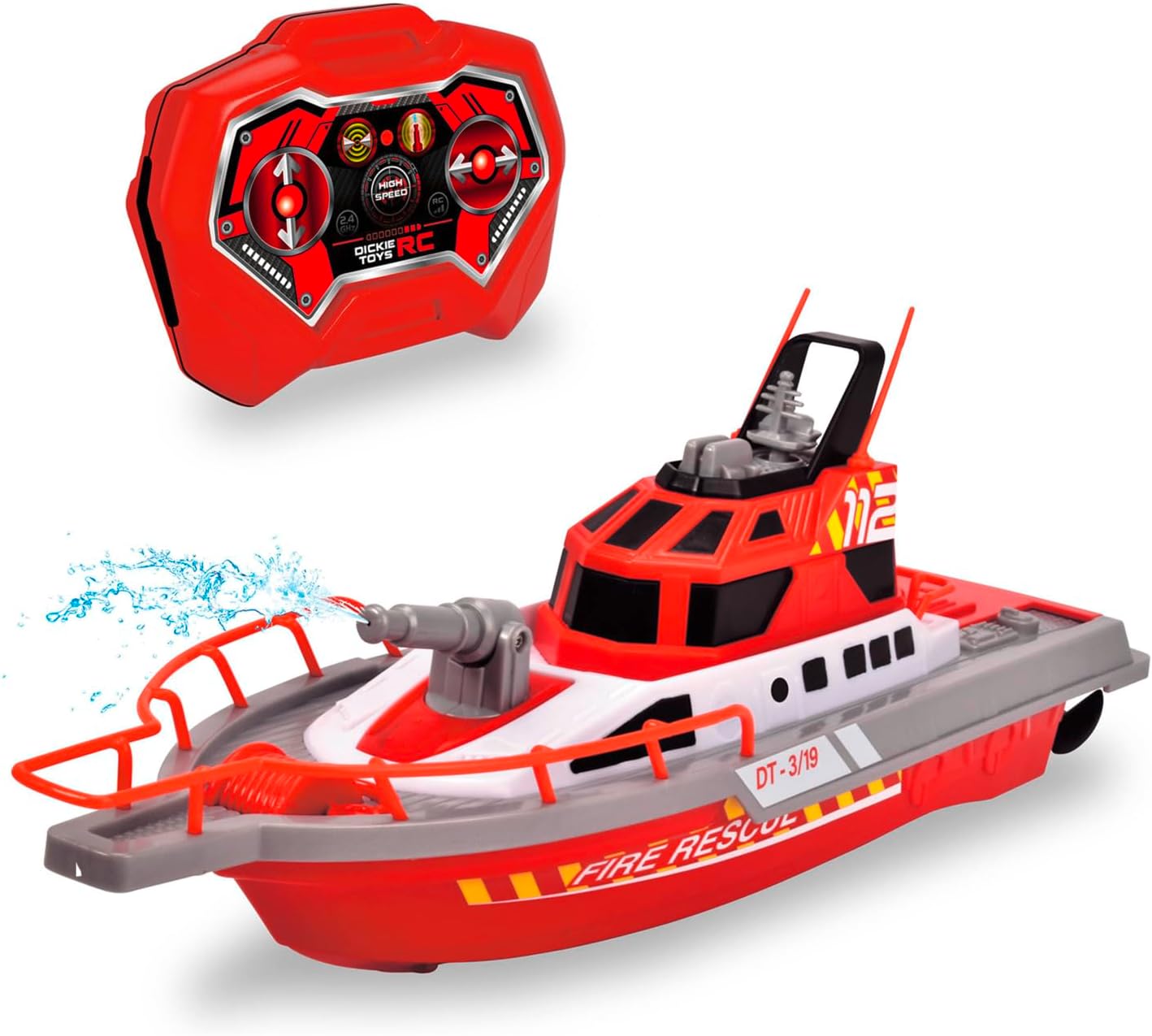
Image: A close-up of the RC Rescue Boat highlighting its USB charging capability and water shooting feature, with text overlays indicating "USB Charging" and "Water Shooting".
- Install Remote Control Batteries:
Open the battery compartment on the back of the remote control. Insert the required AA batteries, ensuring correct polarity (+/-). Close the battery compartment securely.
- Pairing the Remote Control:
Turn on the boat and the remote control. The remote control and boat should automatically pair. If pairing fails, turn both devices off and on again. Ensure they are within close proximity during pairing.
Operating Instructions
The RC Rescue Boat operates on a 2.4 GHz frequency, allowing for interference-free play with multiple boats simultaneously.
- Basic Movement:
Use the joysticks on the remote control to navigate the boat:
- Push both joysticks forward to move the boat forward.
- Pull both joysticks backward to move the boat backward.
- Push one joystick forward and pull the other backward to turn the boat left or right.
- Turbo Function:
Press the "Turbo" button on the remote control for a temporary speed boost. The boat can reach speeds of up to 1.8 miles per hour (approximately 3 km/h).
- Water Shooting Function:
Press the "Water Pump" button on the remote control to activate the working water pump, allowing the boat to spray water from its cannon.

Image: The RC Rescue Boat actively spraying a stream of water from its front-mounted cannon, demonstrating its water shooting function.
Official Product Video
Video: An official product video from Flat River Group showcasing the DICKIE TOYS 15" RC Rescue Boat in action on water, demonstrating its remote control capabilities, speed, and water shooting feature.
Maintenance
- Cleaning: After each use, especially in non-freshwater environments, rinse the boat with fresh water and wipe it dry with a soft cloth. Ensure no water remains in the battery compartment.
- Battery Care: For optimal battery life, fully charge the boat's battery before storage if it will not be used for an extended period. Remove batteries from the remote control if not in use for a long time to prevent leakage.
- Storage: Store the boat and remote control in a cool, dry place away from direct sunlight and extreme temperatures.
Troubleshooting
| Problem | Possible Cause | Solution |
|---|---|---|
| Boat does not respond to remote. | Low batteries in boat or remote; not paired; out of range. | Charge boat battery, replace remote batteries, re-pair, ensure within operating range. |
| Water pump not working. | Water intake blocked; low water level; pump malfunction. | Check for debris in water intake, ensure sufficient water depth, contact support if issue persists. |
| Boat moves slowly or erratically. | Low boat battery; propeller tangled with debris. | Recharge boat battery, carefully remove any debris from the propeller (ensure boat is off). |
Specifications
| Feature | Detail |
|---|---|
| Product Dimensions | 6.3 x 15.75 x 5.12 inches |
| Item Weight | 1.1 pounds |
| Item Model Number | 201107000 |
| Manufacturer Recommended Age | 6 years and up |
| Batteries | 1 Lithium Metal battery (included for boat), AA batteries for remote (not included) |
| Charging Time | Approx. 60 minutes |
| Driving Time | Approx. 15 minutes |
| Max Speed | Up to 1.8 miles / hour |
| Radio Frequency | 2.4 GHz (3-channel) |
| Manufacturer | Dickie Toys HK Ltd |
| Country of Origin | China |
Warranty and Support
For warranty information or technical support, please refer to the contact details provided on the product packaging or visit the official DICKIE TOYS website. Keep your purchase receipt as proof of purchase for any warranty claims.
You can visit the DICKIE TOYS Store on Amazon for more information and products.
Related documents201107000

Ask a question about this manual
Ask about setup, troubleshooting, compatibility, parts, safety, or missing instructions. Manuals+ will review the question and use this page’s manual context to help answer it.