
1. Product Overview
The Philips Sonicare Electric Toothbrush is designed to provide an effective and gentle cleaning experience. It features advanced sonic technology, a pressure sensor, and multiple intensity settings to optimize your oral hygiene routine.
- Advanced Sonic Technology: Delivers up to 31,000 brush strokes per minute for superior plaque removal.
- Pressure Sensor: Alerts you when brushing too hard to protect gums and teeth.
- SmarTimer & QuadPacer: Guides you to brush for the dentist-recommended 2 minutes, ensuring thorough cleaning of all mouth quadrants.
- BrushSync Technology: Tracks brush head usage and brushing pressure, providing a reminder when it's time for replacement.
- Long-lasting Battery: Up to 14 days of battery life on a single charge.
- Two Intensity Settings: Customize your brushing experience for comfort and effectiveness.

Image 1.1: Philips Sonicare Electric Toothbrush with DiamondClean Brush Head and travel case.
2. Setup
2.1 Initial Charging
Before first use, fully charge your Philips Sonicare toothbrush for at least 24 hours. Place the toothbrush handle on the charging base. The battery indicator lights will show the charging progress.
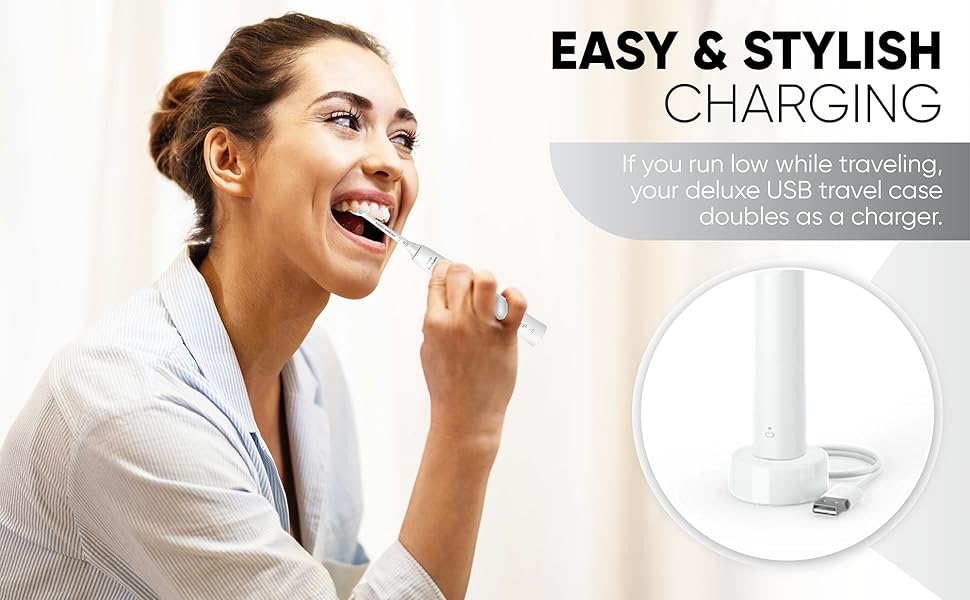
Image 2.1: The Philips Sonicare toothbrush handle on its charging base.
2.2 Attaching the Brush Head
Align the brush head with the metal shaft on the toothbrush handle. Push the brush head down firmly until it clicks into place. Ensure it is securely attached before use.
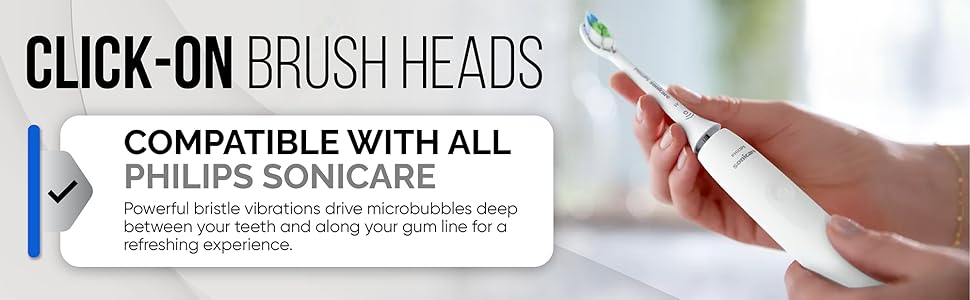
Image 2.2: Demonstrating how to attach a click-on brush head to the Philips Sonicare handle.
3. Operating Instructions
3.1 Brushing Technique
- Wet the bristles and apply a small amount of toothpaste.
- Place the brush head against your teeth at a slight angle towards the gumline.
- Press the power button to start brushing.
- Gently move the brush head slowly across each tooth, allowing the sonic vibrations to clean. Do not scrub.
- The QuadPacer will signal every 30 seconds to move to the next quadrant of your mouth.
- The SmarTimer will automatically turn off the toothbrush after 2 minutes.
3.2 Pressure Sensor
The built-in pressure sensor will emit a pulsing sound if you apply too much pressure during brushing. Reduce pressure immediately to protect your gums and teeth.
3.3 Intensity Settings
Your toothbrush offers two intensity settings. Press the mode button (usually below the power button) to cycle between the settings to find your preferred comfort level.
4. Maintenance
4.1 Cleaning the Toothbrush
- After each use, rinse the brush head and bristles thoroughly under running water.
- Wipe the handle with a damp cloth. Do not immerse the handle in water.
- Clean the charging base periodically with a damp cloth. Ensure it is unplugged before cleaning.
4.2 Brush Head Replacement
For optimal performance and hygiene, replace your brush head every 3 months, or sooner if the bristles are splayed or worn. The BrushSync replacement reminder will also alert you when it's time.


