
Introduction
This manual provides detailed instructions for the installation, operation, and care of your Weewooday Phone Grip Holders. Please read this manual thoroughly to ensure proper use and longevity of your product.

Image: Weewooday Phone Grip Holders in various colors, demonstrating attachment to a smartphone.
Specifications
- Brand: Weewooday
- Model Number: Weewooday-2340
- Material: Silicone
- Grip Type: Strap Grip
- Special Features: Telescopic, Adjustable Kickstand
- Dimensions: 3.9 x 0.75 inches (10 x 1.9 cm)
- Item Weight: 3.2 ounces

Image: Product dimensions for the Weewooday Phone Grip Holder.
Setup and Installation
Follow these steps to properly install your Weewooday Phone Grip Holder:
- Prepare Surface: Ensure the back surface of your phone case is clean, dry, and flat. This product is not suitable for silicone phone cases.
- Remove Adhesive Backing: Carefully peel off the protective film from the adhesive side of the phone grip.
- Position the Grip: Align the grip holder on the desired flat area of your phone case. Press firmly for several seconds to ensure strong adhesion.
- Allow Adhesion: For optimal adhesion, avoid using the grip immediately after installation. Allow the adhesive to set for a few hours (e.g., 12-24 hours) before applying significant pressure.
Important Note:
- Do not paste the kickstand directly on the phone; use it with a phone case.
- This product is not suitable for silicone mobile phone cases.

Image: Installation steps and key features of the phone grip.
Operating Instructions
Your Weewooday Phone Grip Holder offers two primary functions:
1. Secure Hand Grip
To use as a secure hand grip:
- Extend the Loop: Gently push up the central button to extend the silicone loop.
- Insert Fingers: Slide one or more fingers through the extended loop to comfortably hold your device. This helps prevent accidental drops and reduces hand fatigue.
- Retract the Loop: When not in use, push the loop back down to flatten it against the phone case for easy storage in pockets or bags.
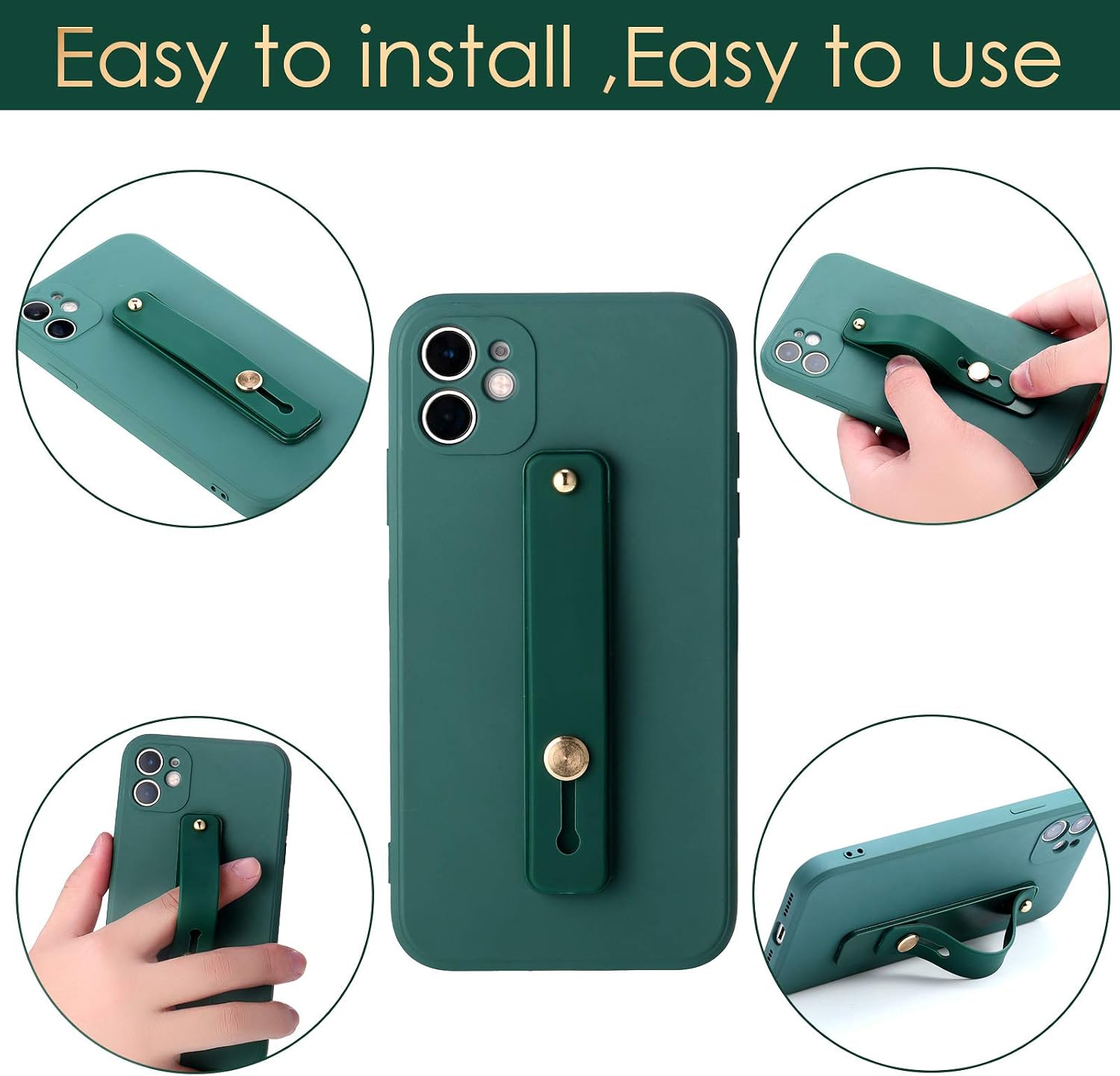
Image: Visual guide for installing and using the phone grip.
2. Adjustable Kickstand
To use as an adjustable kickstand:
- Extend the Loop: Push up the central button to extend the silicone loop.
- Position Device: Place your smartphone or small tablet on a flat surface, resting the extended loop against the surface to prop up the device.
- Adjust Angle: The telescopic design allows for slight adjustments to the viewing angle by sliding the loop. This is ideal for watching videos or making video calls.
The loop can accommodate up to four fingers for a secure hold and can be adjusted to provide a stable viewing angle for your device.

Image: Demonstrating the adjustable finger loop and kickstand function.
Maintenance
To maintain the functionality and appearance of your phone grip holder:
- Cleaning: Wipe the silicone strap with a soft, damp cloth to remove dust or smudges. Avoid harsh chemicals or abrasive cleaners.
- Adhesive Care: Once applied, avoid repeatedly removing and reattaching the grip, as this can weaken the adhesive.
- Storage: When not in use, ensure the loop is retracted to prevent accidental damage or snagging.
Troubleshooting
Here are solutions to common issues you might encounter:
- Grip Not Sticking Properly:
- Ensure the phone case surface is clean, dry, and free of oils or dust before application.
- Verify that the phone case material is not silicone, as the adhesive may not bond effectively with silicone.
- Allow sufficient time (12-24 hours) for the adhesive to cure after initial application before heavy use.
- Kickstand Functionality Issues (Phone Falls Flat):
- This can occur with larger or heavier smartphones/tablets due to the device's weight distribution.
- Ensure the loop is fully extended and positioned correctly to provide maximum support.
- Try adjusting the placement of the grip on the phone case to find a more stable center of gravity for kickstand use.
- Adhesive Residue After Removal:
- If residue remains on your phone case after removing the grip, use a gentle adhesive remover or rubbing alcohol to clean the surface. Test on an inconspicuous area first.