
1. Introduction
Thank you for choosing the Fire-Boltt BWH1100 Wired Over-Ear Headset. This manual provides essential information for setting up, operating, and maintaining your headset to ensure optimal performance and longevity. Please read these instructions carefully before using the product.
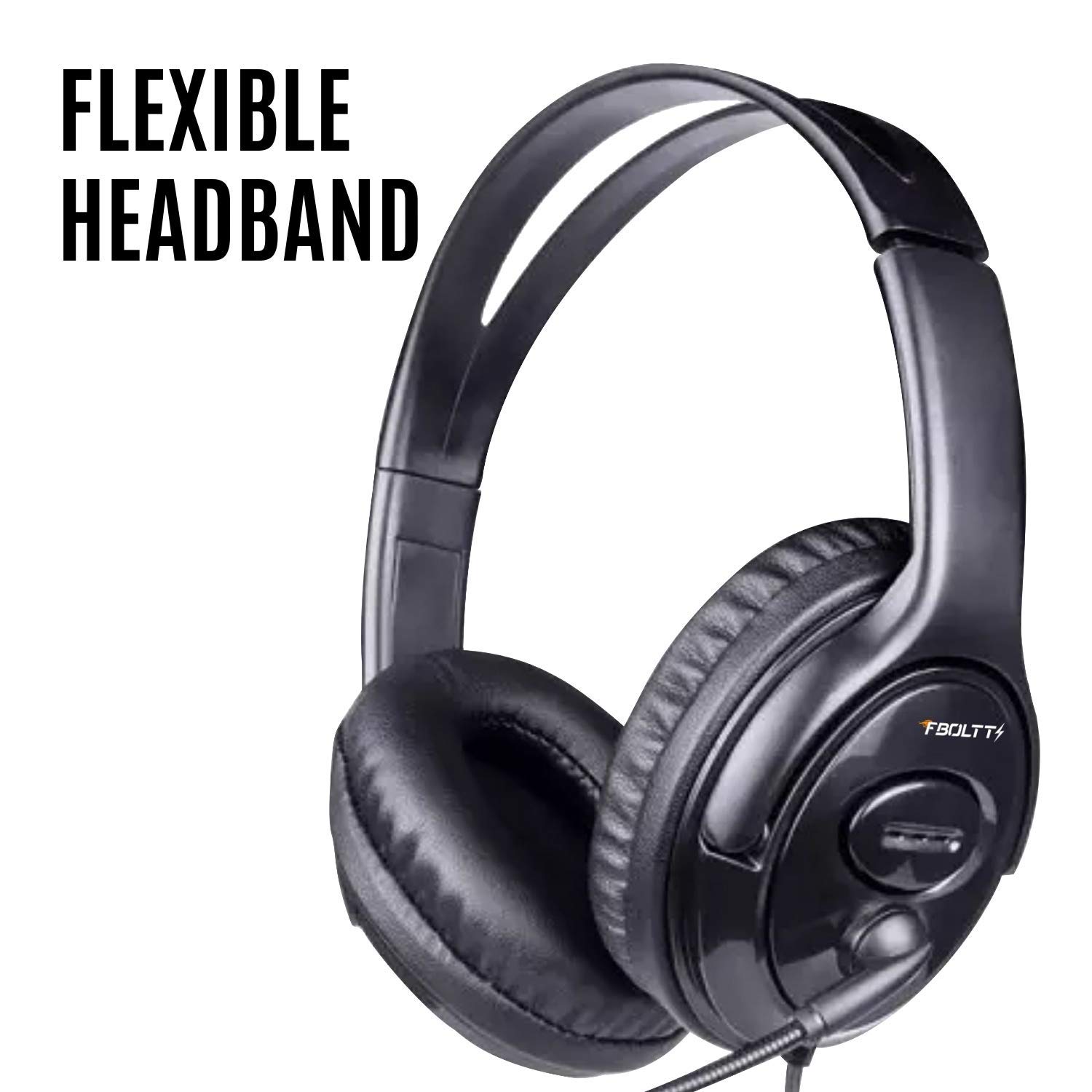
Figure 1: Fire-Boltt BWH1100 Wired Over-Ear Headset. This image shows the overall design of the headset with its comfortable earcups and adjustable headband.
2. Product Features
- Active Noise Cancellation (ANC): Built-in high-precision ANC inverse noise reduction circuit effectively isolates up to 85% of background noise for clearer audio.
- High-Quality Audio: Features a special 40mm drive unit with a high-end corona material diaphragm, delivering clear and high-quality sound.
- Comfortable Design: Full-cover type earmuffs filled with imported inert sponge provide a soft, comfortable, and non-oppressive fit for extended wear.
- Integrated Microphone: Supports microphone calls with answer/end, pause/play functions.
- Pivoting Boom Microphone: The microphone offers 180-degree movement for flexible positioning and optimal voice capture.
- Wide Compatibility: Connects via a standard 3.5mm jack, compatible with PCs, laptops, smartphones, and tablets.
- Folding Design: Four-way folding mechanism for convenient storage and portability.
- Aviation Ready: Equipped with a two-pin aircraft plug for use with in-flight entertainment systems.

Figure 2: Active Noise Cancellation Microphone. This image shows a person using the headset, highlighting the active noise cancellation microphone for clear communication. The 3.5mm jack is also visible.

Figure 3: Pivoting Boom Microphone. The headset is shown with its microphone extended, demonstrating its 180-degree movement for adjustable positioning.
3. Setup
3.1 Connecting the Headset
- Locate the 3.5mm audio jack on your device (PC, laptop, smartphone, tablet).
- Insert the 3.5mm connector from the headset cable firmly into the audio jack of your device.
- For in-flight entertainment systems, use the provided two-pin aircraft adapter if required, then connect the headset.

Figure 4: Plug and Play Connectivity. This image illustrates the 3.5mm audio jack, emphasizing the headset's easy plug-and-play functionality.
3.2 Adjusting for Comfort
- Gently extend or retract the headband until the earcups comfortably cover your ears.
- Ensure the ear cushions sit flush around your ears to maximize sound isolation and comfort.
- Adjust the boom microphone by pivoting it up or down and bending it closer to your mouth for optimal voice pickup.

Figure 5: Wide Device Compatibility. The headset is shown with icons indicating its compatibility with PCs, laptops, phones, and tablets.
4. Operating Instructions
4.1 Audio Playback
Once connected, your headset will function as the primary audio output device. Adjust the volume directly from your connected device (PC, laptop, smartphone, etc.).
4.2 Using the Microphone and Call Functions
- Microphone Positioning: Adjust the flexible boom microphone to be approximately 2-3 cm from your mouth for the clearest voice transmission.
- Answering/Ending Calls: Use the inline control button on the headset cable to answer or end phone calls.
- Pause/Play Audio: Use the inline control button to pause or play audio playback.
- Active Noise Cancellation: The headset's active noise cancellation feature is integrated to reduce ambient background noise during calls and audio playback.

Figure 6: Loud and Crisp Sound. This image highlights the headset's capability to deliver high-fidelity, clear audio, along with its multi-compatibility and built-in microphone.
5. Maintenance
Proper care and maintenance will extend the life of your Fire-Boltt BWH1100 headset.
- Cleaning: Use a soft, dry cloth to wipe the earcups and headband. For the ear cushions, a slightly damp cloth with mild soap can be used, but ensure they are completely dry before use. Do not use harsh chemicals or abrasive cleaners.
- Storage: When not in use, store the headset in a clean, dry place, away from extreme temperatures and direct sunlight. Utilize the folding design for compact storage.
- Cable Care: Avoid sharp bends or excessive pulling on the cable to prevent damage.
6. Troubleshooting
If you encounter issues with your headset, refer to the following common problems and solutions:
| Problem | Possible Cause | Solution |
|---|---|---|
| No sound from headset | Headset not properly connected; Device volume too low or muted; Incorrect audio output selected on device. | Ensure 3.5mm jack is fully inserted. Increase device volume. Check device audio settings to confirm headset is selected as output. |
| Microphone not working | Microphone muted on device; Incorrect audio input selected on device; Microphone positioned incorrectly. | Check device audio settings to ensure microphone is not muted and is selected as input. Adjust microphone position closer to your mouth. |
| Poor audio quality / Static | Loose connection; Interference; Damaged cable. | Ensure connection is secure. Move away from other electronic devices that may cause interference. Inspect cable for visible damage. |
| Headset uncomfortable | Improper adjustment. | Adjust the headband and earcups to fit your head comfortably. Ensure ear cushions fully enclose your ears. |
7. Specifications
| Feature | Detail |
|---|---|
| Brand | Fire-Boltt |
| Model Number | BWH1100 |
| Colour | Black |
| Ear Placement | Over Ear |
| Form Factor | Over Ear |
| Impedance | 32 Ohms |
| Noise Control | Active Noise Cancellation |
| Enclosure Material | Sponge |
| Connectivity Technology | Wired |
| Headphone Jack | 3.5 mm Jack |
| Product Features | Collapsible, Over-ear design |
| Microphone | Built-in, Pivoting Boom (180-degree movement) |
8. Warranty and Support
For warranty information and customer support, please refer to the warranty card included with your product or visit the official Fire-Boltt website. Keep your purchase receipt as proof of purchase for any warranty claims.
Manufacturer: Fire-Boltt
Importer Contact Information: Savex Technologies Private Limited, S1, Gala No:1-2, 101-102, Perana Industrial Complex, Anjur Phata- Mankholi Rd Village, Bhiwandi District, Thane, 421302, Maharashtra, Registered Add: Savex technologies Private Limited, 124, Maker Chambers - III, Nariman Point, Mumbai 400021, Maharashtra India.