
UGREEN 10648
Contents
UGREEN 3.5mm Audio Cable Instruction Manual
Model: 10648
Introduction
This manual provides instructions for the UGREEN 3.5mm Audio Cable, a braided 4-pole TRRS male-to-male auxiliary cord designed for high-fidelity stereo audio and microphone functionality. It is compatible with a wide range of devices including smartphones, tablets, laptops, car stereos, and headphones.
The cable features robust shielding and 24K gold-plated plugs to ensure stable, noise-free, and high-quality audio transmission.
Product Overview

Image: The UGREEN 3.5mm Audio Cable, showcasing its braided design and gold-plated connectors.
The UGREEN 3.5mm Audio Cable is engineered for superior audio performance and durability. Key features include:
- 4-Pole TRRS Design: Supports both audio output and microphone input, making it suitable for headsets with mic functions and external microphones.
- Hi-Fi Stereo Sound: Delivers clear, noise-free, and high-fidelity audio.
- Robust Shielding: Constructed with silver-plated copper conductor and a 3-layer robust shielding (tinned copper, TPE jacket, nylon braid) to minimize signal loss.
- 24K Gold-Plated Plugs: Ensures faster conduction and stable, undelayed audio transmission.
- Enhanced Durability: Features an evolved nylon braided jacket and reinforced wire joints, tested to withstand over 10,000 bends. Aluminum alloy shells provide corrosion resistance.
- Universal Compatibility: Designed with ultra-slim aux plugs for a snug fit with standard 3.5mm auxiliary ports on various devices.

Image: A detailed diagram illustrating the robust internal construction of the UGREEN 3.5mm audio cable, including silver-plated copper, tinned copper, TPE jacket, and nylon braid for optimal shielding.
Setup and Connection
Connecting the UGREEN 3.5mm Audio Cable is straightforward. Ensure your devices have a compatible 4-pole TRRS 3.5mm audio port for full functionality (audio and microphone).
- Identify Ports: Locate the 3.5mm audio input/output port on your source device (e.g., smartphone, laptop, tablet) and your receiving device (e.g., headphones, speaker, car stereo).
- Connect Cable: Insert one end of the UGREEN 3.5mm audio cable into the 3.5mm port of your source device.
- Connect to Receiving Device: Insert the other end of the cable into the 3.5mm port of your receiving device.
- Verify Connection: Ensure both plugs are fully inserted into their respective ports for optimal performance. A snug fit is essential for stable audio transmission.
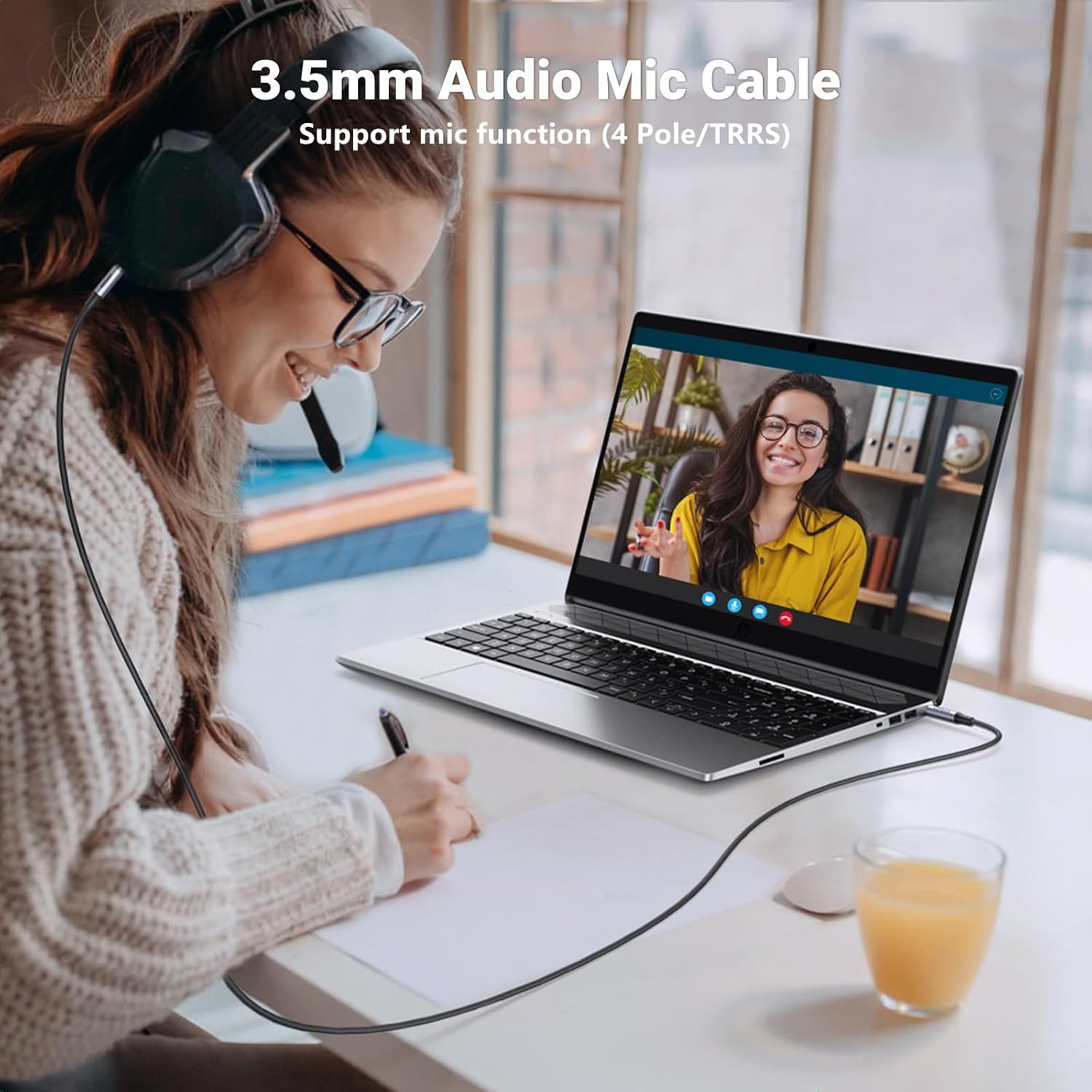
Image: A user connecting the UGREEN 3.5mm audio cable to a laptop for a video call, demonstrating its microphone function support.
Note:
This 3.5mm audio cable features a 4-pole TRRS interface. It is not compatible with devices that only have a 3-pole TRS audio port if microphone functionality is desired. For audio output only, it may still function with TRS ports, but the microphone feature will not be available. Please confirm your device's 3.5mm audio interface before purchasing or connecting.
Operating Instructions
Once connected, the UGREEN 3.5mm Audio Cable operates passively, transmitting audio signals between your devices. No additional software or drivers are required.
- Audio Playback: Begin playing audio from your source device. Sound will be transmitted to the connected receiving device.
- Microphone Function: If connecting a headset with a microphone or an external 3.5mm microphone to a compatible device (e.g., laptop, smartphone), the microphone signal will be transmitted through the cable. Ensure your device's audio settings are configured to use the external microphone if necessary.
- Volume Control: Adjust volume directly on your source device or the receiving audio device (e.g., headphones, speaker).

Image: The UGREEN 3.5mm audio cable connecting a smartphone to a car stereo system, enabling music playback.
Maintenance and Care
To ensure the longevity and optimal performance of your UGREEN 3.5mm Audio Cable, follow these care guidelines:
- Storage: When not in use, coil the cable loosely. Avoid tight coiling or sharp bends, which can stress the internal wires.
- Cleaning: Wipe the cable and connectors with a soft, dry cloth to remove dust or debris. Do not use harsh chemicals or abrasive cleaners.
- Handling: Always grasp the connector housing when plugging or unplugging the cable, rather than pulling on the cable itself. This prevents damage to the wire joints.
- Environment: Avoid exposing the cable to extreme temperatures, direct sunlight, or excessive moisture.

Image: A close-up view highlighting the flexible and durable braided nylon jacket and metal shell of the UGREEN 3.5mm audio cable.
Troubleshooting
If you encounter issues with your UGREEN 3.5mm Audio Cable, consider the following common solutions:
| Problem | Possible Cause | Solution |
|---|---|---|
| No audio output. | Cable not fully inserted; incorrect port; device volume too low; incorrect audio output selected on device. | Ensure both ends of the cable are fully inserted. Verify you are using a 3.5mm audio port. Increase volume on both source and receiving devices. Check audio output settings on your device. |
| Static or distorted audio. | Loose connection; interference; damaged cable. | Reseat the cable firmly. Move away from sources of electromagnetic interference. Inspect the cable for visible damage; if damaged, replace it. |
| Microphone not working. | Device port is TRS (3-pole) instead of TRRS (4-pole); microphone disabled in settings; incorrect input device selected. | Confirm your device's 3.5mm port supports 4-pole TRRS. Check your device's sound settings to ensure the microphone is enabled and selected as the input device. |
| Cable does not fit snugly. | Incompatible port size; debris in port. | Ensure the port is a standard 3.5mm jack. Carefully check the port for any obstructions and remove them if present. |
Specifications
| Brand | UGREEN |
| Model Number | 10648 |
| Connector Type | 3.5mm Male to Male (TRRS 4-Pole) |
| Cable Type | Aux Audio Cable |
| Material | Nylon Braided Jacket, Aluminum Alloy Shells, Silver-Plated Copper Conductor |
| Special Feature | Braided, Shielded, 24K Gold-Plated Plugs, Microphone Function Support |
| Compatibility | iPad, Samsung Phones, Tablets, Car Home Stereos, Headphones, Speaker, MacBook, iMac, iPod, PC, Nintendo Switch/Switch 2, Xbox One/360, PS5 controller, PS4/PS3, Steam Deck, MP3/MP4 players, DVD, 3.5mm external microphones. |
| Product Dimensions | 0.31 x 3.66 x 4.8 inches (packaging) |
| Item Weight | 0.704 ounces (0.02 Kilograms) |
Warranty and Support
UGREEN products are designed for reliability and performance. For warranty information and technical support, please refer to the official UGREEN website or contact their customer service directly.
- Official Website: www.ugreen.com
- Customer Service: Refer to the contact information provided on the product packaging or the official website for support inquiries.
Please retain your proof of purchase for warranty claims.
Ask a question about this manual
Ask about setup, troubleshooting, compatibility, parts, safety, or missing instructions. Manuals+ will review the question and use this page’s manual context to help answer it.