
1. Introduction
Thank you for choosing the Horevo B028 Reversible Ceiling Fan. This product combines a modern ceiling fan with an integrated LED light and a high-quality Bluetooth speaker, designed to enhance comfort and ambiance in your living space. This manual provides essential information for safe installation, operation, and maintenance of your new ceiling fan.
2. Safety Instructions
Please read all safety instructions carefully before installation and use. Failure to follow these instructions may result in electric shock, fire, or personal injury.
- Ensure the power supply is disconnected before installation or maintenance.
- Installation must be performed by a qualified electrician.
- The mounting structure must be capable of supporting the weight of the fan.
- Do not insert objects into the fan blades while the fan is operating.
- Keep children away from the fan during operation.
- This appliance is for indoor use only.
- Use only the remote control provided with the fan.
3. Package Contents
Verify that all components are present and undamaged before beginning installation.

Image: Overview of the Horevo B028 ceiling fan components, including the main fan unit, remote control, mounting bracket, screws, and wiring connectors. Dimensions are also indicated.
- Ceiling Fan Unit with Retractable Blades
- LED Light Panel
- Remote Control
- Mounting Bracket
- Screws and Expansion Bolts
- Wiring Connectors
- User Manual (this document)
4. Setup and Installation
The Horevo B028 ceiling fan is designed for straightforward installation. Follow these general steps. For detailed electrical wiring, consult a qualified professional.
- Prepare the Mounting Location: Ensure the ceiling junction box is securely mounted and can support the fan's weight. Disconnect power at the circuit breaker.
- Install the Mounting Bracket: Attach the mounting bracket to the ceiling junction box using the provided screws. Ensure it is firmly secured.
- Wire the Fan: Connect the fan's electrical wires to your household wiring. The fan includes a receiver box for the remote control; ensure this box is positioned carefully within the canopy, as space can be limited. Connect the live, neutral, and ground wires according to local electrical codes.
- Attach the Fan Unit: Lift the fan unit and hook it onto the mounting bracket. Secure the fan unit to the bracket with the designated screws.
- Install the Lampshade: Rotate and secure the lampshade onto the fan unit.
- Restore Power: Once installation is complete and all connections are secure, restore power at the circuit breaker.
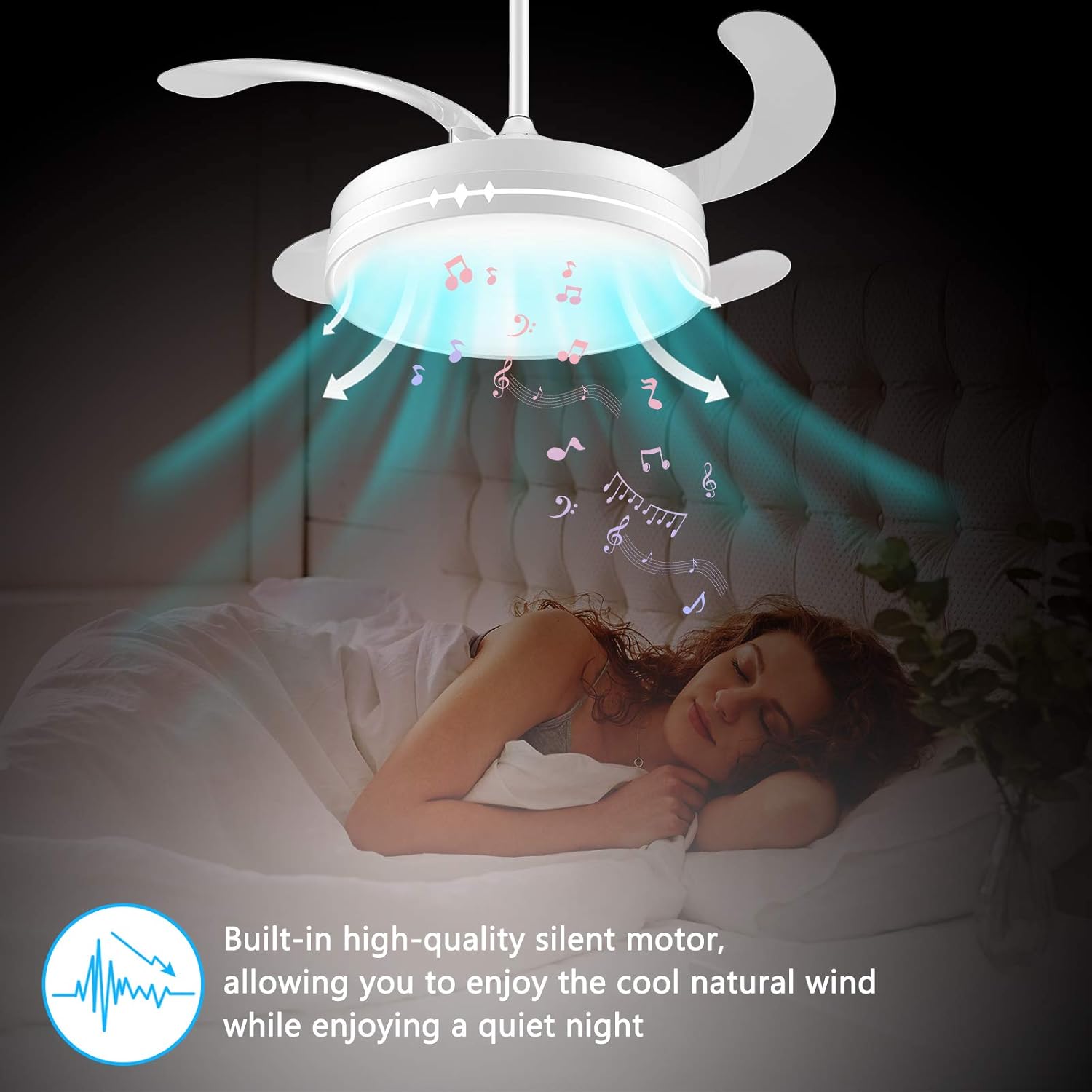
Image: The Horevo B028 ceiling fan with its retractable blades extended, illustrating its modern design and how it appears when operational.
5. Operating Instructions
Your Horevo B028 ceiling fan is controlled via the included remote. The light, fan, and Bluetooth speaker functions can be operated independently.
5.1 Remote Control Overview

Image: Detailed diagram of the remote control, showing buttons for light on/off, RGB mode, brightness adjustment, fan on/off, fan speeds (1, 2, 3), fan natural/reverse turn, timer (1H, 2H, 3H), cancel timing, Bluetooth volume control, and music track navigation.
5.2 Light Functions
- Light On/Off: Press the LED button to turn the light on or off.
- Brightness Adjustment: Use the Brightness + and Brightness - buttons to adjust the light intensity.
- Color Temperature: Press the K button to cycle through color temperatures (e.g., warm white, neutral white, cool white) from 2700K to 6500K.
- RGB Mode: Press the RGB Mode button to activate color-changing light effects. Long press for a breathing light effect.
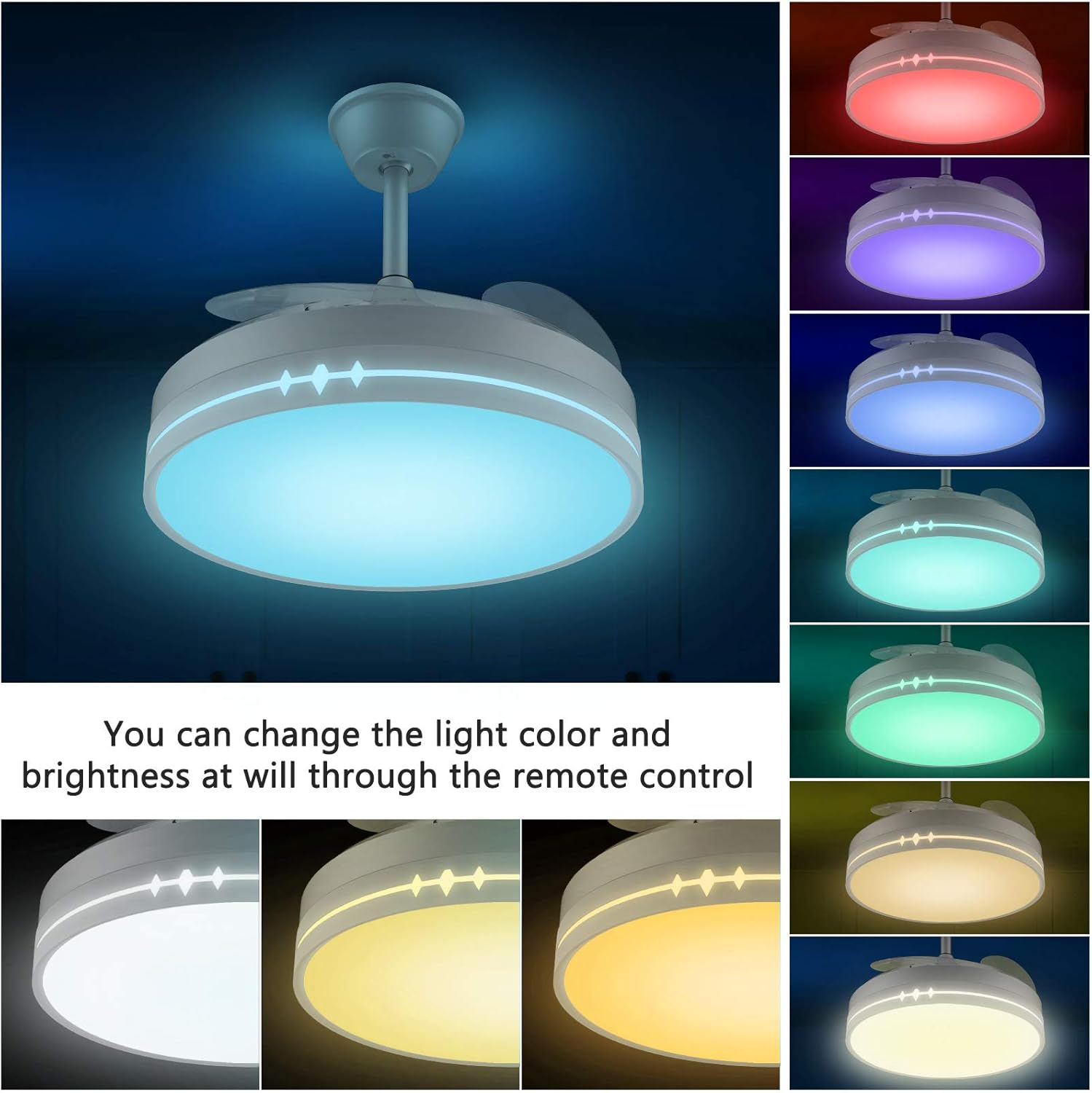
Image: The Horevo B028 ceiling fan light displaying various color temperatures and RGB color options, demonstrating the adjustable lighting features.
5.3 Fan Functions
- Fan On/Off: Press the Fan On/Off button to start or stop the fan.
- Speed Adjustment: Select fan speed using buttons 1 (Low), 2 (Medium), or 3 (High).
- Reversible Turn: Press the Natural/Reverse Turn button to change the blade rotation direction.
- Natural Turn (Summer Mode): Creates a downward airflow for a cooling effect.
- Reverse Turn (Winter Mode): Creates an upward airflow to circulate warm air trapped near the ceiling.
Note: The fan will slow down and then reverse direction after approximately 30 seconds.

Image: Illustration showing the two modes of fan operation: "Natural turn" for summer cooling and "Reserve turn" for winter air circulation, demonstrating the reversible function.
5.4 Bluetooth Speaker Functions
- Pairing: Activate Bluetooth on your mobile device and search for "Horevo Fan" or a similar device name. Select to pair.
- Play/Pause: Press the Play/Pause button to start or pause music playback.
- Volume Control: Use Volume + (long press) and Volume - (long press) to adjust the speaker volume.
- Track Navigation: Press Last Song (click) or Next Song (click) to skip tracks.
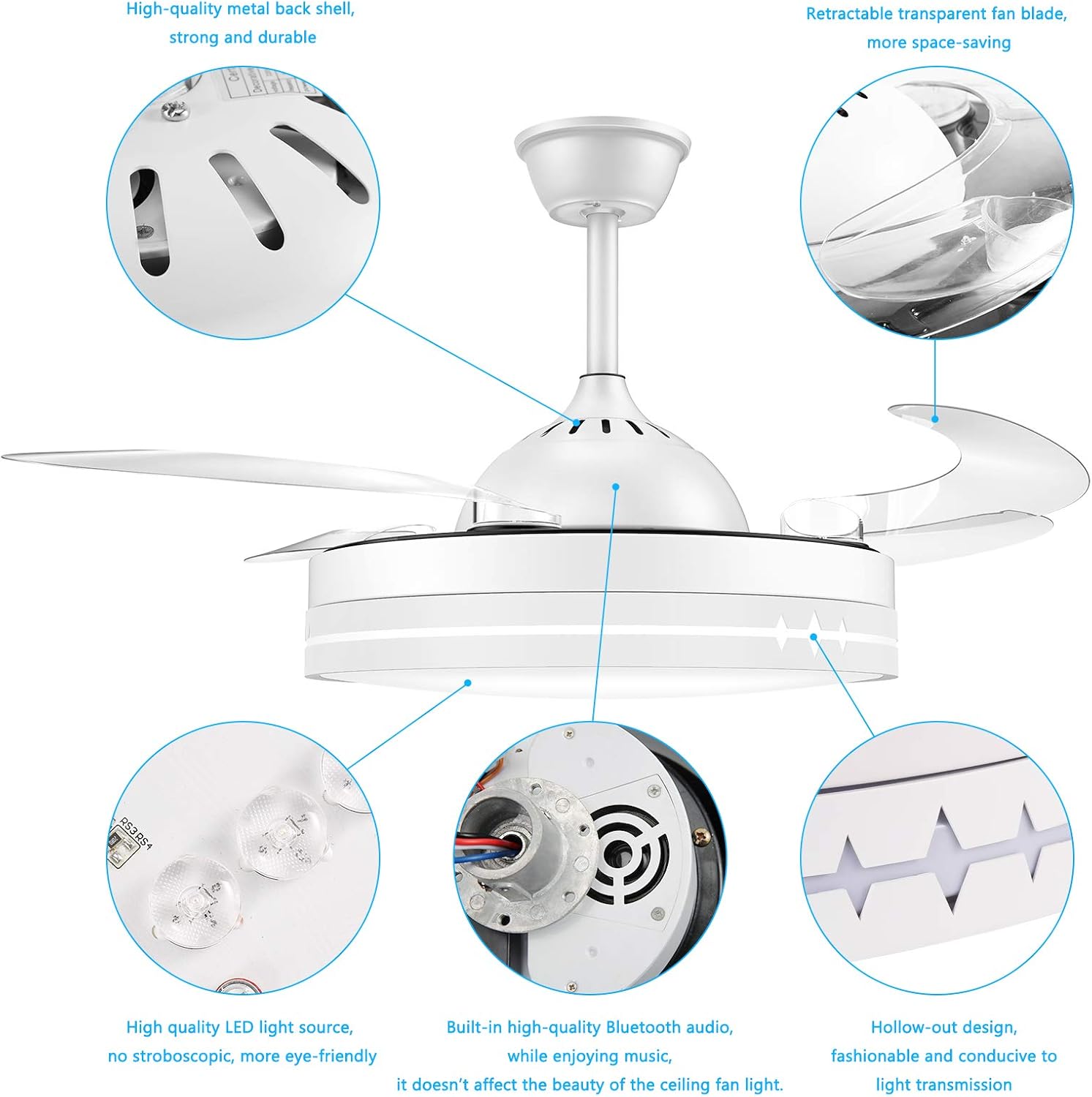
Image: A person sleeping peacefully under the Horevo B028 ceiling fan, with musical notes emanating from the fan, highlighting the silent motor and integrated Bluetooth speaker for music playback.
5.5 Timer Function
- Press the Timing button once for 1-hour auto-off.
- Press twice for 2-hour auto-off.
- Press three times for 3-hour auto-off.
- Press Cancel Timing to deactivate the timer.
6. Maintenance
Regular maintenance ensures optimal performance and longevity of your ceiling fan.
- Cleaning: Disconnect power before cleaning. Use a soft, damp cloth to wipe down the fan blades and light fixture. Do not use abrasive cleaners or solvents.
- Blade Inspection: Periodically check the retractable blades for any signs of damage or obstruction.
- Tighten Screws: Over time, some screws may loosen. Periodically check and tighten all screws on the mounting bracket and fan housing.
7. Troubleshooting
If you encounter issues with your Horevo B028 ceiling fan, refer to the following common problems and solutions.
| Problem | Possible Cause | Solution |
|---|---|---|
| Fan does not operate. | No power supply; loose wiring; remote control battery low. | Check circuit breaker. Ensure all wires are securely connected. Replace remote control batteries. |
| Light does not turn on. | No power; LED panel issue; remote control battery low. | Verify power. Check connections. Replace remote control batteries. |
| Bluetooth speaker not connecting. | Not in pairing mode; device too far; interference. | Ensure Bluetooth is enabled on your device. Move closer to the fan. Restart both devices. |
| Fan makes excessive noise. | Loose screws; unbalanced blades. | Check and tighten all mounting screws. Ensure blades are properly installed and balanced. |
| Fan emits a beeping sound upon startup. | Normal operational feedback. | This is a standard feature and cannot be disabled. |
8. Specifications
| Feature | Detail |
|---|---|
| Brand | Horevo |
| Model Number | B028 |
| Color | White |
| Material | Acrylic |
| Power Source | Corded Electric |
| Voltage | 220 Volts |
| Wattage | 36 Watts |
| Light Source Type | LED |
| Color Temperature | 2700K-6500K (Adjustable) |
| Special Features | Dimmable, Reversible Fan, Bluetooth Speaker, RGB Color Changing, Timer Function |
| Number of Blades | 4 (Retractable) |
| Fan Speeds | 3 (Low, Medium, High) |
| Mounting Type | Ceiling Mount |
| ASIN | B08R8WJR2D |
| GTIN/UPC | 696629190736 |

Image: EU Energy Efficiency Label for the Horevo B028, indicating an energy class F and consumption of 36 kWh/1000h. A QR code is also present, which links to the model description in the EU registration database.
For more details, refer to the EU registration database: http://Model description in EU registration database
9. Warranty and Support
For warranty information or technical support, please contact Horevo customer service through your retailer or the official Horevo website. Keep your purchase receipt as proof of purchase.