
Hisense AP1021CW1G
Hisense Smart Control Portable Air Conditioner User Manual
Model: AP1021CW1G
Introduction
Thank you for choosing the Hisense Smart Control Portable Air Conditioner. This manual provides important information for the proper operation, maintenance, and troubleshooting of your new appliance. Please read it thoroughly before use and retain it for future reference.

Front view of the Hisense Smart Control Portable Air Conditioner.
Safety Information
Always follow basic safety precautions when using electrical appliances to reduce the risk of fire, electric shock, and injury to persons.
- Read all instructions before using the appliance.
- Ensure the power supply matches the voltage specified on the rating label.
- Do not operate the unit with a damaged cord or plug.
- Do not block air outlets or inlets.
- Keep the appliance away from flammable materials.
- Unplug the unit before cleaning or servicing.
Package Contents
Verify that all items are present in the package:
- Portable Air Conditioner Unit
- Remote Control
- Exhaust Hose
- Window Slider Kit (4 pieces)
- Hose Adapter
- Drain Hose
- User Manual

Overview of the unit's features, including 10,000 BTU cooling capacity, coverage up to 450 sq.ft, smart control, three operating modes, drain-free operation, and an easy snap-together window kit.
Product Overview
The Hisense Portable Air Conditioner is designed for efficient cooling, dehumidifying, and fan operation. It features a compact design with integrated wheels for easy mobility.
Key Components:
- Control Panel: Located on the top of the unit for manual operation.
- Air Outlet: Adjustable louvers for directing airflow.
- Air Inlet: Located on the rear/sides for drawing in air.
- Exhaust Air Outlet: Connection point for the exhaust hose.
- Drain Port: For continuous drainage or manual draining.
- Casters: For easy movement of the unit.

Angled view of the portable air conditioner, highlighting its compact design and casters for mobility.
Setup
Proper setup is crucial for optimal performance. Follow these steps for installation:
1. Positioning the Unit:
- Place the unit on a flat, stable surface.
- Ensure there is at least 20 inches (50 cm) of space around the unit for proper airflow.
- Position the unit near a window for exhaust hose installation.
2. Installing the Exhaust Hose:
- Screw the hose adapter onto one end of the exhaust hose.
- Connect the other end of the exhaust hose to the exhaust air outlet on the back of the unit.
- Extend the exhaust hose to the nearest window.
3. Installing the Window Slider Kit:
The snap-together window kit is designed to fit window openings from 18 to 50 inches wide.
- Assemble the window slider kit pieces to fit your window opening.
- Insert the hose adapter end of the exhaust hose into the opening of the window slider kit.
- Secure the window kit in the window frame, ensuring a tight seal to prevent air leakage.
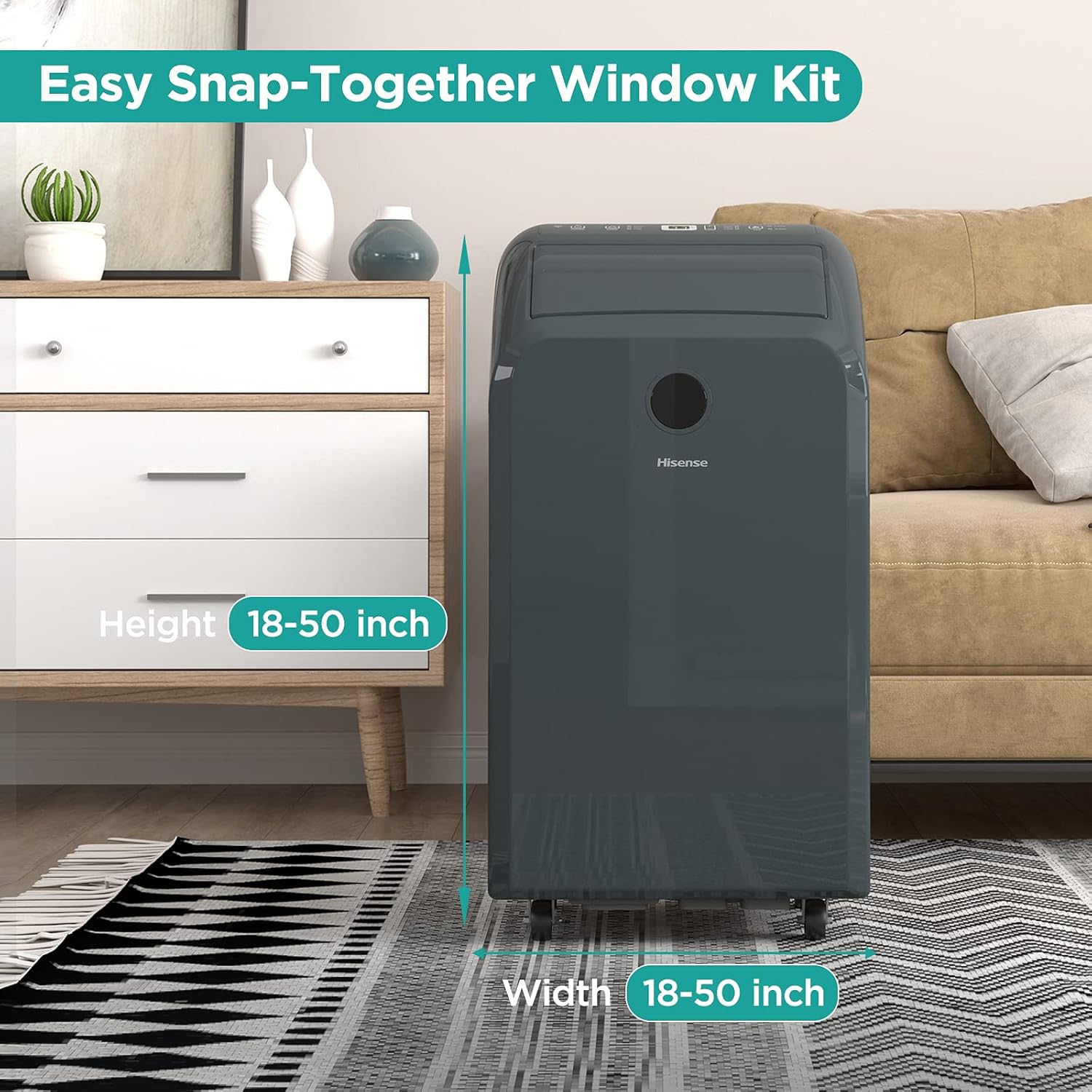
The adjustable window kit can accommodate window heights and widths between 18 and 50 inches, ensuring a secure fit for exhaust.
Operating Instructions
Your Hisense Portable Air Conditioner offers multiple modes for customized comfort.
Control Panel:
The control panel on top of the unit allows you to adjust settings directly.
Remote Control:
The included remote control provides convenient access to all functions from a distance.

Using the remote control to operate the portable air conditioner, showing the convenience of adjusting settings from across the room.
Operating Modes:
- Cool Mode: Provides powerful cooling for rooms up to 450 sq. ft. Adjust the temperature and fan speed as desired.
- Dehumidify Mode: Removes excess moisture from the air, ideal for humid environments. The unit operates in a low fan speed.
- Fan Mode: Circulates air without cooling, functioning as a fan. Choose from various fan speeds.

The portable air conditioner effectively cools a room up to 450 sq. ft., demonstrating its airflow in a living space.
Smart Control (ConnectLife App):
Control your air conditioner from anywhere using the free Hisense ConnectLife App (available for iOS and Android). This feature allows you to program and manage temperature for better efficiency.
- Download the ConnectLife App from your device's app store.
- Follow the in-app instructions to connect your portable air conditioner to your home Wi-Fi network.
- Once connected, you can control the unit, set schedules, and monitor its status remotely.
Voice Control Integration:
The unit is compatible with Google Assistant and Amazon Alexa for convenient voice commands.
- Enable the Hisense skill/action in your Google Home or Amazon Alexa app.
- Link your ConnectLife account.
- Use voice commands to turn the unit on/off, change modes, or adjust temperature.

The smart control feature allows users to manage the air conditioner remotely using a smartphone app, and it integrates with Google Assistant and Amazon Alexa for voice control.
Maintenance
Regular maintenance ensures the longevity and efficiency of your portable air conditioner.
1. Drain-Free Operation:
The Hisense portable air conditioner features a self-evaporating system in cooling mode, which typically eliminates the need for manual draining. The condensed water is used to cool the condenser coils, then expelled with the exhaust air.

The self-evaporating system ensures drain-free operation in cooling mode, making the unit convenient for use in various living spaces like bedrooms.
2. Manual Draining (Dehumidify Mode or High Humidity):
In high humidity conditions or when operating in Dehumidify mode, the internal water tank may fill up. The unit will stop operating and display an error code (e.g., 'FL' for Full Tank). To drain:
- Turn off the unit and unplug it.
- Place a shallow pan or tray under the drain port at the bottom rear of the unit.
- Remove the drain plug to allow water to flow out.
- Once drained, replace the drain plug securely.
3. Cleaning the Air Filter:
The air filter should be cleaned every two weeks or more frequently depending on usage and air quality.
- Turn off and unplug the unit.
- Locate and remove the air filter from the back or side of the unit.
- Wash the filter with warm, soapy water. Rinse thoroughly.
- Allow the filter to air dry completely before reinserting it.
4. Cleaning the Unit Exterior:
- Wipe the exterior with a soft, damp cloth.
- Do not use harsh chemicals, abrasives, or solvents.
Troubleshooting
Before contacting customer service, try these common solutions for minor issues:
| Problem | Possible Cause | Solution |
|---|---|---|
| Unit does not turn on | No power; Power cord unplugged; Full water tank (FL error) | Check power outlet; Plug in power cord; Drain water tank |
| Unit does not cool effectively | Windows/doors open; Air filter dirty; Exhaust hose blocked/disconnected; Room too large | Close windows/doors; Clean air filter; Check hose connection; Ensure room size is within specifications |
| Unit is noisy | Unit not level; Air filter dirty; Foreign object in fan | Place on a flat surface; Clean air filter; Check for obstructions |
| Water leakage | Drain plug loose; Unit tilted; Drain hose not connected properly (if using continuous drain) | Secure drain plug; Ensure unit is level; Check drain hose connection |
Specifications
| Feature | Detail |
|---|---|
| Model Number | AP1021CW1G |
| Cooling Capacity | 10,000 BTU (DOE) |
| Recommended Room Size | Up to 450 sq. ft. |
| Dimensions (L x W x H) | 36.58 x 44.2 x 73.91 cm (14.4 x 17.4 x 29.1 inches) |
| Weight | 33.97 kg (74.89 lbs) |
| Color | Black |
| Material | Durable Plastic or Metal |
| Mounting Type | Freestanding |
| Special Feature | Dehumidifier, Smart Control (Wi-Fi, Google, Alexa) |

Detailed dimensions of the Hisense portable air conditioner: 73.91 cm height, 44.2 cm width, and 36.58 cm depth.
Warranty and Support
Hisense products are manufactured to the highest quality standards. For warranty information, please refer to the warranty card included with your product or visit the official Hisense website.
For technical support, troubleshooting assistance, or to order replacement parts, please contact Hisense customer service:
- Website: www.hisense-canada.com (or your regional Hisense website)
- Phone: Refer to your product documentation for regional support numbers.
Please have your model number (AP1021CW1G) and serial number ready when contacting support.
Ask a question about this manual
Ask about setup, troubleshooting, compatibility, parts, safety, or missing instructions. Manuals+ will review the question and use this page’s manual context to help answer it.