
Introduction
The Performance Tool 713 ATAK Wireless Bulb Light is a versatile, battery-powered illumination solution designed for convenience and durability. Featuring energy-efficient COB technology, this light provides reliable hands-free operation without the need for electrical wiring. Its robust ABS construction ensures longevity in various environments. This manual provides detailed instructions for proper setup, operation, and maintenance of your device.
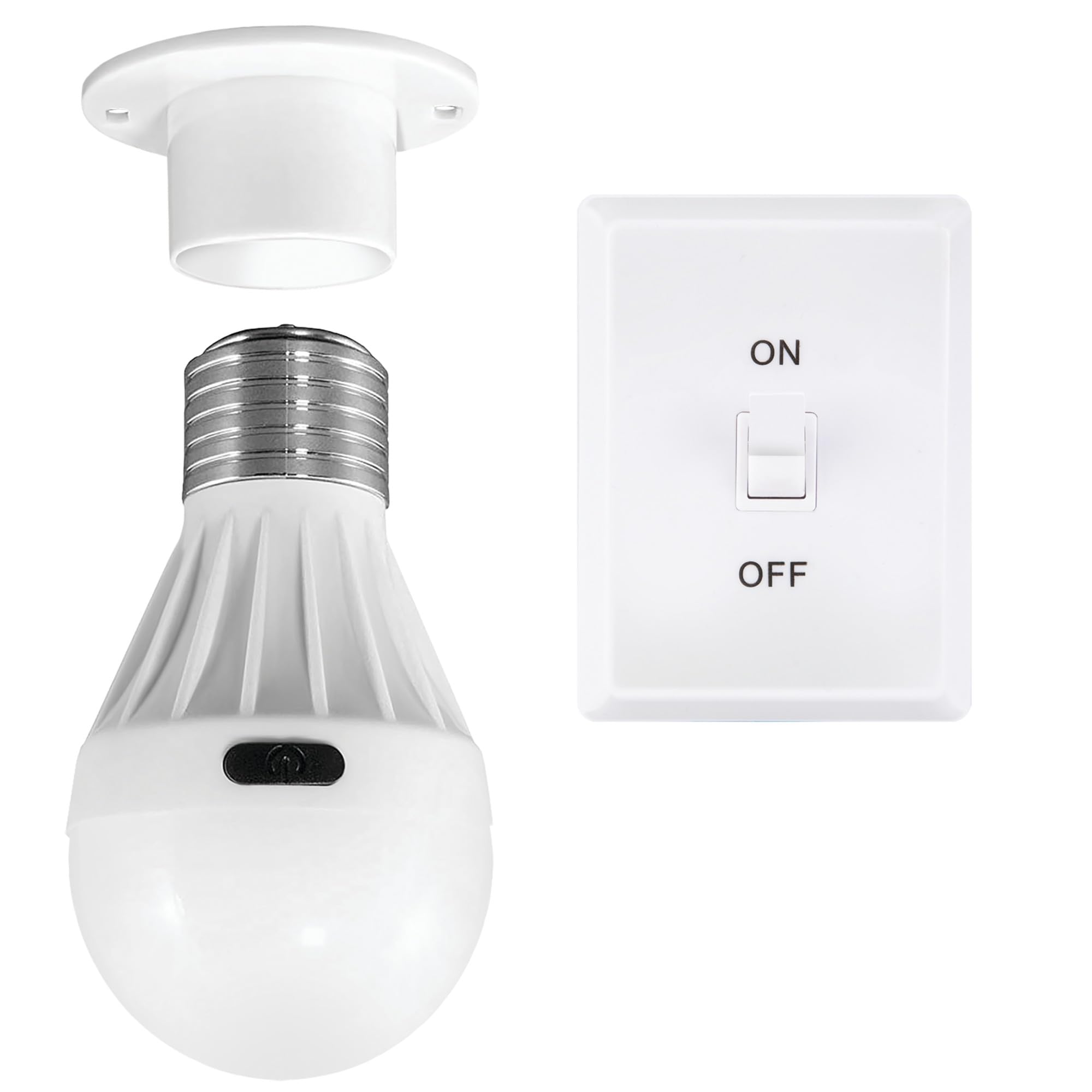
Image: Performance Tool 713 Wireless COB LED Bulb Light, showcasing its design.
Key Features
- Innovative Design: Functions as a grab-and-go light bulb with a hands-free operation.
- Energy-Efficient COB Technology: Professional-grade COB tech strips provide long-lasting, cool-to-the-touch illumination.
- Durable Construction: Made from high-quality ABS material to withstand tough conditions.
- Easy Installation: No wiring required; features an on/off switch and multiple mounting options.
- Battery Powered: Operates on 3 AAA batteries (included), requiring no external electricity.
- Versatile Mounting: Includes a hand-fold-out D-ring for additional mounting flexibility.
Package Contents
Verify that all items are present in the package:
- 1 x Performance Tool 713 Wireless Bulb Light
- 1 x Wireless Remote Switch
- 3 x AAA Batteries (for the bulb light)
- Double-sided adhesive (for mounting)
- Mounting screws (2, not included, but recommended for permanent installation)

Image: Packaging of the Performance Tool 713 Wireless COB LED Bulb Light, showing included items.
Setup Instructions
1. Battery Installation
- Locate the battery compartment on the back of the bulb light.
- Open the battery compartment cover.
- Insert 3 AAA batteries, ensuring correct polarity (+/-). The batteries are included with the product.
- Close the battery compartment cover securely.
2. Mounting the Bulb Light
The bulb light offers flexible mounting options:
- Temporary Placement (Adhesive): For non-permanent installation, use the provided double-sided adhesive. Clean the desired surface thoroughly, peel off the protective paper from the adhesive, and firmly press the bulb light onto the surface.
- Permanent Placement (Screws): For a more secure and permanent installation, use two small screws (not included). The bulb light's base has pre-drilled holes for this purpose. Ensure the mounting surface can support the screws.
- D-Ring Option: Utilize the hand-fold-out D-ring for hanging the light in various locations, such as inside a tent or on a hook.

Image: The bulb light hanging inside a tent using its D-ring, demonstrating a versatile mounting option.
3. Wireless Switch Setup
The wireless switch allows for convenient remote operation of the bulb light.
- The wireless switch typically comes pre-paired with the bulb light. If not, follow the pairing instructions provided with the switch (usually involves pressing and holding a button on both devices).
- Mount the wireless switch in a convenient location using its adhesive backing or screws (not included).

Image: The Performance Tool 713 Wireless COB LED Bulb Light and its accompanying remote switch.
Video: Illustrative guide on installing a battery-operated light and wireless switch. Note: This video demonstrates a similar product and may not perfectly match the Performance Tool 713 model.
Operating Instructions
The Performance Tool 713 Wireless Bulb Light can be operated in two ways:
- Manual Operation: Press the on/off switch located directly on the bulb light to turn it on or off.
- Wireless Remote Switch: Use the provided wireless switch to control the light remotely. Press the 'ON' button to turn the light on, and the 'OFF' button to turn it off. The wireless switch has a range of up to 50 feet (15 meters).

Image: The bulb light providing illumination under a cabinet, demonstrating hands-free operation.
Maintenance
- Battery Replacement: When the light dims or stops working, replace all 3 AAA batteries with new ones. Do not mix old and new batteries.
- Cleaning: Wipe the light and switch with a soft, dry cloth. Do not use abrasive cleaners or immerse in water.
- Storage: If storing the light for an extended period, remove the batteries to prevent leakage.
Troubleshooting
| Problem | Possible Cause | Solution |
|---|---|---|
| Light does not turn on. | Dead or incorrectly installed batteries. | Replace batteries, ensuring correct polarity. |
| Light dims quickly. | Low battery power. | Replace batteries. |
| Wireless switch not working. | Switch batteries dead or not paired. | Replace batteries in the switch. Re-pair the switch with the bulb light if necessary (refer to switch-specific instructions). |
| Light falls off mounting surface. | Adhesive failure or improper screw installation. | Re-apply new adhesive to a clean, dry surface. For permanent mounting, ensure screws are properly secured into a suitable material. |
Specifications
| Feature | Detail |
|---|---|
| Model Number | 713 |
| Light Type | COB LED |
| Power Source | 3 x AAA Batteries (included) |
| Housing Material | Durable ABS |
| Item Weight | 8.8 ounces |
| Product Dimensions | 4 x 4.1 x 8.7 inches |
| Special Features | Energy Efficient, Hands-Free Operation |
Safety Information
- Do not mix old and new batteries.
- Do not mix alkaline, standard (carbon-zinc), or rechargeable (nickel-cadmium) batteries.
- Dispose of used batteries properly according to local regulations.
- Keep batteries out of reach of children.
- Do not expose the light to extreme temperatures or moisture.
- This product is not a toy.
Warranty and Support
For warranty information or technical support, please refer to the contact details provided on the product packaging or visit the official Performance Tool website. Keep your purchase receipt as proof of purchase.
