1. Introduction
The SYMIK LP570 Drone Landing Pad is designed to provide a safe and clean takeoff and landing surface for your drone. Its foldable, double-sided, and waterproof design ensures portability and protection for your drone's sensitive components from dirt, dust, sand, and snow.
2. Key Features
- 3x3 Fold Space Saving Design: The LP570 features a unique 3x3 fold design, allowing it to collapse into a compact 7.4" x 7.4" square. This design provides a smaller folded profile compared to traditional 2x3 fold pads, while offering a larger landing area when unfolded.
- Optimal Balance: This landing pad strikes a balance between portability and protection, making it suitable for a wide range of consumer drones.
- Integrated Storage Mechanism: A rubber band is attached to the side of the landing pad for secure storage when folded, eliminating the need for separate pouches or fasteners.
- Double-Sided Waterproof Material: Constructed from high-quality PU Leather, both surfaces of the landing pad are waterproof, protecting your drone from moisture. Note: The pad should not be completely submerged in water.
3. Setup Instructions
Setting up the SYMIK LP570 landing pad is quick and easy. Follow these steps:
- Remove the landing pad from its folded state.
- Gently unfold the pad until it lies flat on the ground. Ensure the desired side (orange or grey) is facing up.
- Position the landing pad on a clear, level surface suitable for drone operations.

Figure 3.1: Visual guide for folding the SYMIK LP570 landing pad.
To fold the landing pad for storage, reverse the unfolding process, using the integrated rubber band to secure it in its compact 7.4" x 7.4" square form.
4. Operating Instructions
The SYMIK LP570 landing pad provides a designated area for drone takeoff and landing, protecting your drone from ground debris and moisture.
4.1. Pre-Flight Check
- Ensure the landing pad is placed on a stable, flat surface.
- Verify that the landing pad is free from any loose debris that could interfere with drone propellers.
- Important Safety Note: Before takeoff or landing, ensure the integrated rubber band is securely tucked underneath the landing pad. In extreme conditions, the rubber band could potentially get tangled in the drone propellers, causing damage or loss of control.

Figure 4.1: Integrated storage mechanism with rubber band. Ensure the band is tucked away during use.
4.2. Takeoff and Landing
- Place your drone centrally on the landing pad.
- Initiate drone takeoff as per your drone manufacturer's instructions.
- For landing, guide your drone to descend gently onto the center of the landing pad.

Figure 4.2: The LP570 provides a clean surface for various environments including dirt, grass, sand, and snow.
Video 4.1: Demonstration of the SYMIK LP570 Double-Sided Waterproof Drone Landing Pad in use, highlighting its protective qualities across different terrains.
5. Maintenance
To ensure the longevity and effectiveness of your SYMIK LP570 landing pad, follow these simple maintenance guidelines:
- Cleaning: Wipe down both surfaces of the landing pad with a damp cloth after use to remove any dirt, dust, or debris. For stubborn stains, a mild soap solution can be used, followed by wiping with a clean, damp cloth.
- Drying: Allow the landing pad to air dry completely before folding and storing it.
- Storage: Store the folded landing pad in a cool, dry place away from direct sunlight to prevent material degradation.
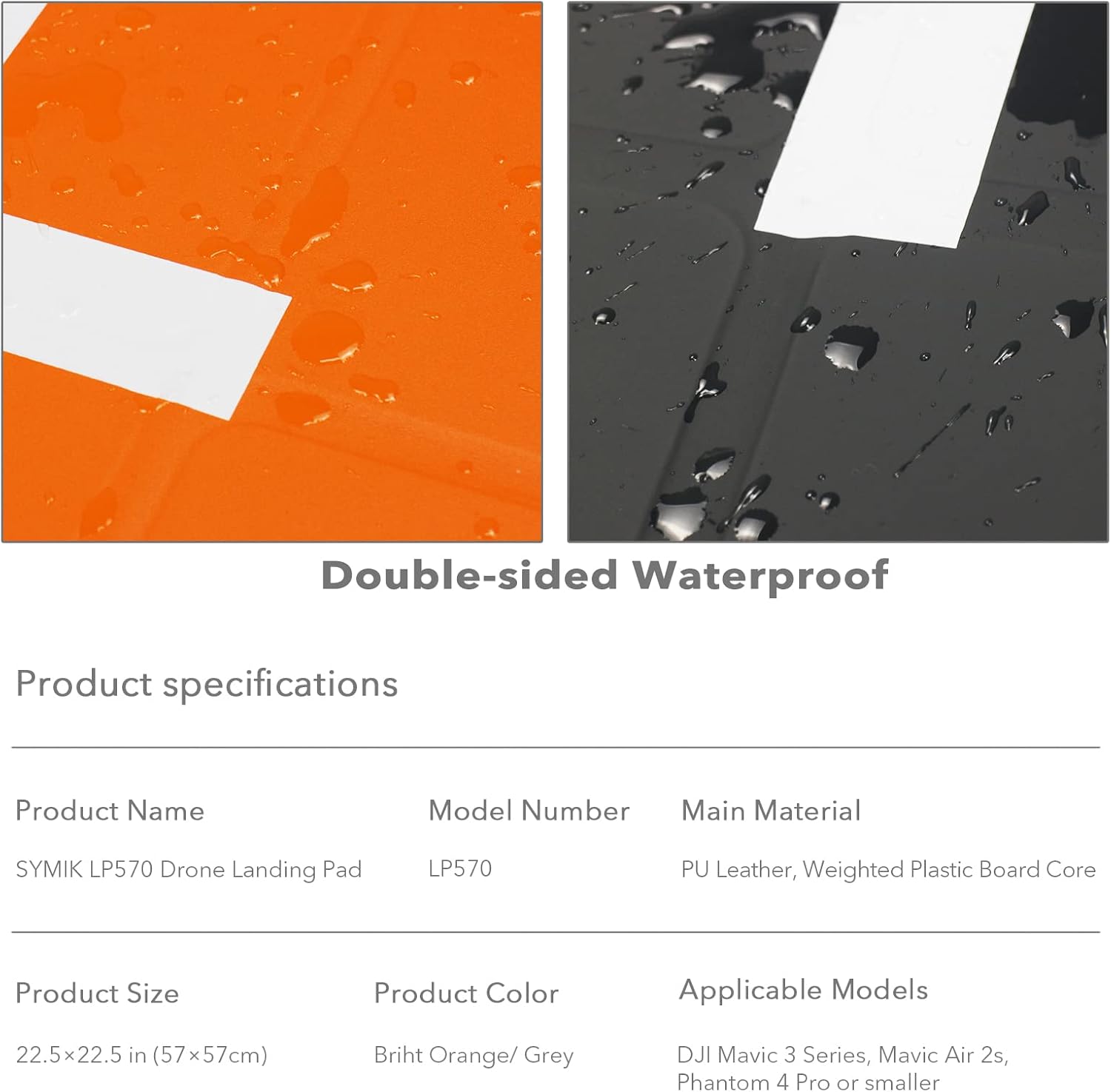
Figure 5.1: The waterproof surface of the LP570 allows for easy cleaning.
6. Troubleshooting
6.1. Landing Pad Shifts in Wind
The SYMIK LP570 is designed with some inherent weight to resist light winds. However, in stronger wind conditions, the pad may shift.
- Solution: For windy environments, consider placing small weights on the corners of the landing pad to secure it. Alternatively, avoid flying in high winds if the pad cannot be adequately secured.
7. Specifications
| Feature | Detail |
|---|---|
| Brand | SYMIK |
| Model Name | LP570 |
| Special Feature | 3x3 fold design, perfect balance, integrated storage mechanism, double-sided waterproof material |
| Color | Orange / Grey (Double-sided) |
| Material | PU Leather, Weighted Plastic Board Core |
| Item Weight | 0.45 Kilograms (15.8 ounces) |
| Product Dimensions (Unfolded) | 22.5 x 22.5 inches (57 x 57 cm) |
| Product Dimensions (Folded) | 7.4 x 7.4 inches |
| Included Components | Rubber Band |

Figure 7.1: Dimensions and double-sided colors of the LP570 landing pad.
8. Drone Compatibility
The SYMIK LP570 landing pad is designed for broad compatibility with most consumer-grade drones. It offers an excellent balance of portability and protection for various models.
Compatible drones include, but are not limited to:
- DJI Air 3, Air 3S, Mavic 4/3 Pro/Cine, Mavic 3 Classic, Mavic 3, Mavic 3 Cine
- DJI Air 2S, Air 2
- DJI Mini 4 Pro/Mini 3 Pro/Mini 3, Mini 2 SE, Mini 4K, Mavic Mini 2, Mini SE, Mavic Mini
- DJI Mavic 2 Pro/Zoom
- DJI Avata 2, Avata/FPV, Neo, Flip
- And similar sized drones.

Figure 8.1: SYMIK Landing Pad Series Selection Guide, showing LP570 compatibility with various drone models.
9. Warranty and Support
For any questions, concerns, or support regarding your SYMIK LP570 Drone Landing Pad, please refer to the official SYMIK website or contact their customer service directly. Specific warranty details may vary and are typically provided with your purchase documentation or on the manufacturer's official channels.
Visit the SYMIK Store: SYMIK Official Store


