
1. Introduction
This manual provides detailed instructions for the safe and effective operation of your iDOO Video Baby Monitor I-C-01. This device allows for continuous monitoring of your baby with a 5-inch 720P HD display, remote pan/tilt/zoom camera, two-way audio communication, night vision, temperature monitoring, lullabies, and feeding reminders. It operates on a secure 2.4GHz FHSS wireless connection, independent of Wi-Fi or mobile applications.

Figure 1: The iDOO Video Baby Monitor can be used for monitoring babies, elderly individuals, pets, or anyone requiring supervision.
2. Safety Information
- Strangulation Hazard: Keep all power cords and cables out of reach of children. Ensure the camera unit and its power cord are at least 3 feet (1 meter) away from the crib or playpen.
- Choking Hazard: This product contains small parts. Keep all components and packaging materials away from children.
- Electrical Safety: Use only the provided power adapters. Do not use the monitor near water or moisture. Do not attempt to open or repair the units yourself.
- Heat Sources: Do not place the monitor or camera near heat sources such as radiators, heat registers, stoves, or other heat-producing appliances.
- Ventilation: Ensure proper ventilation around both units. Do not cover the units with blankets or other materials.
- Battery Safety: The Parent Unit contains a rechargeable battery. Do not expose the battery to excessive heat or direct sunlight.
3. Package Contents
Verify that all items are present in the package:
- Parent Unit (Monitor)
- Baby Unit (Camera)
- Power Adapter for Parent Unit
- Power Adapter for Baby Unit
- User Manual
4. Product Overview
4.1 Parent Unit (Monitor)
The Parent Unit features a 5-inch 720P HD LCD screen for clear video display. It includes controls for menu navigation, camera selection, two-way talk, and volume adjustment.

Figure 2: Parent Unit with 5-inch HD LCD screen and 2x zoom capability.
4.2 Baby Unit (Camera)
The Baby Unit is equipped with a camera that offers remote pan (355°) and tilt (90°) functionality, allowing for a wide viewing angle. It also includes infrared LEDs for night vision and a microphone for sound detection and two-way audio.

Figure 3: Baby Unit camera with remote pan and tilt functionality, controlled from the Parent Unit.
5. Setup
5.1 Charging the Parent Unit
- Connect the Parent Unit power adapter to the Parent Unit and a power outlet.
- Charge the Parent Unit for at least 4 hours before initial use to ensure optimal battery life. The battery indicator on the screen will show charging status.
5.2 Positioning the Baby Unit
- Place the Baby Unit on a flat surface or mount it on a wall in a location that provides a clear view of your baby.
- Ensure the camera is at least 3 feet (1 meter) away from the baby's crib or playpen to prevent strangulation hazards from the power cord.
- Connect the Baby Unit power adapter to the Baby Unit and a power outlet.
5.3 Powering On
- Press and hold the Power button on the Parent Unit until the screen turns on.
- The Baby Unit will automatically power on when connected to a power source.
- The Parent Unit and Baby Unit are pre-paired. If connection issues occur, refer to the Troubleshooting section.
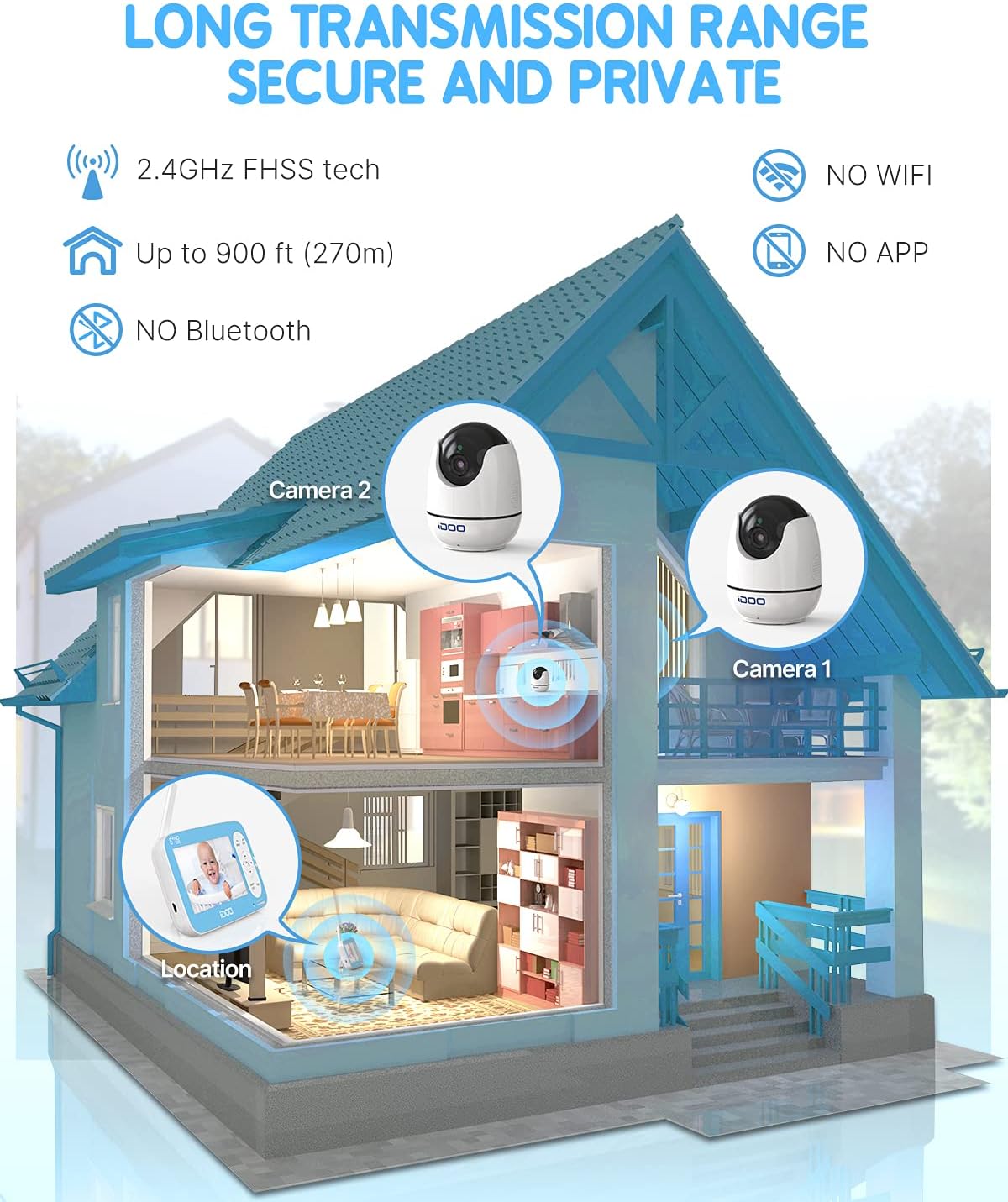
Figure 4: The monitor operates on a secure 2.4GHz FHSS signal with a range of up to 900 feet (270m) in open areas, without requiring Wi-Fi, apps, or Bluetooth.
6. Operating Instructions
6.1 Basic Operation
- Power On/Off: Press and hold the Power button on the Parent Unit.
- Volume Adjustment: Use the volume buttons on the Parent Unit to increase or decrease the audio level.
- Screen Brightness: Access the menu to adjust screen brightness for optimal viewing.
6.2 Remote Pan, Tilt, and Zoom
Use the directional buttons on the Parent Unit to remotely adjust the camera's viewing angle. Press the zoom button to activate 2x digital zoom.
- Pan: Up to 355 degrees horizontally.
- Tilt: Up to 90 degrees vertically.
- Zoom: 2x digital zoom for closer viewing.
6.3 Two-Way Talk
Press and hold the Talk button on the Parent Unit to speak to your baby through the Baby Unit's speaker. Release the button to hear your baby.
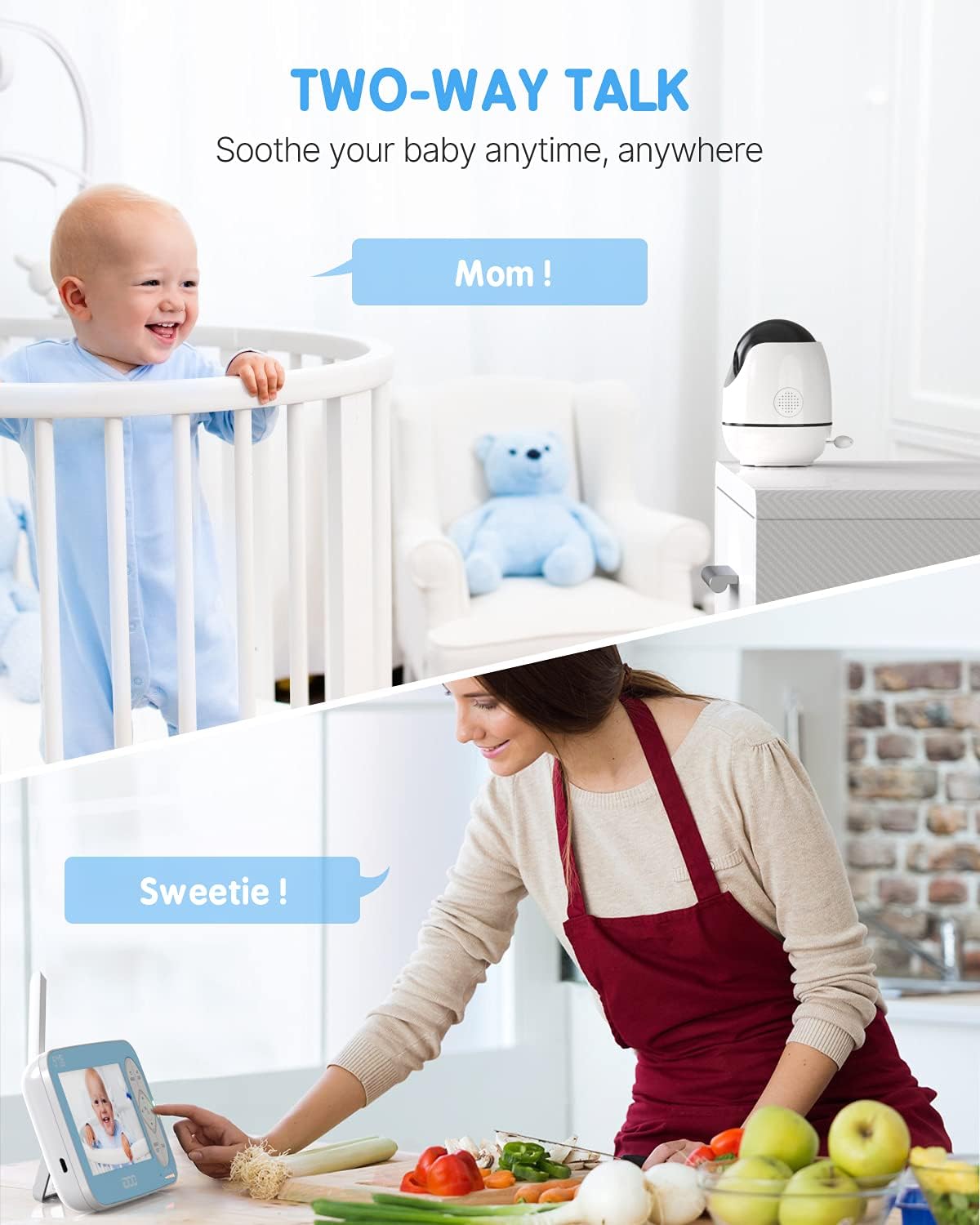
Figure 5: Engage in two-way communication with your baby using the talk function.
6.4 Automatic Infrared Night Vision
The Baby Unit automatically activates infrared night vision in low-light conditions, providing a clear black-and-white image on the Parent Unit.

Figure 6: Automatic infrared night vision provides clear monitoring in dark environments.
6.5 Lullabies
Select from six pre-programmed lullabies through the Parent Unit's menu to soothe your baby. You can choose to play a single lullaby or loop them.

Figure 7: Access lullabies and temperature monitoring features from the Parent Unit.
6.6 Temperature Monitoring
The Baby Unit includes a temperature sensor that displays the room temperature on the Parent Unit. You can set high and low temperature alarms (e.g., Low <15°C/59°F, High >29°C/84°F) to be notified if the room temperature falls outside the desired range.
6.7 Sound Detection
The monitor can be configured to alert you when sound is detected from the baby's room. Adjust the sound detection sensitivity through the menu settings.
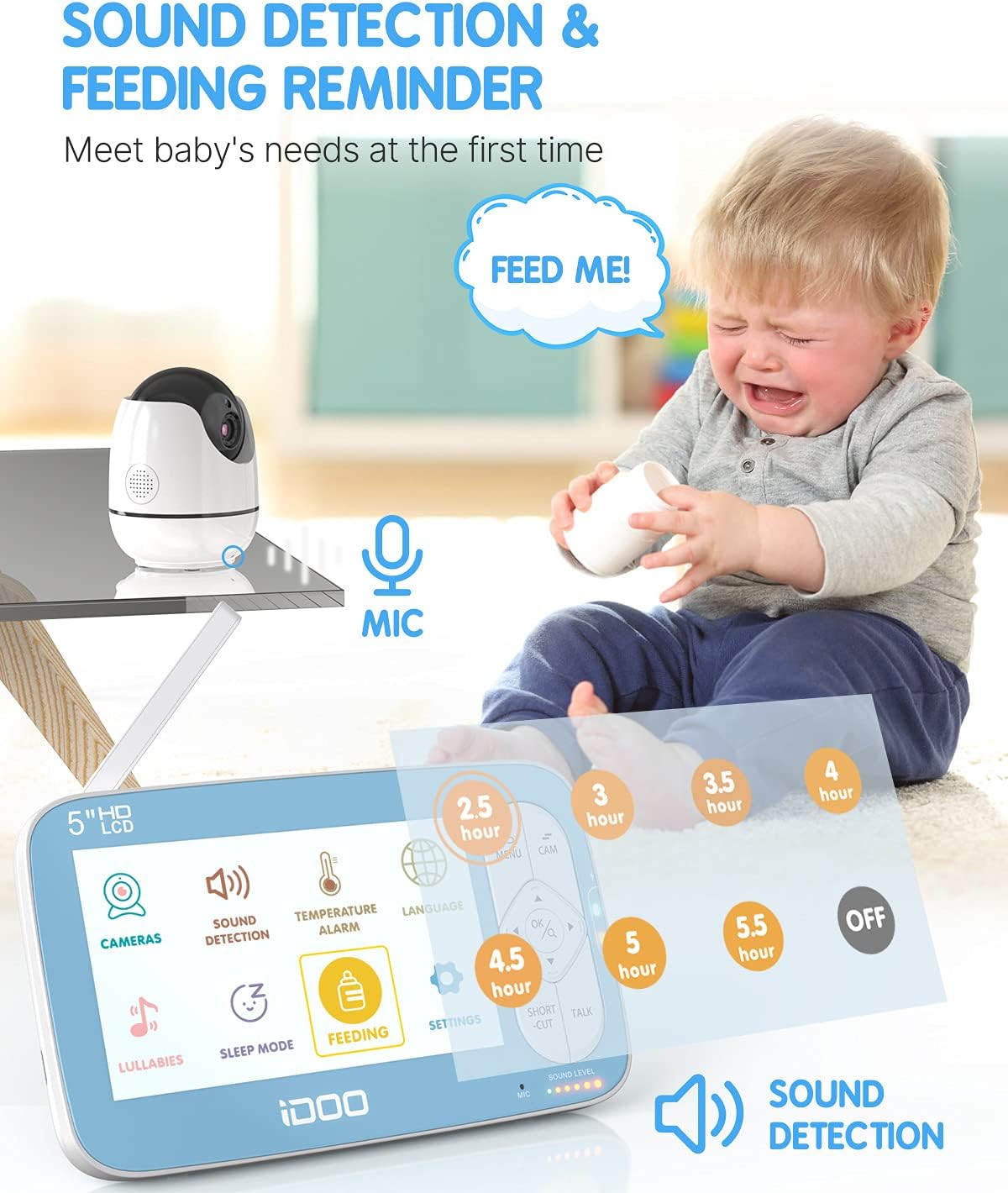
Figure 8: Configure sound detection and feeding reminders via the Parent Unit menu.
6.8 Feeding Reminder
Set timed feeding reminders (e.g., 2.5, 3, 3.5, 4, 4.5, 5, 5.5 hours) using the Parent Unit's menu. The monitor will alert you when it's time for the next feeding.
7. Maintenance
- Cleaning: Use a soft, dry cloth to clean the surfaces of both the Parent Unit and Baby Unit. Do not use abrasive cleaners or solvents.
- Battery Care: To prolong battery life, avoid fully discharging the Parent Unit's battery frequently. Charge it regularly. If storing the unit for an extended period, charge the battery every few months.
- Storage: Store the units in a cool, dry place away from direct sunlight and extreme temperatures.
8. Troubleshooting
| Problem | Possible Cause | Solution |
|---|---|---|
| No image/sound on Parent Unit | Units are not powered on or connected. Out of range. | Ensure both units are plugged in and powered on. Move Parent Unit closer to Baby Unit. |
| Poor signal/range | Obstructions between units. Too far apart. | Reduce distance between units. Remove large metal objects or thick walls. |
| Parent Unit battery not charging | Power adapter not connected properly. Faulty adapter/battery. | Check adapter connection. Ensure power outlet is working. Contact support if issue persists. |
| Camera not responding to controls | Connection issue. Camera unit frozen. | Power cycle both units (turn off, unplug, wait 10 seconds, plug in, turn on). |
9. Specifications
| Feature | Specification |
|---|---|
| Model Number | I-C-01 |
| Display Size | 5 inches |
| Video Resolution | 720P (720p effective) |
| Wireless Technology | 2.4GHz FHSS |
| Transmission Range | Up to 900 feet (270 meters) in open areas |
| Camera Pan Angle | 0-355 degrees |
| Camera Tilt Angle | 0-90 degrees |
| Zoom | 2x Digital Zoom |
| Night Vision | Automatic Infrared |
| Two-Way Talk | Supported |
| Temperature Monitoring | Supported (with alarm function) |
| Lullabies | 6 pre-programmed |
| Feeding Reminder | Supported |
| Power Input | 5 Volts |
| Material | Plastic |
| Product Dimensions | 15.6 x 2.4 x 8.3 cm (Parent Unit) |
10. Warranty and Support
Your iDOO Video Baby Monitor I-C-01 comes with a standard manufacturer's warranty. Please refer to the warranty card included in your package for specific terms and conditions. For technical support, troubleshooting assistance, or warranty claims, please contact iDOO customer service through the contact information provided on the product packaging or the official iDOO website.