
Introduction
This user manual provides comprehensive instructions for the installation, operation, and maintenance of your NGTeco Wireless PTZ Dome Security Camera. This indoor camera is designed to provide reliable home security monitoring, baby monitoring, and pet surveillance with its 1080P HD video, two-way audio, and smart features. Please read this manual thoroughly before using the product to ensure proper functionality and safety.
Product Features
- 1080P FHD & Smart PTZ Camera: Enjoy clear 1080P HD video with a 100° wide-angle lens. The camera offers 355° horizontal and 115° vertical rotation for complete 360° coverage, controllable via your smartphone, tablet, or computer.
- Two-Way Audio: Equipped with a high-sensitivity microphone and speaker, enabling clear two-way conversations. Communicate with family members or soothe a crying baby remotely.
- Smart Motion Tracking and Clear Night Vision: Features 1920*1080P resolution and 6 built-in infrared LED lights for crystal clear images and advanced night vision up to 30 feet. Receive instant alarm notifications on your phone when motion is detected.
- Cloud Security & Privacy Protection: Utilizes encryption technology for cloud storage, ensuring data privacy. Supports optional Micro SD card storage (up to 64GB) for local recording.
- Easy Setup & Alexa Compatibility: Simple installation process. Compatible with Android, iOS, and Windows systems. Seamlessly integrates with Amazon Alexa for voice control and live video viewing on compatible devices.
Package Contents
Please check the package contents upon unboxing to ensure all items are present:
- NGTeco PTZ Dome Security Camera
- Power Adapter
- USB Power Cable
- Mounting Bracket
- Mounting Screws and Wall Plugs
- User Manual (this document)

Image: Contents of the NGTeco PTZ Dome Security Camera package.
Setup Guide
1. Initial Setup
- Power On: Connect the camera to a power outlet using the provided USB cable and power adapter. The camera will power on and initiate its self-check.
- Indicator Light: Observe the indicator light on the camera. It will typically blink blue or red, indicating it's ready for pairing. Refer to the app for specific light status meanings.
2. App Installation & Pairing
The NGTeco Home app is required to set up and control your camera.
- Download App: Search for "NGTeco Home" in the Apple App Store (for iOS) or Google Play Store (for Android) and download the app.
- Register/Login: Open the NGTeco Home app and register a new account or log in with an existing one.
- Add Device: Tap the "+" icon or "Add Device" in the app. Select "Security Camera" or the appropriate camera type.
- Network Configuration: Follow the on-screen instructions to connect the camera to your 2.4GHz Wi-Fi network. Ensure your phone is also connected to the same 2.4GHz Wi-Fi network. Note: This camera does not support 5GHz Wi-Fi.
- Scan QR Code: The app will display a QR code. Hold your phone's screen in front of the camera lens (approx. 6-8 inches away) until you hear a prompt from the camera, indicating successful scanning.
- Connection Complete: The camera will connect to the network. Once connected, the indicator light will turn solid blue, and you can name your camera in the app.

Image: NGTeco camera ready for app pairing.
3. Mounting Instructions
The camera can be placed on a flat surface or mounted to a wall or ceiling.
- Choose Location: Select a location with a clear view of the area you wish to monitor and within range of your Wi-Fi signal.
- Attach Bracket: If mounting, use the provided screws and wall plugs to securely attach the mounting bracket to the desired surface.
- Secure Camera: Attach the camera to the mounting bracket. Ensure it is firmly in place.

Image: NGTeco camera mounted on a wall.
Operating Instructions
1. Live View & PTZ Controls
Access the live video feed and control the camera's movement through the NGTeco Home app.
- Open the NGTeco Home app and select your camera from the device list.
- The live video feed will appear.
- Use the directional controls (Pan/Tilt) within the app interface to rotate the camera horizontally (355°) and vertically (115°).
- Pinch to zoom on the live feed to digitally enlarge the view.

Image: Controlling camera pan and tilt via the NGTeco Home app.
2. Two-Way Audio
Communicate through the camera using the two-way audio feature.
- While in live view, tap the microphone icon in the app.
- Speak into your phone's microphone. Your voice will be transmitted through the camera's speaker.
- Release the microphone icon to listen through the camera's microphone.

Image: Using the two-way audio feature to communicate.
3. Motion Detection & Alerts
Receive instant notifications when motion is detected in the camera's view.
- Enable motion detection in the camera settings within the NGTeco Home app.
- Adjust sensitivity levels as needed.
- When motion is detected, you will receive a push notification on your smartphone.
- The camera can also automatically track detected motion.

Image: Motion detection alert on a smartphone.
4. Night Vision
The camera automatically switches to night vision mode in low-light conditions.
- The built-in infrared LED lights provide clear black-and-white video up to 30 feet in complete darkness.
- No manual adjustment is typically required for night vision activation.

Image: Camera's clear night vision in a dark room.
5. Storage Options (Cloud/SD Card)
Record and store video footage using either cloud storage or a local Micro SD card.
- Cloud Storage: NGTeco offers a free 30-day trial for cloud storage. After the trial, subscription plans are available for continuous recording and event-based storage. Access recordings directly from the NGTeco Home app.
- Micro SD Card: Insert a Micro SD card (up to 64GB, Class 10 recommended) into the camera's designated slot for local recording. The camera will automatically record to the SD card. You can view recordings via the app or by removing the card and viewing on a computer.

Image: Cloud and TF card storage options for the camera.
6. Alexa Integration
Integrate your NGTeco camera with Amazon Alexa for convenient voice control.
- Enable Skill: In the Alexa app, search for and enable the "NGTeco Home" skill.
- Link Account: Link your NGTeco Home account with your Alexa account.
- Discover Devices: Ask Alexa to "Discover devices" or manually add the camera.
- Voice Commands: Once linked, you can use voice commands like "Alexa, show me the [camera name]" on compatible Alexa devices with screens (e.g., Echo Show) to view the live feed.
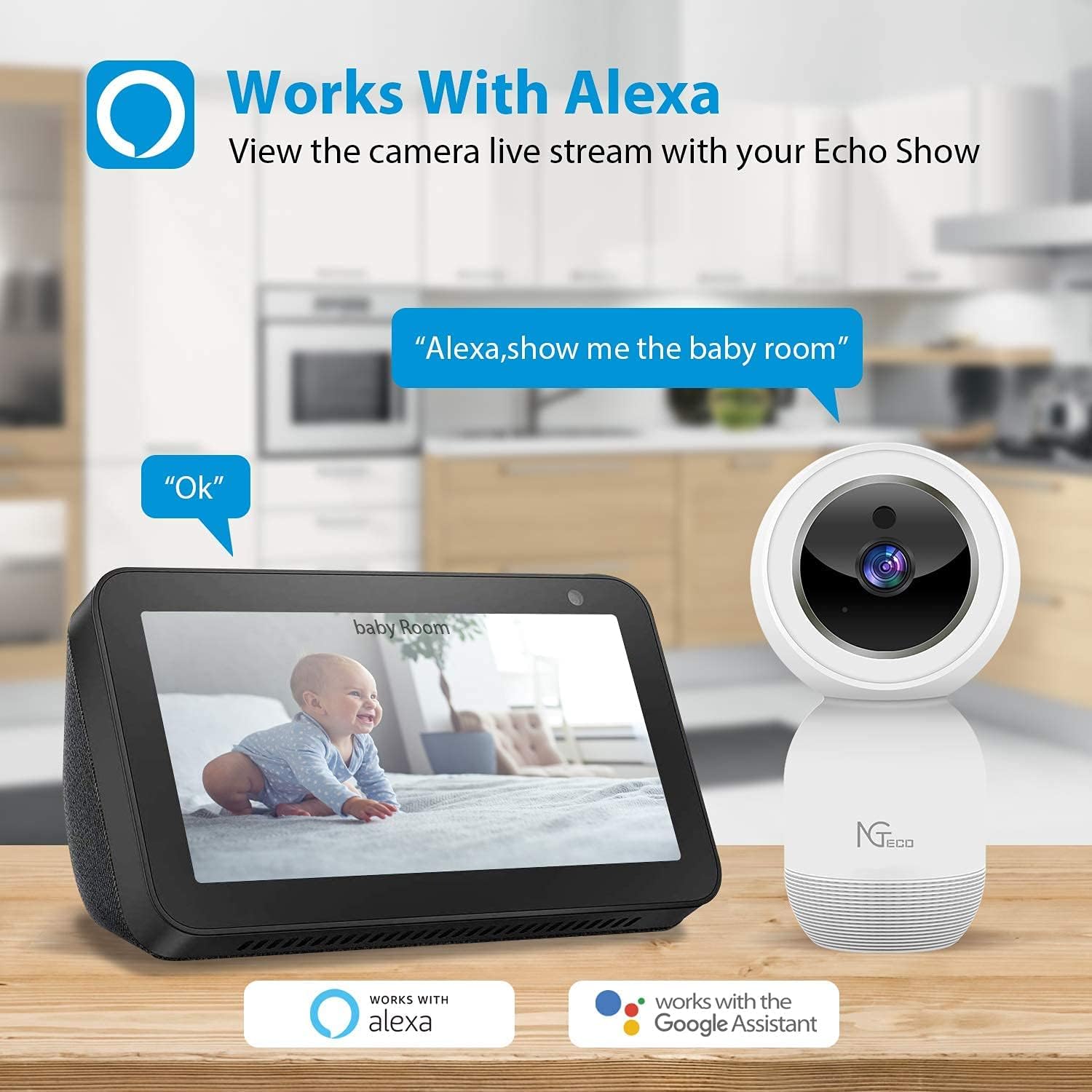
Image: NGTeco camera working with Amazon Alexa.
Maintenance
- Cleaning: Use a soft, dry cloth to clean the camera lens and body. Avoid using harsh chemicals or abrasive cleaners.
- Firmware Updates: Regularly check the NGTeco Home app for available firmware updates to ensure optimal performance and security.
- Placement: Ensure the camera is placed in a stable, dry indoor environment, away from direct sunlight, heat sources, and excessive moisture.
Troubleshooting
| Problem | Possible Cause | Solution |
|---|---|---|
| Camera offline/Cannot connect to Wi-Fi | Incorrect Wi-Fi password; Camera too far from router; Only 5GHz Wi-Fi available; Network congestion. |
|
| No motion detection alerts | Motion detection disabled; App notifications turned off; Sensitivity too low. |
|
| Poor video quality/Blurry image | Dirty lens; Insufficient lighting; Weak Wi-Fi signal. |
|
| Two-way audio issues | Microphone/speaker muted in app; Volume too low; Network latency. |
|
Specifications
| Feature | Detail |
|---|---|
| Brand | NGTeco |
| Model | Indoor 2.4G WiFi Cam PTZ Dome Security IP Camera |
| Video Capture Resolution | 1080p Full HD |
| Connectivity Technology | Wireless (Wi-Fi 2.4GHz) |
| Pan/Tilt Range | 355° Horizontal, 115° Vertical |
| Night Vision Range | Up to 30 Feet |
| Storage Options | Cloud Storage, Micro SD Card (up to 64GB) |
| Compatible Devices | Android, iOS, Windows |
| Controller Type | NGTeco Home App, Amazon Alexa, Google Assistant |
| Power Source | AC/DC Adapter |
| Indoor/Outdoor Usage | Indoor |
| Item Weight | 1.08 pounds |
| Package Dimensions | 7.44 x 3.94 x 3.19 inches |
Warranty and Support
NGTeco provides customer support for its products. For any technical assistance, troubleshooting, or warranty inquiries, please contact our support team.
- US-Based Phone Support: (770) 800-2321
- Online Resources: For additional information and FAQs, please visit the official NGTeco website or refer to the comprehensive user guide PDF.
- User Guide (PDF): Download PDF User Guide
