
1. Introduction
Thank you for choosing the RIENOK S1 Portable Bluetooth Speaker. This manual provides detailed instructions to help you set up, operate, and maintain your speaker. Please read this manual carefully before use and retain it for future reference.

Image 1.1: The RIENOK S1 Portable Bluetooth Speaker, showcasing its waterproof design with water splashing around it.
2. Package Contents
Please check the package for the following items:
- 1 x RIENOK S1 Portable Bluetooth Speaker
- 1 x USB Type-C Charging Cable
- 1 x 3.5mm Audio Jack Cable
- 1 x Hanging Lanyard
- 1 x User Manual (this document)
3. Product Overview
Familiarize yourself with the speaker's buttons and ports for optimal use.

Image 3.1: Detailed diagram illustrating the various buttons, ports, and features of the RIENOK S1 speaker.
- Power Button: Press and hold to power on/off.
- Vol+ Button: Short press for next song, long press to increase volume.
- Vol- Button: Short press for previous song, long press to decrease volume.
- Mode Button (M): Short press to switch between Bluetooth, AUX, and TF Card modes. Double-press to turn LED lights on/off.
- Rope Hook: For attaching the hanging lanyard.
- LED Light: Indicator and ambient lighting.
- Power Display: Indicates battery level.
- AUX Port: For wired audio connection.
- SD Card Slot: For playing music from a TF (Micro SD) card.
- Type-C Port: For charging the speaker.
4. Charging the Speaker
The speaker is equipped with a built-in rechargeable Lithium-polymer battery. Before first use, fully charge the speaker.
- Connect the USB Type-C charging cable to the speaker's Type-C port.
- Connect the other end of the cable to a USB power adapter (not included) or a computer's USB port.
- The power display LEDs will indicate charging status. Once fully charged, all LEDs will be lit.
A full charge provides up to 24 hours of playback, depending on volume level and audio content.

Image 4.1: Visual representation of the speaker's large capacity battery, indicating over 24 hours of continuous playback.
5. Power On/Off
- To Power On: Press and hold the Power Button for approximately 2-3 seconds until you hear an audible prompt and the LED lights illuminate.
- To Power Off: Press and hold the Power Button for approximately 2-3 seconds until you hear an audible prompt and the LED lights turn off.
6. Bluetooth Connection
The RIENOK S1 speaker uses Bluetooth 5.0 for stable wireless connection.
- Power on the speaker. It will automatically enter Bluetooth pairing mode, indicated by a flashing LED light.
- Enable Bluetooth on your device (smartphone, tablet, laptop, etc.).
- Search for available Bluetooth devices and select "RIENOK S1" from the list.
- Once connected, the LED light will stop flashing, and you will hear a confirmation sound.
Note: The speaker is not compatible with Amazon Echo or Alexa devices.

Image 6.1: The RIENOK S1 speaker demonstrating its wide range of compatibility with various Bluetooth-enabled devices.
7. True Wireless Stereo (TWS) Pairing
You can pair two RIENOK S1 speakers together for an enhanced stereo sound experience.
- Ensure both RIENOK S1 speakers are powered on and not connected to any other Bluetooth device.
- On one of the speakers (this will be the primary speaker), double-press the Power Button. You will hear a prompt indicating TWS pairing mode.
- The two speakers will automatically connect to each other. Once connected, you will hear a confirmation sound, and the LED lights on both speakers will synchronize.
- Now, connect your device to the primary speaker via Bluetooth as described in Section 6.

Image 7.1: Two RIENOK S1 speakers wirelessly connected to a single device, illustrating the True Wireless Stereo pairing feature.
8. AUX Mode
Use the 3.5mm audio jack cable to connect the speaker to non-Bluetooth devices.
- Power on the speaker.
- Connect one end of the 3.5mm audio jack cable to the speaker's AUX port.
- Connect the other end to the audio output port of your device (e.g., computer, TV).
- Press the Mode Button (M) to switch to AUX mode. You will hear an audible prompt.
In AUX mode, playback is controlled by your connected device.
9. TF Card Mode
Play music directly from a TF (Micro SD) card.
- Power on the speaker.
- Insert a TF card (up to 32GB, formatted to FAT32) into the SD Card Slot.
- The speaker will automatically switch to TF Card mode and begin playing music. If not, press the Mode Button (M) to switch to TF Card mode.
Use the Vol+ and Vol- buttons to navigate tracks.
10. LED Light Control
The RIENOK S1 speaker features pulsating LED lights that synchronize with the music.
- To Turn On/Off LED Lights: Double-press the Mode Button (M).
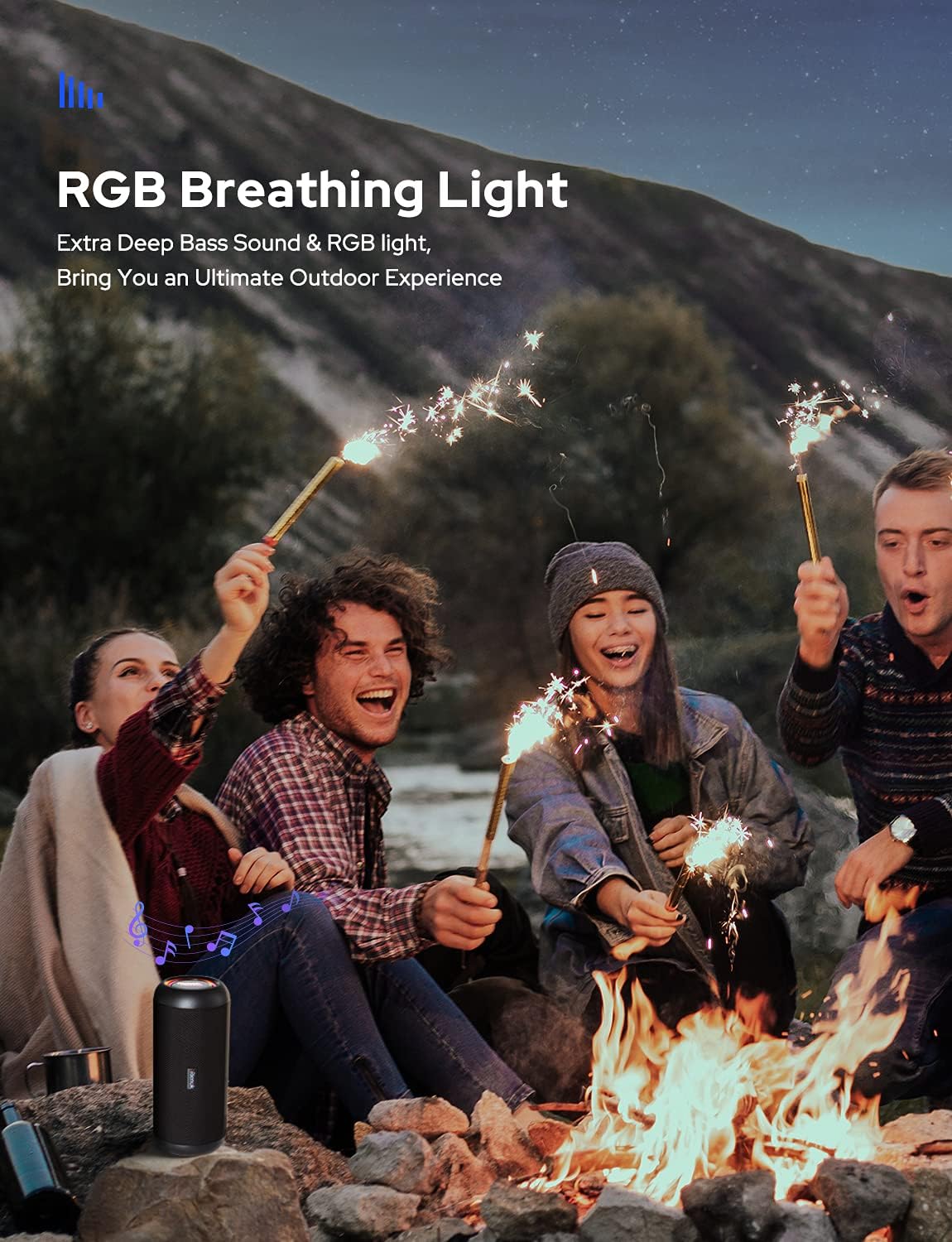
Image 10.1: The RIENOK S1 speaker displaying its dynamic RGB breathing light feature, enhancing the listening experience.
11. Hands-free Calling
When connected via Bluetooth, the speaker can be used for hands-free calls.
- To Answer a Call: Short press the Mode Button (M).
- To End a Call: Short press the Mode Button (M).
- To Reject a Call: Long press the Mode Button (M).
12. IP67 Water Resistance
The RIENOK S1 speaker is IP67 rated, meaning it is protected against dust ingress and can withstand immersion in water up to 1 meter for 30 minutes.
Important: While the speaker is water-resistant, it is not designed for prolonged submersion or use in saltwater. Ensure the charging port cover is securely closed before exposing the speaker to water.

Image 12.1: The RIENOK S1 speaker demonstrating its IP67 waterproof capability, resting partially in water on a rocky surface.
13. Maintenance and Care
- Clean the speaker with a soft, damp cloth. Do not use abrasive cleaners or solvents.
- Store the speaker in a cool, dry place when not in use.
- Avoid exposing the speaker to extreme temperatures or direct sunlight for extended periods.
- Keep the charging port cover securely closed to maintain water resistance.
14. Troubleshooting
| Problem | Possible Cause | Solution |
|---|---|---|
| Speaker does not power on | Low battery | Charge the speaker fully. |
| Cannot pair via Bluetooth | Speaker not in pairing mode / Device Bluetooth off / Too far apart | Ensure speaker is on and in pairing mode. Turn on Bluetooth on your device. Move speaker and device closer. |
| No sound | Volume too low / Incorrect mode / Cable not connected | Increase volume on speaker and device. Ensure correct mode (Bluetooth, AUX, TF Card). Check audio cable connection. |
| TWS pairing fails | Speakers already connected to other devices / Too far apart | Disconnect speakers from other devices. Ensure both speakers are in TWS pairing mode. Move speakers closer. |
| LED lights not working | Lights turned off | Double-press the Mode Button (M) to turn lights on. |
15. Specifications
| Feature | Detail |
|---|---|
| Model Name | Rienok S1 |
| Brand | RIENOK |
| Connectivity Technology | Bluetooth 5.0 |
| Speaker Output Power | 30 Watts |
| Audio Output Mode | Stereo |
| Speaker Type | Outdoor |
| Waterproof Rating | IP67 |
| Battery Type | Lithium-polymer (3000 mAh) |
| Playback Time | Up to 24 hours (varies with volume/content) |
| Dimensions (L x W x H) | 10 x 23.8 x 12.7 cm |
| Weight | 32 Grams |
| Supported Media | Bluetooth, AUX, TF Card (up to 32G) |
16. Safety Information
- Do not disassemble, repair, or modify the speaker. This may cause damage, electric shock, or fire.
- Keep the speaker away from extreme heat sources, direct sunlight, and open flames.
- Do not use the speaker at excessively high volumes for prolonged periods, as this may cause hearing damage.
- Dispose of the battery and speaker according to local regulations. Do not dispose of batteries in fire.
17. Warranty and Support
RIENOK products are designed and manufactured to the highest quality standards. For warranty information or technical support, please refer to the warranty card included in your package or contact RIENOK customer service through the retailer where you purchased the product.


