
1. Introduction
This manual provides detailed instructions for the installation, operation, and maintenance of your VOCOlinc TGuard Keyless Entry Deadbolt Door Lock. The TGuard is designed for enhanced security and convenience, integrating exclusively with Apple HomeKit for smart home control.
Please read this manual thoroughly before installation and use to ensure proper function and to maximize the lifespan of your device.
2. Safety Information
- Do not attempt to disassemble or modify the lock beyond the instructions provided in this manual.
- Use only the specified battery type (4 x AA Alkaline batteries). Do not mix old and new batteries or different types of batteries.
- Keep physical keys in a secure location away from the lock.
- Ensure all components are installed correctly and securely before operating the lock.
- Avoid exposing the lock to extreme temperatures or direct water spray.
3. Package Contents
Verify that all items listed below are present in your package:
- Complete Lockset and Hardware
- Entry Keys (2)
- Installation Guide (this document)
- Quick Start Guide
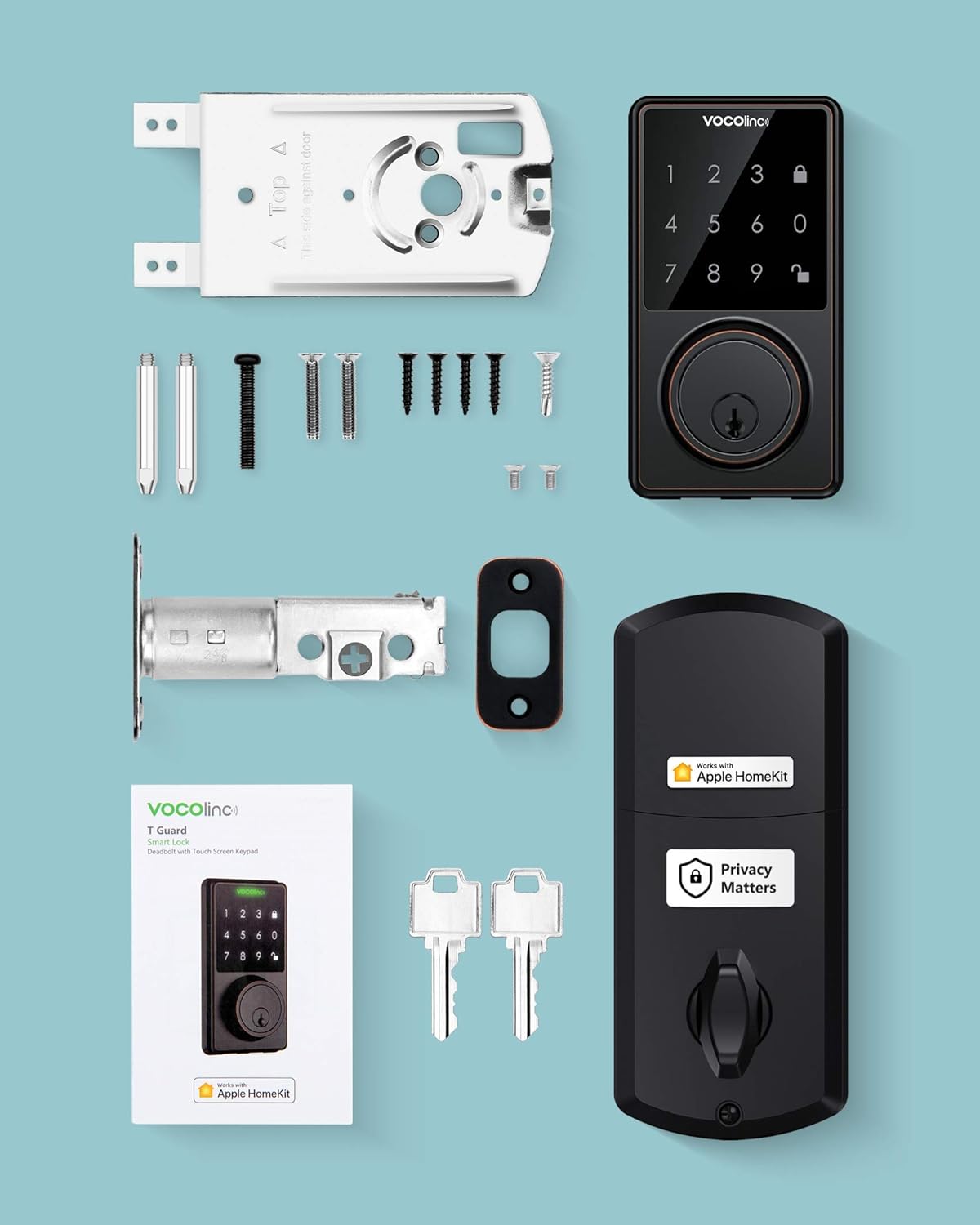
Image: All components included in the VOCOlinc TGuard package, laid out for inspection.
4. System Requirements
- Mobile device running iOS 10.3 or later.
- Support for Bluetooth V4.2.
- Works exclusively with Apple HomeKit.
- For remote access, an Apple TV (4th Gen or later), HomePod, or iPad configured as a Home Hub is required.
5. Specifications
| Feature | Detail |
|---|---|
| Lock Weight | 825 g |
| Lock Dimensions (L x W x H) | 72 x 162 x 115 mm |
| Door Thickness Compatibility | 1 3/8 inch (35mm) to 1 3/4 inch (45mm) |
| Face Borehole Requirement | 2 1/8 inch (54mm) minimum |
| Backsets Compatibility | 2 3/8 inch (60mm) and 2 3/4 inch (70mm) |
| Power Source | 4 x AA Alkaline batteries (not included) |
| Battery Life | 4 to 6 months (with high-quality batteries) |
| Connectivity | Bluetooth V4.2, Apple HomeKit |
| User Capacity | Up to 30 users with unique passcodes |
| Material | Bronze |
| Color | Aged Bronze |
6. Installation
6.1 Pre-Installation Checks
- Ensure your door meets the thickness requirements: 1 3/8 inch (35mm) to 1 3/4 inch (45mm).
- Verify the face borehole is at least 2 1/8 inch (54mm).
- Confirm backsets are either 2 3/8 inch (60mm) or 2 3/4 inch (70mm).
- The deadbolt must be in the retracted (unlocked) position during installation.
- The pin on the interior assembly must be in a vertical position.

Image: Visual guide for door compatibility and critical installation steps, including bolt retraction and pin orientation.
6.2 Step-by-Step Installation
Follow the detailed instructions provided in the included Quick Start Guide for physical installation. A Phillips screwdriver is the only tool typically required.
- Prepare the door: Ensure existing hardware is removed and the door meets the specifications.
- Install the deadbolt latch: Insert the latch into the door edge and secure it. Ensure the deadbolt is retracted.
- Install the exterior keypad assembly: Route the cable through the door and align the keypad.
- Install the interior mounting plate: Secure the mounting plate to the exterior assembly using screws.
- Connect the cable and install the interior assembly: Connect the cable from the exterior unit to the interior unit. Ensure the pin on the interior assembly is vertical before attaching. Secure the interior assembly to the mounting plate.
- Install batteries: Insert 4 AA Alkaline batteries into the battery compartment.
- Test the lock: Manually test the deadbolt operation from both inside and outside.
6.3 Apple HomeKit Setup
After physical installation, integrate your lock with Apple HomeKit:
- Open the Apple Home app on your iOS device.
- Tap the '+' icon to add an accessory.
- Scan the HomeKit setup code located on the lock or in the Quick Start Guide.
- Follow the on-screen prompts to name your lock and assign it to a room.
- For advanced features and user management, download the VOCOlinc app from the App Store.
7. Operating Instructions

Image: Overview of the VOCOlinc TGuard's key features and functionalities.
7.1 Locking and Unlocking
- Keypad: Enter your 4-8 digit passcode on the touchscreen keypad.
- Apple Home App: Use the lock/unlock function within the Apple Home app on your iOS device.
- Siri Voice Control: Ask Siri to lock or unlock your door (e.g., "Hey Siri, lock my front door.").

Image: Demonstrates using Siri voice commands to control the VOCOlinc TGuard lock.
- Physical Key: Use one of the provided physical keys as a backup.
7.2 Auto-Lock Feature
The auto-lock feature automatically locks the door after a user-defined period. This setting can be configured in the VOCOlinc app, with a time range typically between 5 to 180 seconds.

Image: Illustrates the auto-lock function of the VOCOlinc TGuard, showing the deadbolt extending automatically.
7.3 Multi-User Management and Passcodes
Manage up to 30 users and assign unique 4-8 digit passcodes through the VOCOlinc app. You can customize access frequency and periods for each user (e.g., temporary access for guests, recurring access for family).
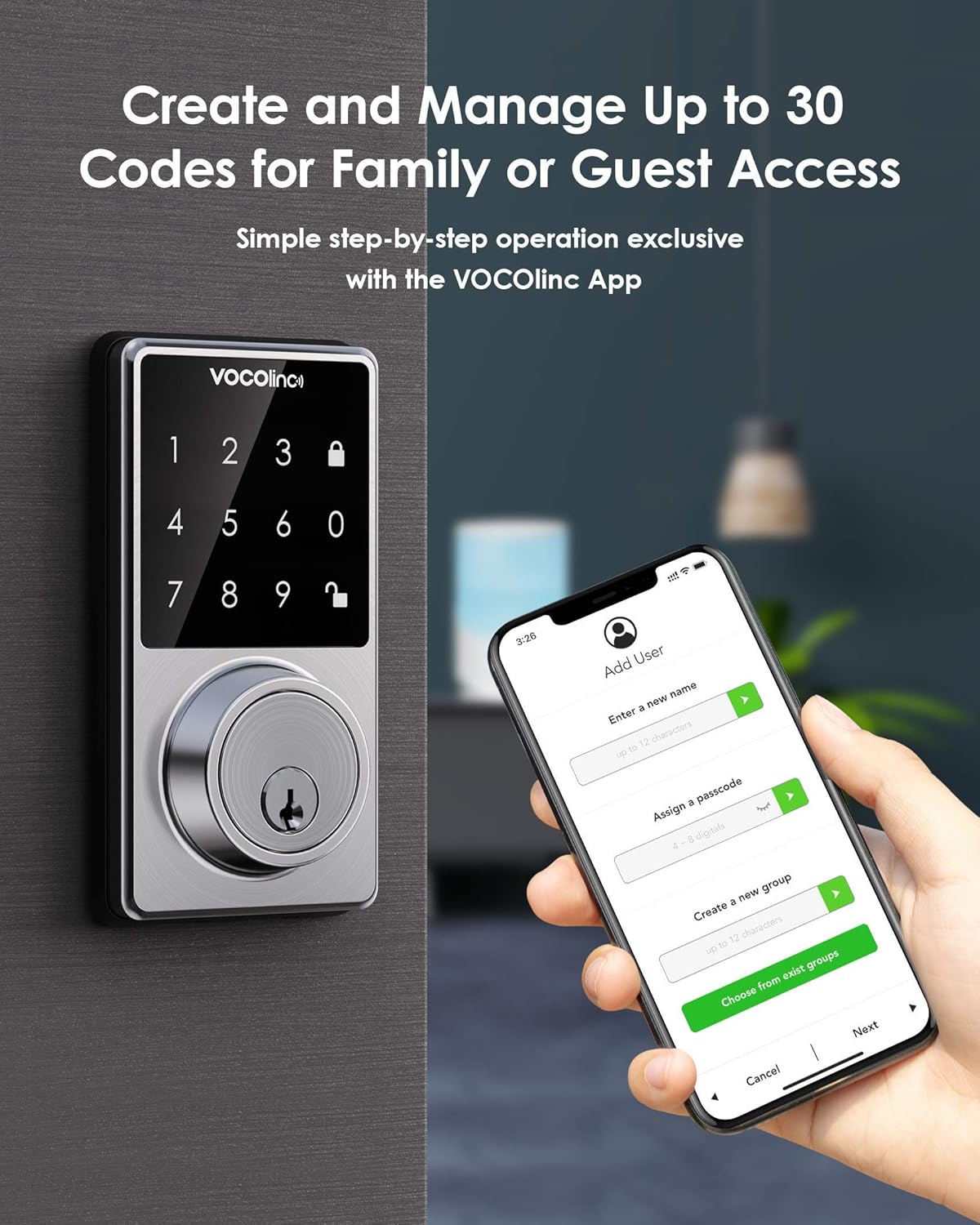
Image: Shows the process of creating and managing user passcodes via the VOCOlinc app.
7.4 Activity Tracking
The VOCOlinc app allows you to track door activities, providing a log of when the door was locked or unlocked and by which user (if a passcode was used).
7.5 Remote Access
To enable remote access and control of your lock when away from home, an Apple Home Hub (Apple TV 4th Gen or later, HomePod, or iPad) must be set up and connected to your home network.
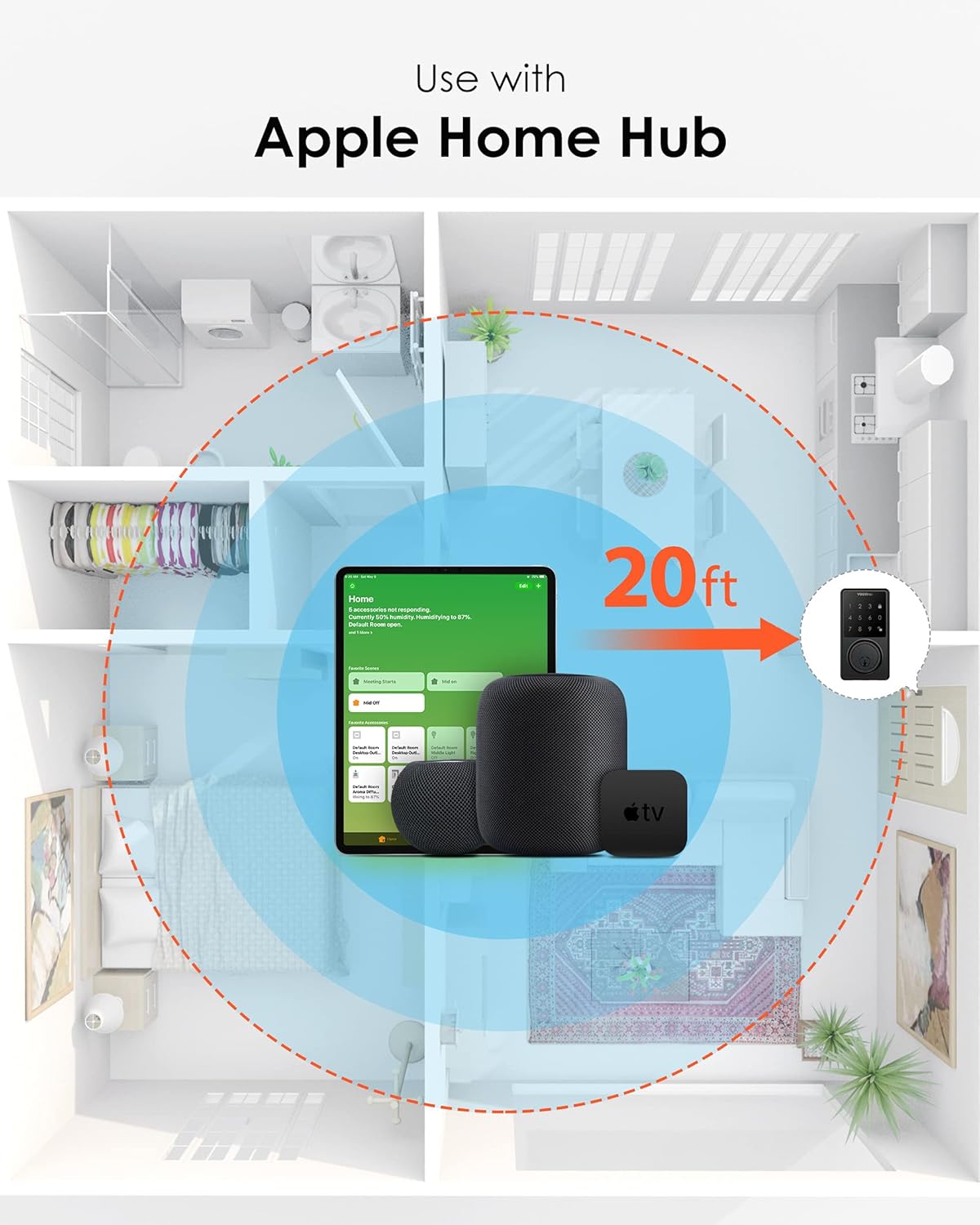
Image: Depicts how an Apple Home Hub facilitates remote control of the smart lock within a typical home environment.
7.6 Power Saving (Away Mode)
Activate 'Away mode' in the VOCOlinc app to disable the touch panel and conserve battery power when you are away from home for extended periods.
8. Maintenance
8.1 Battery Replacement
The lock is designed for 4 to 6 months of battery life using high-quality 4 x AA Alkaline batteries. When battery levels are low, you will receive notifications via the Apple Home app or VOCOlinc app. To replace batteries:
- Remove the battery cover on the interior assembly.
- Remove the old batteries.
- Insert four new AA Alkaline batteries, ensuring correct polarity.
- Replace the battery cover.
8.2 Cleaning
Clean the lock's exterior surfaces with a soft, damp cloth. Avoid using abrasive cleaners or solvents, as these can damage the finish or electronic components.
9. Troubleshooting
- Lock not responding: Check battery levels. Ensure Bluetooth is enabled on your iOS device and you are within range. If using remote access, verify your Apple Home Hub is online and functioning.
- Incorrect lock/unlock status in app: Ensure the lock's firmware is up to date via the VOCOlinc app. If the issue persists, try recalibrating the lock or reinstalling it according to the instructions.
- Keypad not responding: Check for low battery. Ensure the keypad is clean and free from obstructions. Adjust touch sensitivity in the VOCOlinc app if needed.
- Difficulty with installation: Re-verify door dimensions and ensure the deadbolt is retracted and the interior pin is vertical during assembly. Refer to the installation guide carefully.
- Bluetooth range issues: Ensure your iOS device or Apple Home Hub is within close proximity to the lock. Environmental factors can affect Bluetooth signal strength.
10. Warranty and Support
For warranty information and technical support, please refer to the official VOCOlinc website or contact their customer service directly. Keep your purchase receipt as proof of purchase.


