
1. Introduction
This manual provides essential information for the safe and efficient operation of your Foxsky 32FSELS-PRO 32-inch HD Ready Smart LED TV. Please read these instructions thoroughly before using the product and retain them for future reference. This television combines HD Ready resolution with smart features, offering a comprehensive entertainment experience.
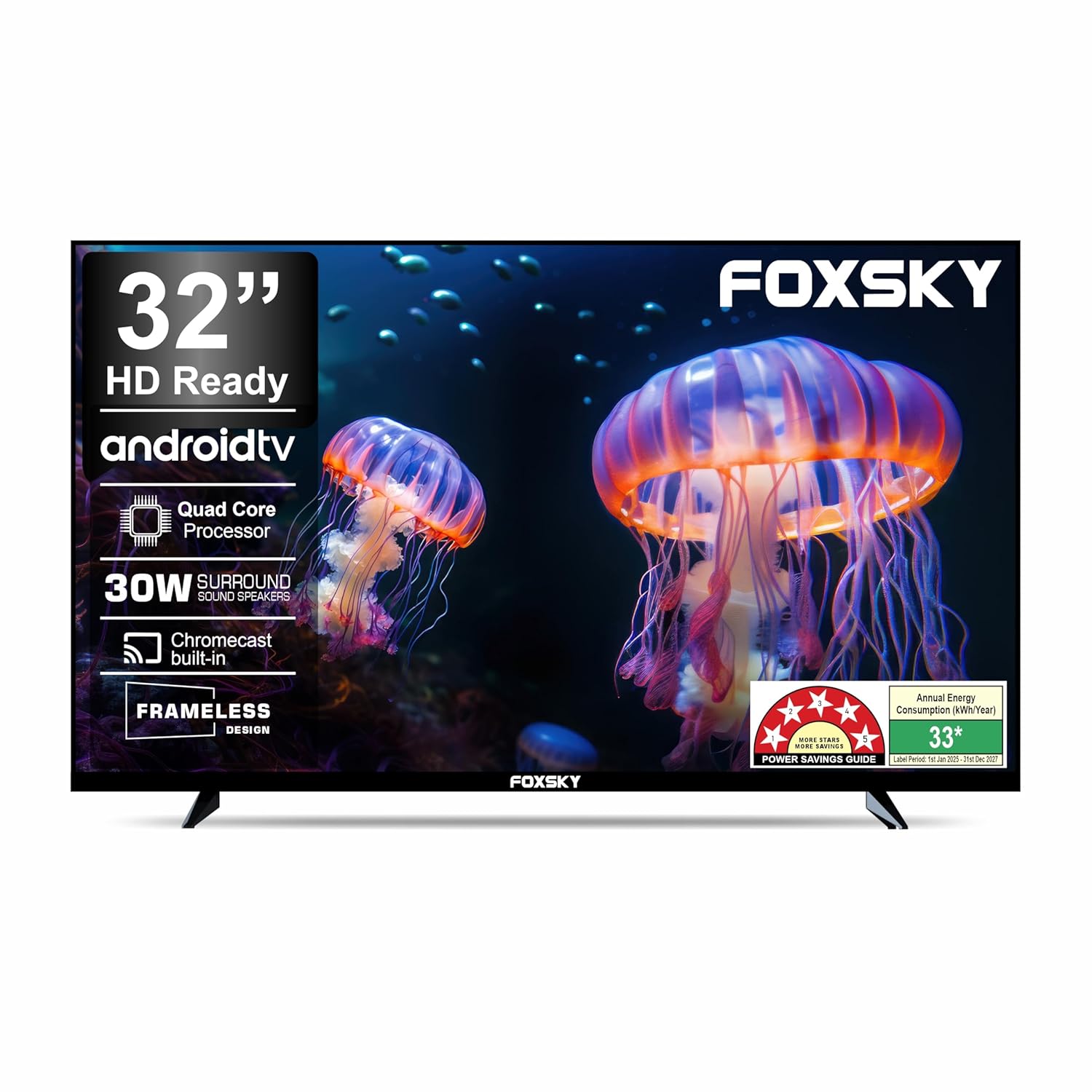
Figure 1.1: Front view of the Foxsky 32FSELS-PRO Smart LED TV.
2. Package Contents
Verify that all items listed below are included in your product packaging. If any items are missing or damaged, contact customer support immediately.
- 1 LED TV
- 1 Table Top Stand
- 1 Wall Mount
- 1 User Manual (this document)
- 1 Warranty Card
- 1 Remote Control
- Batteries for Remote Control

Figure 2.1: Illustration of included accessories.
3. Product Overview
3.1 Physical Dimensions
The Foxsky 32FSELS-PRO TV features a compact design suitable for various spaces. Refer to the diagram below for detailed dimensions.

Figure 3.1: Product dimensions.
3.2 Connectivity Ports
The television is equipped with multiple ports for connecting external devices. These include HDMI, USB, headphone jack, RJ45 (Ethernet), and AV input.

Figure 3.2: Overview of connectivity ports.
- HDMI Ports (x2): For connecting set-top boxes, Blu-ray players, and gaming consoles.
- USB Ports (x2): For connecting hard drives and other USB devices to play media.
- Headphone Jack: For private audio listening.
- RJ45 (Ethernet): For wired internet connection.
- AV IN (RCA): For connecting older devices with composite video and stereo audio outputs.
4. Initial Setup
Follow these steps for the initial setup of your television.
- Unpacking: Carefully remove the TV and all accessories from the packaging.
- Stand Installation (Optional): If using the table-top stand, attach the stand bases to the bottom of the TV using the provided screws. Ensure they are securely fastened.
- Wall Mounting (Optional): If wall-mounting, follow the instructions provided with your wall mount kit. Ensure the wall mount is compatible with VESA standards and securely installed on a sturdy wall.
- Power Connection: Connect the power cord to the TV and then plug it into a power outlet.
- Connect Devices: Connect your set-top box, gaming console, or other devices to the appropriate HDMI or AV ports.
- Initial Power On: Press the power button on the TV or the remote control to turn on the TV.
- First-Time Setup Wizard: Follow the on-screen instructions to select your language, connect to Wi-Fi, sign in to your Google account (for Smart TV features), and scan for channels.
5. Operating Your TV
5.1 Remote Control
The included remote control allows you to navigate the TV's functions. It features dedicated hotkeys for popular streaming services.

Figure 5.1: Foxsky TV Remote Control.
- Power Button: Turns the TV on or off.
- Navigation Buttons: Use the directional pad and OK button to navigate menus.
- Volume +/-: Adjusts the volume level.
- Channel +/-: Changes TV channels.
- Source: Selects input sources (HDMI, AV, etc.).
- Hotkeys: Direct access buttons for Netflix, YouTube, Prime Video, and Disney+ Hotstar.
5.2 Smart TV Features
Your Foxsky TV runs on an Android-based operating system, providing access to a wide range of smart features and applications.
- Built-in Wi-Fi: Connect to your home network for internet access.
- Google Play Store: Download and install additional applications.
- Pre-installed Apps: Access popular streaming services like Netflix, YouTube, Prime Video, Sony Liv, Disney+ Hotstar, and Zee5 directly.
- Built-in Miracast: Wirelessly mirror content from compatible devices to your TV.
- Media Center: Play media files from connected USB devices.

Figure 5.2: Available Smart TV applications.
6. Display and Sound Features
6.1 Display Technology
The TV features an A+ Grade Panel with HD Ready resolution (1366x768 pixels) and a 60 Hz refresh rate, providing clear visuals. Micro Dimming and True Color technologies enhance picture quality, while the 178-degree viewing angle ensures consistent image quality from various positions.

Figure 6.1: HDR10 technology enhances detail and color.
The TV supports HDR-10, which improves contrast and color accuracy for a more dynamic viewing experience.
6.2 Audio System
Equipped with 30 Watts of audio output and Dolby Audio, the TV delivers clear and immersive sound. DTS Surround Sound further enhances the audio experience.

Figure 6.2: 30W Surround Sound Speakers for enhanced audio.
7. Troubleshooting
If you encounter issues with your TV, refer to the following common problems and solutions before contacting customer support.
| Problem | Possible Solution |
|---|---|
| No power | Ensure the power cord is securely plugged into both the TV and a working power outlet. Check if the power outlet is functional. |
| No picture, but sound is present | Check the input source. Ensure the connected device is turned on and functioning correctly. Try a different HDMI cable. |
| No sound, but picture is present | Check the volume level and ensure the TV is not muted. Verify audio settings on both the TV and the connected device. |
| Remote control not working | Replace the batteries in the remote control. Ensure there are no obstructions between the remote and the TV's IR sensor. |
| Cannot connect to Wi-Fi | Ensure your Wi-Fi router is on and within range. Re-enter the Wi-Fi password carefully. Try restarting both the TV and the router. |
| Smart apps not loading or crashing | Check your internet connection. Try clearing the app's cache or reinstalling the app from the Google Play Store. Ensure the TV's software is up to date. |
8. Technical Specifications
Below are the detailed technical specifications for the Foxsky 32FSELS-PRO Smart LED TV.
| Feature | Specification |
|---|---|
| Brand | Foxsky |
| Model | 32FSELS PRO |
| Screen Size | 32 Inches (80 cm) |
| Display Technology | LED, A+ Grade Panel |
| Resolution | HD Ready (1366 x 768 Pixels) |
| Refresh Rate | 60 Hz |
| Viewing Angle | 178 Degrees |
| Image Aspect Ratio | 16:9 |
| Image Contrast Ratio | 4000:1 |
| Smart TV Features | Android OS (Android 9.0 Based), Built-in Wi-Fi, Google Play Store, Netflix, YouTube, Miracast |
| Processor | Multicore Processor |
| RAM | 1 GB |
| Storage | 8 GB |
| Sound Output | 30 Watts |
| Audio Technology | Dolby Audio, DTS Surround Sound |
| HDMI Ports | 2 |
| USB Ports | 2 |
| Other Connectivity | Headphone, RJ45 (Ethernet), AV In (RCA) |
| Power Source | AC, 110 Volts |
| Power Consumption (On-mode) | 50 Watts |
| Product Dimensions (LxWxH) | 19 x 72 x 48 cm |
| Item Weight | 4 kg |
| Mounting Type | Wall Mount & Table Mount |
| Included Components | TV, Table Top Stand, Wall Mount, User Manual, Warranty Card, Remote Control, Batteries |
9. Warranty and Support
Your Foxsky 32FSELS-PRO TV comes with a 1-year warranty from the date of purchase, provided by Foxsky. For any service or support needs, please refer to the contact information below.
- Warranty Period: 1 Year from the date of purchase.
- Manufacturer: Foxsky Electronics India Pvt. Ltd.
- Toll Free No.: +91-7079797902 (Monday to Saturday, 10:00 AM to 06:00 PM)
- Customer Care Email ID: customercare@foxskyindia.com
- Service Manager Email ID: customer.service@foxskyindia.com
- Website: www.foxskyindia.com
Foxsky offers pan-India service and post-installation support, with assistance available within 48 hours from service centers across 28 states and 400 cities.

Figure 9.1: Foxsky customer support information.
