
1. Introduction and Safety Information
This manual provides essential information for the safe and efficient operation of your Foxsky 65FSVS 65-inch 4K UHD QLED Smart TV. Please read it thoroughly before using the product and retain it for future reference.
Important Safety Instructions:
- Do not expose the TV to rain or moisture to prevent fire or electric shock.
- Do not block ventilation openings. Ensure adequate space around the TV for proper airflow.
- Place the TV on a stable, level surface to prevent it from falling.
- Unplug the TV during lightning storms or when unused for long periods.
- Refer all servicing to qualified service personnel.
- Keep batteries out of reach of children.
2. What's in the Box
Carefully unpack your new Foxsky 65FSVS TV and ensure all items are present:
- 1 LED TV
- 1 Table Top Stand
- 1 Wall Mount
- 1 User Manual
- 1 Warranty Card
- 1 Remote Control
- Batteries for Remote Control

Image: Foxsky 65-inch 4K UHD QLED Smart TV with its included table-top stand.
3. Setup
Your Foxsky TV can be set up using either the included table-top stand or a wall mount.
3.1. Table-Top Stand Installation
- Carefully place the TV screen-down on a soft, clean surface to prevent scratches.
- Attach the two stand legs to the designated slots at the bottom of the TV using the provided screws. Ensure they are securely fastened.
- Place the TV on a stable and level surface, ensuring it is not near heat sources or direct sunlight.
3.2. Wall Mount Installation
If you choose to wall-mount your TV, please use the included wall mount and follow its specific instructions. Professional installation is recommended for safety.

Image: Rear view of the Foxsky TV displaying the various input and output ports for connectivity.
3.3. Initial Power-On and Network Connection
- Connect the power cord to the TV and then to a power outlet.
- Press the power button on the remote control or TV.
- Follow the on-screen instructions to select your language, region, and connect to your Wi-Fi network.
4. Operating Instructions
4.1. Basic Functions
- Power On/Off: Press the power button on the remote control.
- Volume Control: Use the Volume Up/Down buttons on the remote.
- Channel Selection: Use the Channel Up/Down buttons or number pad for direct input.
- Input Source: Press the 'Input' or 'Source' button to switch between HDMI, USB, and other connected devices.
4.2. Smart TV Navigation (WebOS)
Your Foxsky TV runs on WebOS, offering an intuitive user interface.
- Use the directional pad or the Magic Remote's pointer function to navigate the home screen.
- Access installed apps like Netflix, Prime Video, YouTube, and more directly from the launcher bar.
- Utilize the built-in Google Voice Assistant for voice commands and search.

Image: The WebOS interface on the Foxsky TV, showing a selection of streaming applications and content.
5. Connectivity
The Foxsky 65FSVS TV offers multiple connectivity options for your devices.
- HDMI Ports: 2 HDMI 2.0 ports for connecting set-top boxes, gaming consoles, Blu-ray players, and laptops.
- USB Ports: 2 USB 2.0 ports for connecting hard drives, USB flash drives, and other USB devices for media playback.
- Wi-Fi: Built-in Wi-Fi for internet access and smart features.
- Chromecast Built-in: Allows casting content from compatible mobile devices to the TV.
- Other Ports: Includes RJ45 (Ethernet), AV In, Optical Audio Out, and RF In.

Image: Logos indicating support for Alexa built-in, Google Assistant, Apple AirPlay, and Apple Home on the Foxsky TV.
6. Display Technology
Experience stunning visuals with the advanced display features of your Foxsky 65FSVS TV.
- 4K Ultra HD (3840x2160): Delivers exceptional clarity and detail.
- QLED Display: Quantum Dot technology provides vibrant colors and improved brightness.
- HDR10: High Dynamic Range support for enhanced contrast and color accuracy.
- Micro Dimming: Improves contrast by adjusting backlight in different zones.
- A+ Grade Panel: Ensures high-quality display performance.
- 60 Hz Refresh Rate: Provides smooth motion for most content.
- 178-Degree Viewing Angle: Offers consistent picture quality from various positions.

Image: Diagram illustrating QLED technology with improved color saturation, higher peak brightness, and deeper blacks/better contrasts.

Image: A Foxsky TV screen showing a vibrant, action-packed scene, emphasizing vivid colors and smooth motion.
7. Sound System
Enjoy immersive audio with your Foxsky 65FSVS TV.
- 30 Watts Output: Powerful audio output for clear sound.
- Dolby Audio System: Enhances sound quality for a cinematic experience.
- DTS: Digital Theater System support for rich, multi-dimensional audio.

Image: Illustration of the Foxsky TV's cinematic sound output, highlighting 30W sound and Dolby Audio.
8. Remote Control
The included smart remote control provides convenient access to all TV functions.
- Magic Remote Functionality: Point, click, and scroll for easy navigation.
- Voice Control: Press and hold the voice button to use Google Voice Assistant for commands and search.
- Dedicated Hotkeys: Quick access buttons for popular streaming services like Netflix, Prime Video, and more.
- Connectivity: Operates via IR and Bluetooth.

Image: A detailed diagram of the Foxsky Magic Remote, illustrating single-click access, ThinQ AI voice command, point-click-scroll functionality, and hotkeys for streaming services.
9. Maintenance
Proper maintenance ensures the longevity and optimal performance of your TV.
- Cleaning the Screen: Gently wipe the screen with a soft, lint-free cloth. For stubborn marks, use a screen-cleaning solution specifically designed for TVs, applied to the cloth, not directly to the screen.
- Cleaning the Body: Use a soft, dry cloth to wipe the TV's frame and stand.
- Ventilation: Ensure the ventilation openings on the back of the TV are not blocked by dust or objects.
- Power Cord: Regularly check the power cord for any damage. Do not use a damaged cord.
10. Troubleshooting
Here are solutions to common issues you might encounter:
| Problem | Possible Solution |
|---|---|
| No power | Check if the power cord is securely plugged into the TV and the wall outlet. Ensure the power outlet is working. |
| No picture, but sound is present | Check the input source. Ensure the connected device (set-top box, etc.) is powered on and functioning correctly. |
| No sound, but picture is present | Check the volume level. Ensure the TV is not muted. Check audio cables if using external speakers. |
| Remote control not working | Replace the batteries. Ensure there are no obstructions between the remote and the TV's IR sensor. Re-pair the Magic Remote if necessary. |
| Wi-Fi connection issues | Restart your router and the TV. Check Wi-Fi settings on the TV to ensure the correct network and password are entered. |
11. Specifications
Detailed technical specifications for the Foxsky 65FSVS 65-inch 4K UHD QLED Smart TV.
| Feature | Specification |
|---|---|
| Brand | Foxsky |
| Model | 65FS-VS |
| Screen Size | 65 Inches (165 cm) |
| Display Technology | QLED, LED |
| Resolution | 4K Ultra HD (3840x2160) |
| Refresh Rate | 60 Hz |
| Operating System | Android (WebOS) |
| RAM Memory Installed Size | 2 GB |
| Memory Storage Capacity | 16 GB |
| HDMI Ports | 2 |
| USB Ports | 2 |
| Connectivity Technology | Wi-Fi |
| Audio Output | 30 Watts, Dolby Audio, DTS |
| Viewing Angle | 178 Degrees |
| Product Dimensions (LxWxH) | 145 x 24.1 x 83.3 cm |
| Item Weight | 26 kg |
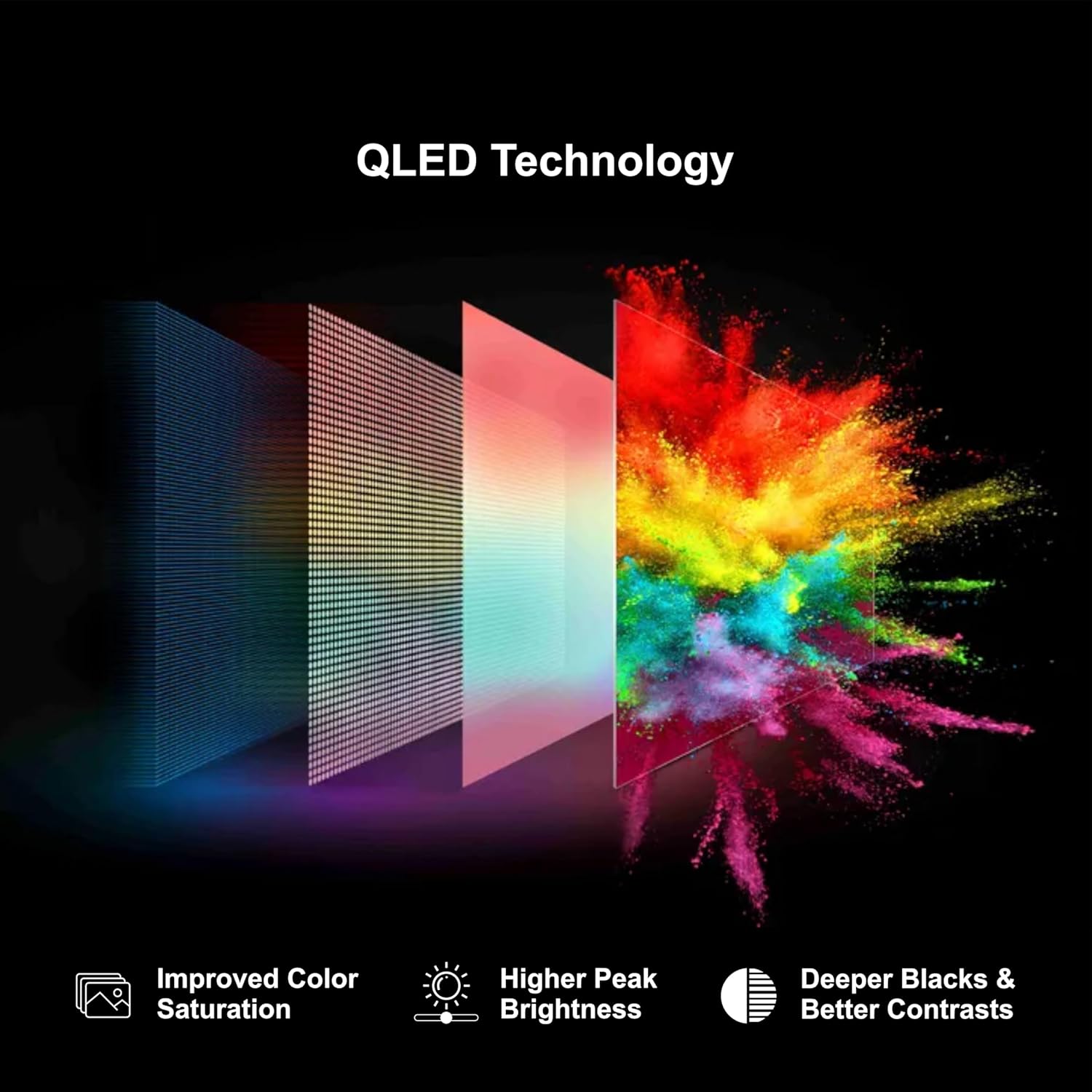
Image: Diagram showing the dimensions of the Foxsky TV in centimeters (145.6 cm width, 90.04 cm height, 8 cm depth, 29.5 cm stand depth).
12. Warranty and Support
Your Foxsky 65FSVS TV comes with comprehensive warranty and support services.
12.1. Warranty Information
This product is covered by a 1-year warranty provided by Foxsky from the date of purchase. Please refer to the included Warranty Card for detailed terms and conditions.
12.2. Customer Support
For any queries, technical assistance, or service requests, please contact Foxsky customer care:
- Toll Free No.: +91-7079797902 (Monday to Saturday, 10:00 AM to 06:00 PM)
- Customer Service Email ID: customercare@foxskyindia.com
- Service Manager Email ID: customer.service@foxskyindia.com
- Website: www.foxskyindia.com
Foxsky offers pan-India service and post-installation support, aiming to provide support within 48 hours from service centers in 28 states and 400 cities.

Image: Map illustrating Foxsky's pan-India service network, along with customer care contact details.
13. Product Overview Video
Watch this video for a quick overview of the Foxsky 65-inch 4K UHD Smart LED TV features.
Video: A brief product overview highlighting key features and specifications of the Foxsky 65-inch 4K UHD Smart LED TV.

