
Lenovo 81WE00NK
Lenovo IdeaPad 3 15.6" HD Touchscreen Laptop User Manual
Model: 81WE00NK
Introduction
This manual provides essential information for setting up, operating, maintaining, and troubleshooting your Lenovo IdeaPad 3 15.6" HD Touchscreen Laptop. Please read this manual thoroughly to ensure optimal performance and longevity of your device.
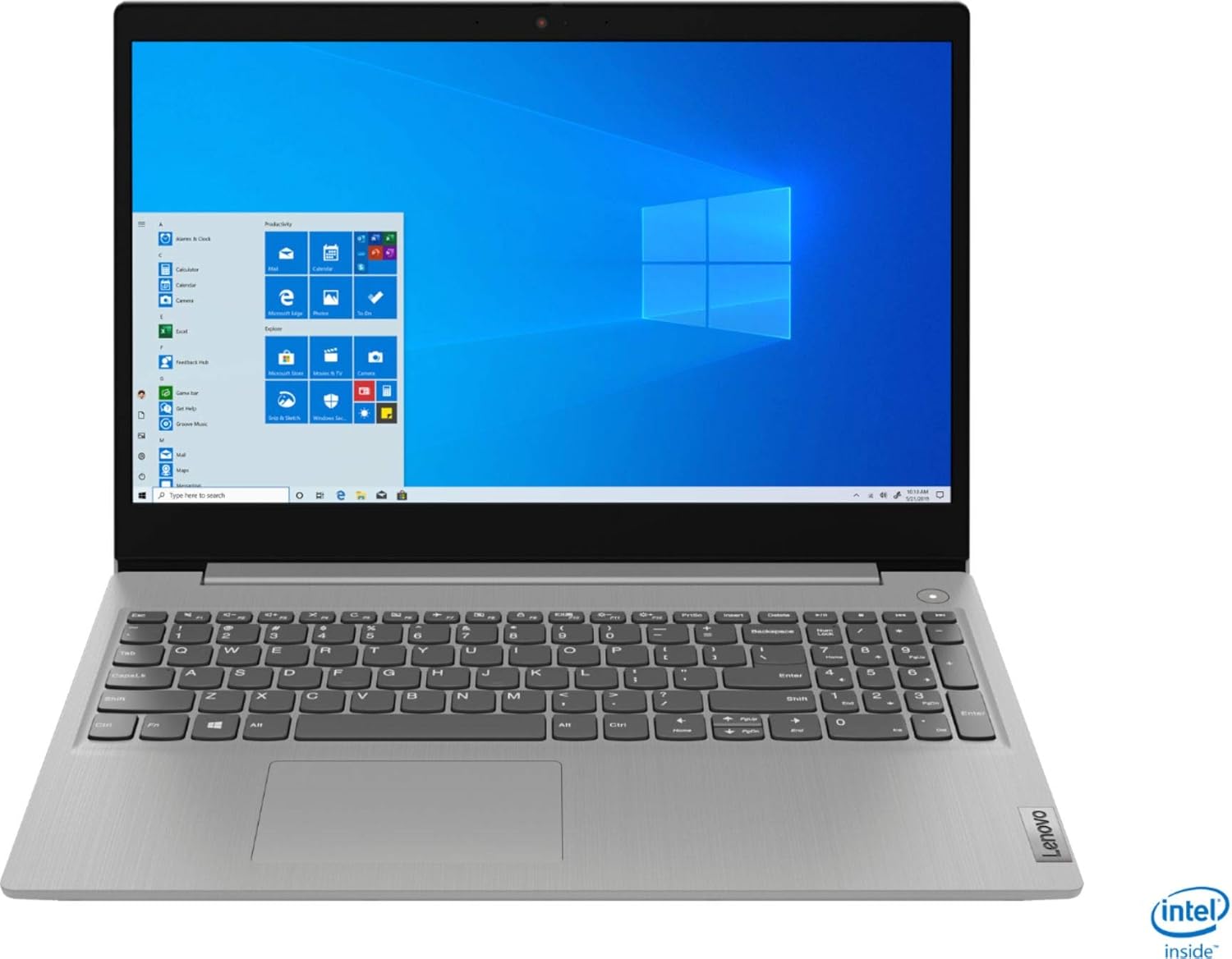
Figure 1: Front view of the Lenovo IdeaPad 3 laptop.
What's in the Box
Verify that all items are present in your product packaging:
- Lenovo IdeaPad 3 15.6" HD Touchscreen Laptop
- AC Power Adapter
- IFT Accessories (e.g., USB 3.0 32GB Flash Drive, as bundled)

Figure 2: Example of an included IFT Accessory (USB Flash Drive).
Setup
- Connect Power: Plug the AC power adapter into the laptop's power port and then into a wall outlet. Ensure the power indicator light illuminates.
- Initial Boot: Open the laptop lid and press the power button, typically located on the right side of the keyboard deck. The laptop will power on.
- Windows Setup: Follow the on-screen instructions to complete the Windows 10 S setup process. This includes selecting your region, connecting to a Wi-Fi network, and creating a user account.
- Updates: After initial setup, connect to the internet and allow Windows to download and install any pending updates to ensure system stability and security.

Figure 3: Side view illustrating power and other ports.
Operating
Basic Operations
- Power On/Off: Press the power button to turn on. To shut down, click the Start button, then Power > Shut down.
- Keyboard: Use the integrated keyboard for typing. Function keys (F1-F12) often have secondary actions (e.g., volume, brightness) accessible by pressing the Fn key simultaneously.
- Touchpad: The touchpad supports multi-touch gestures for navigation. Tap to click, use two fingers to scroll, and pinch to zoom.
- Touchscreen: Interact directly with the display using your fingers. Tap to select, swipe to scroll, and pinch to zoom.
Connecting Peripherals
The laptop features various ports for connecting external devices:
- USB Ports: For connecting USB devices like external hard drives, mice, or keyboards.
- HDMI Port: For connecting to external displays or projectors.
- Audio Jack: For headphones or external speakers.
- SD Card Reader: For reading data from SD memory cards.

Figure 4: Angled view of the laptop in use.
Maintenance
- Cleaning: Use a soft, lint-free cloth slightly dampened with water or a screen cleaner to clean the display. For the keyboard and chassis, use a dry, soft cloth. Avoid harsh chemicals.
- Battery Care: To prolong battery life, avoid fully discharging the battery frequently. Store the laptop in a cool, dry place when not in use for extended periods.
- Software Updates: Regularly check for and install Windows updates and driver updates from Lenovo's official support website to ensure optimal performance and security.
- Ventilation: Ensure the laptop's ventilation openings are not blocked to prevent overheating. Use the laptop on a hard, flat surface.

Figure 5: Bottom view of the laptop, showing ventilation areas.
Troubleshooting
This section addresses common issues you might encounter with your Lenovo IdeaPad 3 laptop.
| Problem | Possible Solution |
|---|---|
| Laptop does not power on. | Ensure the AC adapter is securely connected to both the laptop and a working power outlet. Check if the power outlet is functional. Try a different outlet. If battery is low, allow it to charge for a few minutes before attempting to power on. |
| Screen is blank or black. | Ensure the laptop is powered on. Press Fn + F2 (or the corresponding display toggle key) to ensure the display is not turned off. Connect an external monitor to check if the issue is with the laptop's display. |
| Wi-Fi connection issues. | Check if Wi-Fi is enabled (Fn + F7 or through Windows settings). Restart your router and modem. Ensure drivers are up to date. |
| Laptop is running slow. | Close unnecessary applications. Check Task Manager for high CPU/RAM usage. Run a disk cleanup. Ensure Windows and drivers are updated. Consider running a virus scan. |
Specifications
Key technical specifications for the Lenovo IdeaPad 3 15.6" HD Touchscreen Laptop (Model: 81WE00NK):
| Feature | Detail |
|---|---|
| Display Size | 15.6 Inches |
| Max Screen Resolution | 1920x1080 pixels |
| Processor | Intel Core i5-1035G1 (1 GHz) |
| RAM | 12 GB DDR4 |
| Storage | 256 GB SSD |
| Operating System | Windows 10 S |
| Graphics Card | Integrated |
| Wireless Type | 802.11ac |
| Item Weight | 4.07 pounds |
| Product Dimensions | 14.26 x 9.98 x 0.78 inches |
| Color | Platinum Grey |
Warranty and Support
Your Lenovo IdeaPad 3 laptop comes with a standard manufacturer's warranty. For detailed warranty terms and conditions, please refer to the warranty card included with your product or visit the official Lenovo support website.
For technical assistance, driver downloads, or service requests, please visit the Lenovo Support website or contact their customer service. You can find more information and support resources by visiting the Lenovo Store on Amazon.